Why optimise listing speed for your Shopify store
Discover why optimize listing speed for your Shopify store is crucial. Boost sales, click-through rates, and conversions today!

Why optimise listing speed for your Shopify store

TL;DR:
- Fast listing speeds are essential because slow product pages reduce conversions and damage rankings. AI tools can cut time-to-sale by 31% and help maintain ongoing speed performance. Optimizing images and removing unnecessary scripts are quick, effective ways to improve load times on Shopify.
Listing speed is defined as the time it takes for a product page to fully load and become interactive for a shopper. Slow listings cost you sales before a customer reads a single word. AI-optimised listings reduce time-to-sale by 31%, increase click-through rates by 18%, and improve conversions by 24%. Those numbers reflect a structural truth: speed is not a technical nicety. It is the first filter every shopper applies, consciously or not, before they decide whether your store is worth their time. For Shopify merchants competing in 2026, the question is not whether to optimise listing speed, but how quickly you can act on it.
Why optimise listing speed: the direct impact on conversions
Speed acts as a gatekeeper signal. Sites that clear speed thresholds allow their content quality and user experience to perform fully. Sites that do not clear those thresholds never get the chance to prove their value, regardless of how good the product is.
The conversion data is stark. A one-second delay in page load time reduces conversions by up to 7%. On a store turning over £10,000 a month, that single second costs you £700 every month, compounding across every slow page in your catalogue.
Bounce rate and scroll depth tell the same story. Shoppers who encounter a slow listing leave before the page finishes rendering. They do not scroll to your product description, they do not read your reviews, and they do not add to cart. Speed determines whether your merchandising work gets seen at all.
Mobile compounds the problem. Google uses mobile-first indexing, meaning it ranks your store based on the mobile version of your pages. Mobile connections are slower and less stable than desktop broadband. A listing that loads acceptably on a laptop may frustrate a shopper on a 4G connection, pushing your bounce rate higher and your ranking lower.
- Slow listings increase bounce rates before content loads
- Mobile shoppers abandon pages faster than desktop users
- Each additional second of load time multiplies conversion losses
- Speed problems hide the quality of your product content from shoppers
Pro Tip: Use Google PageSpeed Insights to test your top five product pages on mobile. The score gap between mobile and desktop often reveals exactly where you are losing customers.
What technical and SEO mechanisms explain why listing speed matters?
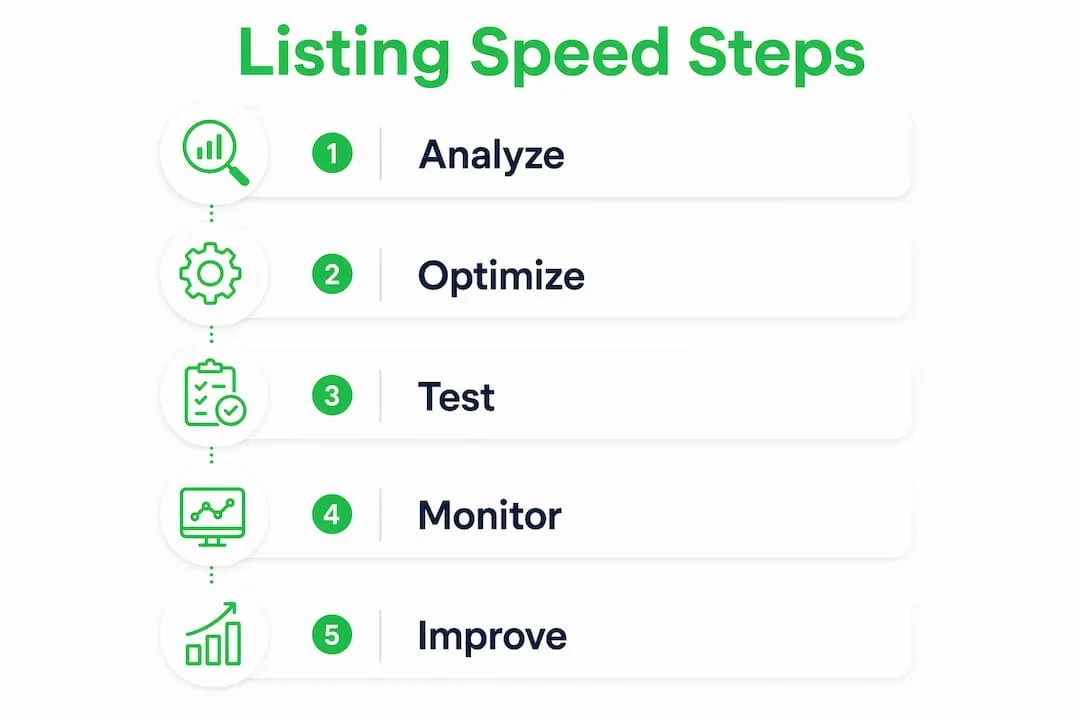
Googlebot operates on a crawl budget. Slow server response times cause Googlebot to crawl fewer pages, creating indexing lag that delays the visibility of new listings. For a Shopify store with hundreds of products, this is a serious structural problem. A new listing that takes three days to index is a listing that earns no organic traffic during its most commercially valuable window.
Google’s Core Web Vitals framework formalises the relationship between speed and ranking. Three metrics matter most for product listings.
- Largest Contentful Paint (LCP): measures how quickly the main product image or headline loads. Google’s threshold is under 2.5 seconds.
- Cumulative Layout Shift (CLS): measures visual stability. A listing that jumps around as it loads signals poor technical quality to both shoppers and Google.
- Interaction to Next Paint (INP): measures how quickly the page responds to a shopper’s first tap or click, critical for add-to-cart actions.
Speed improvements do not guarantee a rank boost on their own. Speed removes barriers that prevent content quality from performing. Think of it as clearing the runway. Your SEO work, your product descriptions, and your structured data all need a fast page to take off from.
For large Shopify catalogues, continuous speed monitoring is non-negotiable. Dynamic content, new apps, and theme updates all introduce regressions. A store that passed Core Web Vitals in january may fail them by march after a theme update.
Pro Tip: Connect Google Search Console to your Shopify store and check the Core Web Vitals report monthly. It flags specific URLs that are failing, so you fix the pages that matter most rather than guessing.
What productivity challenges slow down listing creation?
The bottleneck in most Shopify stores is not the server. It is the listing workflow itself. Writing titles, researching pricing, editing photos, writing descriptions, and categorising products manually takes significant time per listing. Multiply that across a catalogue of 200 products and you have weeks of work before a single item goes live.
AI-driven listing automation tools reduce repetitive manual work and can identify optimisations that increase visibility and reduce time-to-sale by up to one third. That is not a marginal efficiency gain. It is the difference between launching a product in minutes and launching it in hours.
There is also a sequencing problem that most merchants overlook. Listings launched with a complete marketing suite pre-loaded sell 39% faster than those marketed after going live. The implication is clear: your listing and your marketing assets need to go live together, not days apart.
- Write titles and descriptions in batches. Grouping similar products reduces context-switching and speeds up writing.
- Edit and compress images before uploading. Fixing image sizes after upload wastes time and leaves unoptimised files live.
- Prepare marketing copy alongside the listing. Social posts, ad copy, and email content should be ready before you publish.
- Use bulk import tools. Importing products in bulk from AliExpress or supplier feeds cuts individual listing time dramatically.
- Sync listing publication with promotional pushes. Synchronising listing creation with marketing assets prevents quiet launches that generate no early momentum.
Pro Tip: Build a listing template for each product category. A template with pre-filled SEO structure, bullet point format, and image specifications cuts per-listing time by more than half.
For a deeper look at how bulk listing automation changes the economics of running a Shopify store, the efficiency gains compound quickly at scale.
How can Shopify merchants practically improve listing speed?
The fastest wins in listing speed come from images. Product images are typically the largest files on any listing page, and they are almost always the main cause of slow LCP scores. Image optimisation, lazy loading, CDN use, and caching can reduce load times by up to 50% for geographically dispersed shoppers. That is a significant gain from changes that do not affect how your products look.

Image optimisation
Convert product images to WebP or AVIF format. Both deliver smaller file sizes than JPEG or PNG at equivalent visual quality. Resize images to the dimensions your theme actually displays rather than uploading full-resolution files. Enable lazy loading so images below the fold only load when a shopper scrolls to them.
Third-party scripts and app bloat
Excess third-party scripts, bloated CSS, and uncompressed images significantly increase page latency. Every Shopify app you install adds JavaScript to your store. Audit your installed apps and remove any that are not actively contributing to revenue. A review app you installed two years ago and never configured is slowing every product page you own.
Prioritising critical pages
Prioritising critical pages for performance optimisation lets merchants balance merchandising quality with speed. You do not need every page to be perfect. Focus your optimisation effort on your homepage, your top five collection pages, and your twenty highest-traffic product listings. Those pages drive the majority of your revenue.
CDN and caching
Shopify’s built-in CDN serves static assets from servers close to each shopper. Use it fully by hosting all images and files through Shopify rather than external URLs. Set appropriate cache headers so returning shoppers load pages from their browser cache rather than re-downloading assets on every visit.
Pro Tip: Run a Lighthouse audit directly in Chrome DevTools on your top product page. The “Opportunities” section gives you a ranked list of fixes by estimated time saving, so you tackle the highest-impact changes first.
For a practical walkthrough of optimising product pages for both speed and SEO in 2026, the principles above translate directly into ranking and revenue gains.
You can also explore advanced product listing techniques that combine technical speed work with content quality improvements for stronger overall results.
Key takeaways
Fast listings are the single most controllable factor between a shopper arriving on your store and completing a purchase, because speed determines whether your content gets seen at all.
| Point | Details |
|---|---|
| Speed gates conversions | A one-second delay reduces conversions by 7%, making load time a direct revenue variable. |
| Core Web Vitals affect rankings | LCP, CLS, and INP scores determine whether Google ranks your listings or buries them. |
| Crawl budget is finite | Slow server responses cause Googlebot to index fewer pages, delaying new listing visibility. |
| Workflow speed matters too | AI automation cuts time-to-sale by 31% and removes the manual bottleneck in listing creation. |
| Image optimisation delivers the fastest wins | WebP format, lazy loading, and CDN use can cut load times by up to 50% with minimal effort. |
Speed is infrastructure, not a one-off project
I have worked with enough Shopify merchants to know that listing speed gets treated as a launch task. You fix it once, tick the box, and move on. That is the wrong mental model entirely.
Speed is infrastructure. It degrades continuously as you add apps, update themes, and grow your catalogue. A store that scored well on Core Web Vitals in january can be failing by april after a theme update and three new apps. The merchants who maintain fast stores treat speed monitoring the same way they treat inventory management: as an ongoing operational discipline, not a project with an end date.
The sequencing problem is the insight I find most underappreciated. Most merchants build a listing, publish it, and then start marketing it. That gap between publication and promotion is where early sales velocity dies. The data on pre-marketed listings selling 39% faster is not surprising to anyone who has watched a well-prepared product launch outperform a technically superior but quietly launched one.
AI tools are reshaping this entirely. The ability to generate bulk listings with optimised titles, clean descriptions, and properly formatted images in minutes changes the economics of running a catalogue. The merchants who adopt these tools in 2026 will not just save time. They will compound that time saving into faster launches, better indexing, and higher conversion rates across every product they sell.
The practical lesson: treat your listing workflow and your page performance as one system. Fix the technical speed issues. Then fix the workflow speed issues. Both matter, and neither is sufficient on its own.
— Koen
How Ecom-eye speeds up your entire listing operation
Ecom-eye is built for Shopify merchants who need to move fast without cutting corners on quality. Import products in bulk from AliExpress or competitor links, and Ecom-eye automatically generates SEO-ready titles, clean descriptions, AI product images, and multi-language pages, then exports directly to Shopify in one click.
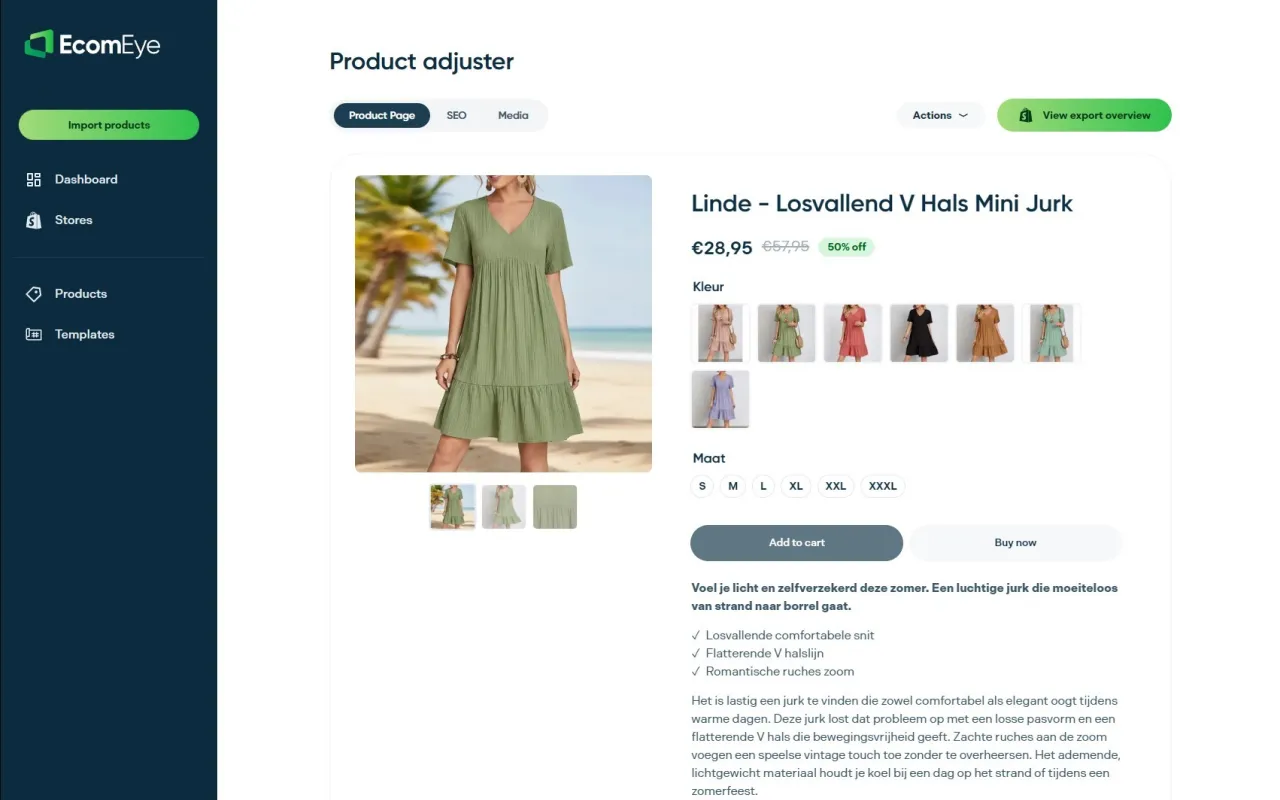
Every listing Ecom-eye produces is copyright-safe and free from duplicate content, which means no Google Merchant disapprovals and no SEO penalties from copied pages. The bulk AI product lister handles the manual work that slows most merchants down, so your listings go live faster, rank sooner, and convert from day one. If you are serious about improving listing speed without sacrificing quality, Ecom-eye is where that work starts.
FAQ
What does listing speed mean for a Shopify store?
Listing speed refers to how quickly a product page loads and becomes fully interactive for a shopper. Faster listings reduce bounce rates, improve Core Web Vitals scores, and increase the likelihood of a purchase.
How much does a slow listing actually cost in sales?
A one-second delay in page load time reduces conversions by up to 7%. On a store with meaningful monthly revenue, that loss compounds across every slow page in the catalogue.
Does improving listing speed help with Google rankings?
Yes, but not directly. Speed removes technical barriers that prevent your content quality from ranking. Google’s Core Web Vitals metrics, including LCP and CLS, are confirmed ranking signals for product pages.
What is the fastest way to improve listing speed on Shopify?
Convert product images to WebP format, enable lazy loading, and audit your installed apps to remove unused scripts. These three changes address the most common causes of slow product pages.
How does AI automation relate to listing speed?
AI listing tools reduce the time it takes to create and publish each product listing. AI-optimised listings cut time-to-sale by 31% by removing manual bottlenecks in title writing, description creation, and image preparation.
Ready to boost your product pages?
Generate high-converting, SEO-optimized product pages in bulk using AI automation used by e-commerce experts.
No credit card required