Product page audit workflow: your 2026 guide
Unlock higher sales with a comprehensive product page audit workflow. Improve SEO and conversions with our 2026 guide for ecommerce success.

Product page audit workflow: your 2026 guide

TL;DR:
- A product page audit workflow systematically assesses and improves key elements like images, copy, SEO, and mobile layout to boost conversions and rankings. Most team overlook prioritization, which causes activity without real results; using a living backlog and friction maps can lead to consistent improvements. AI helps identify patterns across pages, but human judgment remains essential for interpreting brand voice and buyer objections.
A product page audit workflow is a systematic process to assess and improve every element of your ecommerce product pages for better SEO rankings and higher sales. Most Shopify dropshippers skip this process entirely, then wonder why their pages convert poorly despite decent traffic. A structured ecommerce page review covers everything from image sequencing and copy clarity to technical SEO and mobile layout, and it delivers measurable gains at each stage. Initial audits take 60–90 minutes, with follow-up reviews becoming faster once you know where your weak spots sit.
What are the essential components of a product page audit workflow?
A product page audit workflow covers five core categories: images, product copy, UX and trust signals, technical SEO, and mobile performance. Each category contains specific checkpoints that, when missed, directly reduce conversions or suppress search rankings. Treating these as separate concerns is a mistake. They interact constantly.
Images and visual hierarchy
Product images attract the most shopper attention before any copy is read. Stores that lead with a lifestyle hero shot, then follow with detail, scale, and user photos, see significantly higher add-to-cart rates than those using plain white backgrounds throughout. Your audit checklist for products should confirm that every image sequence tells a story rather than simply cataloguing the item. Check image file sizes too. Heavy images slow load times and hurt both SEO and bounce rates.
Copy, trust signals, and UX
High-converting product descriptions focus on benefits that matter to the buyer, not just a list of features. Your audit should flag any description that reads like a spec sheet. Trust signals such as reviews, guarantees, and delivery information must appear above the fold on both desktop and mobile. The add-to-cart button is the most common source of non-technical conversion friction. Its contrast, size, and position on touch devices deserve a dedicated checkpoint in every audit.

Technical SEO and structured data
Structured data including Product schema, Offer schema, and AggregateRating is a core SEO requirement in 2026. Your audit checklist for products must verify that these are implemented correctly on every page you review. Collapsible sections for detailed specs and FAQs keep the layout clean for shoppers while remaining fully accessible to search crawlers. This balance between user experience and crawler accessibility is one of the most underrated elements in any product page assessment process.
Key audit categories to cover on every page:
- Hero image sequence and alt text accuracy
- Benefit-led product description with clear CTA
- Trust signals: reviews, guarantees, and delivery details
- Add-to-cart button contrast and above-the-fold placement
- Structured data implementation (Product, Offer, AggregateRating)
- Mobile layout and above-the-fold content check
- Page load speed and image compression
- Collapsible spec sections for SEO without page clutter
How to select product pages and prioritise audit actions
Selecting the right pages is where most ecommerce page reviews go wrong. Auditing every product at once dilutes your focus and produces a backlog too large to act on. The correct approach is to select a representative sample across three tiers.
- Top sellers. These pages carry the most revenue risk. Any conversion friction here costs you immediately.
- Mid-tier pages. These often have traffic but underperform on conversion. They represent the clearest opportunity for quick gains.
- Long-tail pages. Lower traffic but often better intent. Fixing SEO issues here compounds over time.
Experiments should focus on your top 2–3 highest-traffic product pages to reach statistical significance within 4–6 weeks. Lower-traffic pages need a different approach: implement audit-based changes directly, then monitor KPIs over 30 days rather than running formal A/B tests. This distinction matters because running underpowered tests on low-traffic pages produces unreliable results that can mislead your entire optimisation strategy.
Prioritise fixes using a simple impact and effort matrix. Label each finding as P0 (fix immediately, high impact), P1 (schedule within two weeks), or P2 (backlog for future sprints). Above-the-fold mobile issues always sit at P0. They affect every visitor on every session and fixing above-the-fold layout on mobile delivers the fastest compound return on conversion rate.
Pro Tip: Run your audit in an incognito browser window on a real mobile device, not a desktop emulator. Emulators miss touch target sizing issues and font rendering differences that real shoppers encounter.
Maintain a living backlog rather than a static list. Order hypotheses by potential impact and implementation complexity. Review and re-rank the backlog after each round of results so your team always works on the highest-value fix next.
How to use AI effectively in the audit process
AI changes the product page assessment process from a slow, manual task into a structured analysis that scales across hundreds of pages. The key is knowing what to ask AI to do and what to keep under human judgement.
AI aggregates thousands of page notes into 5–7 actionable themes, replacing fragmented, isolated feedback with a prioritised optimisation roadmap. Without AI, a marketer reviewing 50 pages might note “weak CTA” 30 times across different pages without ever connecting those observations into a single, high-priority theme. AI makes that pattern visible immediately.
What AI handles well in a product page audit workflow:
- Analysing headline clarity and benefit communication across multiple pages
- Identifying repeated trust signal gaps and flagging them as a theme
- Assessing CTA strength and mobile usability patterns at scale
- Grouping similar issues so you address root causes rather than symptoms
- Ranking output into quick fixes, test ideas, design updates, and research needs
What still requires human judgement:
- Interpreting whether a brand voice feels authentic or off
- Deciding which objections matter most to your specific buyer
- Evaluating whether a lifestyle image fits the product’s positioning
AI enhances efficiency by turning fragmented CRO notes into structured themes, but it does not replace the marketer who understands the customer. Treat AI output as a first draft of your prioritised roadmap, then apply your knowledge of the buyer to refine it.
Pro Tip: Paste your audit notes into a tool like ChatGPT with the prompt: “Group these observations into themes, rank by conversion impact, and suggest one fix per theme.” The output gives you a ready-to-share roadmap in minutes.
| Task | AI-assisted | Human-led |
|---|---|---|
| Pattern recognition across pages | Strong | Slow and inconsistent |
| Brand voice assessment | Weak | Strong |
| CTA and layout analysis | Strong | Moderate |
| Buyer psychology interpretation | Weak | Strong |
| Prioritised roadmap generation | Strong | Time-consuming |
Step-by-step execution: conducting and acting on a product page audit
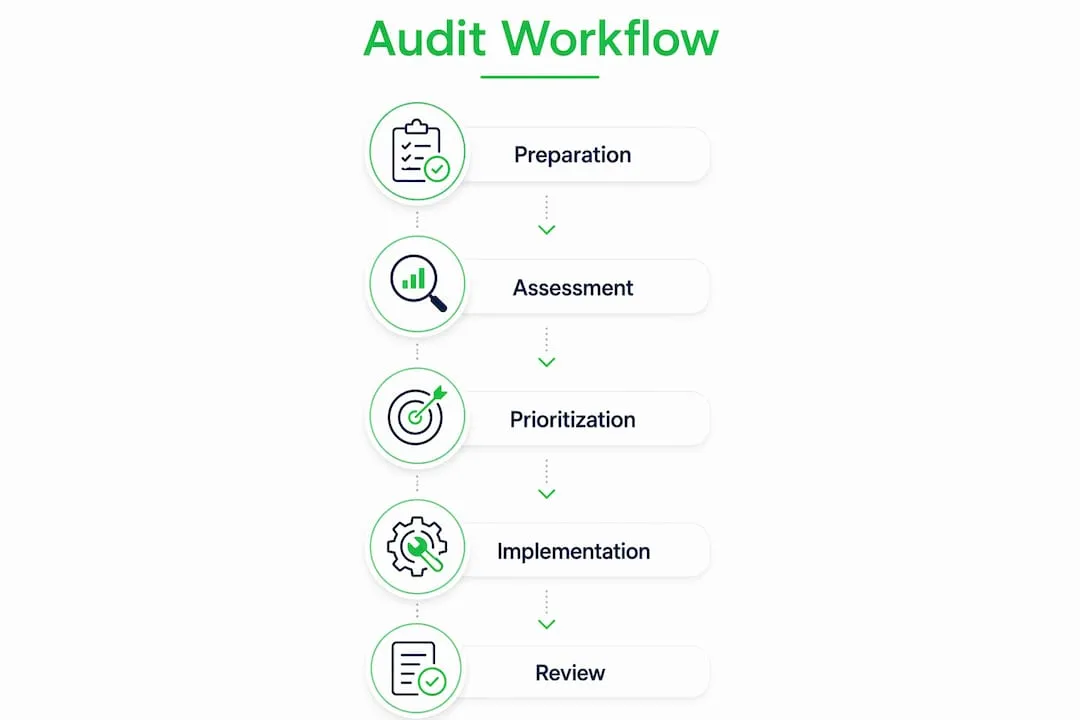
A repeatable execution process separates one-off reviews from a genuine product page audit workflow. Follow these steps in order.
-
Gather baseline metrics. Pull add-to-cart rate, cart-to-purchase rate, and bounce rate from Google Analytics 4 or your Shopify analytics dashboard before touching anything. These numbers are your benchmark.
-
Set up your audit environment. Open each page in incognito mode on a real mobile device. Disable any personalisation overlays that would not appear to a first-time visitor.
-
Run the standardised checklist. Work through your audit checklist for products category by category: images, copy, trust signals, CTA, technical SEO, and mobile layout. Record every finding with a screenshot and a priority label (P0, P1, or P2).
-
Build your friction map. A friction map combines analytics event logs with before-and-after screenshots to document exactly where shoppers drop off. This evidence is invaluable when presenting findings to stakeholders or clients who need proof before approving design changes.
-
Implement P0 fixes first. These are your quick wins: button colour contrast, above-the-fold trust signals, broken image alt text. Implement these without waiting for A/B test results. The evidence base is strong enough to act directly.
-
Plan A/B tests for P1 findings. For changes where the correct direction is uncertain, such as long-form versus short-form descriptions, set up a controlled test on your highest-traffic pages. Limit tests to your top 2–3 pages to reach significance within 4–6 weeks.
-
Monitor KPIs over 30 days. Track add-to-cart rate and cart-to-purchase rate as your primary metrics. Secondary metrics include time on page and scroll depth from GA4 event data.
-
Update the backlog and repeat. Move completed items out, re-rank remaining hypotheses, and schedule the next audit cycle. Quarterly audits are the recommended cadence, with a 30-minute follow-up once your baseline is established.
| Audit phase | Primary action | Key output |
|---|---|---|
| Preparation | Gather baseline metrics | Benchmark data |
| Execution | Run checklist on mobile and desktop | Prioritised findings list |
| Documentation | Build friction map with screenshots | Stakeholder evidence pack |
| Implementation | Fix P0 issues, plan P1 tests | Live changes and test plan |
| Monitoring | Track KPIs over 30 days | Validated impact data |
Common pitfalls in product page audits and how to avoid them
The most common mistake in a product page assessment process is auditing too many pages at once. Reviewing 100 pages produces a backlog of 400 findings that no team can action before the data goes stale. Start with five to ten pages and build the habit before scaling.
Pitfalls to watch for:
- Over-reliance on automated tools. Tools like Screaming Frog or SEMrush surface technical issues but cannot assess whether your product copy addresses the buyer’s real objections. Objection-first architecture, which arranges content to answer the buyer’s top three psychological objections in natural decision order, requires human interpretation that no crawler provides.
- Implementing multiple major changes simultaneously. If you change the hero image, rewrite the description, and redesign the CTA in the same week, you cannot know which change drove the result. Isolate variables.
- Ignoring above-the-fold mobile layout. Up to 20% of purchase abandonments stem from poor or unclear product information. Most of that information must be visible without scrolling on a mobile screen.
- Burying specs in plain text blocks. Detailed specifications belong in collapsible sections. This keeps the page clean for shoppers while giving search crawlers the content depth they need to rank the page.
- Skipping the friction map. Without documented evidence, audit findings feel like opinions. A friction map with GA4 event data and screenshots turns observations into facts that stakeholders act on.
Key takeaways
A product page audit workflow delivers the highest return when it combines a structured checklist, AI-assisted pattern recognition, and a prioritised backlog ordered by impact and implementation complexity.
| Point | Details |
|---|---|
| Start with a representative sample | Audit top sellers, mid-tier, and long-tail pages rather than your entire catalogue at once. |
| Fix above-the-fold mobile issues first | These P0 fixes affect every visitor and deliver the fastest conversion gains. |
| Use AI to find patterns, not just problems | AI clusters repeated issues into themes so you address root causes across multiple pages. |
| Document with friction maps | Screenshots and GA4 event logs turn audit findings into evidence that stakeholders approve. |
| Audit quarterly, monitor monthly | Initial audits take 60–90 minutes; follow-ups are faster once your baseline is established. |
Why I think most product page audits fail before they start
Most audits I have seen fail at the prioritisation stage, not the discovery stage. Teams produce thorough checklists, identify dozens of issues, and then implement changes in random order based on whoever has capacity that week. The result is a lot of activity with little measurable impact.
The shift that changes everything is treating your audit output as a living backlog, not a to-do list. A to-do list gets completed and forgotten. A living backlog gets reviewed, re-ranked, and refined after every round of results. That discipline is what separates teams that see compounding gains from those that run the same audit every year and wonder why nothing changes.
The other thing I have noticed is that friction maps are almost always skipped because they feel like extra work. They are not. A friction map with three screenshots and a GA4 scroll-depth chart takes 20 minutes to build and saves hours of stakeholder debate. When you can show exactly where shoppers stop scrolling on a mobile page, the conversation moves from “should we change this?” to “how quickly can we change this?”
AI has made the pattern-recognition phase genuinely fast. What used to take a day of manual note-sorting now takes minutes. But the marketers who get the best results are those who use AI output as a starting point, then apply their knowledge of the buyer to decide which themes actually matter. The tool finds the signal. You decide what it means.
— Koen
How Ecom-eye accelerates your product page improvements
Running a thorough product page audit reveals exactly what needs fixing. Acting on those findings at scale is where most Shopify dropshippers stall.
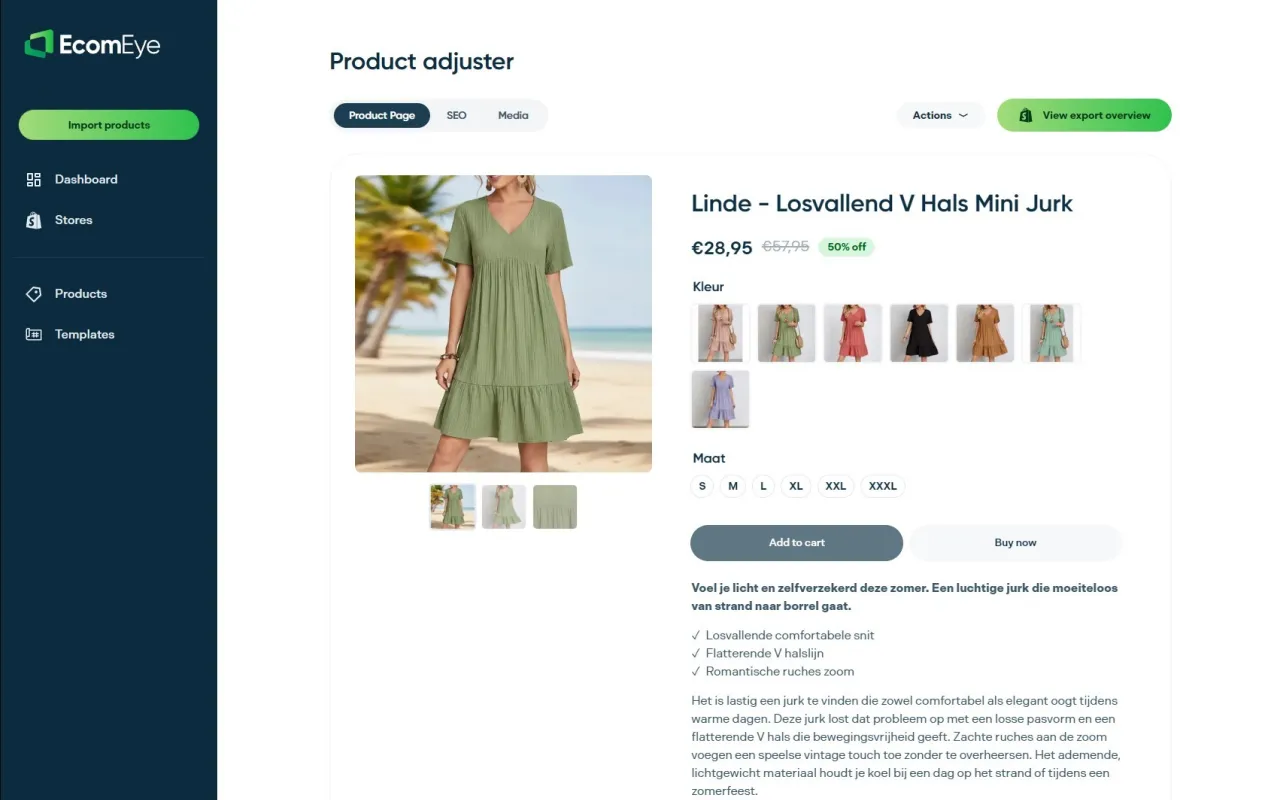
Ecom-eye’s bulk AI product lister generates SEO-ready titles, benefit-led descriptions, and AI product images in bulk, directly from AliExpress or competitor links. Every page it produces is copyright-safe and formatted for Shopify export in one click. For dropshippers who have completed an audit and identified content gaps across dozens of pages, Ecom-eye removes the rewriting bottleneck entirely. You can also explore Ecom-eye’s guidance on automated ecommerce workflows to see how AI fits into a repeatable optimisation process.
FAQ
How long does a product page audit take?
Initial audits take 60–90 minutes per session. Follow-up quarterly audits are significantly faster once you have established a baseline and know your recurring weak spots.
How many pages should I audit at once?
Start with five to ten pages across three tiers: top sellers, mid-tier performers, and long-tail products. Auditing too many pages at once produces an unmanageable backlog.
What metrics should I track after a product page audit?
Track add-to-cart rate and cart-to-purchase rate as your primary KPIs. Monitor these over a 30-day window after implementing changes, using GA4 event data for scroll depth and click behaviour.
Can AI replace a manual product page audit?
AI accelerates pattern recognition and prioritisation but cannot replace human judgement on brand voice, buyer psychology, or objection-first content architecture. Use AI to cluster findings, then apply your own interpretation.
What is the most important fix to make first?
Fix above-the-fold mobile layout issues before anything else. These deliver the fastest compound return on conversion rate because they affect every visitor on every session.
Ready to boost your product pages?
Generate high-converting, SEO-optimized product pages in bulk using AI automation used by e-commerce experts.
No credit card required