Shopify Connect explained: sync marketplaces in 2026
Discover how Shopify Connect streamlines your marketplace listings, syncing products and orders seamlessly to boost efficiency in 2026.

Shopify Connect explained: sync marketplaces in 2026

“Shopify Connect” most commonly refers to Shopify Marketplace Connect (formerly Codisto), a native sales channel app that syncs your product catalogue, orders, and inventory with major marketplaces from inside Shopify admin. Install it from the Shopify App Store, connect your marketplace account, and your listings stay in step automatically. If you need deeper ERP or CRM integration rather than marketplace listing, a custom app built via the Shopify API is the right route instead.
At a glance:
- Shopify Marketplace Connect handles multi-marketplace listing and syncing with no external dashboard.
- Custom apps or ERP connectors (such as the Dynamics 365 Business Central connector) suit complex back-office workflows.
- Centralised syncing cuts manual data entry and reduces order errors across channels.
Key takeaways
Shopify Marketplace Connect is the fastest route to multi-marketplace selling for UK merchants, but the right connection method depends on your volume, fulfilment complexity, and whether you need marketplace listing or ERP integration.
| Point | Details |
|---|---|
| Start with Marketplace Connect | Free up to 50 synced orders/month; installs natively in Shopify admin with no developer needed. |
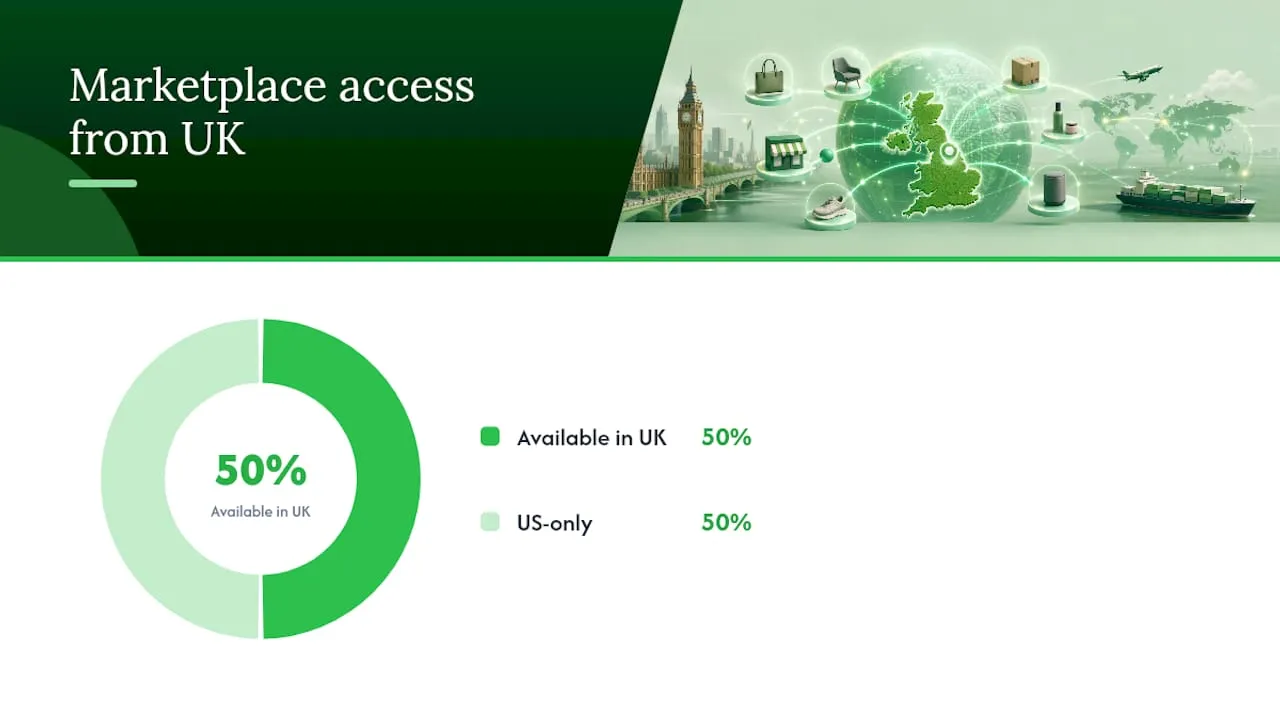
| UK channels: Amazon and eBay only | Walmart and Target Plus are US-only; UK merchants cannot connect to either. |
| Test before bulk listing | Map 10–20 SKUs and run a test order to catch SKU mismatches and GTIN errors early. |
| Custom app for ERP or complex fulfilment | Use the Shopify API or Business Central connector when off-the-shelf apps cannot match your workflow. |
| Ecom-eye for listing quality | Generate unique, SEO-safe titles, descriptions, and images in bulk before syncing to marketplaces. |
Table of Contents
- What does Shopify Marketplace Connect actually do?
- Which marketplaces can you connect from the UK?
- How syncing works and how orders are handled
- How to install and configure Marketplace Connect
- What does Marketplace Connect cost?
- How do you choose the right connection method?
- Technical notes for developers planning deeper integrations
- How to check whether an app is trustworthy before you install
- When I would pick Marketplace Connect over a custom connector
- Better listings before you sync: where Ecom-eye fits
- Sources
- FAQ
What does Shopify Marketplace Connect actually do?
Marketplace Connect sits inside your Shopify admin as a native sales channel, not a separate tool you have to log into. That distinction matters in practice: you manage listings, review orders, and check inventory from the same screen you already use for your Shopify store.
The core capabilities:
- Product catalogue sync: push titles, descriptions, images, variants, and attributes to connected marketplaces.
- Listing management: create and update marketplace listings directly from Shopify.
- Order import: marketplace orders flow into Shopify so you fulfil from one place.
- Inventory and price sync: stock levels and prices stay consistent across every connected channel.
- Built-in currency conversion: prices display in the local currency of each marketplace region without manual conversion.
A practical example: you drop the price of a product by £5 in Shopify. Marketplace Connect pushes that change to your Amazon and eBay listings within minutes. You do not touch either marketplace directly.
Which marketplaces can you connect from the UK?
Marketplace Connect supports Amazon, eBay, Walmart, and Target Plus. Two of those come with a hard restriction: Walmart and Target Plus are US-only. UK merchants cannot connect to either from a British seller account. For UK stores, Amazon and eBay are the two live options.
Before you connect, check these prerequisites:
- Active seller account on the target marketplace (Amazon Seller Central or eBay).
- VAT registration if your sales volumes require it (HMRC’s threshold applies; cross-border sales to EU buyers carry additional obligations).
- Shipping and fulfilment setup that meets marketplace service-level agreements.
- GTINs (barcodes/EANs) for your products — Amazon in particular rejects listings without valid identifiers.
- SKU mapping plan: your Shopify SKUs must match or map cleanly to marketplace identifiers.
Currency is handled automatically by the app’s built-in conversion, but check each marketplace’s local eligibility rules independently. Selling on Amazon.de or Amazon.fr from a UK account, for instance, requires European marketplace enrolment and may trigger VAT registration obligations in those countries.
Pro Tip: Before connecting any marketplace, run a small test batch of 10–20 SKUs with clean GTINs. Listing failures at scale almost always trace back to missing identifiers or mismatched categories — catching them early saves hours of bulk troubleshooting.
How syncing works and how orders are handled
Once Marketplace Connect is installed, it creates a channel connection and begins building a product feed. Shopify’s sales channel architecture handles the underlying flow: install triggers OAuth authorisation, the app creates the channel, and the product feed starts syncing. You can use Shopify Markets to manage which regions each channel targets.
Data that syncs from Shopify to marketplaces:
- Product title, description, images, price, and inventory level.
- Variant data (size, colour, material) and product attributes.
- Listing status (active, paused, out of stock).
Order flow (marketplace to Shopify):
- A buyer places an order on Amazon or eBay.
- Marketplace Connect imports it into Shopify as a standard order.
- You fulfil from Shopify; the tracking number and status push back to the marketplace automatically.
- Refunds and cancellations initiated in Shopify propagate back to the marketplace.
Operational details worth knowing:
- SKU mapping is the most common point of failure — mismatched SKUs break the order import.
- Fulfilment can be merchant-fulfilled or marketplace-fulfilled (e.g. Amazon FBA); configure this per listing.
- Sync latency is typically a few minutes for price and inventory changes, though high-volume catalogues may experience slight delays during peak periods.
How to install and configure Marketplace Connect
The OAuth install pattern used by Marketplace Connect is the same one you will encounter with Printify, Gelato, and most other Shopify integrations: install, approve permissions, authenticate, verify.
- Install the app. Search “Marketplace Connect” in the Shopify App Store and click Install.
- Approve permissions. Review the requested scopes (products, orders, inventory) and confirm.
- Connect your marketplace account. Select Amazon or eBay, then authenticate via OAuth. You will be redirected to the marketplace to authorise the connection.
- Map your SKUs. Match Shopify product variants to marketplace listings. Fix any missing GTINs before proceeding.
- Set pricing rules. Choose whether to sync Shopify prices directly or apply a margin adjustment per channel.
- Configure fulfilment rules. Decide merchant-fulfilled or marketplace-fulfilled per product or category.
- Select products and list. Push your first batch of listings to the marketplace.
- Run a test order. Place a low-value order on the marketplace, confirm it appears in Shopify, fulfil it, and verify the tracking update reaches the marketplace.
Common issues and quick fixes:
- OAuth fails: check that your marketplace seller account is fully verified and not in a restricted state.
- SKU mismatches: export your Shopify SKU list and cross-reference against marketplace identifiers before bulk listing.
- GTIN errors: apply for a GTIN exemption on the marketplace if your products genuinely have no barcode.
- Currency display issues: confirm the marketplace region matches the currency your Shopify store is configured to convert from.
What does Marketplace Connect cost?
Marketplace Connect is free to install, with a free tier covering the first 50 marketplace-synced orders per month.
| Tier | Orders per month | Cost |
|---|---|---|
| Free | Up to 50 synced orders | Free |
| Paid | 50 synced orders | 1% per order |
Costs to budget for beyond the app fee:
- Amazon and eBay selling fees (referral fees, listing fees, FBA charges if applicable) are entirely separate.
- Fulfilment and postage costs sit outside the app.
- High-volume catalogues may hit API rate limits; batching and throttling add development overhead if you are managing this programmatically.
Practical limits to watch:
- The number of simultaneous marketplace account connections varies by plan; check the current app listing for the latest caps.
- Region restrictions apply to Walmart and Target Plus (US-only, as noted above).
- Very large catalogues (tens of thousands of SKUs) may require careful pagination to avoid sync delays.
How do you choose the right connection method?
The right approach depends on your volume, fulfilment complexity, and whether you need marketplace listing or back-office integration.
| Solution | UK marketplaces supported | What syncs | Setup ease | Pricing | Fulfilment support | Limitations |
|---|---|---|---|---|---|---|
| Shopify Marketplace Connect | Amazon, eBay (Walmart/Target: US only) | Products, orders, inventory, prices | Native Shopify; no-code install | Free up to 50 orders/mo; 1% fee | Merchant or marketplace-fulfilled | US-only channels; API rate limits at scale |
| Shopify connector for Dynamics 365 Business Central | N/A (ERP sync, not marketplace listing) | Orders, inventory, financials | Requires Business Central setup | Microsoft licensing | ERP-driven fulfilment workflows | Not a marketplace connector; ERP expertise needed |
| Printify Shopify integration | N/A (print-on-demand only) | Products, orders (POD) | OAuth install; straightforward | Free to connect; per-product fulfilment cost | Automated POD fulfilment | POD products only; not a multi-marketplace tool |
| Gelato / Store Link | N/A (print and localisation) | Products, orders (POD) | Embeds in Shopify admin | Free to connect; per-product cost | Localised POD fulfilment | POD and localisation focus only |
| Custom app via Shopify API | Any (developer-defined) | Fully configurable | Requires developer; weeks to build | Development and maintenance cost | Fully custom | High cost; ongoing maintenance burden |
Decision guide:
- Pick Marketplace Connect if you need to list on Amazon or eBay quickly, want a no-code setup, and your order volume is manageable within the pricing cap.
- Consider a third-party connector or middleware if you need a marketplace not covered by Marketplace Connect, or if you want more advanced repricing or analytics tools layered on top.
- Commission a custom app if you have a bespoke ERP, unique fulfilment rules, or a catalogue so large that off-the-shelf apps hit their limits. The Shopify sales channel developer documentation covers the full build flow.
- Use the Business Central connector if you are already running Dynamics 365 and need two-way financial and inventory posting, not marketplace listing.
Technical notes for developers planning deeper integrations
If you are building or briefing a developer on a custom Shopify integration, a few principles prevent expensive mistakes later.
Stay current with API versions. Shopify deprecates older API versions on a rolling basis. Building against a current version from the start avoids forced rewrites and keeps your app visible in the App Store.
Embed workflows inside Shopify admin. Shopify’s integration guidance is clear: use App Bridge to embed configuration screens and monitoring dashboards inside the admin. Apps that push merchants into external dashboards see higher churn and more support tickets.
Developer checklist before briefing an agency or freelancer:
- Define required API scopes (products, orders, inventory, fulfilment).
- List webhook events to subscribe to (order creation, inventory update, product update).
- Agree on expected sync latency and acceptable lag for inventory updates.
- Document the authentication flow (OAuth 2.0, token storage, refresh strategy).
- Plan a rollback strategy for mass product updates — a bad bulk push is hard to undo without one.
- For storefront functionality, use Theme App Extensions rather than legacy ScriptTags. ScriptTags create compliance and compatibility risks that can get an app delisted.
Rate limits and batching: Shopify’s API enforces rate limits per store. For catalogues above a few thousand SKUs, build pagination and throttling into your sync logic from day one. Bulk operations endpoints exist precisely for this; use them rather than looping standard REST calls.
Pro Tip: Always subscribe to the inventory_levels/update webhook rather than polling inventory on a schedule. Polling burns API call budget and introduces lag; webhooks give you near-real-time updates at a fraction of the cost.
How to check whether an app is trustworthy before you install
An app’s App Store rating is a starting point, not a verdict. Here is a more reliable pre-install checklist:
- Read the official Shopify Help Centre entry. Marketplace Connect has dedicated documentation that explains supported marketplaces, setup steps, and known limitations. If an app has no Help Centre page, that is a signal.
- Check the App Store listing carefully. Look at the number of reviews, the recency of updates, and how the developer responds to negative reviews.
- Review requested permissions. An app asking for write access to customer data when it only needs product sync is a red flag.
- Test with a small SKU set first. Map 10–20 products, run a test order, and confirm the full order lifecycle before bulk listing.
- Contact support before you need it. Send a pre-sales question and note the response time. In-app chat or a documented support channel is a positive sign.
- Escalate to a developer when the app cannot meet your requirements, when you are integrating with an ERP, or when your catalogue is large enough to stress the app’s rate-limit handling.
When I would pick Marketplace Connect over a custom connector
For most UK merchants selling on Amazon or eBay, Marketplace Connect is the right starting point. It installs in minutes, requires no developer, and the pricing model is reasonable until you are processing well over 50 marketplace orders a month. The native Shopify admin experience means your team does not have to learn a second tool.
The calculus shifts when your fulfilment rules are genuinely complex: multiple warehouses, 3PL routing logic, or a back-office system that needs to own the order record. At that point, Marketplace Connect’s order import model can conflict with your existing workflow, and a custom integration built against the Shopify API gives you the control you need. The same applies if you are running Dynamics 365 Business Central — the Microsoft-documented connector handles the financial posting and inventory reconciliation that a marketplace app was never designed for.
Volume is the other trigger. A catalogue of 50,000 SKUs with frequent price changes will stress any off-the-shelf app. If you are at that scale, budget for a custom solution from the start rather than migrating later.
Better listings before you sync: where Ecom-eye fits
Connecting to a marketplace is straightforward. Getting your listings to perform once they are live is harder, and the most common reason marketplace listings underperform is weak product content: copied descriptions, generic titles, and images that look identical to a dozen competitors.
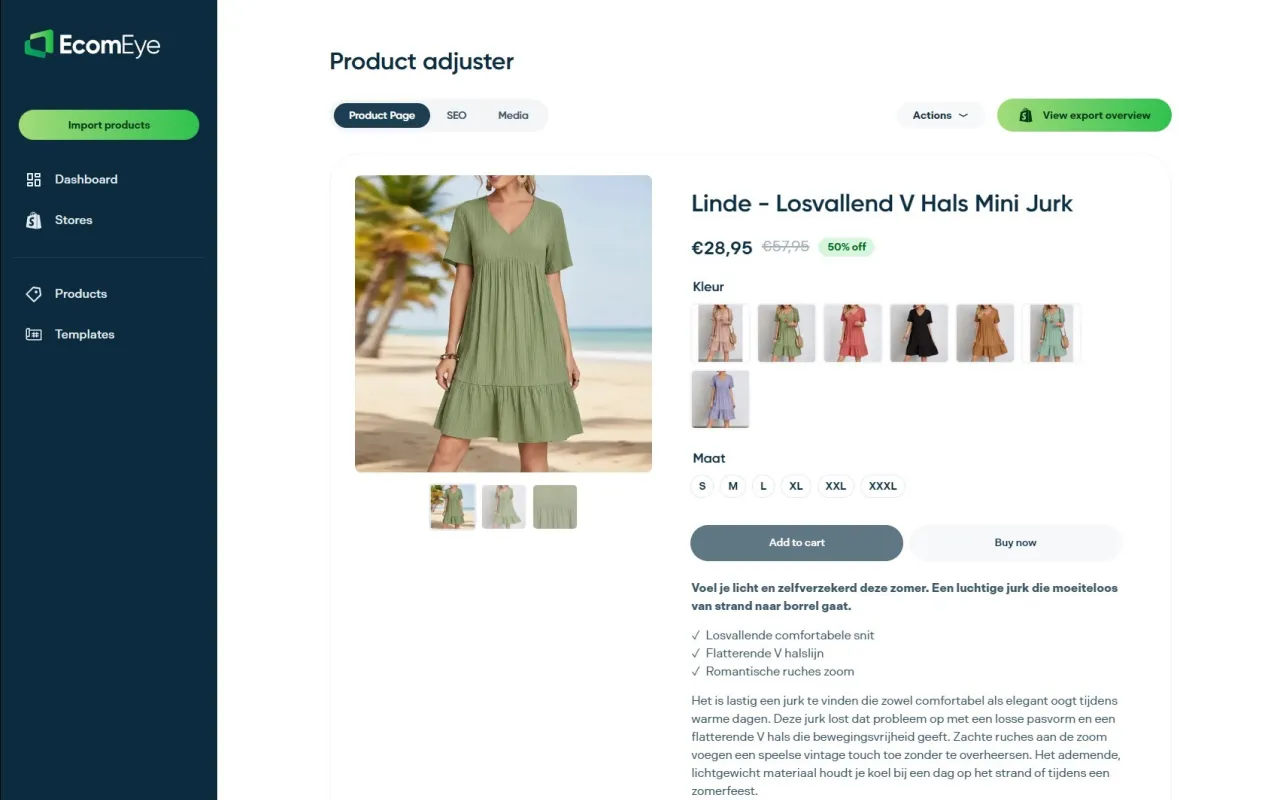
Ecom-eye generates SEO-safe product descriptions and unique titles in bulk, pulling from AliExpress, Amazon, Temu, or competitor Shopify links and producing clean, Google-compliant content you export to Shopify in one click. Before you push thousands of listings to Amazon or eBay via Marketplace Connect, running them through Ecom-eye means each listing arrives with a unique title, a compliant description, and an AI-generated product image that stands out. No duplicate content, no copyright risk, no manual rewriting. Start a free trial at Ecom-eye and generate your first batch before your next marketplace sync.
Sources
- Shopify Marketplace Connect - Sell on Amazon, Target Plus, Walmart, and eBay from Shopify | Shopify App Store
- Shopify Help Center | Shopify Marketplace Connect app
- Shopify
- Get started with the Shopify Connector | Microsoft Learn
- How can I connect my Shopify store? – Printify
FAQ
What is Shopify Connect?
“Shopify Connect” most commonly refers to Shopify Marketplace Connect (formerly Codisto), a native sales channel app that syncs your Shopify product catalogue, orders, and inventory with marketplaces such as Amazon and eBay.
Which stores and marketplaces can Shopify connect to?
Marketplace Connect supports Amazon, eBay, Walmart, and Target Plus, though Walmart and Target Plus are available to US sellers only. UK merchants can connect to Amazon and eBay.
Can I connect my Shopify store to Amazon?
Yes. Install Shopify Marketplace Connect from the App Store, authenticate your Amazon Seller Central account via OAuth, map your SKUs, and push listings. Ensure your products have valid GTINs before listing, as Amazon rejects entries without them.

Can I buy a domain and connect it to Shopify?
Yes, independently of marketplace connections. You can purchase a domain through Shopify directly or connect an existing domain from a third-party registrar via your Shopify admin under Settings > Domains.
When should I use a custom app instead of Marketplace Connect?
A custom app built via the Shopify API makes sense when you need ERP integration (such as Dynamics 365 Business Central), have complex multi-warehouse fulfilment rules, or manage a catalogue large enough to stress off-the-shelf app rate limits.
Ready to boost your product pages?
Generate high-converting, SEO-optimized product pages in bulk using AI automation used by e-commerce experts.
No credit card required