Shopify product schema: how to fix it and get it right
Discover how to optimize your Shopify product schema to enhance visibility in search results and drive more traffic to your store.

Shopify product schema: how to fix it and get it right

Shopify product schema is the structured data, written in JSON-LD, that tells Google and AI shopping tools exactly what a product page is selling. Most Shopify themes already output a basic version of it. The problem is what they leave out.
Check yours in under a minute: view the page source on a live product page and search for application/ld+json, then paste that block into Google’s Rich Results Test. If the block is missing key fields, or missing entirely, here’s what to prioritise first:
- Confirm a
ProductJSON-LD block exists in the raw HTML, not just the rendered DOM - Check whether
gtin,sku, andoffersare populated with real values, not blank strings - If those are thin or absent, extend the existing schema rather than adding a second block
Key Takeaways
Shopify product schema requires extending the theme’s default JSON-LD output with GTIN, return policy, and shipping fields to unlock full Shopping Graph and rich result eligibility.
| Point | Details |
|---|---|
| Check the raw source first | View page source for application/ld+json before trusting browser DOM tools. |
| Extend, don’t duplicate | Build on the existing structured_data filter output rather than adding a second Product block. |
| Fix the common gaps | Add GTIN, aggregateRating (only if genuine), hasMerchantReturnPolicy, and shippingDetails. |
| Handle variants properly | Emit a separate Offer object per variant, not one flat price for the whole product. |
| Validate on every change | Rerun validator.schema.org and Rich Results Test after theme or app updates. |
| Automate at scale | Ecom-eye maps GTIN, MPN, and other identifiers to metafields in bulk during product import. |
Table of Contents
- What is Shopify product schema and why does it matter now?
- What Shopify outputs by default (and where it falls short)
- Fields Google and Merchant Center actually require
- How to implement and extend Product JSON-LD on Shopify
- Testing and validating your schema before it ships
- Common mistakes that break Shopify product schema
- Where automation fits into schema maintenance
- Sources
- FAQ
What is Shopify product schema and why does it matter now?
Product schema is a structured data format, built on the schema.org vocabulary, that describes a page’s content in a way machines can parse without guessing. It sits inside a <script type="application/ld+json"> tag, wrapped in @context and @type declarations that tell search engines “this is a Product, and here are its properties.”
Google uses that data to build rich snippets, price and availability annotations, and Shopping Graph listings. AI shopping agents lean on the same structured signals to match products to a shopper’s query, and Shopify has reported a sharp rise in AI-driven traffic and orders across its merchant base, which makes clean structured data for Shopify stores a bigger lever than it was two years ago.
At minimum, Google expects:
- A
nameand at least oneimage - An
offersobject with price and availability, or a review/rating in its place - Values that match what a shopper actually sees on the page
Skip the schema, or leave it half-built, and you’re relying purely on rendered HTML for machines that increasingly prefer structured shortcuts.
What Shopify outputs by default (and where it falls short)
Most Shopify themes generate product schema automatically using the built-in structured_data Liquid filter, and it does a reasonable job at the basics: name, description, a primary image, and a simple offer with price and availability.
The gap sits in everything Google recommends beyond that baseline. Shopify’s own guidance on ecommerce structured data confirms that default theme output routinely omits GTIN, aggregateRating, return policy, and shipping details, even when that data exists elsewhere in the product record.
The most common omissions, in order of impact:
- GTIN or MPN – often sitting unused in the variant barcode field, never mapped to schema
- AggregateRating – left out entirely unless a review app injects its own markup
- hasMerchantReturnPolicy – almost never present by default, despite being a ranking-adjacent trust signal
- shippingDetails – rarely populated automatically, even on stores with clear shipping policies
- Brand and MPN – frequently blank on stores that import products from suppliers without brand tagging
None of these gaps break the page. They just mean weaker matching in the Shopping Graph and fewer eligible rich result types, particularly for merchants competing on identifiers rather than brand recognition.
Fields Google and Merchant Center actually require
Google’s structured data documentation is specific about what earns eligibility and what merely improves it. The required set is short: name, image, and either offers, review, or aggregateRating.
Everything past that baseline is where the real optimisation happens, and where most Shopify catalogues quietly underperform.
- gtin (or
mpnwhen no GTIN exists) — the single field most likely to affect Shopping eligibility and Merchant Center matching - sku — helps disambiguate variants internally and across feeds
- aggregateRating — add only when reviews are genuinely independent; fabricated or scraped ratings risk manual action
- hasMerchantReturnPolicy — increasingly tied to trust-related annotations
- shippingDetails — supports shipping estimates shown directly in search results
- priceValidUntil — prevents stale pricing from surfacing after a sale ends
- Per-variant offers — critical for any product sold in more than one size, colour, or configuration
Pro Tip: Don’t add aggregateRating just to tick a box. An empty or synthetic rating is worse than no rating at all, and Google’s guidelines treat fabricated review markup as a policy violation, not a grey area.
Each field maps to something visible: GTIN feeds Shopping Graph matching, return policy and shipping details can trigger on-SERP annotations, and priceValidUntil keeps promotional pricing from misleading a searcher who clicks through a week too late.

How to implement and extend Product JSON-LD on Shopify
Start by finding what already exists. Most themes call the structured_data Liquid filter inside sections/main-product.liquid or a related snippet, and it outputs Product or ProductGroup depending on whether the item has variants. Extend that output. Do not add a second, competing block.
- Locate the existing schema call. Search theme files for
| structured_dataor a hardcodedapplication/ld+jsonscript tag. - Bind every value to a live Liquid object —
product.title,variant.price,product.metafields.custom.gtin— rather than typing values by hand. Hardcoded strings go stale the moment a price changes. - Map GTINs conditionally. Pull from
variant.barcodeintogtin13orgtin12depending on length, and wrap it in an{% if %}so an empty barcode doesn’t output a blank property. - Build an offers array for multi-variant products. Loop through
product.variantsand emit oneOfferper variant, each with its own price and availability, rather than a single offer representing only the default variant. - Set
priceCurrencyfrom localisation, notshop.currency, if the store runs Shopify Markets — this avoids currency mismatches for international shoppers. - Escape strings and guard optional fields. A stray apostrophe in a product title, or an unguarded empty metafield, is enough to invalidate the whole block.
Pro Tip: If your store sells the same product in twelve colours, one flat offers object isn’t just incomplete, it actively misreports price and availability for eleven of those variants. Loop it.
Testing and validating your schema before it ships
Never trust the rendered DOM alone. Checking the raw HTML for the actual application/ld+json script, before any client-side JavaScript runs, catches problems that browser inspection tools can hide.
The validation workflow that actually catches errors:
- View page source first (Ctrl+U or Cmd+U), not just the browser’s element inspector
- Paste the raw JSON-LD into Validator to confirm the syntax and property structure are valid
- Run the same URL through Google’s Rich Results Test to see which rich result types the page currently qualifies for
- Check Search Console’s structured data reports periodically for catalogue-wide coverage and policy warnings
- Revalidate every time a theme update or new app installs, since either can quietly duplicate or overwrite existing markup
Treat this as a recurring check, not a one-off task after launch.
Common mistakes that break Shopify product schema
The same handful of errors show up across most Shopify audits, and nearly all of them are fixable in minutes once spotted.
- Duplicate Product blocks. A review app or SEO plugin injects its own
application/ld+json, alongside the theme’s native output, and Google reads two conflicting descriptions of the same product. - Price and currency mismatches. This is especially common on multi-currency setups where
shop.currencygets used instead oflocalization.country.currency.iso_code, so the schema shows one currency while the page displays another. - Malformed JSON. An unescaped apostrophe in a product title, or a metafield returning an empty string where a number is expected, invalidates the whole block rather than just that one property.
- Variant offers that don’t match the visible price. If a discount app changes the on-page price dynamically but the schema still reflects the original, that’s a mismatch Google can flag directly.
Pro Tip: Search your theme code for more than one instance of "@type": "Product" on the same page. Finding two is the single fastest way to spot a duplicate-block problem before Search Console does.
Where automation fits into schema maintenance
Manually mapping GTIN, MPN, and return policy fields across a catalogue of a few thousand SKUs is realistic for a single product page and unrealistic at scale. Ecom-eye handles this by importing product data in bulk and mapping attributes, including identifiers like GTIN and MPN, straight into Shopify metafields that a JSON-LD template can then pull from automatically.
- Bulk import from AliExpress, Amazon, Temu, or a competitor’s Shopify page, with attributes mapped to metafields on arrival
- Manual Liquid edits still make sense for a handful of hero products; automated mapping makes sense for the rest of the catalogue
- Pair automated field population with the code-level guidance above, since neither replaces the other
A practical audit workflow that actually gets finished
The pattern that works: sample a handful of product pages across your highest-traffic categories, fix the fields with the biggest visibility impact first (GTIN, offers, return policy), template the fix so it applies catalogue-wide, then revalidate and set a recurring Search Console check. Automate field population once the pattern is proven on a small sample, not before.
— Koen
Ecom-eye: automate SEO-safe product page and schema generation
Manually fixing schema for twelve products is a Tuesday afternoon. Doing it for twelve thousand, across GTINs, descriptions, and images, is a different job entirely, and it’s the one most dropshippers quietly avoid until Google Merchant Center starts rejecting the feed.
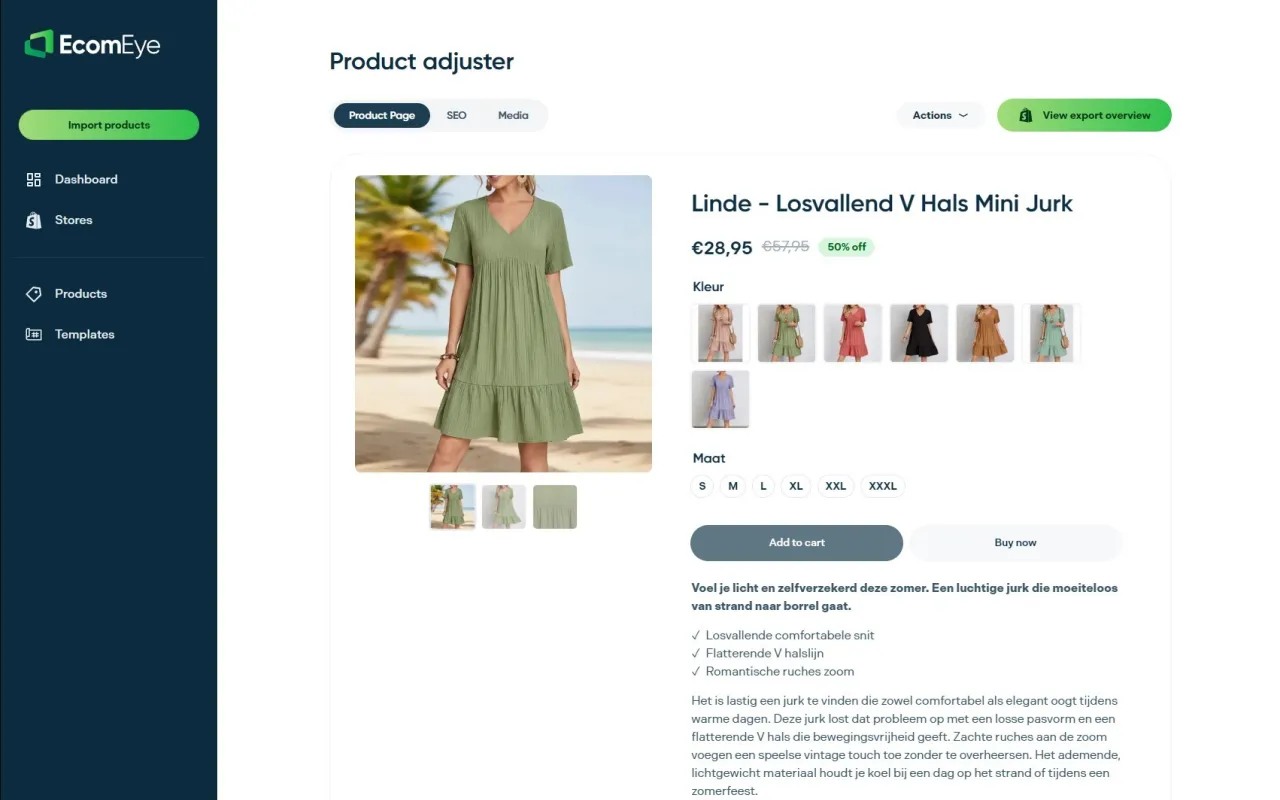
Ecom-eye was built for that second scenario. Import product data in bulk from AliExpress, Amazon, Temu, or a competitor’s Shopify listing, and the platform generates unique, SEO-ready titles and descriptions alongside AI product images, mapping the attributes that matter (GTIN, MPN, variant detail) into Shopify metafields your schema templates can pull from directly. That’s the exact gap covered earlier: themes that emit basic schema but skip the identifiers Google actually rewards. Instead of rewriting each product page by hand and risking duplicate-content flags from copied competitor listings, you get copyright-safe content and structured fields generated together, then exported to Shopify in one click. Try the AI product description generator on your next batch of imports and see how many fields populate automatically before you touch a line of Liquid.
Sources
- Ecommerce Schema: Your Structured Data Guide for 2026
- Liquid filters: structured_data
- Google Search Central — structured data overview
FAQ
How do I create schema in Shopify?
Most Shopify themes already generate basic Product JSON-LD using the built-in structured_data Liquid filter. Extend that existing output with fields like GTIN and return policy rather than building a new block from scratch.
What is a product schema?
Product schema is structured data, written in JSON-LD, that describes a product’s name, price, availability, and identifiers in a format search engines and AI shopping tools can read directly, without parsing the page’s visible design.
Does Shopify use schema markup?
Yes. Most Shopify themes automatically output Product JSON-LD through the structured_data filter, though the default version typically omits fields like GTIN, aggregateRating, and shipping details, which need to be added manually or through metafield mapping.
Can you give an example of product schema?
A minimal example includes @context: "https://schema.org", @type: "Product", a name, an image, and an offers object containing price, priceCurrency, and availability, bound to live Liquid variables rather than hardcoded text.
Ready to boost your product pages?
Generate high-converting, SEO-optimized product pages in bulk using AI automation used by e-commerce experts.
No credit card required