Test 5 SKUs to Ship SEO Ready AI Product Titles on Shopify
Practical Shopify workflow for SEO ready AI product titles. Keep titles under 60 characters, test on 5 SKUs, then choose in-admin, app, or bulk export paths.

Test 5 SKUs to Ship SEO Ready AI Product Titles on Shopify

The fastest route to SEO-ready product titles is combining a simple AI title formula (brand, primary keyword, variant, USP) with a bulk integration path such as a Shopify app or the productSet API. This keeps titles short enough to avoid truncation and syncs reliably at scale. Test the formula on 5 SKUs before committing to a full catalogue run.
TL;DR:
- Under 50 SKUs, Shopify’s admin AI suits small shops; medium catalogues may need an app, while large imports call for bulk automation.
- Keep titles around 60 characters, place the primary keyword within the first three to five words, and avoid excessive capitalization to limit truncation and disapproval.
- Use productUpdate for small edits and productSet for large batches; export existing titles and handles first, because changing handles requires redirects to preserve URLs.
- Map GTIN, brand, category, and custom metafield attributes into Shopify Catalog, since shopping and AI channels need complete product records beyond titles.
- Test generated titles on 5 to 20 SKUs, inspect formatting, and reserve human review for hero products or listings where brand tone matters.
Table of Contents
- Choosing between Shopify Sidekick, apps and automation recipes
- SEO rules every AI-generated title has to follow
- Pushing AI-generated titles into Shopify without breaking things
- Why titles alone aren’t enough for catalogue completeness
- A step-by-step checklist before you run a bulk title batch
- How EcomEye handles bulk, copyright-safe titles at scale
- When automation is enough and when a human still needs to look
- Try EcomEye for bulk, SEO-ready product titles
- FAQ
- Sources
Choosing between Shopify Sidekick, apps and automation recipes
The right workflow depends on how many products you manage and how much control you need over the output. Shopify’s built-in AI, Sidekick, generates product descriptions and titles directly in the admin from the details you enter, which makes it the quickest option for a handful of new listings. A Shopify merchant survey found that 75% of business owners use AI tools and 69% use them specifically for content generation, so this is already common practice rather than a niche tactic.
For mid-sized catalogues, Shopify App Store generators handle batches of products but vary in where they write their output: some update the title field only, others also touch the SEO title or the handle, which affects your product URL. Larger catalogues often call for a no-code recipe: pull product data into a spreadsheet, run it through an AI prompt with a fixed title template, format the result, then push it back with productUpdate or productSet. This gives full control over phrasing but takes longer to set up and needs someone comfortable with basic automation tools.
A rough decision guide:
- Small shops (under 50 SKUs): use in-admin AI for speed and zero setup.
- Mid-size catalogues with simple needs: a bulk-generation app from the Shopify App Store.
- Large catalogues or copyright-sensitive imports: a specialised SaaS platform built for bulk, unique content.
Our product title formula guide walks through building category-specific templates you can reuse across any of these approaches.
SEO rules every AI-generated title has to follow
A title can be AI-written and still fail if it ignores basic search and channel formatting rules. Shopify’s own guidance suggests keeping titles to around 60 characters to avoid truncation in search results, even though the technical limit is closer to 70 characters, and notes that the product title becomes the page’s H1 on most themes.
Statistic: Shopify recommends keeping titles to roughly 60 characters to avoid truncation, which means every word in a title has to earn its place.
Apply these rules to any AI output before publishing:
- Keep the title at or under roughly 60 characters.
- Place the primary keyword within the first three to five words, written naturally rather than stuffed.
- Avoid all-capitals or excessive capitalisation, a common cause of Google Merchant disapprovals.
- Add brand, variant, size or colour only when the character budget allows, following the structure Google’s rich product data guidance recommends for the title attribute.
- Build one template per product category so the AI fills consistent fields instead of improvising structure each time.
Pushing AI-generated titles into Shopify without breaking things
How you sync titles matters as much as how you write them. For bulk changes across hundreds or thousands of products, the productSet mutation in Shopify’s Admin GraphQL API is built for the job: it accepts large inputs and can run asynchronously, which avoids the timeouts that often hit bulk operations. For single edits or small batches, productUpdate is simpler and returns results immediately.
Apps behave differently depending on what they’re built to touch:
- Some write only the visible title field, leaving the SEO title and handle untouched.
- Others update the SEO title too, which can change how the listing appears in search snippets.
- A few also rename the handle, which changes the product URL.
Renaming a product’s handle breaks its existing URL and requires a redirect, so avoid unnecessary renames during bulk runs; plan your naming formula before you start rather than adjusting it mid-batch, as community discussion on redirects points out.
Pro Tip: Export your current titles and handles to a spreadsheet before any bulk update, so you have a reference to restore from if a sync goes wrong.
Why titles alone aren’t enough for catalogue completeness
A strong title helps shoppers and search engines, but AI channels and Shopping feeds rely on far more than the title string. Shopify Catalog syndicates attributes such as title, description, images, price and category to agentic storefronts, so a complete product record matters more than a clever title on its own.
- GTIN, brand and category fields help AI and Shopping systems match your listing to the right search intent.
- If key attributes live in custom metafields, map them into Shopify Catalog so external channels can actually read them, rather than guessing from the title alone.
- Images and structured highlights complement titles for AI-driven discovery, a point our metafields and copyright guide covers in more detail.
This mapping approach mirrors how specialised supplier catalogues work elsewhere in e-commerce, such as structured feed mapping for jewellery wholesalers, where standardised fields replace guesswork for buyers and automated systems alike.
A step-by-step checklist before you run a bulk title batch
Before touching your live catalogue, run through this sequence:
- Build a prompt template capturing brand, primary keyword, variant and one unique selling point.
- Generate titles for a test batch of 5 to 20 SKUs and inspect them for capitalisation, keyword stuffing or unnatural phrasing.
- A/B test the strongest variants for click-through rate before rolling out to the full catalogue.
- Monitor your Google Merchant feed after publishing for errors such as excessive capitalisation.
- Keep a spreadsheet of original titles and handles so you can roll back or restore redirects if something breaks.
Pro Tip: Run your test batch through the Google & YouTube sales channel’s sync diagnostics first; catching a capitalisation error on 10 products is far cheaper than catching it on 10,000.
How EcomEye handles bulk, copyright-safe titles at scale
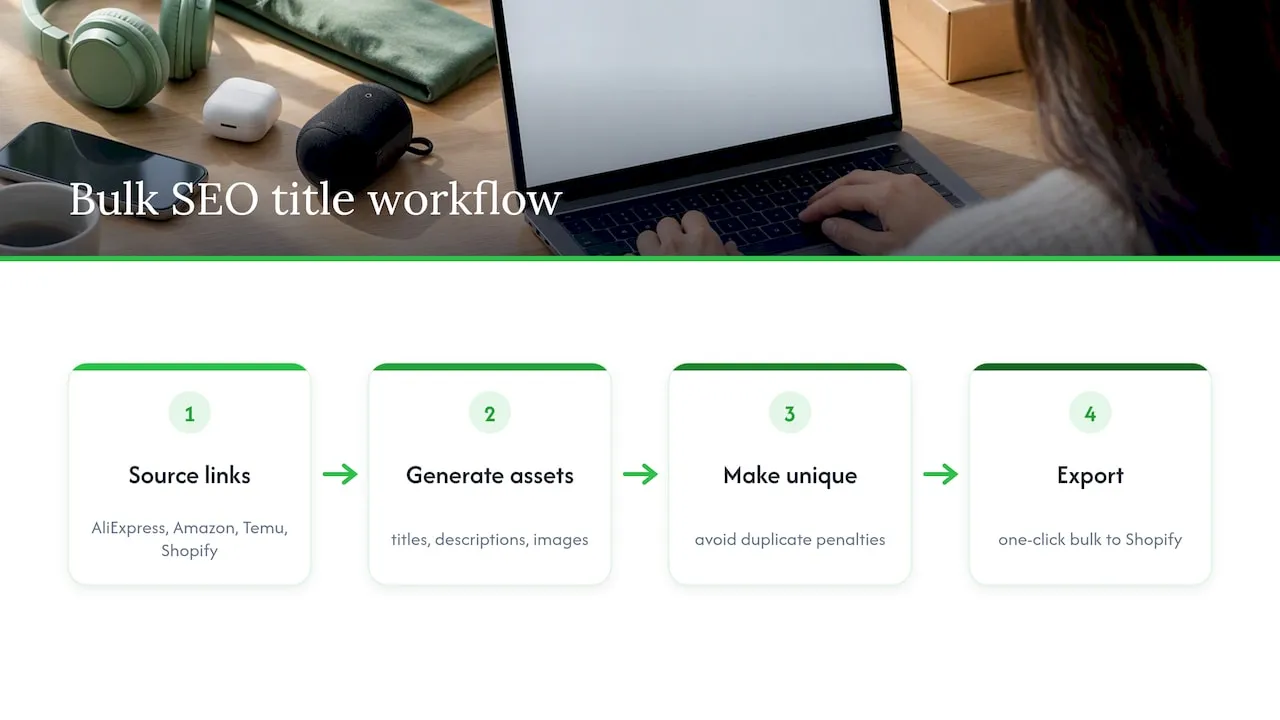
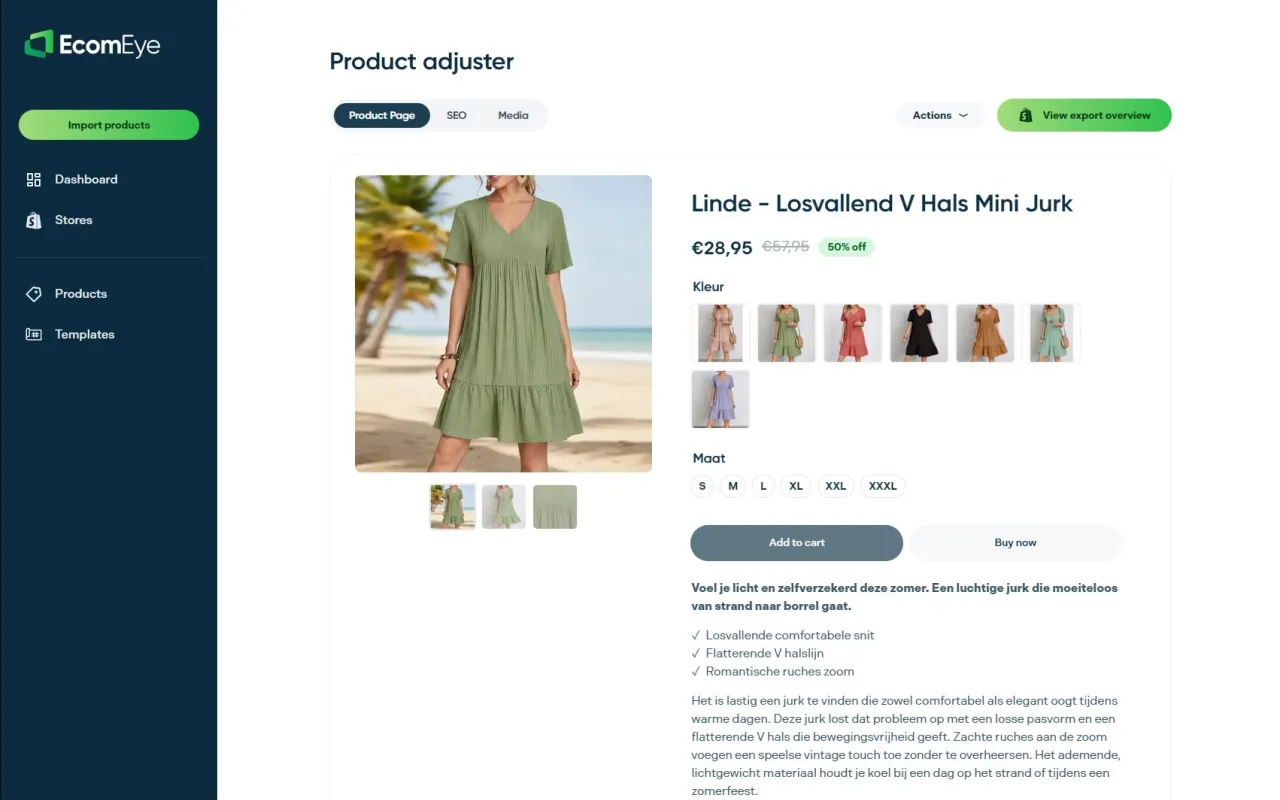
For merchants who would rather skip the spreadsheet-and-API route, we built EcomEye to generate unique, SEO-optimised titles, descriptions and product images in bulk, directly from AliExpress, Amazon, Temu or competitor Shopify links, then export the result to Shopify in one click. Every listing we generate is unique even when built from the same source product, which keeps you clear of duplicate-content penalties and Google Merchant disapprovals. Our title optimisation guide and 2026 SEO best practices article go further into the mechanics. This approach suits stores importing hundreds of SKUs at once, where copyright risk and Merchant compliance matter more than hand-tuning each listing.
When automation is enough and when a human still needs to look
Automate titles for low-value, high-volume SKUs where speed matters more than nuance. Hero products and brand-sensitive listings deserve a human pass, since tone and a genuine unique selling point rarely survive a fully automated pipeline. Use AI to generate several variants and shortlist the strongest, then let a person make the final call on anything customers see first.
— Koen
Try EcomEye for bulk, SEO-ready product titles
If the workflow above sounds right but the manual setup doesn’t, there are platforms that do bulk generation, copyright-safe rewriting and Shopify export in one pass. We offer paid plans built around generating unique titles, descriptions and images at volume rather than one listing at a time; current prices are on the pricing page.
- Compare the Try-out and Scaler plans to see which fits your catalogue size.
- Test our AI product description generator on a handful of products before committing to a full import.
Start with a small batch, check how the titles read against your own category templates, then scale once you’re happy with the output.
FAQ
How long should an AI-generated Shopify product title be?
Aim for roughly 60 characters or fewer, since Shopify notes this avoids truncation in search results even though the technical field limit is higher, according to Shopify’s SEO guidance. Keeping the primary keyword near the start protects the title’s meaning if it does get cut off.
Should I use productUpdate or productSet for bulk title changes?
Use productUpdate for single items or small batches, since it returns results immediately. For large catalogues, productSet is built for bulk operations and can run asynchronously, which avoids the timeouts that often affect large batch updates.
Will renaming product titles break my Shopify URLs?
Only if the rename also changes the product handle, which some apps do automatically. Plan your naming formula in advance and avoid unnecessary handle changes, since each one requires a redirect to preserve existing search rankings, as community guidance on redirects explains.
What causes Google Merchant disapprovals on product titles?
Excessive capitalisation is a common cause, alongside missing attributes such as brand or category. Shopify’s Google sync documentation lists this error specifically and outlines how to fix formatting issues before resubmitting your feed.
Does EcomEye generate product titles that avoid duplicate content?
Titles and descriptions generated by such platforms are uniquely written for each user, even when built from the same source product link, which helps keep listings clear of copyright and duplicate-content issues. Pricing for bulk generation runs from €39 per month on the Try-out plan up to €99 per month on the Scaler plan, both listed on our pricing page.
Sources
Ready to boost your product pages?
Generate high-converting, SEO-optimized product pages in bulk using AI automation used by e-commerce experts.
No credit card required