Make Shopify Safe for 2,048 Variants: Canonical Fixes & Code
Practical Shopify guide to fix variant canonical issues. Theme code, Merchant feed fixes, 2,048 variant guidance, and when to use EcomEye.

Make Shopify Safe for 2,048 Variants: Canonical Fixes & Code

Variant URLs on Shopify often appear as duplicate pages to Google, and the immediate fix is to ensure every product page emits a clean, self-referencing rel=canonical pointing to the base product URL. Do not block variant URLs wholesale with robots.txt, noindex or mass 301 redirects before testing. Start with three checks: view source for the current canonical tag, inspect the URL in Google Search Console, and crawl a sample of product pages to see how variant parameters behave.
TL;DR:
- Ensuring each product emits a self-referencing rel=canonical tag pointing to the base URL prevents variants from being indexed as duplicates, especially for high-variant products.
- Inconsistent canonical tags between collection and direct product URLs often cause search engines to misidentify duplicates, requiring explicit, uniform implementation in theme code.
- Shopify’s use of history.replaceState for variant URL updates can lead to variant parameters being indexed before canonical tags load, risking duplicate content issues across crawlers and feeds.
- Blocking variant URLs in robots.txt or mass redirect strategies hampers search engines’ ability to interpret canonical signals properly, making tag fixes the safer preferred approach.
- For stores with large catalogs or more than 250 variants, use a combination of client-side variant loading and validated structured data to stay within Liquid and API constraints while maintaining SEO clarity.
Table of Contents
- How Shopify handles canonicals and why variant URLs confuse search engines
- Finding and prioritising canonical problems on your store
- Practical fixes: theme code, structured data and feed settings
- Variant limits, Liquid constraints and other edge cases
- Balancing canonical hygiene with customer experience
- EcomEye: generating canonical-safe product pages at scale
- Authoritative links for implementation and developer reference
- Sources
- FAQ
How Shopify handles canonicals and why variant URLs confuse search engines
A rel=canonical tag tells search engines which version of a page is the “master” copy when several URLs show similar or identical content. Google treats canonical as a strong hint rather than a command, which means it usually follows the signal but can override it when other evidence, such as internal links or sitemaps, points elsewhere.
Shopify’s default theme behaviour generally canonicalises product pages to the base product URL, without the collection path or variant parameter attached. In practice, two things complicate this. First, some themes generate inconsistent canonical values depending on whether a shopper arrives via a collection page or a direct product link, so the canonical can shift between /products/handle and /collections/x/products/handle. Second, when a shopper picks a variant, Shopify uses history.replaceState to update the visible browser URL to something like ?variant=123456789, without a full page reload. This is good for user experience because the URL stays shareable and reflects what is on screen, but it also creates a deep link that crawlers, social sharing bots and scrapers can pick up before they ever see the canonical tag.
That gap matters because not every bot behaves like Googlebot. Social crawlers, third-party SEO tools and even Google Merchant Centre feeds can request the variant URL directly, and if the canonical is missing, inconsistent or added late in the page load, those systems may register the variant URL as a separate item. Community reports on the Shopify community forum describe exactly this: ?variant= URLs getting indexed in Google Shopping despite a canonical tag being present elsewhere on the page, usually because the tag was rendered inconsistently or overridden by app scripts.
There is also a rendering constraint worth understanding early. Shopify’s Liquid emulating has practical limits on how many variants it can reliably output server-side on a single page, which affects how structured data and canonical logic behave on high-variant products. The mechanics that create duplicate-looking variant URLs come down to a short list:
- Inconsistent canonical values between collection-path and direct product-path visits.
history.replaceStateupdating the address bar with?variant=parameters without a full reload.- Bots and feeds fetching variant URLs directly, sometimes before canonical tags are fully rendered.
- Liquid’s variant rendering limits affecting what structured data is present in the initial HTML.
Understanding these mechanics matters more than memorising a fix, because the right fix depends on which of these is actually happening on your store.
Finding and prioritising canonical problems on your store
Detection is mostly mechanical, but the order in which you check things saves time.
- View source on a sample of product pages. Search for
rel="canonical"in the raw HTML (not the rendered DOM) and confirm it points to the base product URL, not a collection path or variant-parameter URL. - Use Google Search Console’s coverage and URL inspection tools. Filter the Page Indexing report for URLs containing
?variant=or unexpected/collections/paths, then inspect a handful individually to see what Google says the canonical is versus what you intended. - Run a site crawl with a tool such as Screaming Frog or Sitebulb, filtering specifically for URLs containing
variant=or duplicate collection paths, and compare the declared canonical against the crawled URL. - Check Google Merchant Centre for disapprovals or warnings tied to duplicate
item_group_idvalues, since these often surface canonical problems before organic search does.
Not every duplicate is worth fixing immediately. Prioritise pages with meaningful organic impressions or clicks in Search Console, products flagged with Merchant Centre disapprovals, and any URL patterns that show up repeatedly in crawl reports, since those are likely eating crawl budget across your catalogue.
Once you have found a genuine problem, package it clearly for whoever fixes it: the exact URL, the HTTP header response, the current canonical tag value taken from view source, and a screenshot of the GSC URL inspection result. A developer or freelancer can usually resolve a well-documented canonical bug in under an hour; a vague report of “variants are duplicating” tends to take much longer to track down.
Practical fixes: theme code, structured data and feed settings
Most canonical problems on Shopify come down to the theme template not forcing a self-referencing canonical, structured data not matching the visible variant, or the Merchant feed disagreeing with the page. Each has a distinct fix.
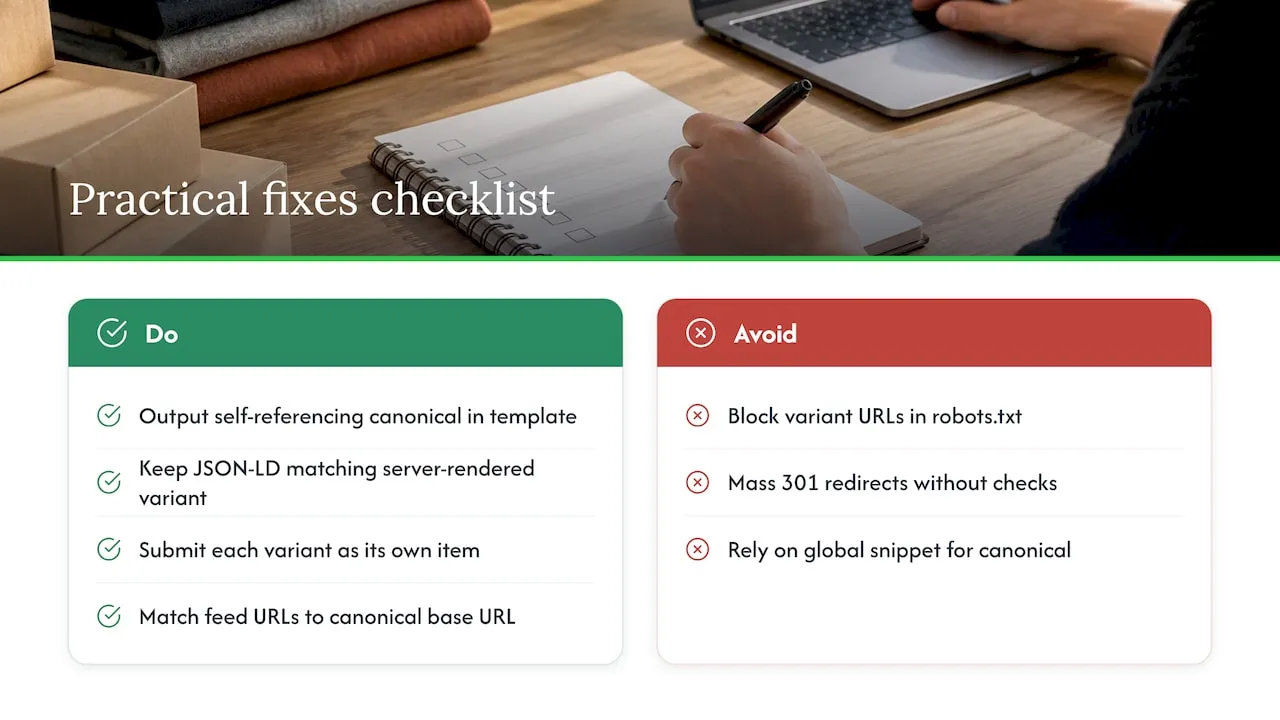
Theme-level canonical pattern. The most reliable fix is to make the product template explicitly output the canonical rather than relying on theme defaults. In theme.liquid or the product template’s head section, a pattern along these lines works well:
<link rel="canonical" href="{{ shop.url }}{{ product.url }}">
Placing this directly in the product template head, rather than depending on a global snippet, avoids the inconsistency between collection-path and direct-path visits described earlier. After deploying, retest with view source on a handful of pages, then submit the affected URLs through GSC’s URL inspection tool and request a recrawl. The Shopify community thread on variant canonical problems includes several working versions of this snippet from store owners who hit the same issue.
Structured data for variants. Product structured data should reflect the selected_or_first_available_variant in the server-rendered HTML, which keeps the JSON-LD in sync with whichever variant a shopper is most likely to see first. Shopify’s guidance on adding variants covers how variant option values should be structured so this stays consistent across large catalogues.
Google Merchant feed settings. Google’s own guidance is to submit each variant as its own item, using the same item_group_id so Merchant Centre groups them correctly instead of treating them as unrelated duplicate products. Feed URLs should match the canonical base URL structure wherever possible, since a mismatch between what the feed says and what the canonical says is a common source of disapprovals.
Why robots.txt and mass 301s are risky. Blocking variant URLs in robots.txt prevents crawlers from ever reaching the page to read the canonical tag, which is self-defeating: you cannot signal “this isn’t the master copy” to a bot you’ve refused entry to. Mass 301 redirects carry a similar risk, since a variant URL that a customer has bookmarked, shared or that a Merchant feed depends on can suddenly break, taking paid traffic or saved carts with it. Canonical tags are the safer first move because they let bots see the page and follow the hint, without removing the URL’s usefulness to shoppers.
When to consider an app or automated audit. For stores with a handful of product templates, manual fixes are usually faster than installing another app. For larger catalogues, especially ones built from bulk imports, an automated canonical audit tool can flag inconsistent patterns across thousands of pages that would take a human day to review by hand, though it still won’t replace a developer checking the actual template logic.
Pro Tip: Fix and test on one product template first, confirm in GSC that the canonical and index status update as expected, then roll the change out to the rest of the catalogue.
Variant limits, Liquid constraints and other edge cases
Shopify raised its product variant limit to 2,048 for all merchants, which is good news for stores selling products with many size, colour or material combinations, but it also means more products can now hit rendering constraints that didn’t matter at lower limits. Shopify advises merchants relying on older APIs or third-party apps to migrate to current GraphQL Admin APIs, since older integrations may not handle the full 2,048-variant range correctly.
Liquid itself has a practical ceiling on how many variants it will reliably render server-side, and developer discussion on Shopify’s forum about Liquid support above 250 variants confirms that products beyond this range need a different approach. The recommended pattern is straightforward:
- Server-render the currently selected (or first available) variant in both the visible HTML and the JSON-LD structured data.
- For products with 250 variants or fewer, Liquid can generally output the full set server-side without extra work.
- For products above that threshold, append the remaining variants client-side using a Storefront API fetch, rather than trying to force Liquid to render all of them.
- Keep stable identifiers, such as SKU or GTIN where available, on every variant object so Merchant Centre and Google can match feed items to page content correctly even when data is added after the initial page load.
For stores running bulk imports, this has a governance dimension too. High-variant products pushed through automated feeds are more likely to hit API rate limits during import, and inconsistent variant data at the import stage tends to surface later as canonical or structured-data mismatches. Building a review step into your import process, rather than trusting a one-off bulk upload, catches most of these problems before they reach Google.
Balancing canonical hygiene with customer experience
Perfect index hygiene is not always the right goal. A variant URL that ranks and drives a sale is doing its job, even if it technically duplicates the base product page. I’d rather see a team ship a working ?variant= deep link for a paid campaign than block it out of tidiness.
Responsibility should split cleanly: marketing sets canonical policy and decides which URLs matter for paid traffic, developers implement and test the actual tags and feeds, and analytics confirms the change worked in Search Console rather than assuming it did.
— Koen
EcomEye: generating canonical-safe product pages at scale
Manually auditing theme templates and Merchant feeds makes sense for a few hundred products. It stops being realistic once you’re importing thousands of listings from AliExpress, Amazon or a competitor’s Shopify store, which is where most duplicate-content and canonical problems actually start.
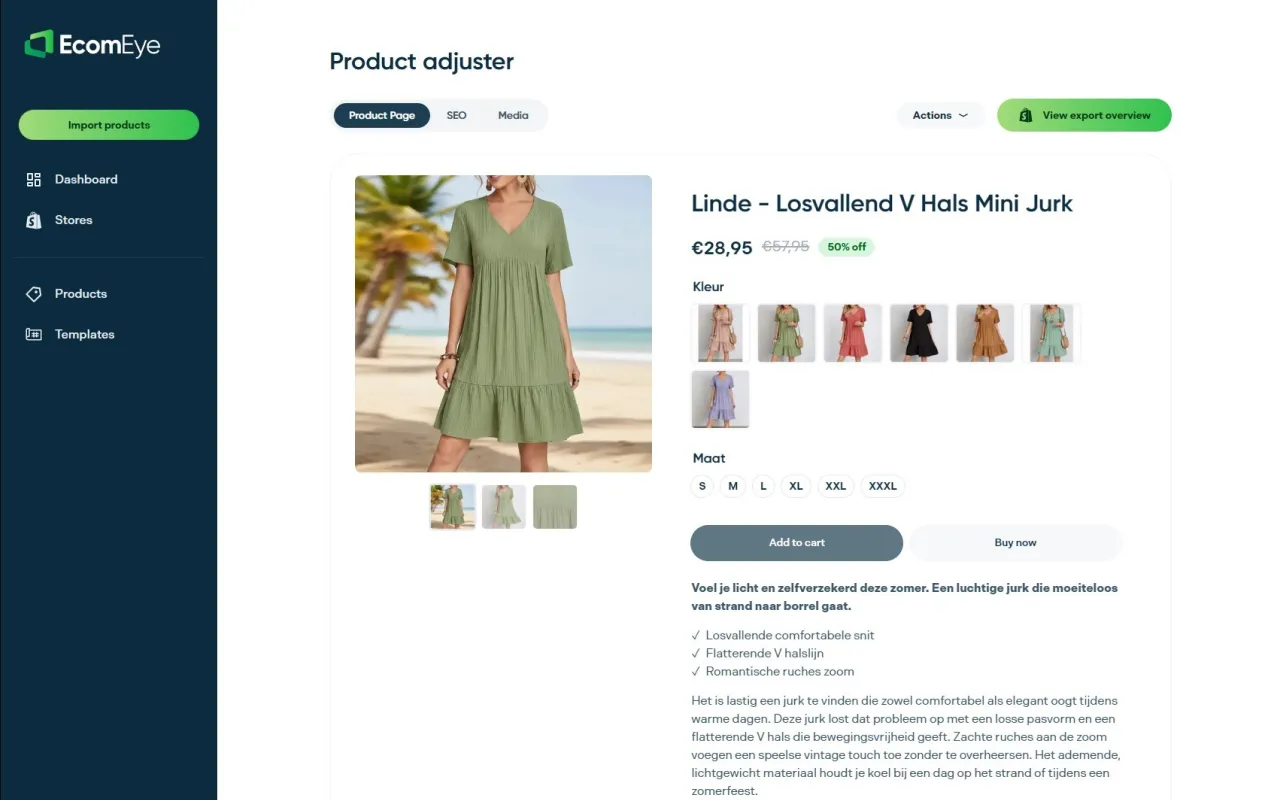
EcomEye generates unique, SEO-ready product pages in bulk rather than copying supplier listings word for word, which is the root cause behind a lot of the duplicate-content and Merchant disapproval issues this guide covers. In practical terms, that means:
- Bulk-generated titles and descriptions that are unique per listing, even when several products share the same supplier source.
- SEO-ready page structure built to avoid the duplicate-content patterns that trigger Google disapprovals.
- One-click export to Shopify, so pages go live without manual rewriting.
If you’re scaling a dropshipping catalogue or importing products faster than your team can write unique copy for each one, it’s worth testing a sample export against your own store and Merchant feed before committing to a full catalogue migration. Plans start with the Try-out tier at €39 per month, with the Scaler plan available at €99 per month for larger catalogues.
Authoritative links for implementation and developer reference
For implementation, keep close to the primary sources: Shopify’s changelog on the 2,048 variant limit, the Admin GraphQL ProductVariant docs, Google’s Merchant Centre variant guidance, and the community thread on Liquid’s 250-variant rendering limit for real troubleshooting examples. For background on why duplicate content happens in the first place, see this guide on product page uniqueness.
Sources
- The product variant limit is now 2048 for all merchants
- Manage variants and item_group_id guidance (Google Merchant Center)
- How to prevent indexing of duplicate URLs with ?variant= in Google Shopping?
- No liquid support for variants above 250 - New GraphQL Product APIs
FAQ
Can you only have three variants on Shopify?
No, that figure refers to variant options (such as size, colour and material), where Shopify allows up to three option types per product. Within those options, Shopify supports up to 2,048 variant combinations per product.
How do you fix a canonical issue?
Add or correct a self-referencing rel=canonical tag in the product template so it points to the base product URL rather than a collection path or variant parameter. Confirm the fix using view source and Google Search Console’s URL inspection tool, then request a recrawl once the tag is consistent across templates.
Is Shopify still worth it in 2026?
Shopify remains a capable platform for running a product catalogue and handling checkout, though like any platform it has default behaviours, such as variant URL handling, that need attention for solid SEO. Whether it suits a given store depends more on the products and content strategy than the platform itself.
What does “cannot find variant” mean?
This error typically means the specific combination of options a shopper or an app is requesting does not exist as a saved variant on that product, often because it was deleted, renamed or never created. Checking the product’s variant list in the Shopify admin against what’s expected, as described in Shopify’s guidance on adding variants, usually resolves it.
Ready to boost your product pages?
Generate high-converting, SEO-optimized product pages in bulk using AI automation used by e-commerce experts.
No credit card required