Stop Duplicate Shopify Handles: 3 Safe Fixes and a Preflight Checklist
Export a backup CSV, run a five point preflight checklist, then apply three safe fixes or EcomEye automation to stop duplicate Shopify handles.

Stop Duplicate Shopify Handles: 3 Safe Fixes and a Preflight Checklist

If you have just noticed duplicate product handles, stop any import or bulk duplication in progress immediately. Export a full products CSV as a backup before touching anything else, then check whether “Overwrite products with matching handles” is ticked before you re-run anything. Shopify matches rows by handle: identical handles update the existing product, different handles create a new one.
TL;DR:
- Using the overwrite option during CSV imports prevents duplicate handles from creating new products when handles are matched; leaving it unchecked risks unintentional duplicates.
- Exporting a backup before bulk actions and testing on a small sample safeguards against mishaps that could permanently affect your store’s product catalog.
- Correctly standardizing handle generation, such as vendor-title patterns, helps avoid handle collisions caused by similar product titles or manual errors.
- Fixing existing duplicate handles involves deleting, editing, or bulk-renaming products, with a caution to set affected products as drafts and implement redirects for URL changes.
- Automating handle and content creation with AI tools can help manage large catalogs, generate SEO-friendly pages, and prevent recurring duplicates efficiently.
Table of Contents
- What is a product handle, and how is it different from a SKU?
- How duplicate handles actually happen
- Pre-flight checklist before you duplicate or import anything
- Fixing duplicate handles already in your catalogue
- Stopping duplicates from coming back
- Letting automation enforce unique handles and content
- When to fix it yourself, and when to automate
- Try EcomEye for unique product pages and a cleaner Shopify export
- FAQ
- Sources
What is a product handle, and how is it different from a SKU?
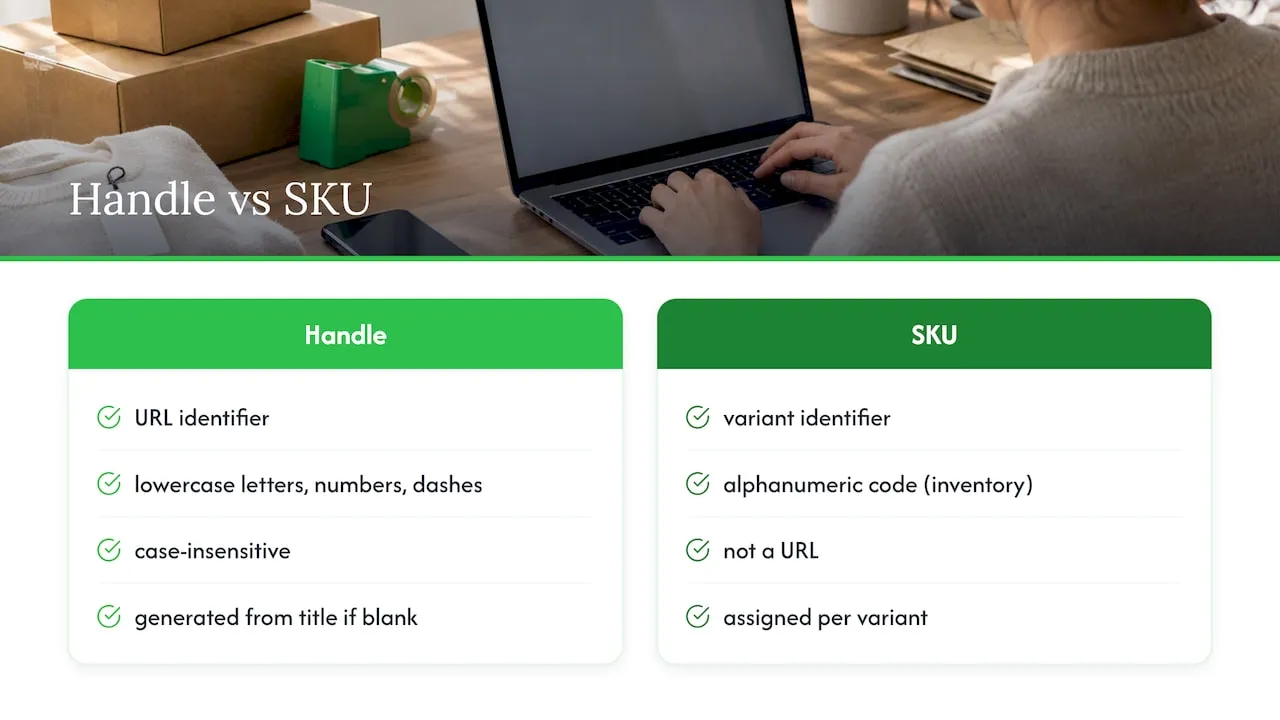
A product handle is the URL-friendly identifier Shopify uses to build a product’s public web address, made up of lowercase letters, numbers and dashes. According to Shopify’s developer documentation, handles are case-insensitive and always strictly URL-friendly, which is why a product called “Men’s Blue Hoodie” might end up as /products/men-blue-hoodie.
When you create a product without specifying a handle, Shopify generates one automatically from the title. If that handle already exists, Shopify needs to resolve the clash, and how it resolves it depends on the import method and API version you are using, which is where most duplication problems start.
SKUs are a separate matter entirely. A SKU identifies a specific variant for inventory and fulfilment purposes, not a web page, so a duplicate SKU does not create a duplicate product. It can, however, confuse third-party apps that rely on exact SKU matching to sync stock, which is a different headache with a different fix.
How duplicate handles actually happen
Three everyday actions cause most duplicate handle problems, and each behaves slightly differently.
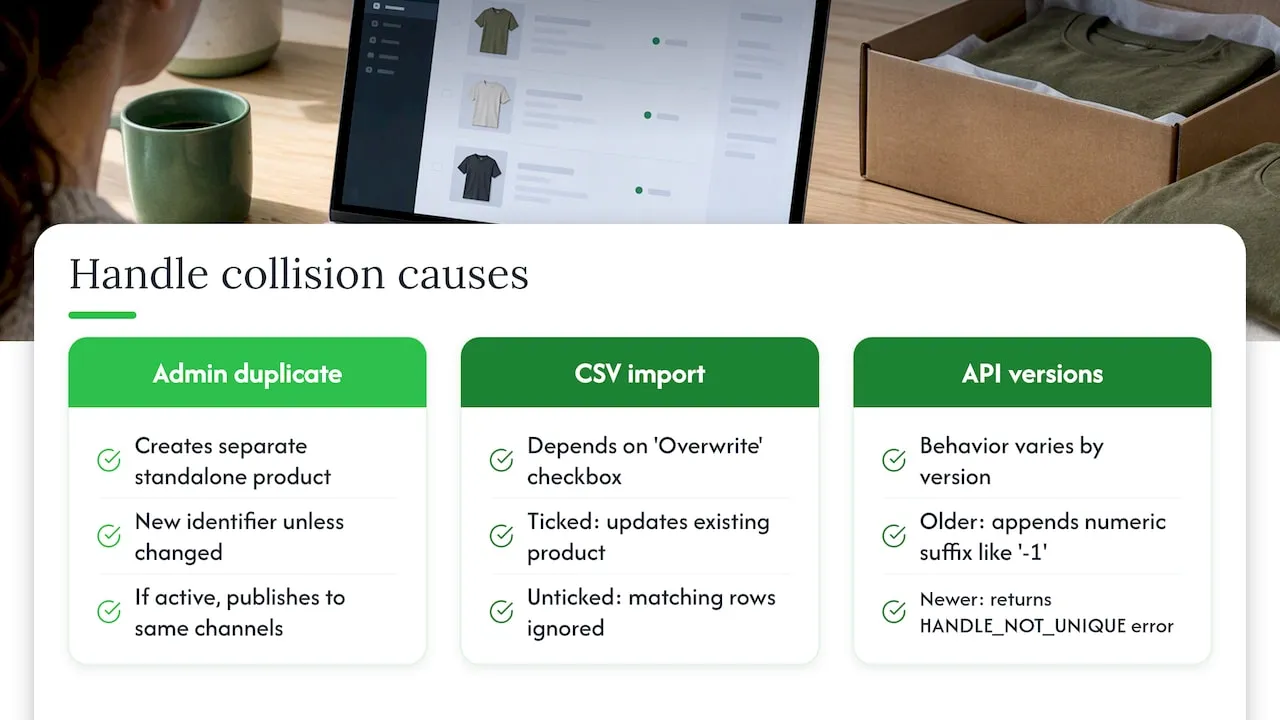
Duplicating a product in the Shopify admin always creates a separate, standalone product. Shopify’s own guidance on adding and updating products confirms that unless you change the handle during duplication, the new product gets its own identifier and, if you leave its status active, it publishes to the same sales channels as the original straight away.
CSV imports behave differently again. According to Shopify’s import documentation, the “Overwrite products with matching handles” checkbox is what decides the outcome. Tick it, and rows with a handle matching an existing product update that product. Leave it unticked, and those same matching rows are simply ignored. Neither setting invents a unique handle on your behalf, so a stale or hand-edited CSV with the wrong handles will create fresh duplicates rather than updating what you meant to change.
API behaviour has shifted over time too. Community reports describe older versions appending a numeric suffix such as “-1” when a handle already existed, while some developer forum threads note that other versions now return a HANDLE_NOT_UNIQUE error instead. If you run custom import scripts, check which Admin API version they target before assuming you know what will happen on collision.
Pre-flight checklist before you duplicate or import anything
Run through this before any bulk action, not after something has already gone wrong.
- Export a current products CSV and store it somewhere dated and separate from your working files.
- Decide your intent: if you are updating existing products, enable the overwrite option; if you are adding new ones, confirm every handle in your file is unique first.
- Check the required columns, including Handle, Title and the Option fields, and pay attention to “On hand (current)” if the import touches inventory.
- Run a small test import, either to a development store or on a sample of 10 to 50 rows, before loading the full file.
- Standardise how handles get generated, such as a vendor-title slug pattern, so near-identical titles do not collide by accident.
Required columns vary slightly depending on whether you are creating products or updating them, and Shopify’s inventory CSV reference sets out exactly which fields apply to each case.
- Back up before every bulk action, not just the risky-looking ones.
- Test small, then scale, rather than trusting a file you have not run anywhere.
A backup app that runs on a schedule removes the temptation to skip this step when you are in a hurry; a list of Shopify backup plugins is worth a look if you do frequent imports.
Pro Tip: Name your test CSV file with the date and row count, so you always know exactly what you ran and when.
Fixing duplicate handles already in your catalogue
Take a fresh full export and keep it offline before you fix anything. That snapshot is your rollback plan if a remediation step goes wrong.
From there, you have three realistic options, and the right one depends on how the duplicates arose.
- Bulk delete and re-import: when duplicates are clearly redundant copies with no unique data worth keeping, delete them and re-import a corrected CSV with clean, unique handles.
- Edit handles in the CSV: when some duplicate rows hold data you need, correct the handles to unique values in the file itself, then import with the overwrite setting matched to which record you want to survive.
- Bulk rename via the Admin API: for large catalogues, a script can rename handles in bulk, but watch for validation errors and rate limits, and check for existing handles before calling productCreate.
Whichever route you choose, set affected products to Draft while you work rather than leaving broken or duplicate pages live. If you change a handle that is already indexed or linked to externally, set up a redirect, since Shopify’s ProductInput reference notes that changing a handle without a redirect breaks existing URLs until one is added.
Pro Tip: Fix duplicates in small batches of a few hundred products at a time, so a mistake only affects a batch, not the whole catalogue.
Stopping duplicates from coming back
The fixes above solve today’s mess. Stopping it recurring needs a written rule, not a one-off clean-up.
Document a single canonical way to generate handles, such as vendor-title-slug, and treat one CSV as the source of truth rather than editing products in several places at once. Keep every export you run, dated and versioned, so you always have something to roll back to if a later import goes wrong.
Build a habit of running a quick audit every month or so: search for handles ending in “-1” or “-2”, or scan for identical titles sitting on different handles. A simple spreadsheet filter catches most of it. Finally, when you are adding sizes or colours to an existing product, use variants rather than creating a separate product for each option. It is the difference between one clean listing and five duplicate-looking ones.
Letting automation enforce unique handles and content
Manual discipline works until volume outpaces it. An AI tool built for bulk product pages can generate a unique title, description and set of images for every item it creates, then apply one consistent handle pattern across the export rather than leaving it to chance. An AI tool built for bulk product pages can import product data in bulk from supplier links, build SEO-ready content and multi-language pages, and export to Shopify in one click, which removes the manual CSV editing step where most handle collisions start.
When to fix it yourself, and when to automate
Small catalogues are fine with a manual clean-up and a careful eye on the overwrite checkbox. Once you are managing hundreds or thousands of listings, scripted fixes or an automation tool usually pay for themselves in saved hours. Either way, test every import on a small sample and back up first, every single time.
— Koen
Try EcomEye for unique product pages and a cleaner Shopify export
Most duplicate-content problems start the same way: store owners copy product pages straight from AliExpress or a competitor’s Shopify store, and Google notices. A tool can generate a unique title, description and set of AI product images for every item, apply consistent handle rules automatically, and export the finished pages to Shopify in one click, so you are not hand-editing a CSV at 11pm hoping the overwrite box is ticked correctly.
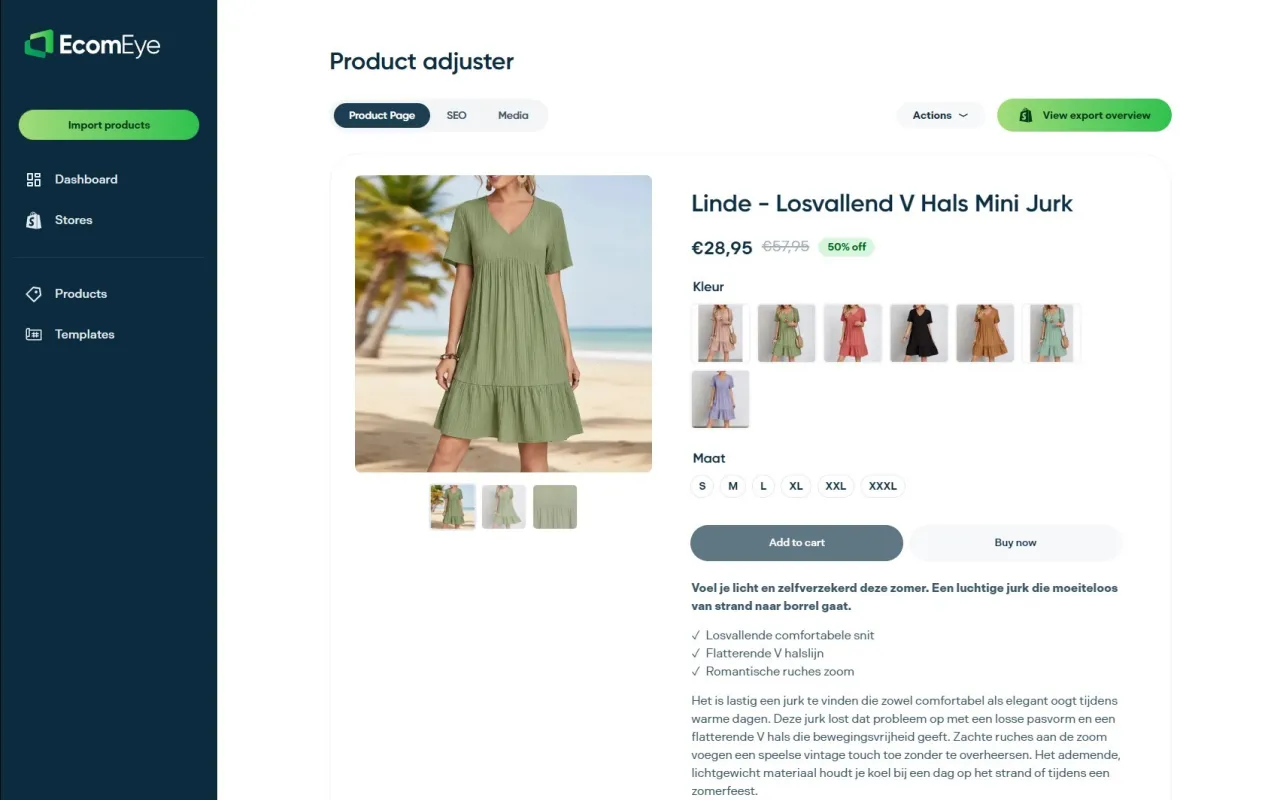
- Bulk import from external supplier links.
- Unique, SEO-ready titles, descriptions and AI-generated images for every product.
- One-click export straight to Shopify, with multi-language pages supported.
It is not a replacement for backups or test imports: run both regardless of how you generate your content. See how the export step works on the Shopify export guide, check the AI product description generator, or view pricing and plans.
FAQ
Does Shopify allow duplicate SKUs?
Yes, Shopify technically allows duplicate SKUs, though it is not recommended and the admin will show a warning when it spots one. Duplicate SKUs can break third-party apps and integrations that rely on exact SKU matching for inventory syncs, so it is worth keeping SKUs unique even though Shopify does not force it.
Is there a way to duplicate a product on Shopify?
Yes, the Shopify admin has a built-in “Duplicate” option on any product page that copies its details into a new, separate product. That new product gets its own handle, and unless you change its status, it publishes to the same sales channels as the original immediately.
What is a product handle in Shopify?
A product handle is the URL-friendly identifier Shopify uses to build a product’s web address, such as /products/handle-name. It is generated automatically from the product title if you do not set one, and it is distinct from the SKU, which identifies variants for inventory rather than for the page’s URL.
How do duplicate handles affect my store’s SEO?
Duplicate or collided handles can mean two product pages compete for the same keywords, or that a changed handle breaks an indexed URL if no redirect is added. Setting up a redirect when you change a handle preserves existing links and avoids losing search visibility on that page.
Ready to boost your product pages?
Generate high-converting, SEO-optimized product pages in bulk using AI automation used by e-commerce experts.
No credit card required