Free page builder Shopify: when to use it and when to upgrade
Discover when to use a free page builder Shopify. Learn its limits and when to upgrade for maximum efficiency and SEO benefits.

Free page builder Shopify: when to use it and when to upgrade

TL;DR:
- Free Shopify page builders are limited to a few pages and are unsuitable for bulk dropshipping catalogs due to SEO, performance, and operational constraints.
- Using native Shopify themes and a dedicated bulk AI generator like Ecom-eye ensures unique, fast, and crawlable product pages that meet SEO and Merchant Centre standards.
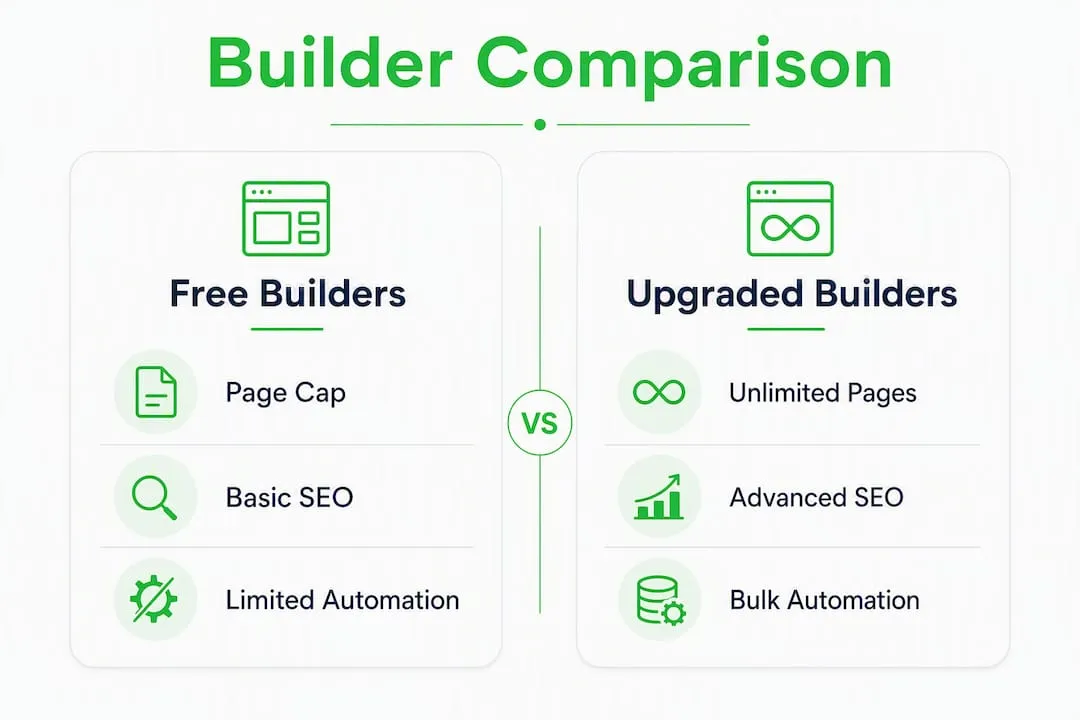
A free Shopify page builder handles a handful of landing pages perfectly well. For bulk, SEO-optimised product pages at dropshipping scale, it will not get you there. Use Shopify’s native Online Store Editor and free theme store for structural pages, then bring in Ecom-eye when you need hundreds of unique, copyright-safe product pages generated automatically.
Table of Contents
- What does a free page builder actually give you on Shopify?
- Why free builders fall short for bulk dropshipping pages
- Which free options are worth using, and when are they appropriate?
- SEO, Merchant Centre, and the real cost of scaling
- How do you choose the right page generation approach?
- If you need bulk, automated, SEO-safe product pages: how Ecom-eye solves this
- A practical 30/90-day plan to move from free builders to bulk AI pages
- Key takeaways
- Why native Shopify plus a bulk AI generator is the right call
- Ecom-eye: bulk product pages without the manual work
- Useful sources for further reading
- FAQ
What does a free page builder actually give you on Shopify?
Most free Shopify page builders share a recognisable feature set: drag-and-drop editing, a library of pre-built templates, basic section controls, and a small allocation of AI copy or image credits. The catch is always in the limits.
Free tiers are designed to convert merchants to paid plans the moment they publish more than a few pages. Common constraints include:
- Published-page caps on free plans typically limit you to only a handful of pages
- AI credit limits that allow only a small number of free AI actions before paying
- Template lock-in, where premium layouts sit behind a paywall
- No bulk import, no API access, and no automated SKU workflows
Realistic use-cases for free builders are narrow but genuine: a single high-converting product launch page, a seasonal campaign landing page, or a prototype you want to A/B test before committing to a design. For those jobs, a freemium app does the work.
Pro Tip: For your homepage, collection pages, and core product templates, rely on Shopify’s Online Store Editor and native 2.0 sections rather than a third-party app. Shopify’s own guidance consistently points to built-in tools as the most performant and secure option.
Why free builders fall short for bulk dropshipping pages
The published-page cap is the most obvious wall, but it is not the only one. Three deeper problems emerge when you try to scale.

Rendering and SEO. Many page builders inject content via client-side JavaScript rather than producing native Liquid output. Search engine crawlers can struggle with JavaScript-rendered content, delaying indexing and weakening rankings. Native Liquid pages render server-side, behave like theme templates, and give crawlers a clean signal every time.
Duplicate content and Merchant Centre disapprovals. Dropshippers who copy product descriptions from AliExpress or competitor stores face duplicate-content penalties and Google Merchant Centre disapprovals. Free builders provide no mechanism to generate unique copy at scale; they give you a canvas, not a content engine.
Core Web Vitals. Stacking multiple page-builder apps compounds page weight. Each additional app loads its own scripts, and the cumulative effect on Largest Contentful Paint and Cumulative Layout Shift can push a store below Google’s performance thresholds. Shopify’s own guidance recommends limiting third-party builders and favouring native sections for most store content.
Operational limits. There is no bulk import, no automated metadata generation, no size-system conversion, and no multi-language support on any free tier. Managing 200 product pages manually through a drag-and-drop editor is not a workflow; it is a full-time job.
Which free options are worth using, and when are they appropriate?
Before spending anything, run through this checklist:
- Count your product pages. If you need fewer than 10 published pages, a free builder or Shopify’s native editor covers you.
- Check the published-page limit. Many free plans cap published pages at a single-digit number. Confirm this before building anything.
- Verify native Liquid export. Ask whether the builder outputs native Liquid or injects JavaScript. If it cannot answer clearly, assume JavaScript.
- Audit AI credit allowances. A builder offering 10 free AI credits is useful for one page, not a catalogue.
- Use the Shopify free theme store for structural pages. The Dawn theme and other free Shopify templates are production-ready, fast, and fully compatible with Shopify 2.0 sections.
- Reserve freemium apps for campaign or prototype pages only. One-off landing pages for ad campaigns are the sweet spot.
Pro Tip: Before publishing any page built with a third-party app, test Core Web Vitals and rendering behaviour on a staging theme using Google’s PageSpeed Insights and the URL Inspection tool in Google Search Console. Catching a JavaScript-rendering issue before it goes live saves weeks of SEO recovery.
SEO, Merchant Centre, and the real cost of scaling
Switching from free builders to bulk automation is not an overnight job, but the timeline is manageable.
Typical progression:
- Days 0–30: Audit existing pages for duplicate content, check Core Web Vitals baselines, and identify which pages are client-side rendered. Remove or consolidate underperforming builder pages.
- Days 30–60: Run a small batch of AI-generated product pages alongside existing ones. Monitor organic impressions and crawl coverage in Search Console.
- Days 60–90: Scale bulk generation, QA descriptions and images, publish in staged batches, and track load-time targets.
Costs to plan for:
- Subscription or per-page credits for a bulk AI generator
- Minor theme development time if you need custom section templates
- QA time per batch (lower with automated tools, but never zero)
The SEO compliance checklist that causes the most delays: unique titles and meta descriptions for every product, structured data and schema markup, image copyright provenance, and native Liquid page output. Ecom-eye’s page automation approach addresses all four, with internal data suggesting SEO improvements of up to 70% when using bulk page automation compared with manually duplicated pages.
| Criterion | Free builder | Ecom-eye bulk AI |
|---|---|---|
| Best for | 1–10 landing pages | Hundreds of product pages |
| Bulk page support | None | Yes, with one-click export |
| SEO compliance | Manual only | Unique copy, schema, metafields |
| Core Web Vitals impact | Risk with multiple apps | Native-compatible output |
| Cost | Free up to page cap | Pay-as-you-go or subscription |
| Shopify integration | App-dependent | One-click Shopify publish |
How do you choose the right page generation approach?
The decision comes down to three questions: how many pages do you need per month, how unique does each page need to be, and does the tool publish natively to Shopify?
Decision criteria:
- Scale: fewer than 10 pages per month points to native Shopify tools; more than 50 points firmly to bulk automation
- SEO needs: unique copy plus schema markup rules out every free builder
- Integration: one-click Shopify export or a direct API matters at volume
- Image generation: copyright-safe AI images are non-negotiable for Merchant Centre compliance
- Multi-language support: UK dropshippers selling across European markets need this from day one
Questions to ask any vendor:
- Does it publish as native Liquid, or inject JavaScript?
- How many published pages does the free tier allow?
- Are AI-generated images copyright-safe and commercially licensed?
- Is there a bulk import path from AliExpress, Amazon, or Temu?
- Can it generate structured data and metafields automatically?
Red flags: client-side-only rendering, a published-page cap below 50, no stated copyright policy for AI images, and no bulk import or export path. If a vendor cannot answer question one clearly, walk away.
Pro Tip: Check whether the tool supports AI metafields for SEO — automatically populated metafields save hours of manual work and reduce the risk of missing structured data across a large catalogue.
If you need bulk, automated, SEO-safe product pages: how Ecom-eye solves this
Ecom-eye is built specifically for the bulk dropshipping problem. The workflow is straightforward:
- Import product data from AliExpress, Amazon, Temu, or a competitor Shopify link
- Generate unique titles, descriptions, SEO metafields, and copyright-safe AI product images in bulk
- QA descriptions and images using built-in templates and bulk editing tools
- Publish directly to Shopify with one-click export, with multi-language support included
The platform produces native-compatible outputs rather than injecting third-party scripts, which keeps Core Web Vitals intact. Size-system conversion and structured data are handled automatically.
Internal performance data from Ecom-eye’s blog indicates stores using page automation can improve SEO by up to 70%, and stores using Ecom-eye’s page layouts see SEO improvements of around 40%. These are vendor-reported figures, but the mechanism is sound: unique, schema-marked, server-rendered pages outperform duplicated, JavaScript-injected ones on every SEO metric that matters.
A practical 30/90-day plan to move from free builders to bulk AI pages
Days 1–30 (audit and test):
- Export a list of all published pages and identify which use third-party builder scripts
- Run Core Web Vitals checks on a representative sample using PageSpeed Insights
- Generate a small batch of 10–20 product pages with Ecom-eye and publish to a staging theme
- Compare organic impressions and crawl coverage before and after in Search Console
Days 31–90 (scale and monitor):
- Bulk-generate your full product catalogue in batches of 50–100 pages
- QA each batch for title uniqueness, image quality, and schema validity
- Publish in staged rollouts, monitoring load time and search visibility after each batch
- Set KPIs: pages published per week, time-to-publish per product, Largest Contentful Paint score, and organic impressions growth
- Keep a rollback plan: maintain the previous theme version until the new pages are confirmed stable
The merchant handles imports and QA sign-off; Ecom-eye handles generation, formatting, and export. A developer is only needed if you want custom section templates beyond the built-in options. For most UK dropshippers, the step-by-step bulk workflow requires no coding at all.
Key takeaways
Free Shopify page builders work for a handful of campaign pages, but bulk dropshipping at scale requires native Shopify tooling plus an AI bulk generator like Ecom-eye to avoid duplicate content, Merchant Centre disapprovals, and Core Web Vitals penalties.
| Point | Details |
|---|---|
| Free builders have hard page caps | Most free plans limit published pages to 1–10, making them unworkable for large catalogues. |
| Client-side rendering harms SEO | Builders that inject JavaScript rather than producing native Liquid output risk delayed indexing. |
| Duplicate content causes disapprovals | Copied product descriptions trigger Google Merchant Centre penalties; unique AI-generated copy prevents this. |
| Core Web Vitals suffer with multiple apps | Stacking page-builder scripts compounds page weight; native Shopify sections keep performance clean. |
| Ecom-eye handles bulk at scale | Bulk import, copyright-safe AI images, one-click Shopify export, and up to 70% SEO improvement reported internally. |
Why native Shopify plus a bulk AI generator is the right call
The conventional advice is to pick the best page builder and stick with it. That works for a boutique store with twenty products. For a dropshipping catalogue of hundreds of SKUs, it is the wrong mental model entirely.
The real question is not which builder has the nicest drag-and-drop interface. It is whether your product pages are unique, crawlable, and fast. A beautiful page that loads slowly, renders client-side, and shares its description with forty other Shopify stores is a liability, not an asset. UK dropshippers face an additional layer of scrutiny from Google Merchant Centre, where duplicate or thin content triggers disapprovals that can take weeks to resolve.
The path that actually works: use Shopify’s native editor and free themes for everything structural, and use a purpose-built AI bulk generator for the product catalogue. That combination keeps your Core Web Vitals clean, your content unique, and your Merchant Centre account healthy. AI’s broader impact on search discovery is only growing, and stores that generate genuinely unique, structured content at scale are the ones that benefit most from it.
Ecom-eye: bulk product pages without the manual work
Copying product pages from AliExpress or competitors is the single most common reason UK dropshipping stores stall in Google rankings and face Merchant Centre disapprovals. Ecom-eye generates unique, copyright-safe product pages in bulk, complete with AI product images, SEO metafields, and multi-language support, then publishes them to your Shopify store in one click.
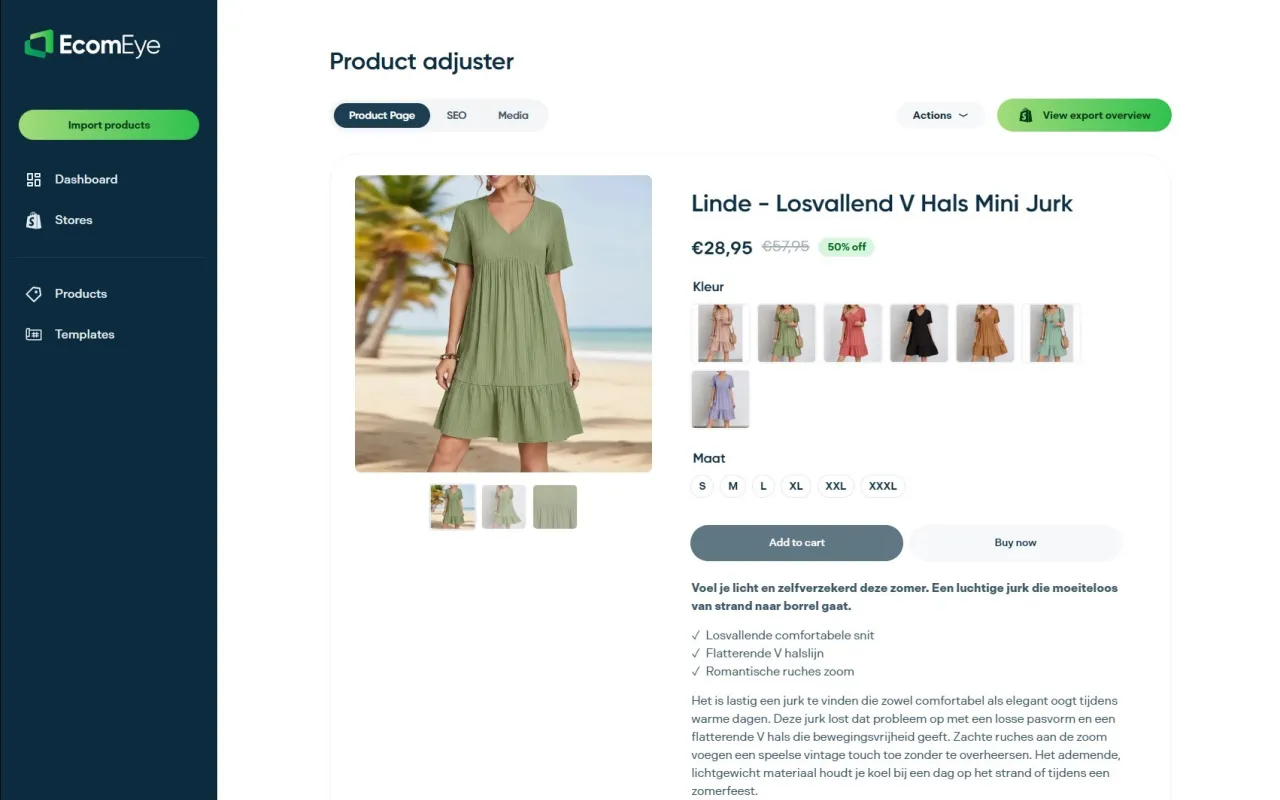
There is no rewriting, no copyright risk, and no manual formatting. You import your products, Ecom-eye generates the pages, and you publish. New users can start with a free trial to test the workflow on their own catalogue before committing to a subscription or pay-as-you-go credits. Visit Ecom-eye to start your free trial, or explore the SEO product descriptions feature page to see exactly what gets generated.
Useful sources for further reading
- Shopify Online Store Editor and themes — Official Shopify guidance on using native 2.0 sections and the free theme store; the authoritative starting point for any Shopify design decision.
- Dawn free theme — Shopify’s flagship free theme; fast, minimalist, and fully compatible with Online Store Editor sections.
- Shopify website builder overview — Covers drag-and-drop editing, page building, and the no-code tools available natively within Shopify.
- Ecom-eye page automation blog post — Internal data and implementation guidance on bulk page automation and SEO uplift.
- Ecom-eye bulk AI product lister — Full feature overview of the bulk import, AI generation, and one-click Shopify publish workflow.
- Reminder: always test rendering behaviour and Core Web Vitals on a staging theme before publishing any new page-builder output to your live store.
FAQ
Can a free Shopify page builder handle bulk product pages?
No. Free plans typically cap published pages at 1–10 and offer no bulk import or automated content generation, making them unsuitable for dropshipping catalogues of any real size.
What is the difference between native Liquid and client-side rendering?
Native Liquid pages render server-side like standard theme templates, giving search engines a clean, immediate signal. Client-side builders inject content via JavaScript, which can delay crawling and weaken SEO performance.
How does Ecom-eye avoid duplicate content issues?
Ecom-eye generates unique titles, descriptions, and AI product images for each product in bulk, rather than copying supplier text. This prevents duplicate-content penalties and reduces the risk of Google Merchant Centre disapprovals.
When should I use the Shopify free theme store instead of a page builder app?
Use free Shopify templates from the theme store for your homepage, collection pages, and core product templates. Reserve third-party page builder apps for one-off campaign or landing pages only.
How long does it take to migrate from a free builder to bulk AI-generated pages?
A staged migration typically takes 30–90 days: audit and small-batch testing in the first month, then scaled bulk generation and monitored rollout through to day 90.
Ready to boost your product pages?
Generate high-converting, SEO-optimized product pages in bulk using AI automation used by e-commerce experts.
No credit card required