How to Clean AliExpress Listings Before You Publish on Shopify
Learn how to clean AliExpress listings for Shopify: rewrite titles, fix images and variants, add valid structured data, and avoid copied-content problems in bulk.

How to Clean AliExpress Listings Before You Publish on Shopify

Cleaning an AliExpress listing means turning raw supplier data into a product page that is accurate, original and consistent with what the customer sees at checkout. In practice you rewrite the title and description, replace or tidy the images, fix variants and specs, check the product is safe to sell, and confirm the page matches your product feed. Done once by hand it takes an hour. Done across hundreds of products, it needs a repeatable process.
This guide gives you that process, in the order we would run it, with the Google rules that sit behind each step.
TL;DR
- A clean listing has a unique title with key attributes at the front, an original description, high-resolution images without logos or promo text, and variants that match the landing page.
- Google says the title and description in your product data should match the landing page, so clean the page and the feed from the same source.
- Check permissions first: skip branded or imitation products unless you are authorised to sell them.
- In bulk, fix one template and one product by hand, then run the batch and spot-check a sample, so one error is not copied across hundreds of listings.
- If AI writes your titles or descriptions for Google Merchant Center, you must review the output and mark it as AI-generated using the attributes Google requires.
Table of Contents
- What “clean” actually means
- Step 1: Decide whether the product should be listed at all
- Step 2: Extract only the facts
- Step 3: Rewrite the title
- Step 4: Write an original description
- Step 5: Fix images, variants and specs
- Step 6: Check the page for SEO and Merchant Center
- Step 7: Check claims and disclosures for the US
- Cleaning in bulk without copying errors across the catalogue
- Our perspective
- Clean a whole catalogue in minutes
- FAQ
- Sources
What “clean” actually means
Searchers who type “clean AliExpress listings” are usually dropshippers staring at a freshly imported product: a keyword-stuffed title, a block of translated specs, supplier watermarks on the photos and a variant list with names like “Color 14”. Clean means fixing all of that before the product goes live.
Google’s own product data guidance gives a useful definition. It asks merchants to keep complete, up-to-date product data, use high-quality images, and match titles, descriptions and variants to the landing page, with price and availability kept accurate. Notice what is missing from that list: nothing about copying the supplier. Cleaning is as much about originality and accuracy as it is about tidiness.
We break the job into six checks:
- Is the product one you are allowed and willing to sell?
- Is the supplier detail trustworthy?
- Is the title clear and unique?
- Is the description original and specific?
- Are images, variants and specs correct?
- Does the live page expose its data properly to Google?
Step 1: Decide whether the product should be listed at all
The cheapest clean-up is the one you never need. Before you touch the copy, look at the product itself.
Branded and imitation goods. Avoid products carrying a brand name, logo or look-alike design unless you hold authorisation. A Shopify guide to AliExpress dropshipping makes the same point about branded, counterfeit and imitation items, and about writing unique content rather than copying supplier descriptions. Those listings are the ones that attract takedown notices and account problems, and no amount of rewriting fixes a product you cannot lawfully sell.
Image ownership. Check whether the photos come from the manufacturer or were lifted from another retailer. A reverse image search takes a minute and tells you whether the same pictures are already on a dozen stores. If they are, plan to replace them (see step 5).
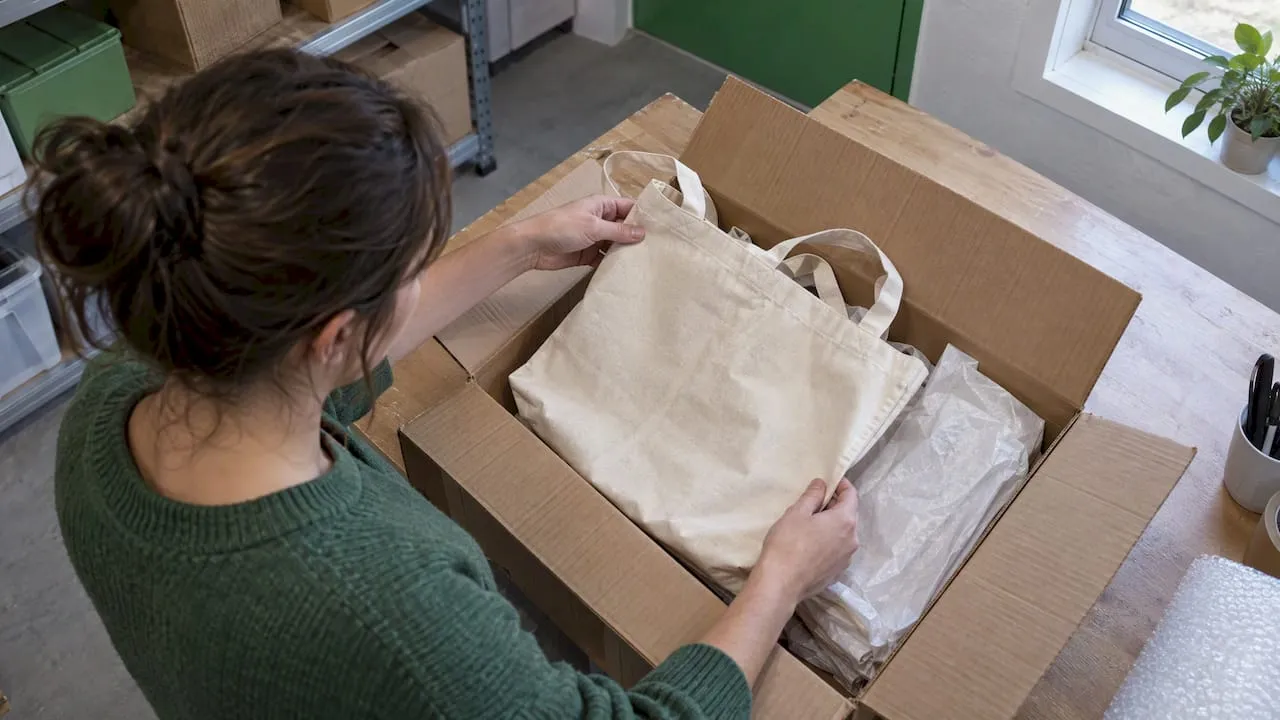
Supplier reliability. A marketplace page is a set of claims, not proof. Before importing, confirm for the exact variant you plan to sell: stock, processing time, shipping method and tracking, destination limits, packaging, and the supplier’s policy for damaged or missing orders. Also check whether materials or included accessories can change between batches. Order a sample through the route your customers will use. If the sample does not match the listing, the listing is wrong however neatly you rewrite it.
Step 2: Extract only the facts
Treat the supplier page as raw material. Copy out the facts you can verify and nothing else:
- materials and composition
- dimensions and weight, in the units your US customers expect (inches, ounces, pounds)
- what is in the box
- compatible models or sizes
- care or usage instructions
Leave behind the supplier’s adjectives, claims such as “best quality”, and any statements you cannot support. If a claim ends up on your page, it is yours. That matters most for health, safety and performance statements, which regulators and Google both expect you to be able to substantiate.
Size charts deserve special attention. AliExpress sizes often run smaller than US sizes, and a chart written in centimetres or Asian size codes causes returns. Convert to US sizing and show both units where useful, then check the conversion against the product’s actual measurements rather than trusting the label.
Step 3: Rewrite the title
Titles are where most imported listings fail. Google’s guidance is to put key details and important attributes, such as brand, age group, gender, size and colour, near the front of a unique, differentiated title, and to avoid synonyms, search-query terms and promotional text.
A typical supplier title reads like a list of search terms: “2026 New Hot Sale Women Men Unisex Summer Casual Fashion Soft Breathable Sneakers Shoes Free Shipping”. A cleaned title says what the product is:
| Supplier title | Cleaned title |
|---|---|
| Hot Sale New Fashion Women Bag Large Capacity Shoulder Crossbody Handbag Lady | Women’s Leather-Look Crossbody Bag, Large, Black |
| 2026 Pet Dog Cat Self Cleaning Slicker Brush Hair Remover Grooming Comb | Self-Cleaning Slicker Brush for Dogs and Cats, Medium |
| LED Strip Lights 5m 10m RGB Bluetooth APP Control Room Decor | RGB LED Strip Lights, 16 ft, Bluetooth App Control |
A few rules we apply every time:
- Lead with the product type and the attribute shoppers filter by, such as size, colour or material.
- Remove “hot sale”, “free shipping”, years and other promotional text.
- Do not use emojis or decorative symbols. We cover that in our guide to emojis in product titles.
- Keep the title and the on-page heading consistent. Google expects the same title and description on the landing page as in your data.
For a deeper look at structure, see the product title formula every ecommerce seller should use and how the first 45 characters of an AliExpress-based title do the heavy lifting.
Step 4: Write an original description
A description that matches the supplier’s word for word is the quickest route to duplicate content. Even paraphrased copy that follows the same sentence order tends to read as the same text.
Write from the facts you extracted in step 2. A structure that works:
- One or two sentences saying what the product is and who it suits.
- Three to five benefit-led bullets, each tied to a concrete feature.
- A short specifications block: materials, dimensions, weight, what is included.
- Care, usage or compatibility notes.
The principle from Twilio’s product description guide is worth following: use specific language about materials, dimensions and functionality, and frame features as customer benefits. “Double-stitched seams hold up to daily use” tells a buyer more than “premium quality”.
Three things to strip out every time:
- Supplier contact details, brand names and links.
- Claims about certifications or medical effects you cannot document.
- Translation artefacts such as “Pls note the colour may have slight difference due to lighting” repeated in awkward English. Keep the idea if it is true, in plain US English.
If AI writes the copy
AI is a sensible way to draft at volume, but Google has specific rules for Merchant Center. Where titles or descriptions are generated with AI, Google’s guidance requires the structured title or structured description attributes, with the digital source type marked as trained algorithmic media, and the merchant remains responsible for reviewing the output. So the workflow is: generate, read, correct, then publish. Never publish unread.
Step 5: Fix images, variants and specs
Images are the second most common failure after titles. Google’s advice is to use high-resolution images and avoid placeholders, promotional messages and logos. Supplier photos often break all three: low resolution, a watermark in the corner, a “Sale -50%” badge.
A practical image clean-up:
- Keep one clear main image on a plain or neutral background.
- Remove or replace any image with a supplier logo, text overlay or price badge.
- Show the product at scale, in use, and in each colour you sell.
- Name files and write alt text that describes what is pictured.
- If your photos are the same ones other stores use, generate or shoot original ones. Our notes on product image best practices for Shopify cover sizes and formats.
Variants
Variants cause the most refund requests when they are wrong. Google asks that product data and the selected variant match the landing page, which means a shopper who clicks “Blue, L” in an ad must land on blue, large. Check these points:
- Rename vague options (“Color 7”) to real names (“Navy”).
- Make sure every variant has its own image, and its own price and stock where they differ.
- Delete variants you cannot actually fulfil, such as sizes the supplier has sold out.
- Keep option names consistent across products, so “Size” is never “Sizes” on one page and “Dimension” on another.
Specs and formatting
Convert units, remove stray symbols and line breaks from pasted data, and use the same heading style on every product. Consistency is part of looking like a store rather than a scrape.
Step 6: Check the page for SEO and Merchant Center
A clean listing also needs to be readable by Google. Product structured data can make product information eligible for richer search results, including Google Images and Lens, with details such as price, availability, review ratings and shipping information. Most Shopify themes output basic Product markup, so your job is mostly to make sure the data feeding it is right.
Keep these rules in mind:
- Markup must match the page. Google says structured data should describe visible page content and warns against markup for information that is not shown to users. Do not add review stars to a page with no reviews.
- Only purchasable pages qualify. Merchant listing experiences are only available for pages where shoppers can buy the product, and the markup should accurately represent price, availability, shipping and return information.
- Use the right types. For ecommerce, Google points to Product, ProductGroup, BreadcrumbList, Organization, Review and VideoObject. ProductGroup is the one to know if your products have variants.
Also give every product its own unique meta title and description, and make sure collections do not carry the same intro text. For the wider picture, see why structured content drives ecommerce growth.
Step 7: Check claims and disclosures for the US
When you sell to US customers, what you say on the page is regulated even if the copy is AI-assisted.
Testimonials and reviews. The FTC’s guide to online advertising says testimonials must reflect typical consumer experiences unless a clear and conspicuous qualification says otherwise, and that advertisers cannot use testimonials to make claims they cannot substantiate. That has a direct consequence for dropshippers: do not import supplier reviews and present them as your customers’ experiences, and do not invent them.
Affiliate and influencer links. If someone is paid or rewarded to endorse a product, the FTC expects the connection to be disclosed. Its guidance says that disclosures belong close to the claim, not in a footnote or a general information page. If your product pages include creator content or paid endorsements, put the disclosure next to it.
Performance and safety claims. Remove “waterproof”, “FDA approved”, “non-toxic” and similar statements unless you hold the documents. If in doubt, describe the material and leave the claim out.
For anything touching legal exposure, such as trademarked designs or regulated product categories, ask a qualified US attorney rather than relying on a how-to article.
Cleaning in bulk without copying errors across the catalogue
The trap in bulk work is that one mistake becomes two hundred. A wrong size conversion in a template, a leftover supplier phrase in a prompt, a currency symbol in the wrong place: all of them repeat. This is the process we recommend for batches:
- Build a template. Define the title pattern, description structure, spec block and image rules once, based on the checks above.
- Run one product by hand. Fix it to the standard you want, then compare it with the template output. Adjust the template until they match.
- Run a small batch of 10 to 20. Choose products from different categories, because a template that works for T-shirts may fail for electronics.
- Spot-check 10 to 20 per cent of the output. Read titles aloud, check variants against the supplier page, and confirm no supplier names or watermarks survive.
- Search your own store for banned phrases. Look for “AliExpress”, “free shipping”, “hot sale”, supplier brand names and stray Chinese characters.
- Publish in stages. Push a first group live, watch Merchant Center diagnostics, then release the rest.
- Re-check on a schedule. Suppliers change prices, stock and materials, so reviewing top sellers regularly keeps the page honest.
Our step-by-step guide to bulk optimisation for dropshippers and the workflow piece on streamlining product listing go deeper on the mechanics. If duplicates are your main worry, read how to stop duplicate listings after an AliExpress import. And for the overall method, our guide to cleaning up product listings is the companion to this article.
A pre-publish checklist
| Check | Pass condition |
|---|---|
| Product permission | No brand, logo or imitation design without authorisation |
| Supplier details | Stock, processing time, shipping and tracking confirmed for the exact variant |
| Title | Unique, key attributes first, no promo text or emojis |
| Description | Original wording, specific materials and dimensions, no supplier contact details |
| Images | High resolution, no logos, watermarks or price badges |
| Variants | Named clearly, each with its own image, matching the landing page |
| Units | US sizes, inches and pounds where relevant |
| Markup | Matches visible content, price and availability accurate |
| Claims | Nothing you cannot substantiate, no imported reviews |
Our perspective
Most dropshipping stores do not fail because the product was wrong. They fail because the page looked like fifty others, and Google, and shoppers, noticed.
We built EcomEye around one belief: every listing should be generated fresh for the seller who publishes it. Our platform is designed so that content and images are uniquely produced for each user, which means two stores importing the same supplier link do not end up with the same page. That is how we aim to take copyright and duplicate-content worries off your plate.
The second belief is that cleaning is a workflow, not a task. Import from AliExpress, Amazon, Temu or a competitor’s Shopify link, apply a template, edit in bulk, convert sizes, and export to Shopify in one go. We also include tools for Google Merchant Center and variant management, because that is where clean copy most often meets messy data.
Automation does the typing. You still make the decisions: which products to sell, which claims to stand behind, which samples to order. We would rather you spend your hour on those.
Koen
Clean a whole catalogue in minutes
If you are cleaning more than a handful of products, doing it by hand stops making sense. EcomEye imports product data from AliExpress, Amazon, Temu or competitor Shopify links, then generates unique titles, descriptions and images and exports them to your store. The Try-out plan costs €39 a month and the Scaler plan €99 a month, as published on our pricing page.
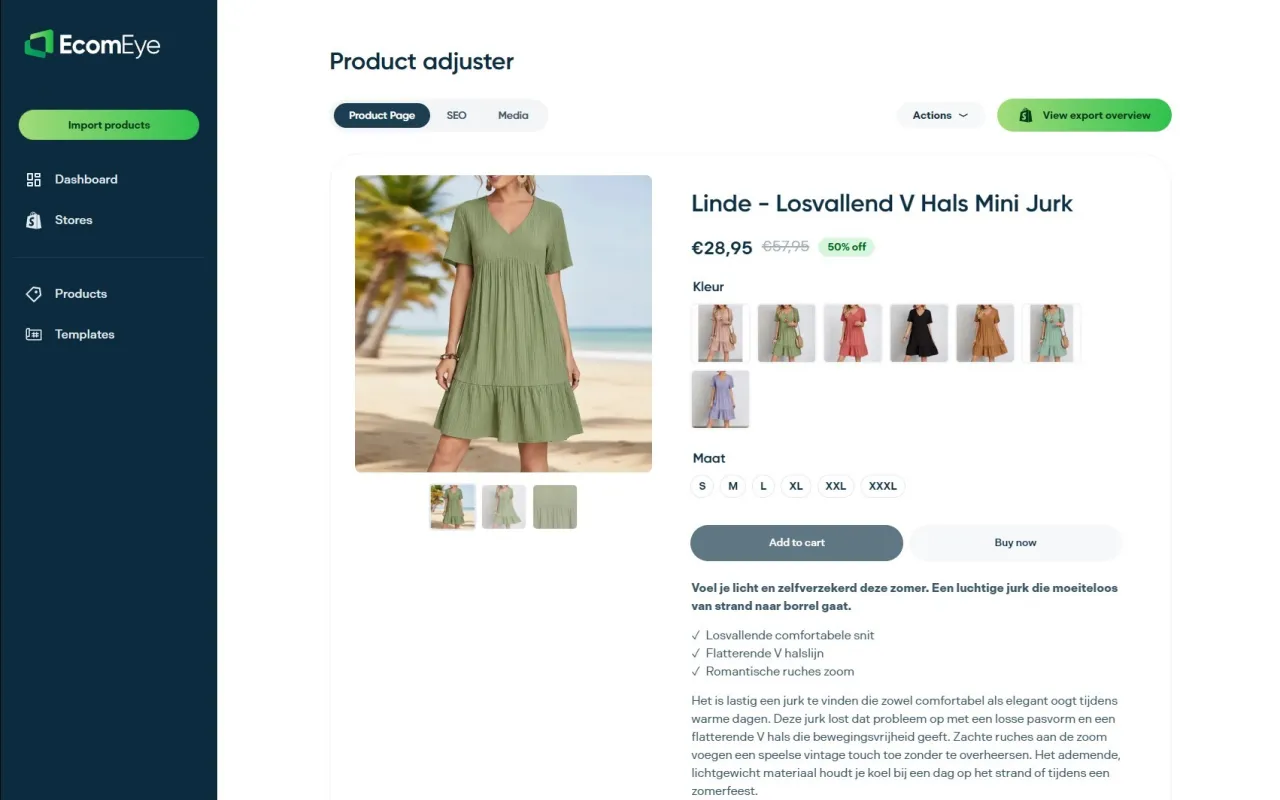
If titles and copy are your bottleneck, start with the AI product description generator. If the supplier photos are the problem, try the AI product image generator. Whatever tool you use, review the output before it goes live.
FAQ
Can I use AliExpress descriptions and photos as they are?
It is a poor idea. Supplier text is copied by thousands of stores, which makes your pages look identical to theirs, and the images may belong to someone else. Write original copy from verified facts and use photos you have the right to use, or generate original ones.
How long does it take to clean one AliExpress listing by hand?
Allow roughly 30 to 60 minutes for a product with variants, once you include sourcing checks, rewriting, image work and variant tidying. That is why most sellers build a template and process products in batches rather than one at a time.
Do I have to disclose that AI wrote my product descriptions?
For Google Merchant Center, yes in the feed sense: Google’s guidance asks for the structured title or structured description attributes, with the source marked as trained algorithmic media, when those fields are AI-generated. You are also responsible for reviewing the text for accuracy before publishing.
Should I import supplier reviews to my Shopify store?
No. Reviews on your store should come from your own customers. The FTC expects testimonials to reflect typical experiences and not to support claims you cannot substantiate, so presenting someone else’s reviews as yours creates risk.
What is the first thing to fix on an imported listing?
Start with the title, because it affects search results, ads and your feed at once. Put the product type and key attributes at the front, remove promotional words, then move on to images and variants.
Sources
- Tips to optimize your product data, Google Merchant Center Help
- AI-generated content, Google Merchant Center Help
- Intro to Product Structured Data on Google, Google Search Central
- How To Add Merchant Listing Structured Data, Google Search Central
- Intro to How Structured Data Markup Works, Google Search Central
- Structured Data for Ecommerce Sites, Google Search Central
- Advertising and Marketing on the Internet: Rules of the Road, FTC
- FTC’s Lord & Taylor case: clear disclosure, FTC
- Dropshipping with AliExpress guide, Shopify
- How to Write Irresistible Product Descriptions, Twilio
Ready to boost your product pages?
Generate high-converting, SEO-optimized product pages in bulk using AI automation used by e-commerce experts.
No credit card required