How to clean up product listings: 2026 guide
Discover how to clean up product listings effectively. Improve visibility, boost conversions, and enhance customer trust with our 2026 guide.

How to clean up product listings: 2026 guide

TL;DR:
- Cleaning up product listings involves ongoing auditing and standardization to eliminate errors and improve search visibility. Regular, structured reviews and validation tools prevent data from re-entering the catalogue uncleaned, especially for large inventories. Properly cleaned and optimized listings enhance both customer experience and AI-driven search performance.
Product listing cleanup is defined as the systematic process of auditing, correcting, and standardising your catalogue to remove errors, duplicates, and outdated entries that harm search visibility and conversion rates. For e-commerce owners, this is not a cosmetic exercise. Dirty data costs you rankings, customer trust, and revenue. Knowing how to clean up product listings properly means treating each page as a distinct sales asset, applying structured data hygiene practices, and keeping your catalogue accurate over time. The techniques in this guide cover everything from initial data export to ongoing monitoring, with specific methods for Shopify dropshippers and multi-channel sellers in 2026.
How to clean up product listings: prerequisites and tools
The first step is knowing what you are working with. Export your full catalogue as a CSV or spreadsheet before touching a single listing. This gives you a baseline and a safety net if anything goes wrong during editing.
Common issues you will find in a raw export include:
- Duplicate SKUs created when products are imported multiple times from different sources
- Missing fields such as blank meta descriptions, absent weight values, or empty alt text on images
- Inconsistent attribute naming where the same colour appears as “Navy,” “navy blue,” and “Dark Blue” across different listings
- Broken or low-resolution images that fail to load or display poorly on mobile
- Price anomalies such as products listed at £0.00 or with currency formatting errors
For catalogues under 5,000 SKUs, Excel or Google Sheets handle the majority of inconsistencies effectively. Functions like COUNTIF, VLOOKUP, and conditional formatting let you spot duplicates and flag empty cells without specialist software. For larger catalogues, automated PIM systems or Python scripts are the practical choice. Manual cleanup becomes inefficient above 5,000 SKUs; the volume of errors simply outpaces what a person can fix by hand.
Mapping your products to a standard taxonomy before you begin also saves significant time. Google’s product category taxonomy, for example, gives you a consistent classification framework that improves both search indexing and internal filtering.
Pro Tip: Before exporting, run a quick site search on your own store for a generic term like “blue.” If you see wildly inconsistent product names appear, that is a reliable early signal of attribute naming problems across your catalogue.
How to audit and clean product data step by step
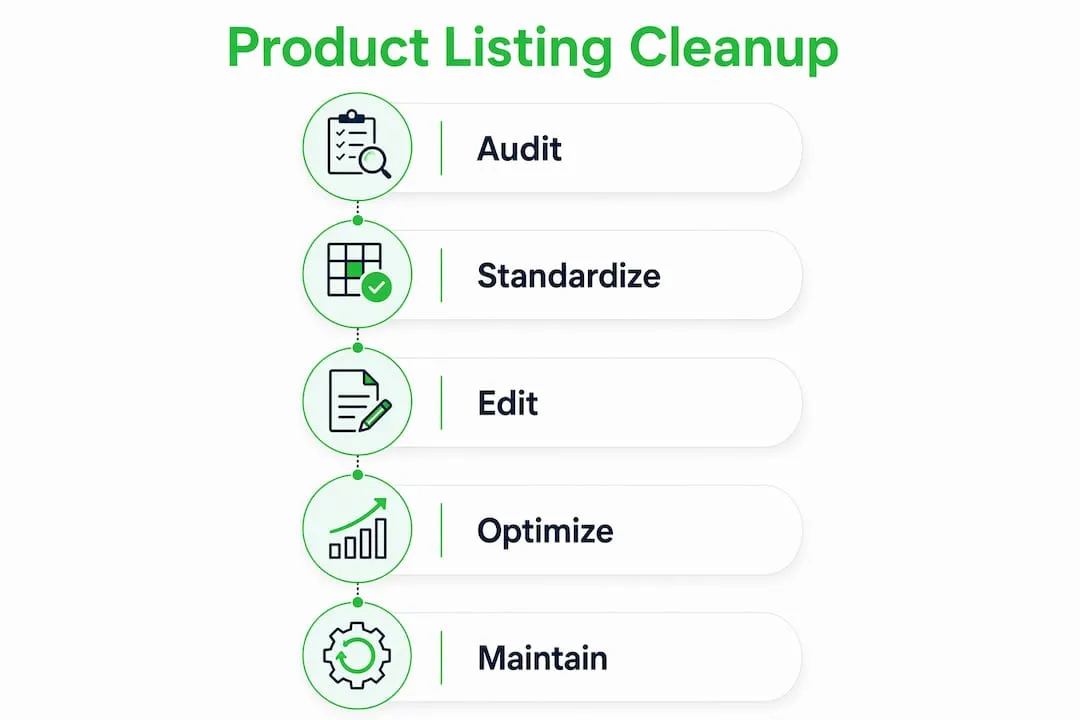
A structured audit follows a clear sequence. Skipping steps creates gaps that surface later as recurring errors.
- Export the full catalogue as a CSV with all available fields, including variants, images, metadata, and pricing.
- Identify duplicate SKUs using
COUNTIFin a spreadsheet. Flag any SKU that appears more than once and decide whether to merge or delete the duplicate. - Detect missing attributes by filtering for blank cells in critical columns: title, description, price, image URL, and category.
- Standardise attribute formats by creating a reference list of accepted values for each field. For colour, for example, define a fixed set of names and apply them consistently across every row.
- Cross-reference multiple data sources to verify accuracy. If you source from AliExpress, check supplier specs against what is listed on your store. Discrepancies in dimensions or materials erode customer trust.
- Archive or delete outdated products. Listings for discontinued items with no inventory should be removed or set to draft, not left live with a zero-stock status.
- Validate image alt text for every product. Alt text serves both accessibility and SEO, and it is one of the most commonly neglected fields in a catalogue.
Common data cleaning tasks include removing duplicate SKUs, fixing missing fields, standardising attribute formats, and validating pricing. Each of these tasks has a direct impact on how search engines index your pages and how customers experience your store.
Bulk editing tools within your e-commerce platform can apply changes across hundreds of listings at once. On Shopify, the bulk editor lets you update prices, tags, and inventory in a single session. For more complex transformations, a bulk optimisation workflow reduces the manual effort significantly.

Pro Tip: Use conditional formatting in Google Sheets to highlight cells that fall outside expected value ranges. For example, flag any price below £1.00 or any title shorter than 20 characters. Visual cues speed up review dramatically.
Key fields to validate in every audit:
- Product title length and keyword placement
- Meta description presence and character count (150–160 characters)
- Image alt text completeness
- Inventory and pricing accuracy
- Category and tag consistency
How to optimise product descriptions for SEO and AI search
Product listing optimisation is a conversion-engineered SEO practice. Treating each listing as a distinct sales page, rather than a data entry form, is what separates high-performing catalogues from average ones.
The most effective descriptions follow a feature-benefit-emotion framework. State the feature, explain the benefit it delivers, and connect that benefit to a feeling or outcome the customer wants. This structure works for both scanning readers and those who read every word before buying.
For AI-driven search in 2026, semantic understanding takes priority over keyword density. AI models reward precise, concrete nouns and data-rich attributes. Hyperbolic phrases like “amazing quality” or “best in class” carry no semantic weight. Replace them with specific measurements, materials, and certifications.
Practical steps for description optimisation:
- Place the primary keyword and its closest natural variant within the first 20 words of the description
- Use long-tail phrases drawn from customer reviews and support queries, since these reflect real search language
- Write benefit-first sentences before listing technical specifications
- Move technical specs into a structured table rather than burying them in prose
Technical specifications belong in clean tabular formats on product detail pages. This improves machine readability and helps AI systems index details accurately. A table with rows for material, dimensions, weight, and compatibility is far more useful to both search engines and customers than a paragraph that mentions the same facts in passing.
Implementing JSON-LD Product schema markup can increase click-through rates by 20–30% by displaying price, availability, and ratings directly in Google search results. Schema is one of the highest-return technical investments you can make on a product page.
Pro Tip: Mine your store’s site search logs and customer support tickets for the exact phrases shoppers use. These are your most reliable source of natural, high-intent keywords that competitors rarely think to use.
| Description element | Best practice |
|---|---|
| Opening sentence | Lead with primary keyword and core benefit |
| Body copy | Feature-benefit-emotion structure, 80–150 words |
| Technical specs | Structured HTML table, not prose |
| Schema markup | JSON-LD Product schema with price, availability, and rating |
| Alt text | Descriptive, keyword-relevant, under 125 characters |
What are the most common pitfalls when cleaning product listings?
The biggest mistake is treating catalogue cleanup as a one-off project. Ignoring import boundaries allows dirty data to re-enter your live catalogue every time you import a new batch of products. One unvalidated supplier feed can undo weeks of manual work overnight.
“AI tools amplify existing catalogue quality. Messy base data propagates fragmented and competing listings, creating downstream challenges that compound over time. Inconsistent attribute naming at source causes long-lasting optimisation issues that no AI tool can fix after the fact.”
This is the most underappreciated risk in e-commerce data management. Sellers who rush to use AI listing tools on uncleaned data end up with hundreds of listings that contradict each other on key attributes like size, colour, and material. AI amplifies existing data quality, for better or worse.
Other common pitfalls include:
- Inconsistent attribute naming where the same value is written differently across products, causing filter and search failures
- Manual re-entry errors introduced when staff update listings individually without a shared style guide
- No validation rules at import meaning every new product feed bypasses quality checks
- Ignoring image quality and assuming that any image is better than none, when a blurry or watermarked image actively reduces conversion
Setting up rule-based validation at every import point is the industry standard in 2026. Validation rules can reject any product record that is missing a required field, contains a price below a minimum threshold, or uses an attribute value not on the approved list.
Pro Tip: Create a one-page data entry style guide for your team. Define accepted values for every attribute field, including capitalisation rules, unit formats, and approved colour names. Distribute it before any manual editing session.
How to maintain product data hygiene over time
Sustained listing quality requires a schedule, not just a one-time effort. Rule-based validation at ingestion points is the most reliable way to prevent data drift between audits.
A practical maintenance schedule looks like this:
- Monthly spot checks: Review your 20 best-selling products for accuracy, image quality, and description relevance. These listings drive the most revenue and deserve the most attention.
- Quarterly full audits: Export the entire catalogue and run the same audit process used in the initial cleanup. Compare results against the previous quarter to track improvement.
- Real-time anomaly alerts: Set up automated alerts for price drops to zero, inventory going negative, or image URLs returning a 404 error.
- Continuous keyword refresh: Update descriptions twice a year to reflect shifts in customer language. Review site search data and new customer reviews each time.
Ongoing maintenance also means updating listings to reflect advanced product listing standards as search algorithms evolve. What ranked well in 2024 may underperform in 2026 if semantic content requirements have shifted.
Key habits that prevent data drift:
- Assign one person as catalogue owner with final approval on all imports
- Use a staging environment to test new product feeds before they go live
- Document every change made during an audit so you can trace the source of any future error
- Review supplier data quality regularly and flag underperforming feeds
Pro Tip: Set a recurring calendar reminder for the first Monday of each month to review your top 20 listings. Fifteen minutes of focused attention on your highest-traffic pages delivers a disproportionate return compared to sporadic full-catalogue reviews.
Key takeaways
Cleaning up product listings is a continuous data hygiene process that requires systematic auditing, structured optimisation, and automated validation to sustain search visibility and conversion performance.
| Point | Details |
|---|---|
| Audit before editing | Export the full catalogue as a CSV and identify duplicates, missing fields, and inconsistencies before making changes. |
| Use the right tools | Spreadsheets suit catalogues under 5,000 SKUs; automated PIM systems or scripts are needed above that threshold. |
| Optimise for AI search | Use concrete, data-rich attributes and move technical specs into structured tables to improve machine readability. |
| Apply schema markup | JSON-LD Product schema can increase click-through rates by 20–30% by surfacing rich snippets in Google. |
| Maintain continuously | Schedule monthly spot checks and quarterly full audits, and enforce validation rules at every import point. |
What I have learned from cleaning product catalogues
The most common mistake I see is sellers spending days on a full catalogue cleanup and then importing a new supplier feed the following week with no validation rules in place. The dirty data floods back in within hours. All that work, undone.
My honest view is that the first 20% of your catalogue deserves 80% of your initial effort. Your best-selling products, your highest-traffic pages, your most-reviewed items. Fix those first. The long tail can wait. Prioritising high-impact listings delivers visible results quickly, which builds the internal momentum needed to sustain the process over time.
I have also watched sellers over-rely on AI listing tools before their base data is clean. The output looks polished on the surface, but the underlying attribute inconsistencies remain. You end up with beautifully written descriptions that contradict each other on size or material. Clean the data first. Then automate.
The balance between detail and clarity is harder than it sounds. Customers want enough information to buy with confidence. Search engines want structured, specific attributes. AI models want semantic precision. The feature-benefit-emotion framework is the best single structure I have found that satisfies all three audiences at once.
Treat listing cleanup as a standing investment, not a project with an end date. The catalogues that perform best in 2026 are the ones maintained by teams who review, update, and validate on a fixed schedule, every month, without exception.
— Koen
Ecom-eye: built for sellers who need clean listings at scale
Manually cleaning and rewriting hundreds of product pages is not a sustainable growth strategy. Ecom-eye generates copyright-safe, SEO-ready product pages in bulk directly from AliExpress imports or competitor links, removing the manual effort entirely.
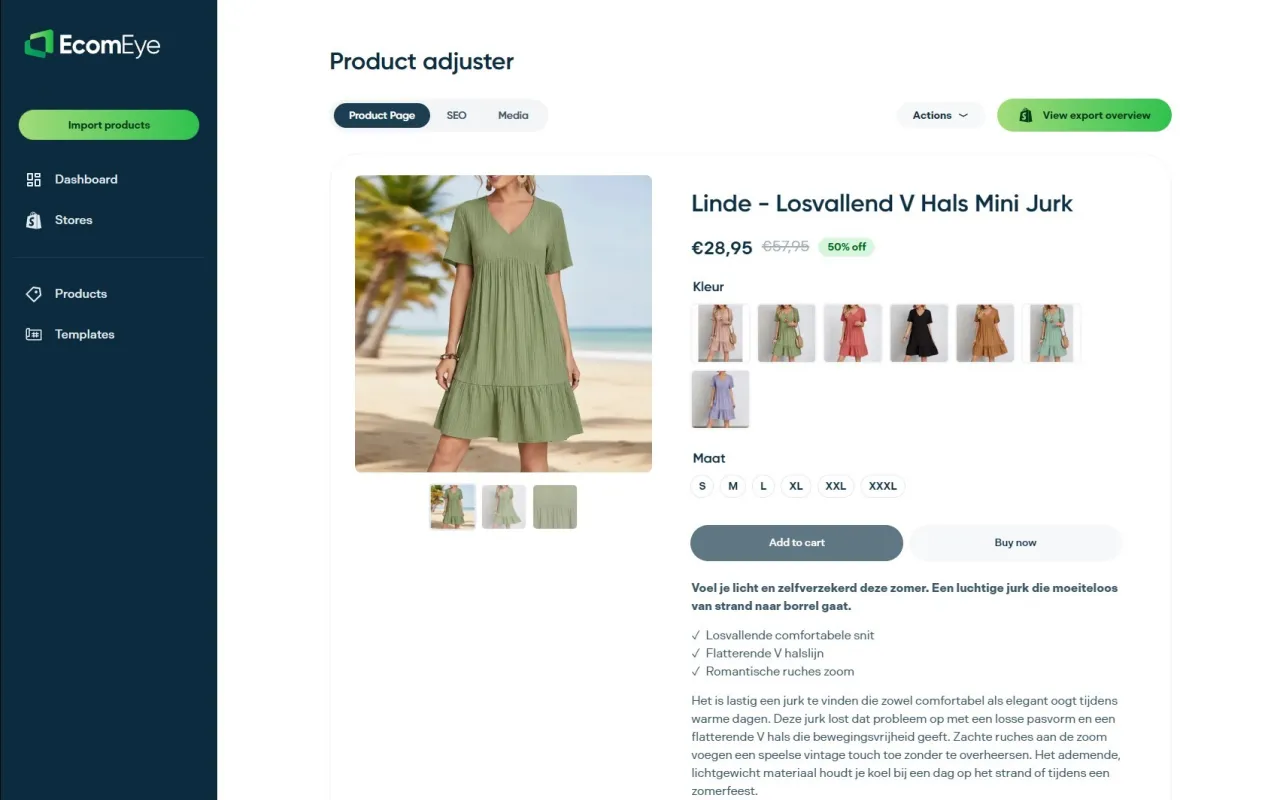
Every page Ecom-eye produces includes an optimised title, a clean description built for both human readers and AI search, and high-quality AI-generated product images. Multi-language output and direct Shopify export mean your catalogue goes live without rewriting, copyright risk, or data entry errors. For Shopify dropshippers who want clean, original listings at scale, Ecom-eye is the practical next step.
FAQ
What does cleaning up product listings actually involve?
Product listing cleanup involves auditing your catalogue to remove duplicates, fix missing fields, standardise attribute formats, and update descriptions for accuracy and SEO relevance. It is an ongoing process, not a single task.
How often should I audit my product listings?
Run a full catalogue audit quarterly and perform spot checks on your top-selling products monthly. Set automated alerts for critical errors such as zero prices or broken image URLs to catch issues between scheduled reviews.
Do I need specialist software to clean product data?
Spreadsheets like Excel or Google Sheets handle most inconsistencies for catalogues under 5,000 SKUs. Larger catalogues benefit from automated PIM systems or scripting tools to manage attribute standardisation at scale.
How does schema markup improve product listing performance?
JSON-LD Product schema markup can increase click-through rates by 20–30% by displaying price, availability, and ratings as rich snippets directly in Google search results. It is one of the highest-return technical changes you can make to a product page.
Why do AI listing tools sometimes make catalogue problems worse?
AI tools amplify the quality of the data they are given. If your base catalogue contains inconsistent attribute naming or duplicate entries, AI-generated content will propagate those inconsistencies across every new listing it produces. Clean the source data before applying any automation.
Ready to boost your product pages?
Generate high-converting, SEO-optimized product pages in bulk using AI automation used by e-commerce experts.
No credit card required