How to Avoid Google Merchant Center Suspensions
Avoid Google Merchant Center suspensions with a practical audit of contact details, policies, shipping data and product pages, written for Shopify dropshippers.

How to Avoid Google Merchant Center Suspensions

You avoid a Google Merchant Center suspension by making your store look, and behave, like a business Google can verify. Your contact details must be consistent. Your shipping and returns pages must match your Merchant Center settings word for word. Your stock status and prices must be accurate. Your product pages must be your own, not copies of a competitor’s. Most suspensions are not bad luck. They are the predictable result of a handful of mismatches that a few hours of auditing would have caught.
This guide is written for Shopify store owners and dropshippers in the US who want Shopping ads and free listings without the cycle of suspension, appeal and cool-down.
TL;DR
- Use one legal business name, address, phone number and domain-based email everywhere: footer, contact page and Merchant Center.
- Make shipping and return policies specific, linked in the footer of every page, and identical to your Merchant Center settings.
- Keep availability, price and delivery times truthful. Dropshippers are flagged most often for unrealistic timelines and missing stock status.
- Write original product pages. Copied supplier or competitor text creates duplicate content and weakens the trust signals reviewers look for.
- Do not rush an appeal: fix everything first, then submit once.
Table of Contents
- Why Google suspends accounts in the first place
- Step 1: make your business identity consistent
- Step 2: write policies a reviewer can verify
- Step 3: be honest about stock and delivery, especially if you dropship
- Step 4: build trust signals, not just compliance
- Step 5: fix your product pages before they fix you
- A pre-submission audit you can finish in an afternoon
- What to do if you are suspended anyway
- Our perspective: suspensions are usually a content-at-scale problem
- Where Ecom-eye fits in your fix
- FAQ
- Sources
Why Google suspends accounts in the first place
Google describes its misrepresentation rules as a way to protect users and keep their trust, and it relies heavily on automated systems to enforce them, as set out in Google’s own policy page. Those systems are cautious by design. A discrepancy that a human would shrug at, such as an unverified address or an unrealistic shipping claim, can be treated as a serious violation.
Two things follow from that:
- Google rarely tells you exactly what is wrong. Practitioners note that the vagueness is deliberate, because detailed feedback would help bad actors work around the rules. In a Shopify community thread, the advice is to treat silence as a prompt to audit your whole site.
- Fixing one issue is not enough. Google expects you to follow its Shopping policies across the board, as Merchant Center Help explains. If you are flagged for one reason and your store has three others, the appeal will fail.
If you want the full anatomy of the most common flag, our guide to what Google merchant misrepresentation means and how to fix it goes deeper.
Step 1: make your business identity consistent
This is the cheapest fix and the one most often botched. Your legal business name, physical address, phone number and email should read identically on your website footer, your contact page and the business information in Merchant Center. According to GGMerchant.Center, a generic web email such as a Gmail address is often not enough to look professional, and it reports that around 40% of misrepresentation issues begin with inadequate or inconsistent contact details. Treat that percentage as a practitioner’s estimate, not an official Google figure.
Google’s own help page on missing contact information says to show at least a business address, phone number, email, contact form or social media business profile on your store, and to add your phone number on the Business information page in Merchant Center.
A quick checklist:
- Same legal name in the footer, the checkout, the policies and Merchant Center.
- An email on your own domain, such as [email protected].
- A phone number that works and is listed in both places.
- A contact page linked from the footer of every page.
Step 2: write policies a reviewer can verify
Google’s Merchant Center checklist asks for shipping and return policies on dedicated, easy-to-find pages. Shipping policies should cover handling times, transit times, courier information and costs. Return policies should state the timeframe, how to start a return and how refunds are issued, including for damaged items or items that never arrive.
Vague wording is a common failure. GGMerchant.Center warns that “contact us for returns” language is a likely reviewer fail, and that you should state an exact number of days, for example 30 days from delivery. For US stores, choose a window you will actually honour and write it down plainly.
Put the links where reviewers look
One guide on fixing the error says reviewers check footer links by hand, so shipping, refund and contact pages buried in an FAQ or reachable only from the homepage put a reappeal at risk. Link every policy from the footer on every page, including product and collection pages.
Match your Merchant Center settings exactly
Automated systems compare your site against your Merchant Center settings. According to GGMerchant.Center, saying “3-5 days” delivery on the site and “5-7 days” in Merchant Center can trigger an immediate flag. After any change to your policies, update both places on the same day.
| Item | On your website | In Merchant Center | Must match? |
|---|---|---|---|
| Handling plus transit time | Shipping policy page | Shipping settings | Yes, exactly |
| Shipping cost | Policy page and checkout | Shipping settings | Yes |
| Return window | Returns page | Return policy settings | Yes |
| Business name and address | Footer and contact page | Business information | Yes |
| Price and availability | Product page | Product feed | Yes, at all times |
Step 3: be honest about stock and delivery, especially if you dropship
Google does not ban dropshipping, but it demands operational legitimacy. Dropshippers tend to run into trouble when they give unrealistic shipping timelines, reuse templated or duplicate policies, or hide stock status, which Google can read as a lack of control over fulfilment.
Practical consequences:
- If a supplier’s product takes 12 to 20 days to arrive, say so. A promise of fast delivery that you cannot keep is worse than a long honest estimate.
- Show in-stock or out-of-stock clearly on every product page, and keep the feed in step.
- Write your own policies. Copying another store’s policy text means you may be promising things you do not do.
- Be realistic about the business model. Some experienced merchants in that same community discussion argue that dropshipping and print on demand are hard to get approved with. That is opinion, not Google policy, but it is a reason to over-invest in transparency rather than assume a template store will pass.
For a longer treatment, see why dropshippers fail Google checks.
Step 4: build trust signals, not just compliance
Passing a checklist is not the same as looking legitimate. Practitioners recommend a professional, non-templated design, no placeholder text such as lorem ipsum, and add-to-cart buttons that are easy to see above the fold. Reviewers are looking for evidence of a functioning business, according to GGMerchant.Center.
Things to check on your store today:
- Real About page with who you are and where you are based.
- Secure checkout, with the payment page loading properly.
- No dead links, broken images or leftover demo products.
- Genuine reviews only. Never display ratings you cannot back up.
- Active social profiles, if you list them.
Our guide to product page trust signals lists the on-page elements worth adding first.
Step 5: fix your product pages before they fix you
Merchant Center does not only judge your policies. It judges the product data and landing pages behind each listing. Many dropshippers import a supplier’s title, description and images, then publish them unchanged. The same text appears on dozens of other stores, which is a duplicate-content problem for search and a weak signal of an independent merchant. It is also a copyright risk if the text or photos belong to someone else.
A clean product page has:
- A unique, accurate title that matches the feed title.
- An original description that says what the product is, its materials, sizes and what is in the box.
- Images you have the right to use.
- A price and availability that match the feed.
- Correct size information for the US market, for example converting supplier sizes into US sizing.
We cover the page-level checks in more depth in five product data checks that catch errors and fixing the SKUs that damage data quality. If individual products are being rejected rather than the whole account, start with four disapprovals that restore Shopping clicks. For the broader authenticity angle, read how page authenticity builds trust and avoids penalties.
A pre-submission audit you can finish in an afternoon
Run this before you open a new account or request any review.
- Identity. Compare name, address, phone and email in the footer, contact page, policies and Merchant Center.
- Policies. Confirm shipping and returns have specific numbers and are linked from every footer.
- Feed versus site. Spot-check ten products: price, availability, title and image must match the landing page.
- Delivery claims. Check that the times on your site, checkout and Merchant Center are the same.
- Content. Search a sentence from each of your best sellers in quotation marks. If other stores show up with the same text, rewrite it.
- Checkout. Place a test order and confirm the page is secure and the totals are right.
- Linked accounts. If you run Google Ads, check that the linked account is in good standing.
That last point matters. According to Merchant Center Help, if a linked Google Ads account is suspended you have to resolve the Ads suspension first, because unlinking will not clear the Merchant Center problem. A “Linked account suspension” status was added in August 2024 for exactly this case.
What to do if you are suspended anyway
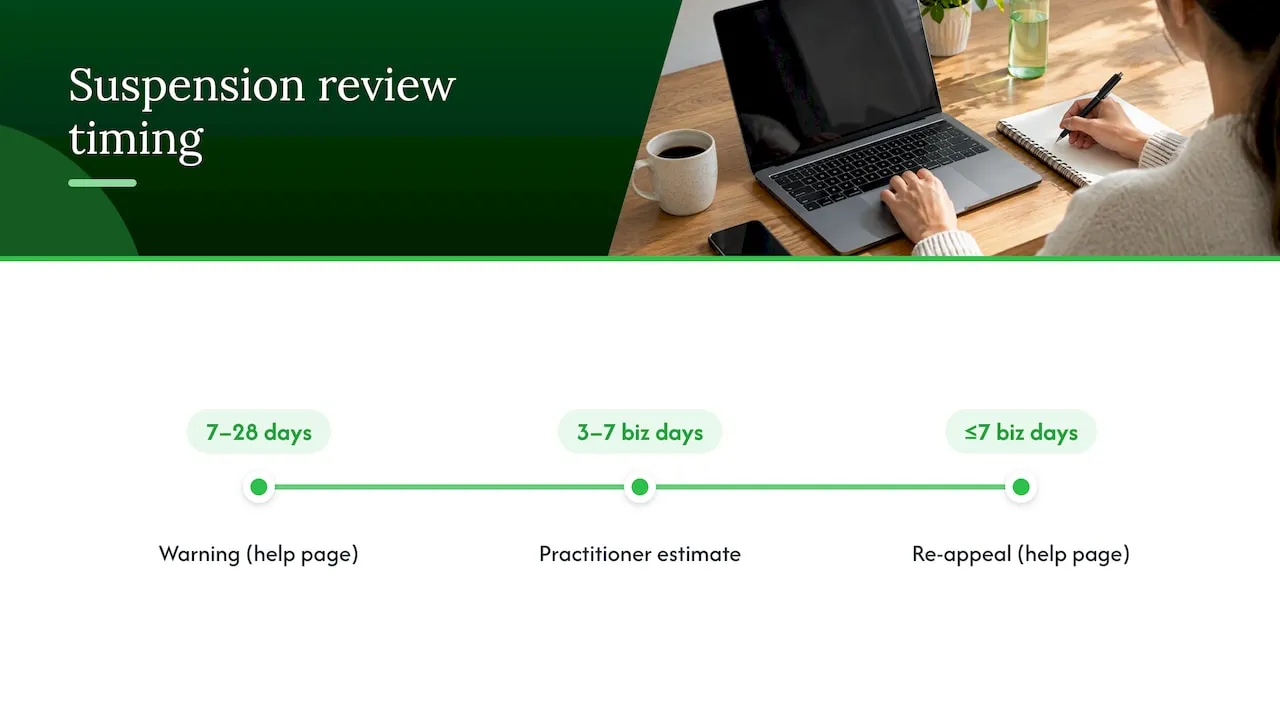
Stay calm and resist the urge to submit quickly. The same help page explains that during the initial warning period of 7 to 28 days you can request one courtesy review, and that re-appeals typically take up to 7 business days. Another practitioner guide puts standard reviews at 3 to 7 business days and advises one submission only, because resubmitting during the window can delay the outcome.
A Shopify forum contributor in a thread about a suspension says Google has high expectations and that you should not change a couple of things and resubmit, and believes you only get about three reviews before facing a longer lockout. That figure is anecdotal, so do not treat it as an official rule, but the lesson holds: each review is precious.
For the response plan in the first hours, use our first hour checklist for suspensions during cool down. For causes and a longer recovery plan, see Google Merchant account suspension: causes and a fix plan. If you are new to the platform, our overview of what Google Merchant Center is covers the basics.
Our perspective: suspensions are usually a content-at-scale problem
We build Ecom-eye for Shopify dropshippers, so we see the same pattern again and again. A store owner imports hundreds of products from AliExpress or a competitor’s store, publishes them quickly, and only later discovers that the pages are near-identical to everyone else’s. The policies might be fine, but the catalogue tells Google, and shoppers, that nobody is in control.
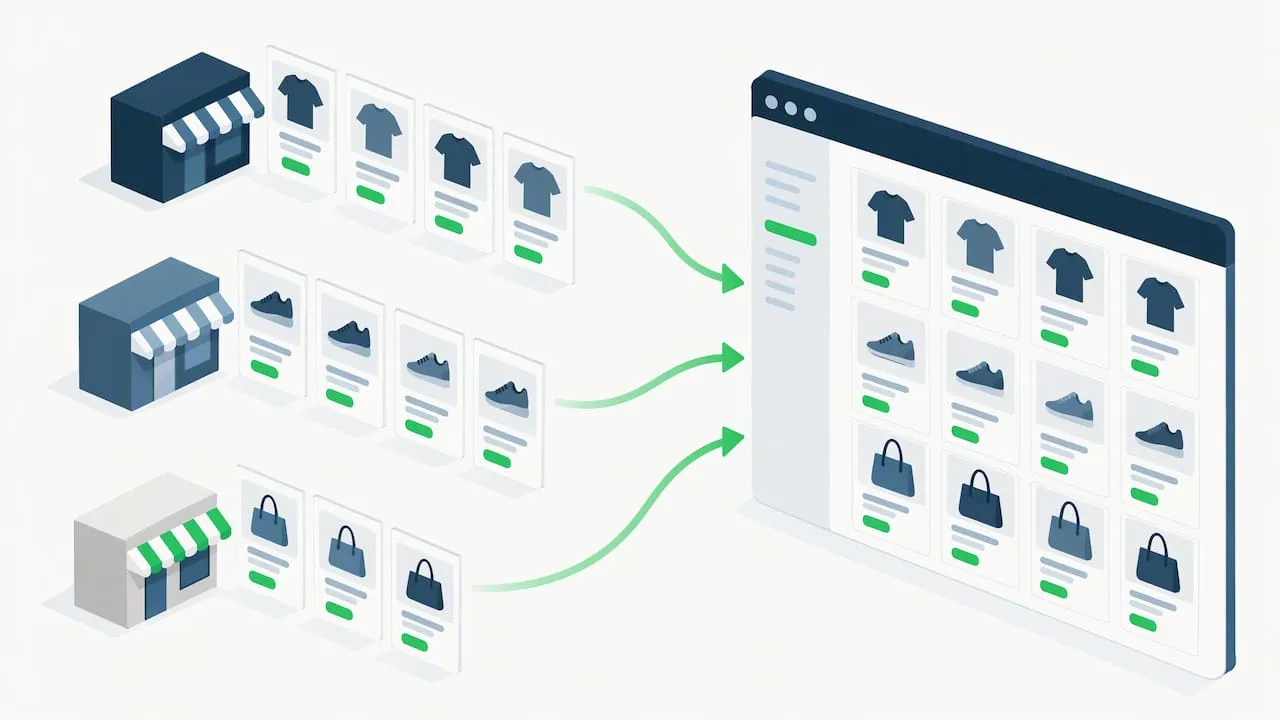
Our view is that the speed of bulk listing is not the problem. Unchecked copying is. That is why every title, description and product image in our platform is generated uniquely for each user, so two merchants working from the same product link do not end up with the same page. It removes the copyright and duplicate-content exposure that comes with pasted supplier text, and it frees time for the parts only you can do: honest policies, consistent business details and truthful delivery times.
We would also be straightforward about limits. No tool can guarantee approval, because Google’s decision depends on your whole store, including your policies, checkout and business details. Content is one layer of the audit, and it happens to be the layer that is slowest to fix by hand when you have hundreds of listings.
— Koen
Where Ecom-eye fits in your fix
If your audit turns up pages that are copied, thin or inconsistent, rewriting them manually is the bottleneck. Ecom-eye lets you import products in bulk from AliExpress, Amazon, Temu or competitor Shopify links, generate unique titles and descriptions with our AI product description generator, create original visuals with the AI product image generator, edit in bulk, convert size systems, build pages in multiple languages and export to Shopify in one click. The platform also includes built-in tools for Google Merchant Center and variant management.
Plans start with Try-out at €39 per month, and Scaler is €99 per month. You can see what each includes on the pricing page.
FAQ
Can dropshippers use Google Merchant Center at all?
Yes. Google does not explicitly prohibit dropshipping. It does, however, enforce requirements on realistic shipping times, accurate stock status and original policies, which dropshippers often miss. Meet those and you are judged like any other merchant.
How long does a Merchant Center review take?
Google’s help documentation says re-appeals typically take up to 7 business days. Other practitioner guides report 3 to 7 business days for standard cases. Submit once, after you have fixed everything, rather than repeatedly.
Does unlinking a suspended Google Ads account fix Merchant Center?
No. Merchant Center Help states that you must resolve the Google Ads suspension first, because unlinking the accounts does not resolve the Merchant Center issue. Check your Ads account status before you appeal.
Why does Google not tell me exactly what I did wrong?
Practitioners explain that detailed feedback would help bad actors evade the rules, so Google keeps it general. Treat the notice as a reason to audit your business details, policies, feed and product pages together.
Sources
- Google Merchant Center Help: misrepresentation policy
- Shopify Community: suspension with zero actionable details
- Google Merchant Center Help: fixing warnings and suspensions
- GGMerchant.Center: fix misrepresentation suspension
- Google Merchant Center Help: missing contact information
- Google Merchant Center checklist: shipping and return policies
- Web Solutions PH: fix misrepresentation error
- Shopify Community: persistent misrepresentation suspension
- Google Merchant Center Help: linked account suspension and reviews
- Shopify Community: fixing GMC suspension
Ready to boost your product pages?
Generate high-converting, SEO-optimized product pages in bulk using AI automation used by e-commerce experts.
No credit card required