Emojis in Product Titles: What Shopify Sellers Should Do
Emojis in Shopify product titles can trigger Google Merchant Center problems and rewritten search titles. See where they are safe, where they are not, and what to use.

Emojis in Product Titles: What Shopify Sellers Should Do

Leave emojis out of your Shopify product titles. Google’s own title rules tell merchants to avoid gimmicky, attention-getting symbols, and Google Ads policy lists emojis as unsupported characters. They do not improve rankings, they can be dropped from search results, and in a Google Shopping feed they put a listing at risk. A clear, descriptive title does the job an emoji is meant to do, and it does it without the risk.
This guide covers where emojis cause trouble, where they are harmless, and how to write titles that stand out for the right reasons. It is written for Shopify owners and dropshippers who list products in bulk.
TL;DR
- Google Merchant Center asks for relevant, accurate titles and says to avoid gimmicky symbols. Failing the title requirements can lead to disapproval.
- Google Ads editorial policy treats emojis as invalid characters that must be removed.
- In organic search, emojis neither help nor hurt rankings, but Google may strip them and rewrite the title, which can cost you keywords and clicks.
- Use plain structure instead: key details first, variants such as colour or size, and simple separators.
- If your titles come from an import tool or template, fix the source once instead of editing product by product.
Table of Contents
- The short answer for each place a title appears
- What Google Merchant Center says
- Emojis in organic search titles
- What about emojis in product descriptions?
- What to use instead of emojis
- Before and after: cleaning up real-style titles
- A checklist before you publish any title
- Fix it at the source if you import in bulk
- Generate clean, unique titles in bulk
- Frequently asked questions
- Sources
The short answer for each place a title appears
One product title on Shopify ends up in several places, and the rules differ in each. Think of it as four separate surfaces.
| Where the title appears | Emojis? | Why |
|---|---|---|
| Google Merchant Center feed (Shopping listings and ads) | Avoid | Google says to avoid gimmicky symbols, and ad policy lists emojis as unsupported |
| Shopify product title field | Avoid | It usually feeds Google Shopping, so it carries the same risk |
| SEO title (title tag) in organic results | Not needed | No ranking effect, and Google may remove them |
| Product description body | Possible, sparingly | Not a title field, but leave them off products you plan to advertise on Google |
The rest of this article explains each row.
What Google Merchant Center says
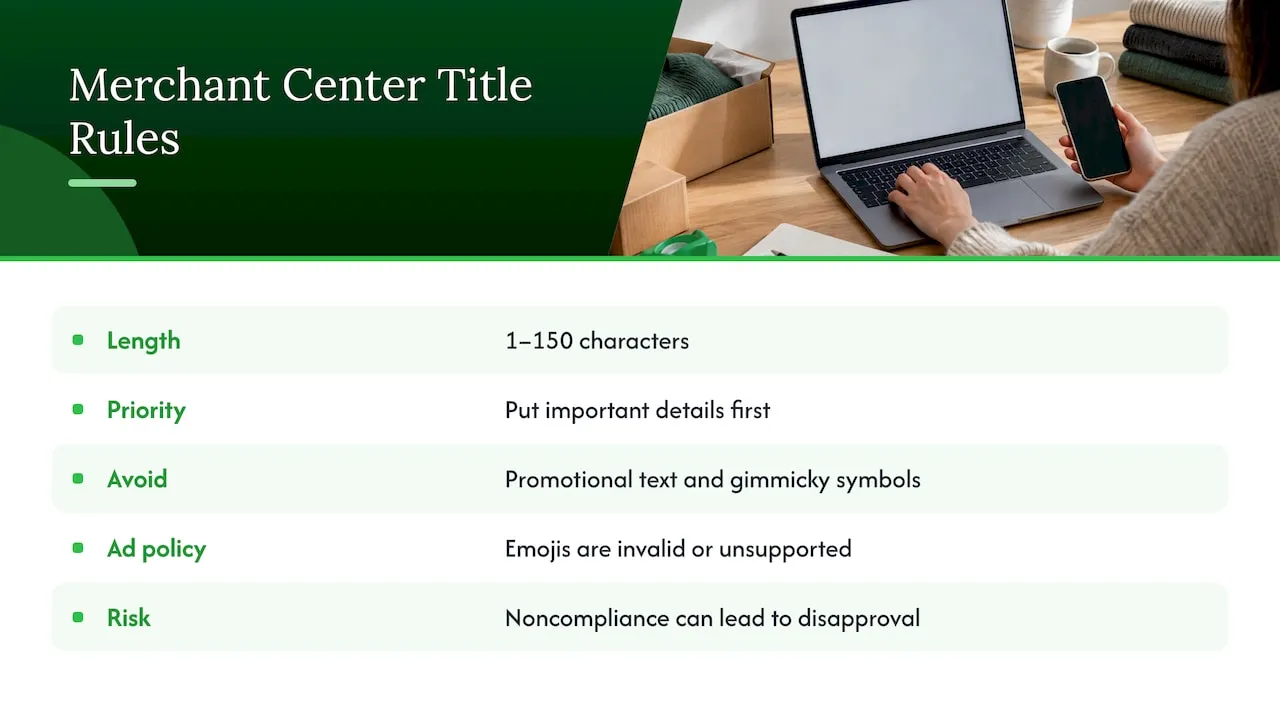
The Merchant Center title requirements ask for titles that are relevant, accurate and between 1 and 150 characters. They say to avoid promotional text and gimmicky symbols, and they note that failing to meet the requirements can lead to product disapproval. Titles are Unicode strings, but Google recommends ASCII characters, which is a polite way of steering you away from decorative symbols.
The same page recommends putting the most important details first, because users usually notice only the first 70 characters or fewer. An emoji at the front of a title spends some of that scarce space on a picture that tells the shopper nothing about the product.
The ad side is stricter. Google’s punctuation and symbols policy lists emojis among the invalid or unsupported characters that must be removed to meet editorial standards. The same policy allows one narrow exception: a trademark, brand name or product name that uses non-standard punctuation or symbols consistently in the ad’s destination may be approved after a review request. That is a route for a genuine brand name such as a stylised trademark, not for a rocket emoji in front of a phone case.
If you run Shopify with the Google channel connected, your product title usually becomes the feed title. A decorated title in the admin therefore becomes a decorated title in the feed, and that is how sellers end up with disapprovals they cannot explain. A Shopify title SEO guide from Craftshift gives the same practical advice: keep emojis out of titles because they can break Google Shopping feeds and lead to disapprovals.
Why Google is wary of emojis
The reason is partly about meaning. A Google Ads community thread notes that emojis are ambiguous in a way words are not, and that ambiguity can mislead or confuse shoppers. A word like “waterproof” says one thing. A droplet emoji could mean waterproof, water-resistant, a skincare product or a sale. Product titles exist to remove doubt, so symbols that add doubt work against them. That point comes from a Google Ads Community discussion, which is a forum view rather than policy, so treat it as context and rely on the policy pages above for the rules.
Emojis in organic search titles
Organic search is a different story from Shopping. Your product page has an SEO title (the title tag), and Google decides how to show it.
According to Search Engine Journal’s report on Google’s position, emojis in page titles and meta descriptions do not help or harm SEO. Google may show them, but it may also omit them, particularly if they disrupt the results or make a snippet look misleading. Google can also rewrite titles altogether.
There is also evidence that display is inconsistent. An earlier Search Engine Journal piece describes emojis appearing for one query and being filtered out for another, depending on relevance. You cannot count on the emoji you chose being the emoji (or any emoji) the shopper sees.
The hidden cost: a shorter, weaker title
The real risk is what happens when Google removes the emoji. SearchPilot’s testing write-up points out that the removal can leave a shorter title that unintentionally hides primary keywords, which can hurt click-through rates and traffic. Their view is that testing emojis in titles for CTR is high-risk, because the rewrite may strip both the emoji and essential words.
So the upside is small and unreliable, and the downside is a title that reads worse than the one you wrote. For a store with a few hundred products, that trade is not worth making.
What about emojis in product descriptions?
Descriptions are the one place emojis are technically tolerated. The Craftshift guide says emojis can be added to Shopify product descriptions, but many may be rejected or stripped in search results, and it advises leaving them off any product intended for Google Shopping.
A sensible rule: if a product will be advertised or listed in Google Shopping, keep its title and description plain. If a product will only sell through your own store and social traffic, a tasteful symbol in a bullet list is a style choice, not a compliance issue. Even then, make sure the description still reads perfectly without it. Clear wording is what converts, as we explain in why clarity in descriptions drives more sales.
What to use instead of emojis
Emojis are usually added to do one of three jobs: get attention, separate ideas, or signal a benefit. Each has a better tool.
Get attention with the right first words
Shoppers scan the first few words. Put the product type and the most searched descriptor there. “Insulated Stainless Steel Water Bottle, 32 oz” earns the click because it matches what the shopper typed. Our guide to the product title formula every ecommerce seller should use breaks down the order we recommend: brand or product type, key attribute, then variant details.
Separate ideas with plain punctuation
Standard separators such as pipes, dashes and colons are generally considered safe, according to an analysis of symbols in title tags. The same source suggests treating any symbol as optional, minor decoration, and only if the title stays clear without it. Use one separator style consistently across the catalogue.
Show benefits in words and images
If a feature matters, state it in the title when it is part of what the product is (“Waterproof”, “Wireless”, “Memory Foam”). If it is a selling point rather than an identity, move it to the description or a bullet list. Visual signals belong in your product images, not your title text. A well-composed hero image does far more for click-through than a symbol ever will, and that is where an AI product image generator earns its place.
The same thinking applies across retail interfaces: shoppers respond to clean, scannable layouts rather than decoration, a theme covered in this piece on UX in shopping apps.
Before and after: cleaning up real-style titles
Dropshipped products often arrive with supplier titles stuffed with symbols and promo language. Here is how the fixes look. These are illustrative examples, not live listings.
| Before | Problem | After |
|---|---|---|
| 🔥 HOT SALE!!! Women Yoga Pants ⭐ Free Shipping 🚚 | Emojis, all caps, promo text | Women’s High-Waist Yoga Pants, Black, Size M |
| ✅ Phone Case iPhone 15 💕 Cute Cat Design | Emojis, brand first with no product detail | Cat Design Phone Case for iPhone 15, Shockproof, Clear |
| LED Strip Lights 16.4ft!!! Best Quality ⭐⭐⭐⭐⭐ | Star symbols, vague superlative | LED Strip Lights, 16.4 ft, RGB, Remote Control |
The Merchant Center requirements also recommend distinguishing variants with details such as colour or size, and using sentence or title case. StoreVerifier’s guidance on all-caps and promotional titles adds that price, shipping and sales information should stay out of the title field entirely. Both fixes are visible in the “After” column.
A checklist before you publish any title
- No emojis, stars, arrows or check marks in the product title or the feed title.
- No promo language: sale, free shipping, best price, discount codes.
- Sentence or title case, never all caps.
- Important details first, since only the first 70 or so characters are reliably seen.
- Variants distinguished by colour, size, material or pack count where they apply.
- Under 150 characters, and ideally short enough to read in one glance.
- Accurate: the title must describe what the customer receives.
For more depth on why this structure pays off, see why descriptive product titles boost Shopify SEO and how to optimise product page titles for Shopify SEO and conversions.
Fix it at the source if you import in bulk
The hardest case is the dropshipper who imports hundreds of products at once. Supplier titles on marketplaces are often full of symbols, repeated keywords and promotional phrases, and importing them unchanged copies the problem into every product.
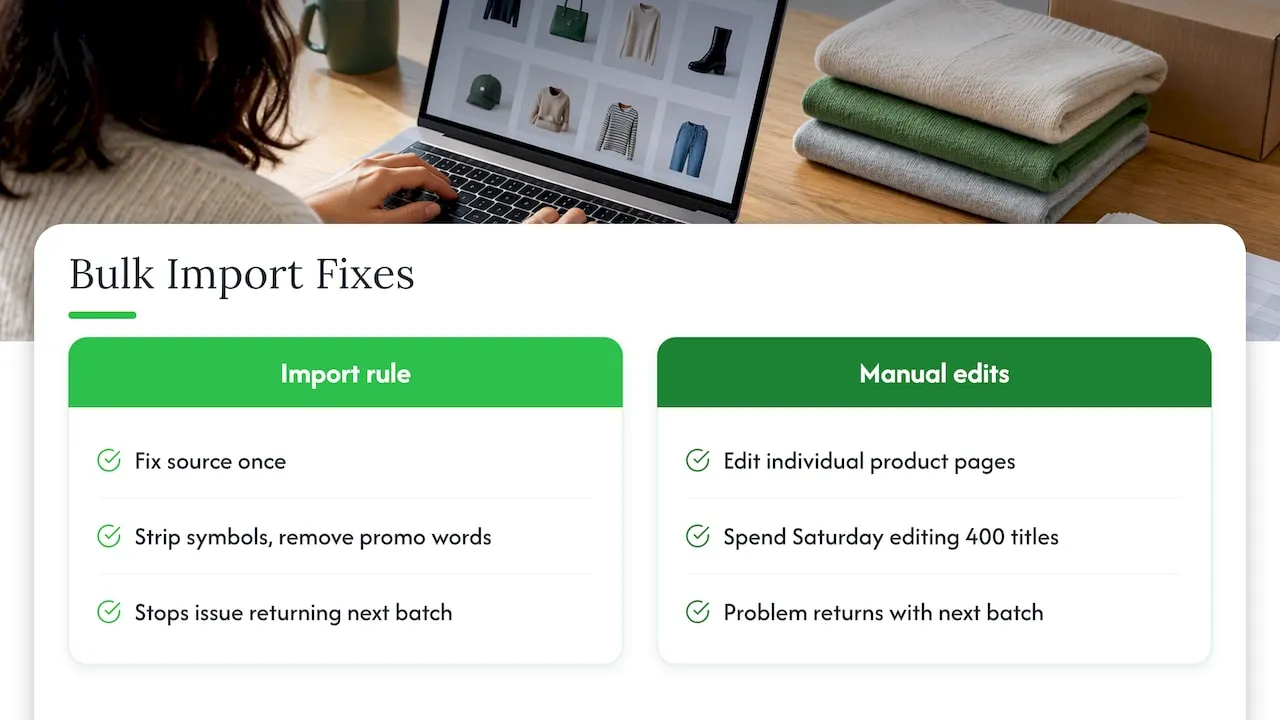
StoreVerifier’s advice is to fix the source of the data, such as the import app or template, rather than editing individual product pages. That is sound. A rule applied once to the import (strip symbols, remove promo words, apply a title pattern) beats a Saturday spent editing 400 titles by hand, and it stops the problem returning with the next batch.
Copied supplier titles carry a second problem beyond symbols: they are identical to what dozens of other stores publish. That is part of why we built what we built, as the next section explains.
Our view on emojis and bulk titles
We see the same pattern across dropshipping stores: the titles that cause trouble are almost never written by the store owner. They are inherited from a supplier listing, symbols and all, and multiplied across a catalogue.
Our position is simple. A title should be written to be understood by a shopper and accepted by Google, and it should be unique to your store. That is why EcomEye generates each title and description fresh from the product data, in a clean, search-ready structure, instead of passing along whatever the source page contained. Our platform is designed so that every listing is unique even when two users start from the same product link.
Because the generation happens in bulk, the fix is applied to the whole catalogue at once. You set the pattern, and every product follows it, which is the same principle as fixing the source rather than the symptom. For Google Shopping sellers, we also include tools for Google Merchant Center and variant management, because title problems and variant problems tend to show up together.
Emojis are a shortcut to attention. Clear words, a strong first 70 characters and a good image are the durable way to get it.
Koen
Generate clean, unique titles in bulk
If you are listing dozens or hundreds of products, EcomEye imports product data from AliExpress, Amazon, Temu or competitor Shopify links, then generates optimised titles, clean descriptions and AI product images in bulk, with multi-language pages and one-click export to Shopify.
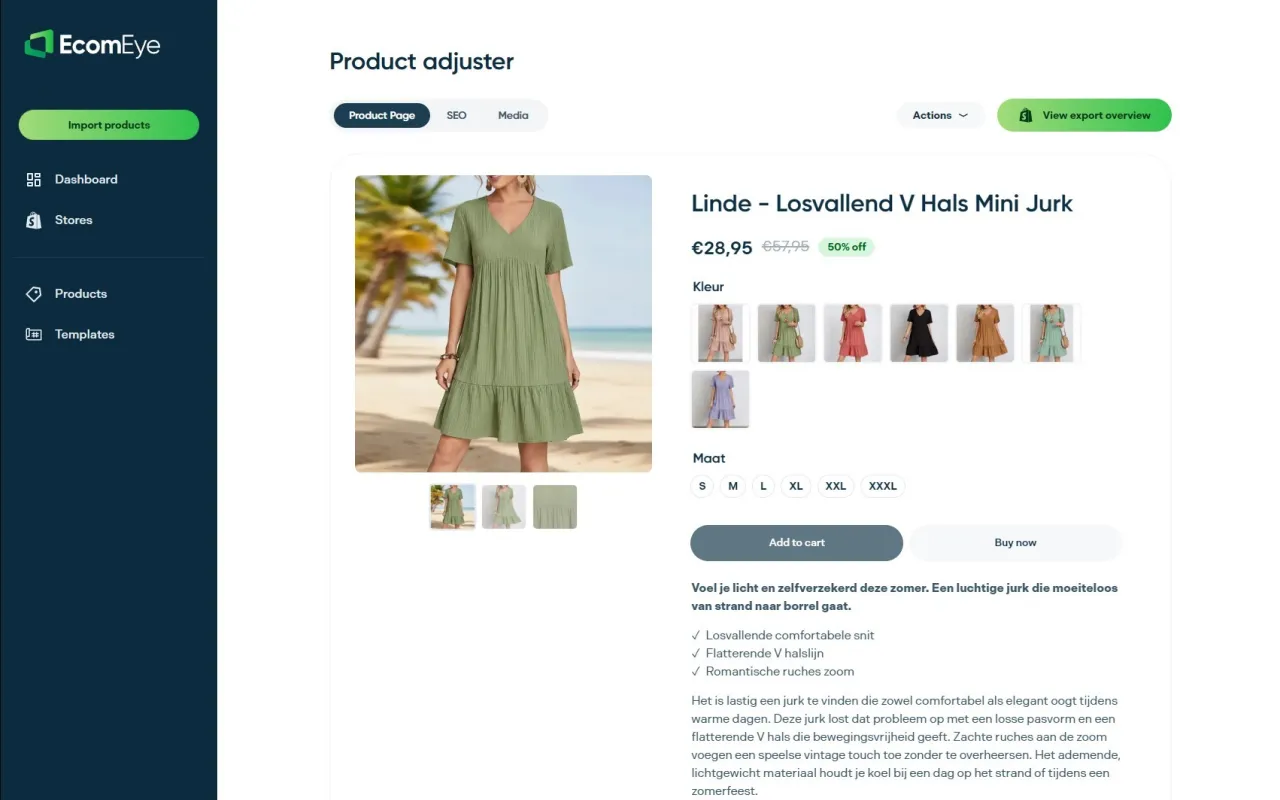
Plans are Try-out at €39 per month and Scaler at €99 per month; see the pricing page for what each includes and for the free trial for new users.
Frequently asked questions
Are emojis allowed in Google Shopping product titles?
They are not a safe choice. Google Merchant Center tells sellers to avoid gimmicky symbols in titles and warns that failing the title requirements can lead to disapproval. Google Ads policy also lists emojis as unsupported characters that must be removed. Keep Shopping titles to plain text.
Do emojis help SEO or rankings?
No. Reporting on Google’s position says emojis in titles neither help nor hurt SEO. Google may display them, omit them or rewrite the title altogether. If it removes the emoji and shortens the title, you could lose keywords that were driving clicks.
Can I use emojis in Shopify product descriptions?
You can, but they may be rejected or stripped in search results. For products you plan to list on Google Shopping, leave them out. Make sure any description reads clearly without them, so nothing depends on a symbol being displayed.
What can I use instead of an emoji to make a title stand out?
Put the product type and most important attribute first, add variant details such as colour or size, and use a simple separator like a dash or pipe if needed. Pair the title with a strong main image, which does the visual work an emoji is trying to do.
Is there an exception for brand names with symbols?
Google Ads policy allows one: a trademark, brand name or product name that uses non-standard punctuation or symbols consistently in the ad’s destination may be approved after a review request. It applies to genuine brand names, not decorative additions to a generic title.
Sources
- Title and structured title requirements, Google Merchant Center Help
- Punctuation and symbols, Google Advertising Policies Help
- Shopify product title SEO guide, Craftshift
- Google Says Emojis Won’t Hurt Or Help SEO, Search Engine Journal
- Google May Filter Emojis Out of Meta Titles and Descriptions, Search Engine Journal
- Emojis in title tags: are they a good idea for SEO?, SearchPilot
- Can I include emojis in the title and description of my products, Google Ads Community
- All-caps and promo product titles on Google Shopping, StoreVerifier
- Emojis and Symbols in Title Tags and Meta Descriptions, SiteSEOAIAudit
Ready to boost your product pages?
Generate high-converting, SEO-optimized product pages in bulk using AI automation used by e-commerce experts.
No credit card required