Shopify Sellers: Enforce Image Copyright and Register 750 Photos
How Shopify sellers enforce product image copyright: who owns photos, takedown steps, image registration, and a scalable workflow to replace risky...
Shopify Sellers: Enforce Image Copyright and Register 750 Photos
The photographer owns the copyright the moment they press the shutter; not the merchant who paid for the shoot or the supplier who sent the file. Unless you shot the image yourself, hired the creator as an employee, or hold a written assignment or licence, you have no legal right to use it commercially. Registering key images with the U.S. Copyright Office is what turns that right into something you can actually enforce. If you’re currently running on supplier or competitor photos with no paperwork behind them, the first move is simple: stop, and get permission in writing.
TL;DR:
- Using images from suppliers like AliExpress and Temu without written permission exposes you to legal risks and potential content removal or SEO penalties.
- Registering key images with the U.S. Copyright Office allows you to enforce your rights and claim damages in federal court if needed.
- Group registration of up to 750 images per year provides a cost-effective way to protect large product catalogs, especially for brands with core photography.
- Generating unique, AI-created images for every product reduces ownership disputes and duplicate content issues compared to lifting supplier photos.
- Proper documentation, including written permissions, registration, and high-resolution master files, is crucial for legal protection and effective takedown actions.
Table of Contents
- Who owns a product image: copyright basics for Shopify sellers
- Permissions and licences: safe ways to source images for product pages
- Shopify rules, takedowns and practical platform steps
- Practical protections you can use on your store, and their limits
- Registration, remedies and group registration for large portfolios
- How an automated, copyright-safe workflow helps Shopify sellers at scale
- A checklist I follow when managing product images
- A practical option for generating copyright-safe product images at scale
- Sources
- FAQ
Who owns a product image: copyright basics for Shopify sellers
Under 17 U.S.C., Chapter 2, copyright vests automatically in the person who created the work, the photographer, not the person who commissioned or paid for it. That single rule trips up more Shopify sellers than any other part of image law. Paying an invoice for a product shoot does not transfer copyright. Ownership only moves to you through a “work made for hire” arrangement (typically an employee shooting within their job) or a signed, written assignment under 17 U.S.C. §204(a). A verbal agreement, an email thread, or an implied understanding is not enough in a dispute.
Here’s how ownership typically shakes out across common seller scenarios:
- You shoot the photo yourself — you own the copyright outright.
- An employee shoots it during paid work hours — the business usually owns it as a work made for hire.
- A freelance photographer or contractor shoots it — the photographer owns it unless a written assignment says otherwise.
- A supplier or manufacturer sends you images — the supplier (or their photographer) almost always owns it, and you likely have, at best, an implied licence to use it for resale.
That last scenario is where most dropshippers get exposed, because “the supplier gave me these” is not the same as “I have the right to publish these.”
Permissions and licences: safe ways to source images for product pages
Sourcing images legally comes down to matching the right permission type to the right source, then keeping proof of it.
- Stock photography — check whether the licence covers commercial and resale use, whether attribution is required, and whether ecommerce use is explicitly permitted (some licences exclude product resale contexts).
- Supplier or manufacturer images — request written confirmation, ideally by email, that you may use their photos for marketing and product listings; save that confirmation somewhere you can retrieve it if challenged.
- Commissioned photography — build an assignment clause into the contract, specify delivery formats and resolution, and ask the photographer to embed copyright management information (CMI) in the file metadata.
- AI-generated images — check the generator’s terms of service and, if used through Shopify’s media-generation tools, confirm you retain usage rights before publishing at scale.
Temu, AliExpress, and Amazon listing photos fall into a separate risk category entirely: they’re rarely licensed for reuse by third-party sellers, and copying them invites both a takedown and a duplicate-content penalty from Google.
Pro Tip: Keep a simple spreadsheet logging where every product image came from, the permission type, and the date it was granted. When a dispute lands in your inbox, that record is worth more than your memory of “the supplier said it was fine.”
Shopify rules, takedowns and practical platform steps
Shopify’s product media documentation recommends PNG for most product images, with a maximum size of 5000×5000 px and a 20 MB file cap. Staying inside those limits also avoids the slow-loading, low-quality listings that hurt conversion.
Filing a copyright or trademark report on Shopify requires a specific evidence trail:
- Proof of ownership (registration certificate, original files, or licence agreement)
- The exact URL of the infringing listing
- A clear description of the copyrighted work being infringed
- A signed statement of good faith belief that use is unauthorised
Once Shopify receives a compliant report, it typically removes or restricts the flagged listing and notifies the merchant involved. Registration matters here because an unregistered claim carries far less weight if the other merchant pushes back, and you have no route into federal court to enforce it further. Keep dated screenshots, original camera files, and your permission records ready before you file anything.
Practical protections you can use on your store, and their limits
Watermarks and blockers deter casual theft, but none of them replace a legal claim.
- Visible watermarks discourage lifting but can visually clutter product photos and hurt perceived quality.
- Invisible watermarks or embedded CMI leave no visual trace and can help you prove authorship later, though they’re harder to verify without the right tools.
- Right-click disable and content-protector apps stop the average shopper, not a determined competitor with basic screenshot tools; Shopify’s own support guidance is explicit that these are deterrents, not legal protection.
- Metadata stripping is risky in the other direction: removing someone else’s CMI from an image can itself trigger a separate claim under 17 U.S.C. 1202.
Pro Tip: Store dated, high-resolution master files off-platform, in cloud storage with version history. If someone lifts your images, that dated original is your strongest piece of evidence that you created it first.
Registration, remedies and group registration for large portfolios
Registration with the U.S. Copyright Office is a prerequisite before you can sue in federal court, and the timing of that registration affects whether you can claim statutory damages and attorneys’ fees rather than just actual losses. Publishing an image on your storefront is not the same as registering it.
For sellers with large catalogues, group registration solves the cost problem:
- Register up to 750 published photographs in a single application, provided they share the same author, same claimant, and same calendar year.
- Prepare a spreadsheet matching filenames exactly to the deposit files; a mismatch is one of the most common causes of delay or refusal.
- Prioritise your bestsellers and signature product shots first, since those are the images most likely to get copied and most valuable to defend.
Group registration is a genuinely practical cost-saver for brands where product photography is core to the business identity, rather than something to treat as an afterthought.
How an automated, copyright-safe workflow helps Shopify sellers at scale
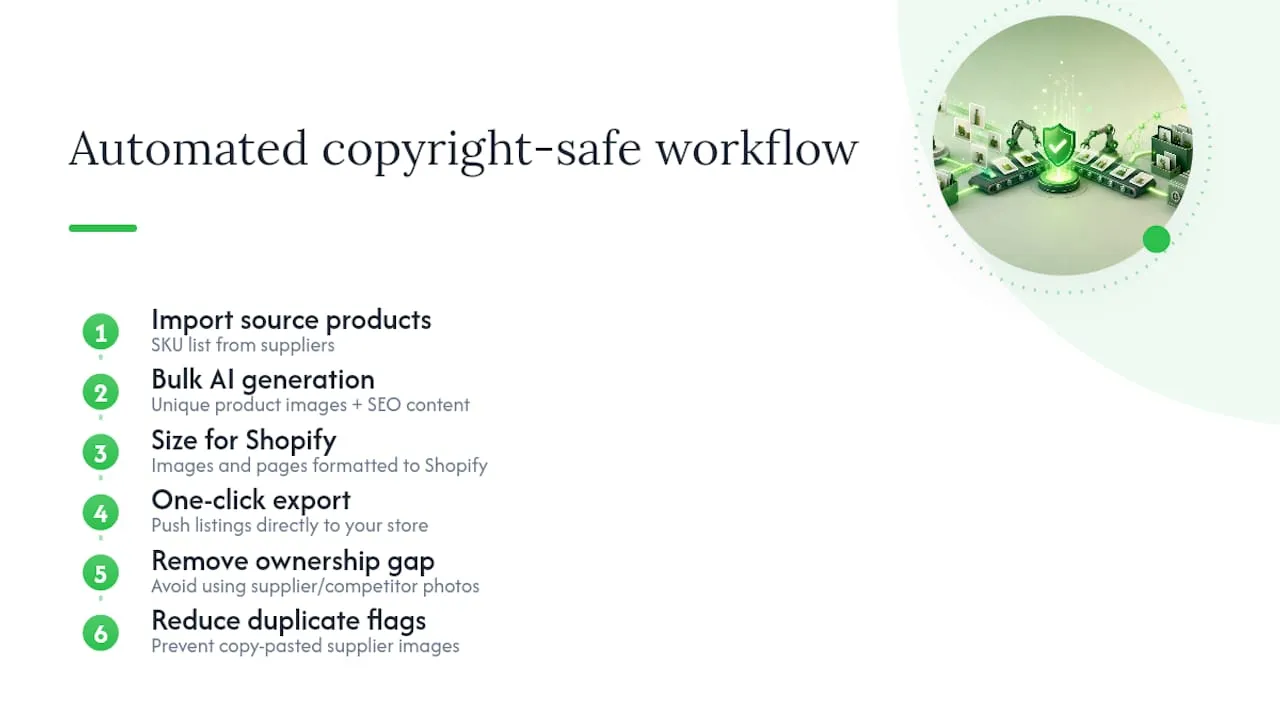
Manually chasing licences and registrations across hundreds of SKUs is not realistic for most dropshippers. An AI service can generate unique AI product images and SEO-ready page content in bulk, sized for Shopify, then export directly to your store in one click. Because each image is generated fresh for your listing rather than lifted from a supplier or competitor page, it sidesteps the ownership gap that causes most Shopify IP disputes in the first place, and avoids the duplicate-content flags that come with copy-pasted supplier photos. That matters more as catalogues grow: the risk scales with every product you add unless the sourcing process changes with it.
A checklist I follow when managing product images
In practice, I run a short mental checklist on every new product line: get the licence or assignment in writing before anything goes live, register the images that matter most to the brand, keep untouched originals somewhere safe, and watermark selectively rather than everywhere. Protection and conversion pull against each other, so I harden defences on hero images and stay lighter-touch on secondary shots where a clean look sells better than a watermark ever will.
— Koen
A practical option for generating copyright-safe product images at scale
Ecom-eye is the alternative to scraping supplier photos or booking ad-hoc shoots: every image and description is generated fresh for your store, so there’s no duplicate-content risk and no chasing suppliers for written permission that may never arrive. Import products in bulk from AliExpress, Amazon, Temu, or a competitor’s Shopify link, and The platform produces unique titles, clean descriptions, and high-quality AI images sized for Shopify, then exports the finished pages in one click.
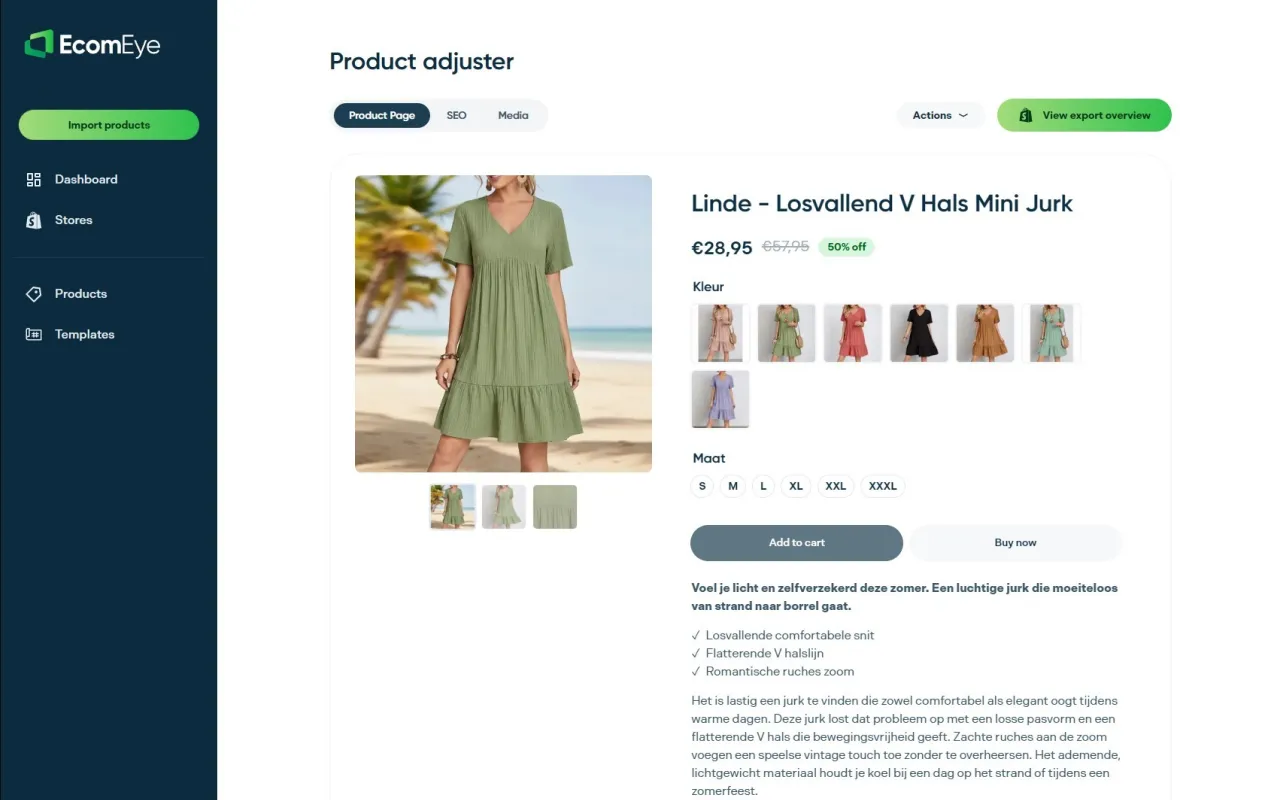
This suits sellers scaling past the point where manual sourcing and permission-chasing is sustainable, particularly ahead of a big catalogue expansion. Pricing plans include a Try-out plan and a Scaler plan; see current pricing and plan details to find the option that fits your catalogue size.
FAQ
Is PNG or JPEG better for Shopify product images?
PNG is generally recommended for Shopify product images because it preserves sharper detail and supports transparent backgrounds, which JPEG cannot do. Shopify’s own image guidelines favour PNG for most product photography, reserving JPEG for cases where file size needs to stay very low.
What is the maximum size for product images on Shopify?
Shopify accepts product images up to 5000×5000 pixels and under 20 MB per file, according to Shopify’s product media documentation. Many sellers aim for a balance between image quality and load speed by choosing moderate resolution sizes for their product images.
Does Shopify accept PNG images?
Yes, Shopify fully supports PNG uploads for product images, and it’s the platform’s recommended format for most listings. PNG handles fine detail and transparency better than JPEG, which matters for clean product photography on a white or transparent background.
Can I use supplier images from AliExpress or Temu on my Shopify store?
Using supplier images without written permission carries real legal and SEO risk, since the supplier or their photographer usually holds the copyright, not you. Duplicated supplier photos also tend to trigger duplicate-content penalties in search rankings, on top of the takedown risk.
Is there a class action lawsuit against Shopify over image rights?
There’s no publicly documented class action against Shopify specifically over merchant image copyright at the time of writing. Most image disputes on the platform run through Shopify’s individual IP reporting and takedown process rather than collective litigation.
Ready to boost your product pages?
Generate high-converting, SEO-optimized product pages in bulk using AI automation used by e-commerce experts.
No credit card required