Shopify website pricing in the UK: 2026 guide
Explore Shopify website pricing in the UK and discover which plan suits your needs, whether you're starting out or scaling up your business.

Shopify website pricing in the UK: 2026 guide

For most UK entrepreneurs launching their first store, Shopify’s Basic plan at a standard monthly rate or a reduced effective monthly rate on annual billing is the right starting point. If you are already processing meaningful volume or need two or more staff accounts, the Grow plan at a standard monthly rate or a reduced effective monthly rate on annual billing is the sensible step up. Scaling brands pushing past £50,000 monthly revenue will find the Advanced plan’s lower card rates can offset its higher subscription cost at higher sales volumes as volume grows.
Two things to pin down before you commit: first, confirm your business is eligible for Shopify Payments in the UK, because using a third-party gateway adds a surcharge on top of every transaction. Second, as a UK seller you are responsible for registering for VAT with HMRC once you cross the £90,000 turnover threshold (or earlier if you sell to EU consumers), and Shopify does not file VAT returns on your behalf.
Quick orientation for each use case:
- Solo seller / side project: Basic plan, pay monthly to start, switch to annual once you are confident
- Small team (2–5 staff): Grow plan, annual billing
- Scaling brand (high volume, complex reports): Advanced plan
- Enterprise / B2B / multi-store: Shopify Plus (negotiated pricing, typically from around £2,000/month)
Key takeaways
Shopify website pricing in the UK ranges from around £19/month (Basic, annual billing) to negotiated enterprise rates on Plus, but your real monthly cost depends on card fees, apps, and whether you use Shopify Payments.
| Point | Details |
|---|---|
| Annual billing saves a significant percentage compared to monthly billing | Switching from monthly to annual billing cuts the effective subscription cost by roughly 25% on Basic, Grow, and Advanced plans. |
| Apps can often cost as much as or more than the subscription | Most stores run 6–8 paid apps; their combined cost frequently surpasses the platform subscription fee itself. |
| Shopify Payments removes the surcharge | Using Shopify Payments eliminates the third-party transaction surcharge (up to 2% on Basic), the single biggest transaction cost lever. |
| POS Pro has a standard cost per location per month in the UK | At three or more locations, evaluate Shopify Plus, which bundles POS Pro and may be cheaper overall. |
| Ecom-eye reduces page-build costs | Bulk AI-generated product pages cut copywriting and image costs for catalogue-heavy stores and eliminate duplicate content risk. |
Table of Contents
- What does Shopify website pricing look like across all UK plans?
- What does each Shopify plan actually include?
- How do Shopify’s fees work on a UK sale?
- What does a UK Shopify store actually cost per month?
- How do you choose the right Shopify plan for your UK business?
- What happens when you switch plans, pause, or cancel?
- How much does Shopify POS cost for UK retailers?
- An honest view on Shopify budgeting from an e-commerce practitioner
- Cut your page-build costs with AI-generated product pages
- Sources
- FAQ
What does Shopify website pricing look like across all UK plans?
Shopify’s UK pricing page lists four main self-serve tiers plus the enterprise Plus tier. The table below uses official UK list prices.
Card rates shown are indicative from the UK pricing page; exact figures should be confirmed at checkout as Shopify updates them periodically.
A few points worth noting:
- Annual billing cuts the effective monthly cost by a significant percentage across Basic, Grow, and Advanced plans, according to Shopify’s UK pricing page. That saving compounds quickly: on the Grow plan alone, paying annually saves around £192 over twelve months versus monthly billing.
- The Starter plan (around £5/month) exists for merchants selling via social media or existing websites using a Buy Button, but it lacks a full storefront and is not covered in depth here.
- Shopify Plus is priced by negotiation and typically suits merchants above £1–2 million annual revenue. It includes POS Pro locations, unlimited staff, B2B features, and checkout extensibility that lower tiers cannot access.
What does each Shopify plan actually include?
The subscription price is only part of the story. What changes between tiers is which features you can access, and some of those limits hit harder than others as your store grows.
Basic
Two staff accounts, basic reports, and no carrier-calculated shipping rates at checkout (you can add those for an extra monthly fee or by upgrading). Checkout customisation is limited to Shopify’s standard template. For a solo founder or a two-person operation selling straightforward products, Basic covers everything you need for the first twelve to eighteen months.
Grow
Five staff accounts and professional reports, which means you get a proper sales breakdown by product, channel, and customer cohort rather than just a summary dashboard. Carrier-calculated shipping is included, which matters if you use couriers like Royal Mail or DPD and want live rates at checkout. This is the plan where most stores land after their first growth phase.
Advanced
Fifteen staff accounts, advanced reports with custom fields, and the lowest self-serve card rate. You also get up to 15 inventory locations and enhanced international pricing tools, useful if you are selling across Europe or the US alongside the UK.
Shopify Plus
Plus unlocks checkout extensibility (custom checkout UI via Checkout Extensibility), B2B wholesale portals, expansion stores (up to ten storefronts under one contract), and Shopify’s B2B features for trade accounts. POS Pro is bundled for up to twenty locations. For a brand running both a direct-to-consumer store and a wholesale channel, Plus is the only tier that handles both natively.
The limits that hit you first as you scale: staff accounts run out before most merchants expect them (Basic’s two accounts disappear fast once you add a VA or a customer service hire). Carrier-calculated shipping is the next friction point. Checkout customisation only becomes a real constraint once you are A/B testing checkout flows or need custom upsells at payment.
Pro Tip: Start on Basic and set a calendar reminder to review your plan at three months and again at six. Most stores upgrade once, not twice, in their first year. Upgrading too early means paying for features you are not using yet.
How do Shopify’s fees work on a UK sale?
Understanding the payment economics is where most merchants get caught out. There are two separate fee layers: the card processing rate charged by Shopify Payments (or your chosen gateway), and the additional transaction surcharge Shopify charges if you do not use Shopify Payments.

Shopify Payments vs third-party gateways
Shopify Payments is Shopify’s own payment processor, built on Stripe. When you use it, Shopify waives its transaction surcharge entirely. When you use a third-party gateway such as PayPal, Klarna, or a standalone Stripe integration, Shopify adds its surcharge on top of whatever the gateway charges.
Using Shopify Payments removes this surcharge and is the single most direct way to cut transaction costs, provided your business type is eligible in the UK.
Worked example: what does a £100 sale actually net?
Third-party gateway example uses a typical UK gateway rate for illustration; actual rates vary by provider.
Currency conversion: If you sell in currencies other than GBP and use Shopify Payments, a currency conversion fee of around 1.5% applies on top of the standard card rate. For UK merchants selling to EU customers in euros, this adds up quickly. Factor it into your margin calculations before enabling multi-currency.
Cross-border cards (international Visa or Mastercard issued outside the UK) can also attract a slightly higher interchange, which feeds through to your effective processing cost even with Shopify Payments. The Commerce-UI breakdown of per-plan processing costs is a useful reference for triangulating these numbers against your own card mix.
What does a UK Shopify store actually cost per month?
Subscription and card fees are the visible costs. The less visible ones, apps and themes, often end up larger. WebMedic’s analysis frames Shopify costs as six stacking layers: subscription, processing, third-party surcharge, app subscriptions, themes, and domain/email, plus incidentals like chargebacks and shipping label markups.
Many stores run multiple paid apps, and their combined monthly cost can exceed the subscription fee itself.
Three UK TCO scenarios
These are illustrative estimates. Your actual costs depend on card mix, app choices, and whether you use annual billing.
For the low-volume store, apps represent roughly half the total monthly bill. That ratio flips at higher revenue, where processing fees dominate. The practical implication: at low volume, audit your apps ruthlessly. At high volume, your card rate and surcharge tier matter far more than saving £10/month on an app.
Pro Tip: Export your Shopify billing history every quarter and list every active app subscription. It takes ten minutes and almost always reveals one or two apps you forgot to cancel after a trial. Merchants running UK dropshipping cost stacks regularly find £30–60/month in stray app charges.
App spend reality check: According to WebMedic’s cost breakdown, app subscriptions are often the largest recurring hidden cost for Shopify merchants, with combined monthly app fees frequently exceeding the platform subscription itself.
How do you choose the right Shopify plan for your UK business?
Work through these questions in order. The first answer that changes your plan choice is usually the right stopping point.
- How many staff need admin access? Basic gives you two accounts (including the owner). If you need three or more, you are on Grow minimum.
- What is your monthly revenue, or realistic six-month target? Below £5,000/month, Basic covers the economics. Between £5,000 and £50,000, Grow’s lower surcharge and better reports start to pay for themselves. Above £50,000, run the numbers on Advanced’s card rate saving versus its higher subscription.
- Do you need live carrier-calculated shipping rates at checkout? Basic does not include this natively. If your fulfilment relies on live Royal Mail or DPD rates, budget for Grow or the carrier-calculated shipping add-on.
- Are you selling in person as well as online? POS Lite is free on all plans. POS Pro has a standard cost per location per month in the UK (see the POS section below). If you have three or more physical locations, evaluate whether Plus’s bundled POS Pro changes the maths.
- Do you need B2B/wholesale, checkout customisation, or multiple storefronts? These are Plus-only. No amount of app-stacking replicates Checkout Extensibility on a lower tier.
- Are you dropshipping or running a high-SKU catalogue? Plan tier does not limit product count, but bulk page creation costs (copywriting, images, SEO optimisation) scale fast. Factor those into your TCO before choosing a plan.
Checklist before committing:
- Confirm Shopify Payments eligibility for your business category in the UK
- Decide annual vs monthly billing (annual saves ~25% but requires upfront commitment)
- List the apps you know you will need from day one and price them
- Check whether your fulfilment model needs carrier-calculated rates
- Confirm VAT registration status with HMRC if you are near the £90,000 threshold
Pro Tip: *Choose your payment provider before you choose your plan. If Shopify Payments is not available for your product category (some regulated goods are excluded), the third-party surcharge becomes a permanent cost.
For a deeper look at how dropshipping models affect plan choice, the dropshipping models guide on Ecom-eye’s blog covers the operational trade-offs in detail.
What happens when you switch plans, pause, or cancel?
Shopify’s billing overview documents the mechanics clearly, but a few points catch merchants off guard.
Free trial and promotional months: Shopify periodically offers a first-month promotional rate (often £1 for three months on selected plans). The free trial is typically three days, after which you must select a paid plan to keep your store live. Use the trial to build your store, but do not rely on it for live selling.
Annual billing: You pay the full year upfront. If you cancel mid-year, Shopify does not refund the unused months. Switch to annual only once you are confident in the plan choice.
Switching plans mid-cycle: Shopify calculates a prorated credit for the unused portion of your current billing period and applies it to the new plan. Upgrades take effect immediately. Downgrades take effect at the next billing date.
What to check before switching or cancelling:
- App subscriptions bill independently. Cancelling your Shopify plan does not cancel your app subscriptions. Cancel each app manually first.
- Some apps charge a full month even if you cancel mid-cycle. Check each app’s billing terms.
- Pausing a store (Pause and Build plan, around £9/month) keeps your storefront offline but lets you access the admin. Customers cannot purchase. App subscriptions continue unless you cancel them.
- If you downgrade from Advanced to Grow, you lose access to advanced reports and the lower card rate immediately at the next billing date.
- Domain renewals are separate from your plan and continue regardless of plan status.
How much does Shopify POS cost for UK retailers?
POS Lite is included free on every plan and covers basic in-person selling: card reader support, cash tracking, and order management. POS Pro is the upgrade for serious retail operations.
POS Pro has a standard cost per location per month in the UK. It adds staff roles and permissions, unlimited registers per location, in-store analytics, click-and-collect management, and advanced inventory tools like stock transfers between locations.
Annual POS cost examples for UK retailers:
- 1 location: £89/month = £1,068/year on top of your plan subscription
- 3 locations: £267/month = £3,204/year
- 10 locations: £890/month = £10,680/year
At ten locations, POS Pro alone costs more than an Advanced plan subscription. That is the point where Shopify Plus, which bundles POS Pro for up to twenty locations, starts to look economically rational. The Plus base price starts at a negotiated price around two thousand pounds per month includes those POS Pro fees, so the break-even versus Advanced + POS Pro at scale is closer than it first appears.
Hardware costs are separate and one-off. A Shopify card reader (Tap to Pay or chip-and-pin) typically costs £49–£199 depending on the model. A full POS setup with a tablet stand, receipt printer, and cash drawer can run £300–£600 per location. These are capital costs, not recurring subscription fees, but budget for them upfront.
POS planning note: POS Pro’s staff permissions and multi-register support are what most growing retailers actually need, not just the analytics. If you have more than two staff on a till at any location, POS Lite’s single-register model creates operational friction quickly.
For merchants exploring omnichannel options beyond Shopify’s native POS, Payhip’s physical product selling features offer a useful comparison point for lower-volume in-person setups.
An honest view on Shopify budgeting from an e-commerce practitioner
The number I see merchants get wrong most consistently is not the subscription fee. It is the gap between “what Shopify costs” and “what running a Shopify store costs.” Those are different questions, and conflating them leads to underbudgeted launches.
The subscription is the floor, not the ceiling. By month three, most stores have added a review app, an email marketing integration, a upsell tool, a returns portal, and a shipping rate calculator. Each one is £10–30/month. None of them felt optional at the time. Collectively, they often double the effective monthly platform cost before a single pound of revenue has been processed.
The second underestimated cost is content. Product pages do not write themselves, and if you are running a catalogue of more than a few dozen SKUs, the labour cost of writing unique, SEO-safe descriptions and sourcing clean product images adds up fast. Merchants who copy descriptions from suppliers or competitors run into duplicate content penalties from Google and disapprovals from Google Merchant Centre. That is a revenue problem, not just an SEO problem.
My practical rules: audit apps every quarter without exception. And if you are scaling a product catalogue, treat page-build costs as a recurring operational expense and find a way to automate them.
Cut your page-build costs with AI-generated product pages
One of the most controllable cost buckets in a Shopify store’s TCO is content creation, and it is the one most merchants leave unaddressed. Writing unique product descriptions, sourcing clean images, and optimising titles for SEO across hundreds of SKUs is slow and expensive when done manually.
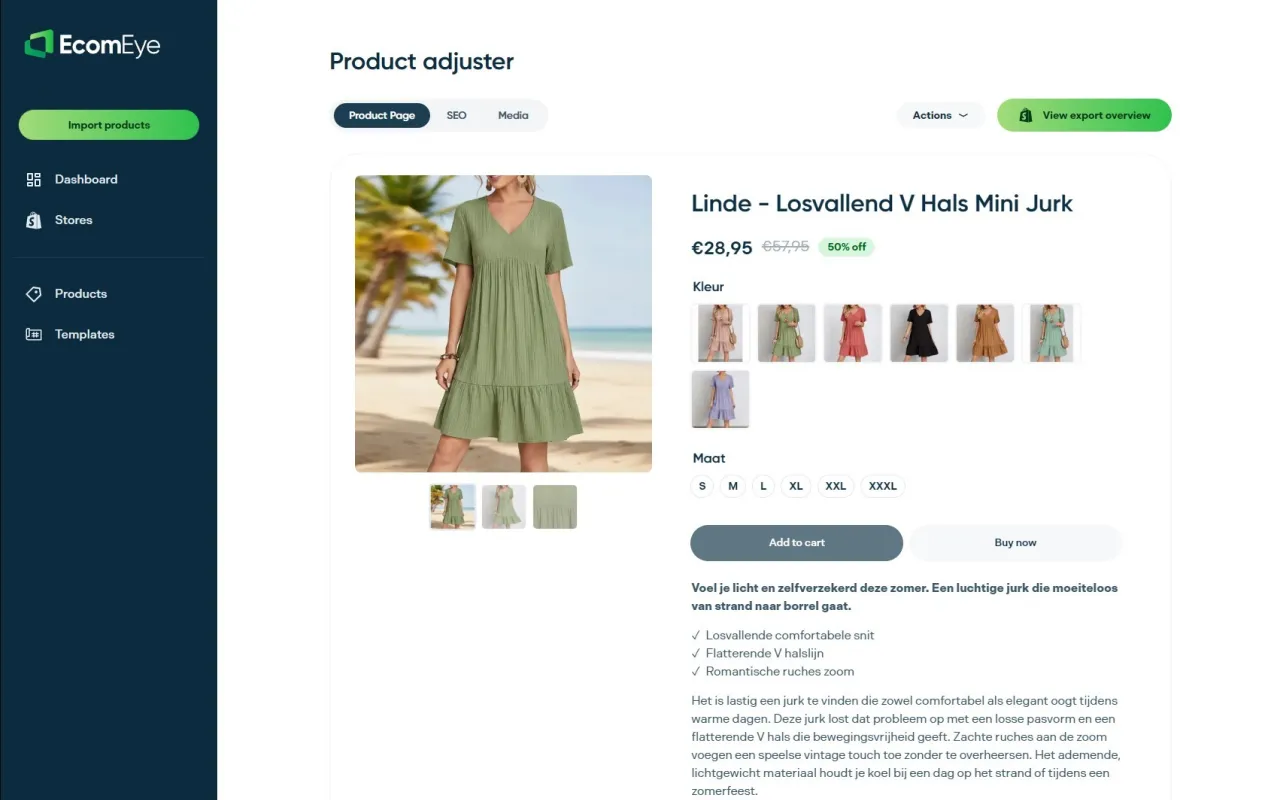
Ecom-eye is built specifically to solve this for Shopify store owners. Import products in bulk from AliExpress, Amazon, Temu, or competitor Shopify links, and Ecom-eye automatically generates unique, copyright-safe titles, SEO-ready descriptions, and high-quality AI product images. Multi-language pages, size system conversions, and bulk editing are all included. There is no rewriting, no copyright risk, and no manual page-by-page work. The output exports directly to Shopify in one click.
For dropshippers and catalogue-heavy stores, this replaces freelance copywriting costs and eliminates the duplicate content risk that tanks Google rankings and triggers Merchant Centre disapprovals. Try the AI product description generator or the AI product image generator to see how quickly you can build out a compliant, SEO-optimised catalogue.

Sources
- Shopify Help Center | Pricing plans and billing overview
- Shopify Fees Explained (2026) | WebMedic
- Shopify Pricing (2026): Plans, Fees & Real Cost Breakdown
- Shopify Pricing: Find the Right Plan for Your Business - Shopify
FAQ
How much does Shopify take from a £100 sale in the UK?
On the Grow plan it is around £1.95, and on Advanced around £1.75.
Does Shopify report sales to HMRC?
Shopify does not file tax returns or report your sales to HMRC on your behalf. You are responsible for registering for VAT once your taxable turnover exceeds £90,000 in a rolling twelve-month period, and for submitting returns via Making Tax Digital-compatible software. Shopify’s reports can export the sales data you need, but the filing obligation is yours.
Is Shopify worth it in the UK?
For most UK entrepreneurs, yes. The combination of a hosted storefront, integrated payments via Shopify Payments, and a large app ecosystem makes it one of the most complete platforms at its price point. The main risk is underestimating app costs: keep your app stack lean and use annual billing, and the total cost is competitive with building on alternative platforms once development and maintenance are factored in.
Can you pause a Shopify store without losing your data?
Yes. The Pause and Build plan (around £9/month) keeps your store admin accessible and your data intact, but disables the checkout so customers cannot purchase. App subscriptions continue independently, so cancel any apps you do not need before pausing to avoid stray charges.
When should a UK store consider Shopify Plus?
Shopify Plus becomes worth evaluating when you need B2B wholesale portals, Checkout Extensibility for custom checkout flows, more than fifteen staff accounts, or POS Pro across multiple locations. At three or more POS Pro locations, the maths often favour Plus over Advanced plus separate POS Pro fees.
Ready to boost your product pages?
Generate high-converting, SEO-optimized product pages in bulk using AI automation used by e-commerce experts.
No credit card required