Why export to Shopify: streamline dropshipping and scale faster
Discover why exporting to Shopify is essential for dropshippers. Learn how CSV operations, apps, and best practices streamline product imports, boost SEO, and avoid copyright risks in 2026.

Managing hundreds of product listings manually in Shopify drains time and invites errors that can derail your dropshipping business. Many store owners assume manual entry is the only path, unaware that exporting and importing product data unlocks speed, consistency, and copyright safety. This guide reveals why exporting to Shopify is essential for dropshippers aiming to scale efficiently, how CSV operations and dedicated apps simplify bulk product management, and best practices to avoid compliance pitfalls whilst maximising conversions in 2026.
Table of Contents
- How Csv Export And Import Simplify Shopify Product Management
- Leveraging Apps To Automate And Optimise Product Imports
- Understanding Shopify Collective Versus Traditional Dropshipping Apps
- Best Practices For Safe And Effective Product Importing In 2026
- Boost Your Shopify Store With Ecomeeye’s Bulk Ai Product Lister
Key takeaways
| Point | Details |
|---|---|
| CSV operations save time | Bulk export and import reduce manual product entry, enabling faster inventory updates and synchronisation with supplier data. |
| Apps automate imports | Dedicated Shopify apps preview, edit, and optimise product info during import, preventing copyright issues and boosting SEO. |
| Careful review is critical | Verifying imported titles, descriptions, and images ensures policy compliance and protects store performance. |
| Multiple import methods exist | Shopify Collective syncs between stores, whilst traditional apps connect external suppliers for broader product selection. |
| Optimisation drives conversions | High-quality images, unique descriptions, and custom pricing rules maintain profitability and search rankings. |
How CSV export and import simplify Shopify product management
Shopify’s CSV import and export functionality lets you manage products, variants, inventory levels, pricing, and metadata in bulk without touching the admin panel repeatedly. Instead of creating each listing individually, you export a CSV file containing all product data, edit rows in a spreadsheet, then re-import the updated file to apply changes instantly across your entire catalogue. This workflow is transformative for dropshippers juggling hundreds of SKUs sourced from suppliers like AliExpress or competitor stores.
CSV operations support multiple data types, including product handles, titles, descriptions, variant options, inventory quantities, and image URLs. When launching a new product line, you can prepare all listings offline, validate data accuracy, then upload everything in one batch. Updates work similarly: export your current catalogue, modify pricing or descriptions in Excel, and import the revised CSV to refresh live listings. This approach eliminates repetitive clicking and reduces human error compared to manual admin edits.
For dropshippers, CSV import is particularly valuable when synchronising supplier data. You can download product feeds from suppliers, map columns to Shopify’s required format, and import fresh inventory details weekly or daily. This keeps your store aligned with supplier stock levels and pricing changes without constant manual checks. Key columns vary by operation: new products require handles, titles, and vendor fields, whilst updates need matching handles to identify existing listings. Understanding these distinctions prevents accidental duplicates or overwrites.
Pro Tip: Always back up your current product CSV before importing updates, so you can restore previous data if an import introduces unexpected changes.
Dropshippers managing large inventories save vast amounts of time by mastering CSV workflows. Instead of spending hours copying product details from supplier sites into Shopify, you automate data transfer and focus on marketing, customer service, and Shopify dropshipping strategy. CSV import also integrates seamlessly with external systems like inventory management platforms or ERP software, enabling advanced automation for scaling stores.
Leveraging apps to automate and optimise product imports
Whilst CSV operations provide foundational bulk management, dedicated Shopify apps elevate importing by automating product data transfers, previewing content before publication, and applying custom rules to optimise listings. Apps like Copy Products Faster enable 1-click bulk imports from dropshipping platforms, slashing the effort required to list dozens or hundreds of products. You paste supplier URLs, select items, and the app fetches titles, descriptions, images, and variants automatically.
These apps reduce manual data entry to near zero. Instead of copying text and downloading images individually, you review imported product info in a preview interface, make edits as needed, then publish to your store. This preview and editing functionality is crucial for ensuring quality and compliance, letting you rewrite generic supplier descriptions into unique, SEO-friendly copy that avoids copyright issues. You can also adjust pricing on the fly, applying markup percentages or fixed margins to maintain profitability without spreadsheet calculations.
Custom pricing rules in apps help dropshippers manage margins systematically. You set a global markup (for example, 40% above supplier cost) or tiered rules based on product categories, and the app applies these automatically during import. This prevents pricing errors that erode profits and ensures consistency across your catalogue. Some apps also support dynamic pricing updates, syncing with supplier feeds to adjust your store prices when supplier costs change.

Integration with multiple suppliers through apps offers broad product selection without juggling separate import processes. Apps like Copy Cat connect to various dropshipping platforms, aggregating product data into a unified interface. You search for trending items across suppliers, compare options, and import the best candidates in bulk. This flexibility accelerates product research and diversifies your catalogue, reducing reliance on a single supplier.
Pro Tip: Use app preview modes to test imported product pages on a staging theme before publishing live, catching formatting issues or missing details early.
Automation through apps helps maintain SEO-friendly, optimised product pages that drive conversions. Apps can auto-generate alt text for images, format descriptions with proper headings, and populate meta fields for search engines. By handling these details programmatically, you ensure every imported product meets quality standards without manual review of each listing. This consistency improves user experience and boosts organic rankings, critical for avoiding dropshipping pitfalls that sink poorly optimised stores.
Understanding Shopify Collective versus traditional dropshipping apps
Shopify Collective and traditional dropshipping apps represent two distinct approaches to importing products, each suited to different business models and supplier relationships. Shopify Collective syncs product and inventory data directly between participating Shopify stores, creating a closed ecosystem where retailers sell products from approved suppliers within the platform. This model streamlines dropshipping by eliminating external integrations, but limits supplier options to those already on Shopify and meeting Collective criteria.
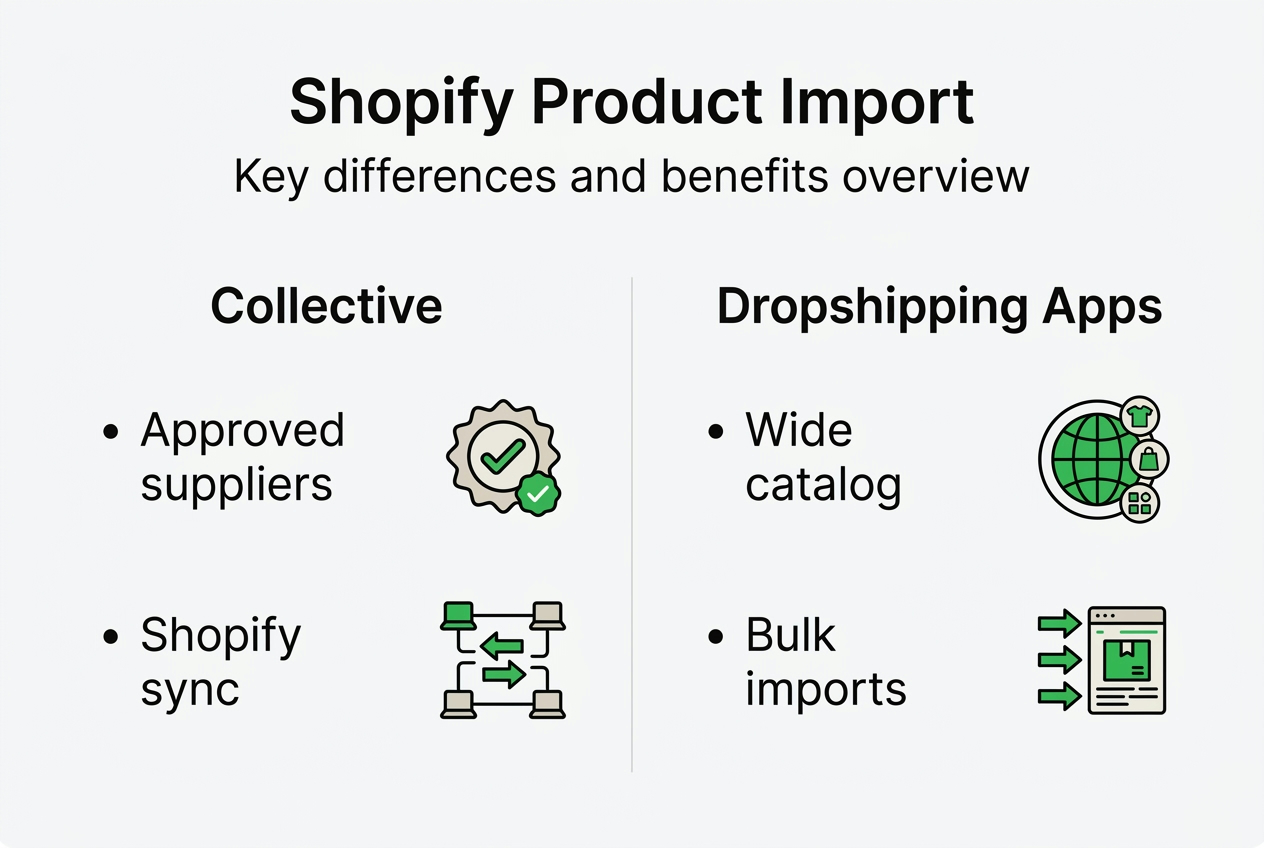
Traditional dropshipping apps connect to external suppliers, offering more diverse product catalogues sourced from platforms like AliExpress, CJdropshipping, or wholesale directories. These apps aggregate thousands of suppliers, giving you access to niche items and trending products not available through Shopify Collective. However, they require additional setup to map supplier data to your store format and may involve longer shipping times or less reliable inventory sync compared to Collective’s direct integration.
Shopify Collective requires criteria like sales history, Shopify Payments usage, and approval from Shopify to join as a supplier or retailer. This gatekeeping ensures product quality and reduces fraud risk, but excludes new stores or suppliers outside the Shopify ecosystem. Traditional apps have no such barriers, letting any store import products from participating suppliers immediately. This accessibility makes traditional apps ideal for testing product ideas quickly or entering markets where Shopify Collective suppliers are scarce.
The table below compares key features of Shopify Collective and traditional dropshipping apps:
| Feature | Shopify Collective | Traditional dropshipping apps |
|---|---|---|
| Supplier sourcing | Limited to approved Shopify stores | Broad access to external platforms |
| Data sync | Direct, real-time inventory updates | Varies by app, may require manual refresh |
| Setup complexity | Low, integrated within Shopify | Moderate, requires app configuration |
| Product diversity | Curated, smaller selection | Extensive, global supplier networks |
| Compliance support | Built-in Shopify policy alignment | Depends on app features and user diligence |
Your choice depends on desired product curation, supplier relationships, and sync needs. If you value tight integration, reliable inventory updates, and curated suppliers, Shopify Collective fits well. If you need maximum product variety, competitive pricing from global suppliers, and flexibility to switch sources, traditional apps like those in dropshipping platform comparisons offer greater control. Tax and compliance considerations also affect suitability: Collective handles some tax calculations automatically, whilst traditional apps may require third-party tax solutions depending on supplier locations.
Best practices for safe and effective product importing in 2026
Successful product importing hinges on thorough review, optimisation, and compliance checks before publishing listings to your Shopify store. Always review imported product details to ensure accuracy and policy compliance, catching errors like incorrect pricing, missing variant options, or generic descriptions that duplicate competitor content. Skipping this step risks account suspension, poor SEO rankings, and customer complaints from inaccurate product info.
Follow these steps to verify and optimise imported products:
- Check product titles for clarity and keyword relevance, ensuring they describe the item accurately without trademark violations.
- Rewrite supplier descriptions into unique, benefit-focused copy that highlights features and solves customer problems.
- Validate variant details like sizes, colours, and SKUs, confirming they match supplier inventory and avoid duplication.
- Review pricing rules to maintain target margins, adjusting for shipping costs or currency fluctuations if importing internationally.
- Test product pages on mobile and desktop to ensure images load correctly and descriptions format properly across devices.
High-quality, unique product images are essential for conversions and SEO, yet many imported listings rely on generic supplier photos shared across hundreds of stores. Replace or enhance these images with custom photography, lifestyle shots, or AI-generated visuals that differentiate your brand. Optimise file sizes to improve page load speed, and add descriptive alt text for accessibility and search engine indexing. Apps like Ali2Shop support bulk image editing during import, streamlining this process.
Set up customised pricing rules to maintain profitability across your catalogue. Define markup percentages by product category, applying higher margins to premium items and competitive pricing to high-volume products. Factor in transaction fees, shipping costs, and supplier pricing variability when calculating rules. Regularly audit imported pricing to catch supplier cost changes that erode margins, adjusting your rules as needed.
Pro Tip: Schedule monthly reviews of imported product data to update discontinued items, refresh descriptions with seasonal keywords, and align inventory levels with supplier stock.
Keep compliance with Shopify policies to prevent account suspension or listing removals. Avoid importing counterfeit goods, trademarked content, or prohibited items like weapons or certain health products. Review Shopify’s acceptable use policies and your supplier’s terms to ensure imported products meet platform standards. If using competitor links as import sources, rewrite all content to avoid copyright infringement and add unique value through detailed specifications, usage guides, or comparison tables. For comprehensive guidance, see dropshipping compliance and optimisation tips.
Regularly update imported data for accuracy and inventory alignment. Supplier stock levels, pricing, and product availability change frequently, so schedule weekly or daily syncs to keep your store current. Automate this process with apps that pull fresh supplier feeds, or set calendar reminders for manual CSV imports. Outdated inventory leads to overselling, customer refunds, and negative reviews, all of which harm store reputation. Consistent updates also signal to search engines that your site is active and relevant, supporting SEO performance. Learn more about creating optimised product pages that convert.
Boost your Shopify store with EcomEye’s bulk AI product lister
Managing product imports manually or through basic apps still leaves gaps in optimisation, compliance, and scalability. EcomEye’s bulk AI product lister automates the entire workflow, generating copyright-safe, SEO-ready product pages from AliExpress or competitor links in minutes. You import products in bulk, and EcomEye’s AI rewrites titles and descriptions, creates unique images, and formats pages for maximum conversions without manual editing.
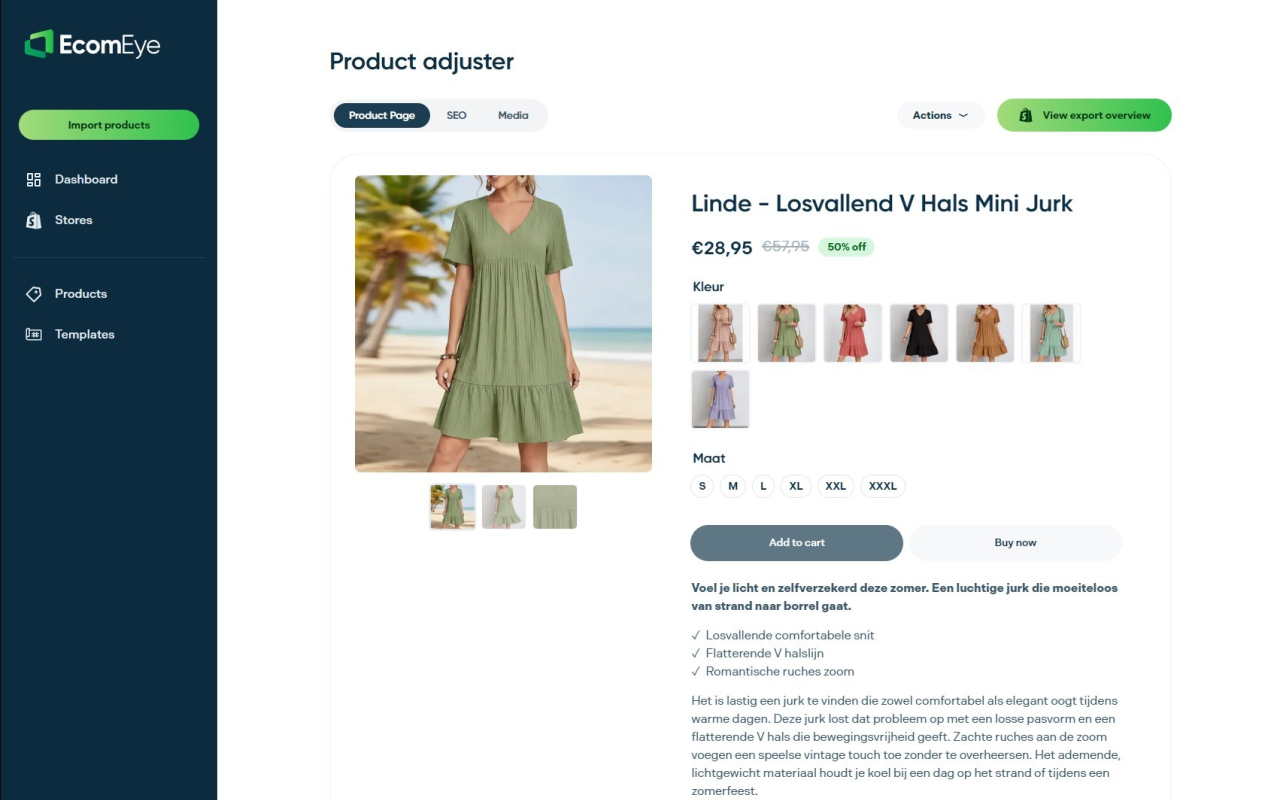
EcomEye eliminates duplicate content risks that trigger Google Merchant disapprovals and tank search rankings. The platform generates multi-language pages, supporting global expansion without hiring translators or rewriting content manually. Flexible pricing plans accommodate stores of all sizes, from testing new niches to scaling established catalogues. Export directly to Shopify in one click, integrating seamlessly with your existing workflows. For dropshippers serious about scaling efficiently whilst maintaining compliance and SEO performance, EcomEye delivers the automation and quality that basic import tools cannot match.
FAQ
Is exporting product data to Shopify safe and legal?
Exporting product data to Shopify is legal if you have rights or permission to use the content, such as supplier-provided product feeds or original descriptions you create. Reviewing and editing imported product info is crucial to avoid copyright issues, especially when sourcing from competitor sites or generic supplier catalogues. Always rewrite descriptions, replace images, and verify you are not infringing trademarks or intellectual property. Compliance with Shopify’s policies and your supplier’s terms protects your account from suspension and legal disputes.
What are common pitfalls when importing products into Shopify?
Not verifying product info leads to errors like incorrect pricing, missing variants, or policy violations that harm store credibility. Poor image quality reduces conversion rates, as customers cannot assess products visually and trust diminishes. Ignoring pricing settings can erode profitability if markups are too low or shipping costs are not factored in. Neglecting data accuracy and image optimisation negatively impacts store performance, driving away customers and lowering search rankings. Always preview and edit imported data before publishing to catch these issues early.
How does using Shopify Collective affect product exporting?
Shopify Collective offers direct data sync between participating stores, simplifying inventory management and reducing manual import tasks. It limits supplier options to approved Shopify stores, which may restrict product diversity but streamlines workflows with real-time updates. Collective handles some compliance and tax calculations automatically, reducing administrative burden. However, if you need broader supplier access or niche products, traditional dropshipping apps provide more flexibility despite requiring additional setup and manual sync management.
Can I import products from multiple dropshipping platforms simultaneously?
Yes, apps enable bulk import from multiple platforms in one click, aggregating product data from AliExpress, CJdropshipping, and other sources into a unified interface. This facilitates wide product catalogues with minimal manual effort, letting you compare suppliers and select the best options for your niche. Apps like Copy Products Faster support multi-platform imports, streamlining product research and diversifying your inventory. Ensure you review and optimise imported data from each platform to maintain consistency and compliance across your store.
Ready to boost your product pages?
Generate high-converting, SEO-optimized product pages in bulk using AI automation used by e-commerce experts.
No credit card required