How much does a Shopify store cost to start and run?
Discover the true costs of starting a Shopify store, from initial expenses to monthly fees, and learn how to budget effectively.

How much does a Shopify store cost to start and run?

A realistic Shopify launch costs between $250 and $5,000 in the first 90 days, and most stores then settle into $100 to $800 a month once you factor in the plan, apps and payment processing. That’s a wide gap, and the reason is simple: the advertised Basic plan price of $39 a month has almost nothing to do with what you’ll actually spend once you add a theme, a handful of apps and some ad testing.
The headline number moves depending on a handful of decisions:
- Which plan tier you pick (Starter through Shopify Plus)
- Whether you use Shopify Payments or bolt on a third-party gateway
- How many apps you install and whether you pay for a custom theme or developer
- How much you spend testing ads and creative before you know a product works
- Your shipping and fulfilment setup
Shopify still commands a substantial share of the US ecommerce platform market, which matters practically: a bigger ecosystem means more app choice, but also more temptation to overspend on tools you don’t need yet.
Pro Tip: Don’t put your first $500 into the cheapest possible launch. Put it into product samples and ad creative instead. A validated product on a bare-bones store beats a beautiful store selling something nobody wants.
Key Takeaways
A Shopify store realistically costs $250 to $5,000 to launch and $100 to $800 a month to run once plan fees, apps, payment processing and marketing are all counted together.
| Point | Details |
|---|---|
| Plan price isn’t the real cost | Basic starts at $39/month, but apps, theme and marketing typically push real monthly spend to $100 to $800. |
| Payment method changes your margin | Shopify Payments costs roughly $2.90 to $3.40 per $100 sale; a third-party gateway can push that past $5. |
| Apps are the hidden budget killer | A typical essential app stack costs $80 to $150 a month by month six and tends to creep upward unaudited. |
| Validation beats cheap launches | A $1,500 to $3,500 validation budget for samples, creative and ad testing usually outperforms a sub-$500 bare launch. |
| Automate content to cut costs | Tools like EcomEye reduce recurring spend on product page copy and imagery for stores building large catalogues. |
Table of Contents
- How much does a Shopify store cost per plan tier?
- What does Shopify take from a $100 sale?
- What does it cost to set up a Shopify store?
- How much do Shopify apps and extensions cost?
- What are the ongoing running costs beyond the Shopify subscription?
- What does Shopify POS cost for in-person selling?
- What does a Shopify store really cost across a full year?
- What hidden costs catch new Shopify store owners off guard?
- How do you pick the right Shopify plan and budget?
- Where should your first 90 days of budget actually go?
- What do security and compliance cost on Shopify?
- What do staff and support cost as a Shopify store grows?
- What does it cost to handle traffic surges and scale up?
- How EcomEye cuts your content and creative costs
- Sources
- FAQ
How much does a Shopify store cost per plan tier?
Shopify prices its plans in five tiers, and the gap between the cheapest and most expensive is enormous: from $5 a month for a stripped-back social-selling tier to $2,300 a month for enterprise-grade Plus. The official pricing page lists monthly and annual rates, and picking the wrong one is one of the easiest ways to overpay or under-provision in year one.
Starter costs $5 a month and gets you a simple checkout link for selling through social media or a linkin.bio page, but it doesn’t give you a full online storefront. It’s built for creators testing an idea, not for anyone who needs a proper website with collections and a cart.
Basic is the entry point for a real storefront, priced at $39 a month on monthly billing or an effective $29 a month if you commit annually. You get one staff account beyond the owner, basic reporting, and the standard checkout. For most people typing “how much does a Shopify store cost” into Google, this is the plan they end up choosing.
Grow (formerly “Shopify” mid-tier) runs $105 a month monthly, or $79 a month billed annually. It unlocks five staff accounts, better shipping discounts and more detailed analytics, which starts to matter once you’re shipping dozens of orders a week and need a second or third person managing the back office.
Advanced costs $399 a month, or $299 a month annually, and adds custom report building, 15 staff accounts and higher API call limits for advanced apps. This tier makes sense once your app stack gets complex or you need finance-grade reporting for a small team.
Shopify Plus starts from $2,300 a month on a multi-year term, and pricing becomes variable at very large sales volumes. Blackbelt Commerce’s 2026 breakdown notes that Plus stores routinely carry platform and app bills running into several thousand dollars a month once you add enterprise apps and dedicated support staff on top.
| Plan | Monthly billing | Annual billing (effective/mo) | Best for |
|---|---|---|---|
| Starter | $5 | Not applicable | Social/link-in-bio selling only |
| Basic | $39 | $29 | First real storefront, solo founders |
| Grow | $105 | $79 | Small teams, growing order volume |
| Advanced | $399 | $299 | Custom reporting, larger staff teams |
| Plus | From $2,300 | Contract-based | High-volume, enterprise merchants |
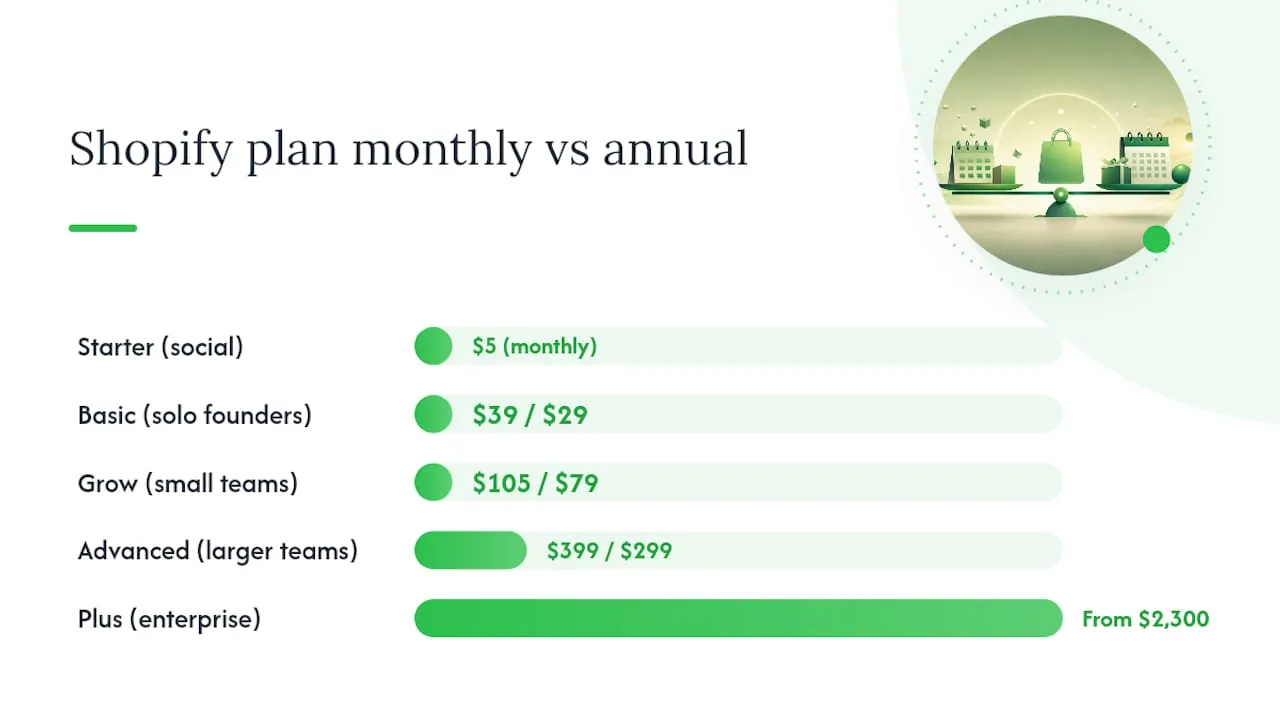
Annual billing saves roughly 25% on the core plans compared with paying month to month, according to practitioner cost breakdowns, so if you’re confident you’ll still be trading in twelve months, that’s free money left on the table by paying monthly. The catch: don’t commit annually before you’ve validated the product, because switching plans mid-cycle doesn’t refund the unused months.
What does Shopify take from a $100 sale?
Shopify’s cut of a $100 sale ranges from about $2.90 to $3.40 if you use Shopify Payments, but it can climb past $5 once you stack a third-party gateway fee on top. The exact figure depends on your plan and which payment method processes the transaction.
On a $100 sale, that’s about $3.20 gone before you’ve paid for a single app or ad.
If you use an external gateway instead of Shopify Payments, such as Stripe or PayPal, Shopify’s pricing and billing documentation confirms you still pay the gateway’s own processing fee, plus a Shopify third-party transaction fee on top, typically around 2% on Basic, falling to 1% on Grow and 0.5% on Advanced.
Here’s the arithmetic side by side:
- $100 sale, Basic plan, Shopify Payments: ~$2.90 to $3.20 taken, roughly $96.80 to $97.10 net
- $100 sale, Basic plan, external gateway (Stripe + 2% Shopify surcharge): ~$5.20 taken, roughly $94.80 net
- $100 sale, Advanced plan, Shopify Payments: ~$2.60 taken, the lowest of the three because Advanced carries the best processing rate
That gap of over $2 per $100 sold compounds fast. On $50,000 of monthly revenue, the difference between using Shopify Payments and stacking a third-party gateway can be over $1,000 a month, which is more than most stores spend on apps combined.
⚠️ Warning: Shopify Payments isn’t available in every country, and some merchants are forced onto a third-party gateway for regulatory or banking reasons. If that’s your situation, budget for the stacked fee from day one rather than discovering it on your first payout. A payment processing guide for small businesses is worth reading if you’re unfamiliar with how gateway mechanics actually work behind the scenes.
What does it cost to set up a Shopify store?
Setup costs are the most variable line item in this whole budget, ranging from under $100 for a pure DIY launch to $10,000 to $150,000+ for an agency-built enterprise site, according to project cost analyses. Most people reading this fall somewhere in the middle.
- Domain registration: $10 to $20 a year through most registrars, or slightly more if you buy it directly through Shopify. Some rare premium domain names cost hundreds or thousands, but that’s an edge case, not the norm.
- Theme: Shopify’s free themes are genuinely usable for launch, but premium themes cost $0 to around $400 as a one-off, according to Shopify’s own cost breakdown. A $150 to $350 theme with built-in conversion features often pays for itself within the first month if it improves your checkout completion rate even slightly.
- Design and development: DIY setup with a free theme costs nothing beyond your time. A freelancer doing custom tweaks typically charges $500 to $3,000 for a small store. A full agency build with custom functionality can run from $10,000 well into six figures for enterprise migrations, per Blackbelt Commerce’s pricing breakdown.
- Product photography and samples: Ordering samples to photograph properly typically runs $50 to $300 depending on your niche, and a basic lightbox photography setup at home costs $30 to $100. Hiring a photographer for a proper shoot runs $200 to $1,000+ for a small catalogue.
- Branding: A logo from a freelance designer costs $50 to $500; a full brand identity package from an agency can hit $2,000 to $5,000, though most new stores don’t need that level of polish before they’ve sold a single unit.
If you’re just testing an idea, a fast beginner setup approach keeps this stage cheap and quick, which frees up cash for the part that actually determines success: proving people want to buy the thing.
How much do Shopify apps and extensions cost?
Apps are usually the single biggest hidden monthly cost on a Shopify store, and most merchants underestimate this until they see six months of invoices stacked together. Practitioner reports put a typical essential app stack at $80 to $150 a month by month six, per agency cost breakdowns, and that’s before you’ve added anything ambitious.
The categories that eat the budget:
- Email and SMS marketing (Klaviyo, Omnisend and similar): $0 to $150+ a month, scaling with your subscriber list size
- Reviews and social proof: $0 to $50 a month depending on volume and features
- Subscriptions: $0 to $99 a month if you sell recurring products
- Returns management: $0 to $60 a month, worth it once return volume becomes a support headache
- Upsells and cross-sells: $0 to $50 a month
- Page builders: $0 to $30 a month for drag-and-drop landing page tools
A minimal essential stack (email, one review app, basic upsell) runs roughly $50 to $100 a month. A full-growth stack with subscriptions, advanced reviews, loyalty and a page builder can hit $300 to $500 a month easily. The trap is that each individual app looks cheap in isolation, $15 here, $29 there, but a feature that a competing platform bundles for free will often cost you $5 to $50 a month bolted on as an extra Shopify app.
Pro Tip: Audit your app list every 90 days and cancel anything you haven’t opened in the last month. Most stores are quietly paying for three or four apps they installed once and forgot about. That alone can claw back $50 to $100 a month.
If you’re relying on apps or manual copywriting to build product pages, that’s also where recurring content costs sneak up. A copyright-free Shopify tools guide covers the software side of this problem in more depth.
What are the ongoing running costs beyond the Shopify subscription?
Your Shopify subscription is often the smallest line in your monthly budget once marketing, fulfilment and support are factored in. This is the part most cost calculators skip entirely, and it’s where the real money goes.
Marketing and ad spend needs a realistic floor. Testing a product properly, running enough ad spend to get statistically meaningful data on Meta or Google, typically needs a minimum of a few hundred dollars a month just to validate, climbing to $1,000 to $5,000+ a month once you’ve found a working angle and want to scale it. An ad spend guide for ecommerce brands breaks down realistic allocation by revenue stage if you want a fuller framework.
Fulfilment and shipping costs depend heavily on your model. Dropshipping keeps this near-zero upfront since the supplier ships direct, though you’re trading that for thinner margins and less quality control. Holding your own stock and using a third-party logistics provider (3PL) typically costs $2 to $8 per order in pick-and-pack fees, plus storage. Doing it yourself from a spare room is free in cash terms but expensive in hours once order volume climbs past 20 to 30 a day.
Support and returns handling starts as your own time, costing nothing but hours. Once you’re doing enough volume that customer messages take more than an hour a day, a part-time support contractor typically runs $500 to $1,500 a month, and dedicated returns processing adds more depending on your return rate.
A useful tipping point: once you’re spending more than four or five hours a week on support tickets, or more than $150 a month on scattered single-purpose apps, that’s usually the signal to upgrade a plan tier or consolidate onto a proper support tool rather than patch the problem with another $20 app.
What does Shopify POS cost for in-person selling?
POS Lite is included free with every Shopify plan and covers basic in-person card and cash sales through the Shopify POS app on a phone or tablet. POS Pro costs an extra $89 per month per location and adds staff PIN codes, shift reports, local delivery options and returns handled across channels.
You need POS Pro once you have more than one till, more than a couple of staff members, or you’re running a physical retail location rather than an occasional market stall. A single pop-up stall run by the owner rarely needs it.
Hardware adds to the one-off setup cost. A basic card reader (Tap & Chip) runs around $49 to $99. A full countertop terminal with a receipt printer and cash drawer can run $300 to $1,000 depending on the kit. A barcode scanner adds another $50 to $150 if you’re managing inventory across online and in-person channels.
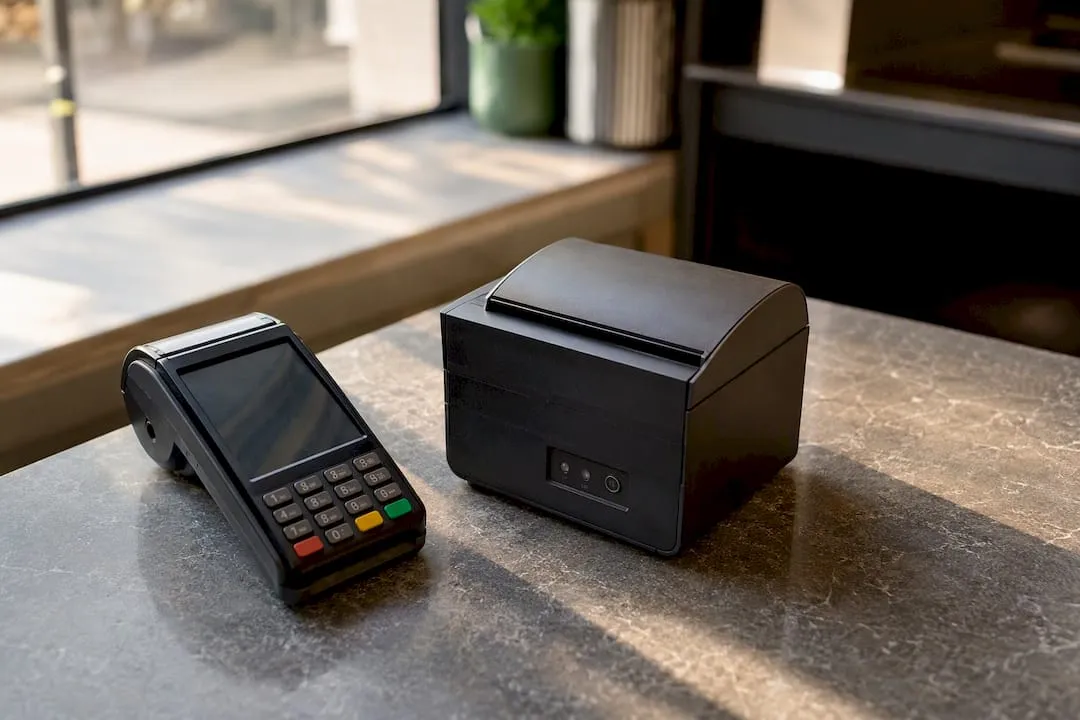
A hybrid budget example: an online store on Basic ($39/mo) doing one weekend market a month might spend $99 on a card reader once, plus $0 extra monthly if POS Lite covers it. A store running a permanent retail counter alongside online sales is a different animal: Grow plan ($105/mo) plus POS Pro ($89/mo per till) plus a proper terminal ($500 one-off) adds up to real recurring cost before a single online sale happens.
What does a Shopify store really cost across a full year?
Three budget templates cover most people reading this: the bare-minimum launch, the realistic validation build, and the established brand running at scale. Each has wildly different Year 1 totals and monthly run-rates, and picking the wrong one for your actual goal is how most new stores waste money.
The bare-minimum launch uses a free theme, the Basic plan, Shopify Payments, and almost no paid apps. It’s cheap to start but weak on testing, meaning you often can’t tell whether a product failed or your creative and targeting failed. A practitioner guide on starting a Shopify store puts this tier at under $500 for the first 90 days.
The realistic validation build spends properly on product samples, decent creative, and enough ad budget to get a genuine read on demand. The same guide recommends $1,500 to $3,500 for this tier, which buys you enough signal to know whether to double down or pivot, rather than guessing.
The established brand tier assumes you’ve validated the product and are now investing in a proper build: a paid theme or developer customisation, a full app stack, and a Grow or Advanced plan to support the reporting and staff access you need.
Run the maths on margin at each stage. A validated product selling at $40 with a $12 landed cost and $3.20 in Shopify Payments fees leaves roughly $24.80 gross before ad spend and app costs are deducted, on the Basic plan. On the same sale using a stacked third-party gateway, that margin drops closer to $22.60. At 500 orders a month, that difference alone is over $1,000, easily enough to fund your entire app stack.
Pro Tip: Once your validation budget proves a product works, reallocate spend from raw ad testing toward conversion rate optimisation, better product photography, upgraded page copy, faster checkout, before scaling ad spend further. Fixing a leaky funnel is usually cheaper than buying more traffic for it.
What hidden costs catch new Shopify store owners off guard?
The costs that blow up small margins are rarely the ones on the pricing page. They’re the ones that only show up after a few months of trading.
- Apps that scale with volume: Many email and review apps price by subscriber count or order volume, so a $29/month app at launch can quietly become a $99/month app by month four.
- Developer hours for small fixes: A “quick” theme tweak from a freelancer rarely stays quick, and hourly rates of $50 to $150 add up fast for what feels like a five-minute change.
- Platform migrations: Moving from another platform onto Shopify, or switching themes late, often needs paid developer time to rebuild custom sections and redirect old URLs.
- Specialised app add-ons: Some apps have a “base” price plus paid add-on modules for features you assumed were included.
- Chargebacks and disputes: Each disputed payment typically costs a flat fee on top of the refunded amount, and a high dispute rate can flag your payment account for review.
⚠️ Warning: stacking multiple third-party payment tools, or swapping app vendors frequently, both carry costs beyond the sticker price: transaction surcharges compound, and migrating data between apps (customer tags, subscription histories, review counts) often needs paid support.
The single most expensive mistake isn’t picking the wrong plan. It’s not noticing which small monthly charges are quietly compounding until the merchant account statement arrives and nobody can explain where $400 went.
If you’re not sure, why Shopify stores fail covers more of these overlooked failure points.
How do you pick the right Shopify plan and budget?
Match your plan and budget to your actual stage, not your ambitions. Here’s a simple decision flow:
- Are you still validating a product idea? Start on Basic with Shopify Payments and a free theme. Don’t pay for Grow or Advanced features you can’t use yet.
- Have you found a product that sells consistently? Upgrade to Grow once you need more staff accounts or better shipping rates, typically once you’re processing 50+ orders a week.
- Is your reporting or app complexity outgrowing Basic/Grow? Move to Advanced when you need custom reports or your API call limits from advanced apps start getting throttled.
- Are you doing genuinely enterprise volume? Only consider Plus once your monthly revenue comfortably justifies a multi-thousand-dollar monthly platform cost, this is rarely relevant in year one.
A few break-even signals worth knowing:
- Upgrading from Basic to Grow ($66/month extra) pays for itself once the lower transaction fee and better shipping rates save you more than that on your actual order volume.
- A $29/month premium theme pays for itself in week one if it improves checkout completion by even a fraction of a percent on meaningful traffic.
- Hiring part-time support pays off once ticket volume is costing you more in lost founder time than the contractor’s monthly rate.
Where should your first 90 days of budget actually go?
A validation budget exists to answer one question cheaply: does this product sell? A launch budget just gets a store online. Confusing the two is why so many stores spend $300 building something beautiful, and $0 finding out if anyone wants it.
Spending it in the other direction, most of it on apps and design polish, rarely tells you anything useful about demand.
Track three numbers to know if a product is worth scaling: cost per purchase, repeat purchase rate in the first 30 days, and gross margin after Shopify Payments fees. If cost per purchase sits comfortably below your margin per unit and you’re seeing any organic repeat behaviour, that’s a real signal worth building on.
Pro Tip: Spending slightly more on creative and proper ad testing during validation tends to lower your customer acquisition cost over the following months, because the algorithm learns from better-performing ads faster than from cheap, rushed ones.
What do security and compliance cost on Shopify?
SSL certificates come free and automatically enabled on every Shopify plan, so this isn’t a line item you need to budget for separately, unlike some other platforms where SSL is an optional paid add-on. That covers encrypted checkout and browser trust indicators out of the box.
GDPR and privacy compliance is where actual spending can appear. Shopify includes basic data request and deletion tools natively, but most stores selling into the UK or EU add a consent management app for cookie banners and marketing preference tracking, typically $0 to $30 a month depending on traffic volume and feature depth. If you handle EU customer data at any real scale, budgeting for a proper privacy policy generator or legal review, a one-off cost of $100 to $500, is worth it rather than copying a generic template.
PCI DSS compliance (the card data security standard) is handled automatically by Shopify’s infrastructure for any store using Shopify Payments, so you’re not paying separately for that certification. If you’re using certain third-party gateways or storing customer data in external apps, check whether that app is itself PCI compliant, since a data breach through a poorly secured app becomes your liability, not Shopify’s.
Fraud protection tools are mostly bundled into Shopify’s own risk analysis for free, but higher-risk categories (high-ticket electronics, for example) sometimes add a dedicated fraud-screening app at $10 to $50 a month once chargeback rates start climbing.
What do staff and support cost as a Shopify store grows?
A solo founder pays nothing extra for staffing beyond their own time, and Basic already includes one staff account alongside the owner, enough for a single part-time helper. The real cost curve starts once order volume or product complexity outgrows what one person can manage.
A part-time customer support contractor, handling emails and basic order queries a few hours a day, typically costs $500 to $1,500 a month depending on hours and experience. Once you need someone answering messages across email, live chat and social media simultaneously, that climbs toward $1,500 to $3,000 a month for a dedicated full-time hire, or you outsource to a support agency charging per ticket or per hour.
A dedicated shop manager, someone who handles inventory, supplier communication and day-to-day store admin, becomes worth the cost once the founder is spending more time on operations than on the strategic work of growing the business. That role realistically starts around $2,000 to $4,000 a month for a competent part-time or junior full-time hire, scaling with experience and hours.
Staff account limits also matter for plan choice: Basic gives you two logins total, Grow gives five, Advanced gives fifteen. If your team is growing faster than your plan allows, that’s a direct, easily calculated reason to upgrade rather than working around login-sharing, which creates its own security risk.
What does it cost to handle traffic surges and scale up?
Shopify’s infrastructure is built to absorb sudden traffic spikes without extra bandwidth charges, unlike older self-hosted platforms where a viral moment could mean a surprise hosting bill. There’s no metered bandwidth fee on any plan, so a surge in visitors from a viral post or a big ad campaign doesn’t directly cost you more in hosting.
Where scaling costs actually show up is in plan limits and app capacity, not raw bandwidth. If a traffic surge translates into an order surge, you may hit staff account limits or reporting limits faster than expected, pushing you to upgrade from Basic to Grow or Advanced sooner than planned. Some apps also price by usage tier (emails sent, SMS volume, review requests), so a successful launch can bump you into a higher app pricing bracket within the same month.
The most common real cost of a surge is on the ad and fulfilment side: sudden order volume can mean paying for expedited shipping to keep delivery promises, or temporarily upgrading a support tool to handle the message spike. If you’re planning to sell into new regions as you grow, expanding a Shopify store globally covers the additional considerations that come with multi-market scaling.
A note from experience
Having watched dozens of Shopify builds go from idea to launch, the pattern repeats: stores that skip validation and pour their budget into a polished storefront almost always spend more in the long run chasing traffic to a product nobody wanted. The stores that spend on samples, creative and honest ad testing first tend to make calmer, cheaper decisions afterwards. On the content side specifically, EcomEye exists because writing and photographing hundreds of unique product pages by hand is one of the quietest budget killers in this whole process.
How EcomEye cuts your content and creative costs
Apps and content are two of the biggest recurring costs in this whole budget, and product page creation is the one most stores underestimate until they’re staring down a catalogue of 200 items that all need unique titles, descriptions and images to avoid duplicate content penalties.
EcomEye handles that specific problem. It imports product data in bulk from AliExpress, Amazon, Temu or a competitor’s Shopify store, then generates unique, SEO-ready titles and descriptions along with high-quality AI product images, before exporting the whole batch straight to your Shopify store in one click. No rewriting competitor copy, no duplicate content risk, no hours spent in a spreadsheet.
- Bulk product pages generated from your source links instead of manual writing
- SEO-optimised descriptions built to avoid the duplicate-content problems that tank Google rankings
- AI product images that cut the cost of a full photography setup or shoot
- Multi-language pages if you’re planning to expand into new markets
If your validation budget is tight and you need a real catalogue live fast, start with the AI product description generator to see how many hours of copywriting it replaces on your first batch of products.
Sources
- Pricing
- How much does an ecommerce website cost? (Shopify blog)
- Cost of a Shopify Website: 2026 Pricing Breakdown
FAQ
How much does it cost to run a Shopify store?
Most stores spend $100 to $800 a month once the plan fee, apps, payment processing and basic marketing are added together, though a bare-bones store with minimal apps can run closer to $50 a month.
How much does Shopify take from a $100 sale?
With Shopify Payments on the Basic plan, Shopify takes roughly $2.90 to $3.20 from a $100 sale in processing fees; using a third-party gateway instead typically pushes that closer to $5.20 once the gateway fee and Shopify’s third-party surcharge stack together.
Is it cheaper to sell on Etsy or Shopify?
Etsy charges per-listing and per-sale fees with no monthly subscription option below its Plus tier, which can be cheaper at very low volume, while Shopify’s flat monthly plan fee becomes more cost-effective as your order volume and product catalogue grow, since you’re not paying a fee per individual listing.
Which is better, Amazon or Shopify?
Do I need Shopify Plus to run a successful store?
No, Shopify Plus starting at $2,300 a month only makes financial sense at genuinely large sales volumes; most successful independent stores run comfortably on Basic, Grow or Advanced for years before Plus pricing becomes worth considering.
Ready to boost your product pages?
Generate high-converting, SEO-optimized product pages in bulk using AI automation used by e-commerce experts.
No credit card required