How to build unique product catalogs for Shopify
Learn how to build unique product catalogs for Shopify. Streamline your process with automation and boost your sales efficiently.

How to build unique product catalogs for Shopify

The fastest route to unique, high-performing product catalogues for Shopify dropshipping is a bulk-first, template-driven pipeline: standardise your attribute schema, enrich the top 20% of SKUs first, automate the data-to-design merge, and export SEO-safe pages in one click. Automated catalogue production can cut creation time from months to minutes by removing repetitive manual data entry. The 80/20 rule applies directly here: a significant portion of your revenue comes from a small percentage of your SKUs, so that is where enrichment budget goes first.
Three things to start immediately:
- Objectives and audience brief — define the catalogue goal and primary KPIs before touching a template.
- Standardised attribute schema — titles, descriptions, GTINs, images, and structured specs as a single source of truth.
- Automation pipeline — bulk import, template merge, QA rules, and one-click Shopify export.
Table of Contents
- What should you plan before building a product catalogue?
- How do you standardise your product data model?
- Which layout patterns make a catalogue feel genuinely unique?
- How do you write SEO titles and descriptions at scale?
- What is the best image strategy for a dropshipping catalogue?
- How do you automate catalogue production end to end?
- What checks should you run before and after launch?
- Your five-day checklist to publish unique catalogue pages
- How Ecom-eye implements this workflow
- Key takeaways
- The part most guides skip
- Ecom-eye gets your catalogue live faster
- Useful sources
- FAQ
What should you plan before building a product catalogue?
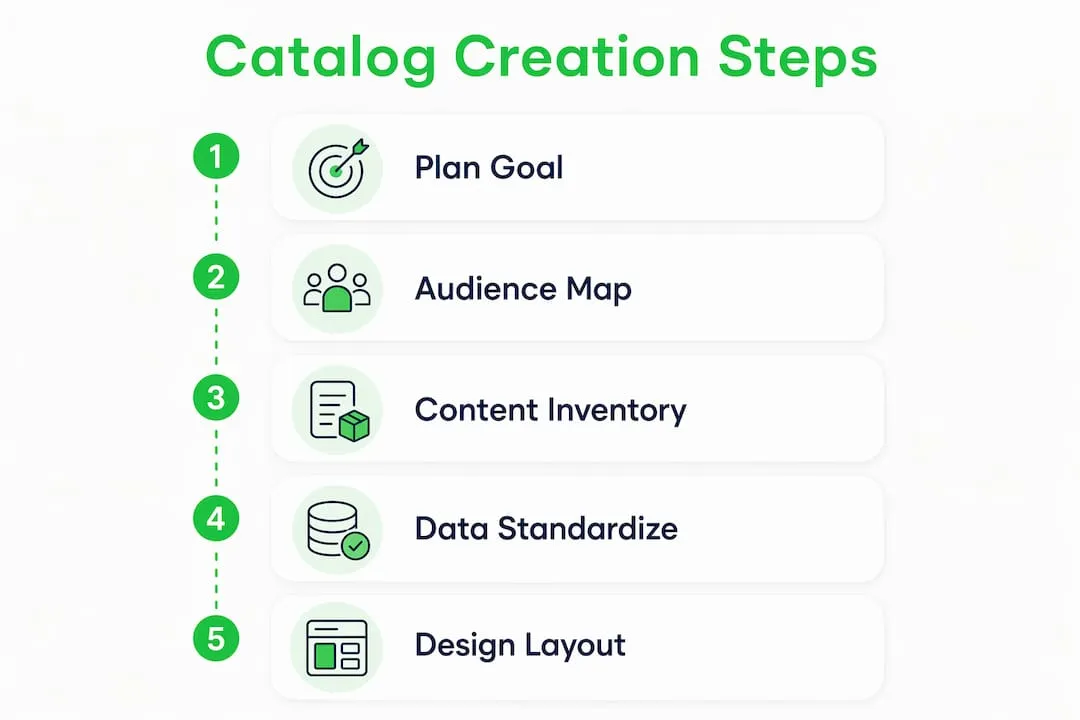
Jumping into design before strategic planning is the most common catalogue mistake. Define the goal first: are you driving direct sales, supporting wholesale buyers, or building brand authority? Each goal changes which KPIs matter (CTR, conversion rate, SERP impressions) and which product collections to lead with.
Map your audience segments. For Shopify dropshipping, the three most common are bargain shoppers (price and delivery speed), niche enthusiasts (depth of specs and lifestyle imagery), and B2B buyers (bulk pricing and technical detail). Each segment needs a different content emphasis.
Then build a short content inventory table before any design work begins.
| SKU | Revenue rank | Priority | Missing assets |
|---|---|---|---|
| SKU | Top 20% | High | Unique description, lifestyle image |
| SKU | Top 20% | High | Alt text, structured specs |
| SKU | Mid-tier | Medium | Description only |
| SKU | Long-tail | Low | None — template copy acceptable |
For cost and effort, a catalogue of up to 1,000 SKUs can be handled manually in a reasonable timeframe. From thousands of SKUs onward, automation becomes cost-effective early in the process. At very large SKU counts, desktop publishing alone is impractical for frequent updates — automation becomes necessary.
Pro Tip: Set a hard scope limit before you start. Trying to enrich every SKU at once is the single fastest way to miss your launch date.
How do you standardise your product data model?
A clean attribute schema is the foundation of search visibility, Google rich results, and channel syndication. Get this wrong and no amount of design work rescues you.
- Mandatory Shopify and Google Merchant fields: title, unique description, GTIN (where available), price, availability, and primary image. Missing any of these is a common disapproval cause.
- Structured category attributes: size (metric for UK), material, colour, weight, dimensions, and any relevant certifications. Use dropdown options, not free-text fields, wherever possible.
- SKU and variant rules: establish a canonical SKU format (e.g. CATEGORY-STYLE-COLOUR-SIZE), define how variants inherit price and stock from the parent, and never duplicate a parent SKU as a child.
- Unit consistency: metric throughout for UK audiences. Mixed units inside a single feed cause Google Merchant errors.
- QA checkpoints: primary image present, price validated, description above 50 words, and all required attributes populated before any record enters the pipeline.
Spend time normalising attributes before evaluating or migrating to a PIM. Poor schema import is the most expensive migration mistake you can make. For practical fixes on messy catalogue data, the product listing clean-up guide covers the most common field errors.
Pro Tip: Build a reference spreadsheet of every attribute, its accepted values, and its unit before writing a single description. One hour of schema work saves days of QA later.
Which layout patterns make a catalogue feel genuinely unique?
Two patterns consistently outperform a plain product grid: the Bento Box and the magalog.

The Bento Box layout places one large hero product block at the top of the page, surrounded by smaller modular tiles for specs, secondary angles, and accessories. The varied tile sizes create visual rhythm that guides the eye without feeling cluttered. It works especially well for high-priority SKUs where you want to communicate multiple features at a glance. For home and décor products, you can see how this translates in practice on EcomEye’s home décor examples.
The magalog hybrid inserts short editorial pieces — styling guides, how-to snippets, or customer success stories — between product blocks. This increases dwell time and positions the store as an expert resource rather than a price list. A two-page product spread followed by a half-page “how to style this” block is a simple implementation that most Shopify themes can support.
A catalogue that only lists products is a price list. A catalogue that teaches, inspires, or solves a problem is a destination. The editorial layer is what makes readers return.
For grid choices: two-column layouts suit lookbooks and lifestyle-heavy ranges; three-column grids work for dense catalogues with many SKUs per category. For print, allow at least 0.5 inches of inner margin on perfect-bound books to prevent content disappearing into the spine.
How do you write SEO titles and descriptions at scale?
Title template: [Category] + [Primary Feature] + [Brand or Style Cue]. Example: “Waterproof Hiking Boots — Lightweight Trail Grip — Men’s.” This structure keeps titles unique, keyword-rich, and scannable without sounding machine-generated.
Description rules: lead with the primary benefit, add two supporting features, include one short technical spec line, and close with a call to action. Enforce a minimum of 50 words and a uniqueness threshold — no two descriptions should share more than 30% of their phrasing.
Key SEO and compliance checks before bulk publishing:
- Identify and replace all manufacturer copy in the top 100 SKUs.
- Add Product schema markup (name, price, availability, image, GTIN) to every Shopify product page.
- Common Google Merchant disapproval causes: missing GTIN, mismatched price between feed and landing page, non-crawlable images, and descriptions under the minimum length.
- For long-tail SKUs, templated descriptions with unique attribute insertions are acceptable — but the top 100 must be hand-crafted or AI-generated with a uniqueness check.
| SEO element | Minimum standard | Common failure |
|---|---|---|
| Title | Unique, 50 characters minimum | Copied from supplier |
| Description | 50+ words, unique | Manufacturer boilerplate |
| Product schema | Name, price, availability, image | Missing or malformed JSON-LD |
| Image alt text | Descriptive, includes key attribute | Blank or filename only |
| GTIN | Present where applicable | Omitted for branded goods |
What is the best image strategy for a dropshipping catalogue?
Original photography produces the highest conversion rates but costs time and money. AI-generated images are the practical alternative for dropshippers: faster, copyright-safe, and scalable across hundreds of SKUs. The AI product image generator from Ecom-eye produces high-quality visuals without the licensing risk of republishing marketplace images. For a broader view of how AI visuals are being used across e-commerce, the product visualisation guide for e-commerce covers 3D and photorealistic approaches worth considering.
Image checklist for Shopify dropshippers:
- Format: WebP for web pages (smaller file, faster load); 200–300 dpi JPEG or PNG for print-ready PDFs.
- Resolution: minimum 2048 × 2048 pixels for Shopify product pages to support zoom.
- File naming: use descriptive, hyphenated filenames (e.g.
waterproof-hiking-boot-mens-black-side.webp) — Google indexes image filenames. - Alt text: concise and descriptive, including the key product attribute. “Black waterproof men’s hiking boot, side view” is correct. “Boot image 1” is not.
- Copyright: never republish AliExpress or Temu supplier images without rework. Either commission originals, use AI generation, or purchase licensed stock.
How do you automate catalogue production end to end?
- Build master templates — one HTML/Shopify template per product type (simple, variant, bundle). Keep presentation logic separate from product data.
- Map your data sources — CSV exports from AliExpress, Amazon, or your own PIM. Define field mappings: supplier title → SEO title template, supplier image URL → AI generation trigger.
- Normalise units and attributes — run the two-week standardisation exercise before the first automated batch.
- Set QA rules — no record publishes without: primary image present, description above 50 words, price validated, and all required attributes populated.
- Run a pilot batch — process the top 100 SKUs first. Review output quality, fix template errors, and confirm Google Merchant feed passes validation. This typically takes one to two weeks.
- Export to Shopify — push via one-click export or a product feed. Check for duplicate handles before publishing to avoid overwriting existing listings.
Automation does not replace judgement — it multiplies it. A well-designed template applied to clean data produces consistent, high-quality pages at a scale no manual process can match.
Catalogue creation software connects CSV, PIM, or ERP data directly to templates and generates print and digital outputs with minimal manual intervention. For bulk listing automation specifically, the bulk generation guide covers the full workflow.
What checks should you run before and after launch?
Pre-publish checklist:
- Validate Product schema with Google’s Rich Results Test.
- Run a Google Merchant feed test and resolve all errors before submitting.
- Crawl a sample of 10–20 product pages to confirm canonical URLs, meta descriptions, and image load.
- Confirm all images are optimised (WebP, correct dimensions, descriptive filenames).
- Check internal links and cross-sell references for broken URLs.
Soft-launch the highest priority SKUs first. Monitor organic impressions and CTR in Google Search Console, add-to-cart rate in Shopify Analytics, and disapproval counts in Google Merchant Centre. Wait two to four weeks before scaling to the full catalogue.
Ongoing monitoring metrics: organic impressions, CTR, product page bounce rate, add-to-cart rate, Google Merchant disapprovals, and feed error counts. For a rollback, use Shopify’s bulk editor to unpublish a batch instantly; fix feed rejections by correcting the offending field in your master data source and re-exporting.
Your five-day checklist to publish unique catalogue pages
- Day 1: Define objectives and KPIs, select pilot SKUs (top 100 by revenue), and standardise key attributes in a reference spreadsheet.
- Day 2: Gather primary images and specs for pilot SKUs; build or adapt your HTML/Shopify template.
- Day 3: Write unique titles and descriptions for pilot SKUs using the title template and description rules above.
- Day 4: Run the automation pipeline for pilot SKUs, apply QA rules, and fix any errors before export.
- Day 5: Soft-publish pilot SKUs to Shopify, submit the Google Merchant feed, and begin monitoring impressions and add-to-cart rate.
How Ecom-eye implements this workflow
Ecom-eye is built specifically for this pipeline. Import product data in bulk from AliExpress, Amazon, Temu, or competitor Shopify links, then generate unique, SEO-ready pages at scale.
Key capabilities:
- Bulk generation of unique SEO titles and descriptions, with no manufacturer copy.
- AI product image generation — copyright-safe, high-quality visuals without a photography budget.
- Multi-language page creation for stores targeting multiple markets.
- Size system conversion for UK and international sizing.
- One-click export directly to Shopify, with duplicate-handle detection.
Ecom-eye is the right fit when you have a high SKU count, frequent catalogue updates, or when you need copyright-safe images and bulk SEO content without rewriting every page manually. The AI product description generator handles the copy layer; the image generator handles visuals.
The stores that win on Google are not the ones with the most products. They are the ones with the most unique, well-structured pages. Bulk generation makes that achievable for any store size.
— Koen, EcomEye
Key takeaways
Unique, SEO-optimised Shopify catalogues require attribute standardisation, an 80/20 enrichment focus on top revenue SKUs, and an automated pipeline to publish at scale without copyright risk.
| Point | Details |
|---|---|
| Prioritise top SKUs | Focus enrichment on the top 20% of SKUs, which typically drive 80% of revenue. |
| Standardise attributes first | Run a two-week schema exercise before any PIM migration or bulk import. |
| Automate for scale | Automated pipelines cut production from months to minutes for catalogues above 1,000 SKUs. |
| Soft-launch and monitor | Publish the highest priority SKUs first; track Google Merchant disapprovals and Search Console impressions before scaling. |
| Use Ecom-eye for bulk output | Ecom-eye generates unique titles, AI images, and Shopify-ready pages in bulk, with one-click export. |
The part most guides skip
The most common mistake is treating catalogue-building as a design project. It is a data project first. Stores that rush into templates before fixing their attribute schema end up with beautifully formatted pages that Google cannot parse and Merchant Centre rejects.
The 80/20 focus—prioritising the top 20% of SKUs that typically deliver 80% of revenue—is not a shortcut. It is the only way to see measurable SEO and conversion gains within 60–90 days rather than waiting for a full catalogue overhaul to complete. Start with the top 100 SKUs, get those right, and let the results justify the next batch.
Ecom-eye gets your catalogue live faster
Rewriting hundreds of product pages manually is the bottleneck most Shopify dropshippers never escape. Ecom-eye removes it. Import your SKUs in bulk, generate unique SEO descriptions and copyright-safe AI images, and export directly to Shopify in one click — no agency, no rewriting, no copyright risk.
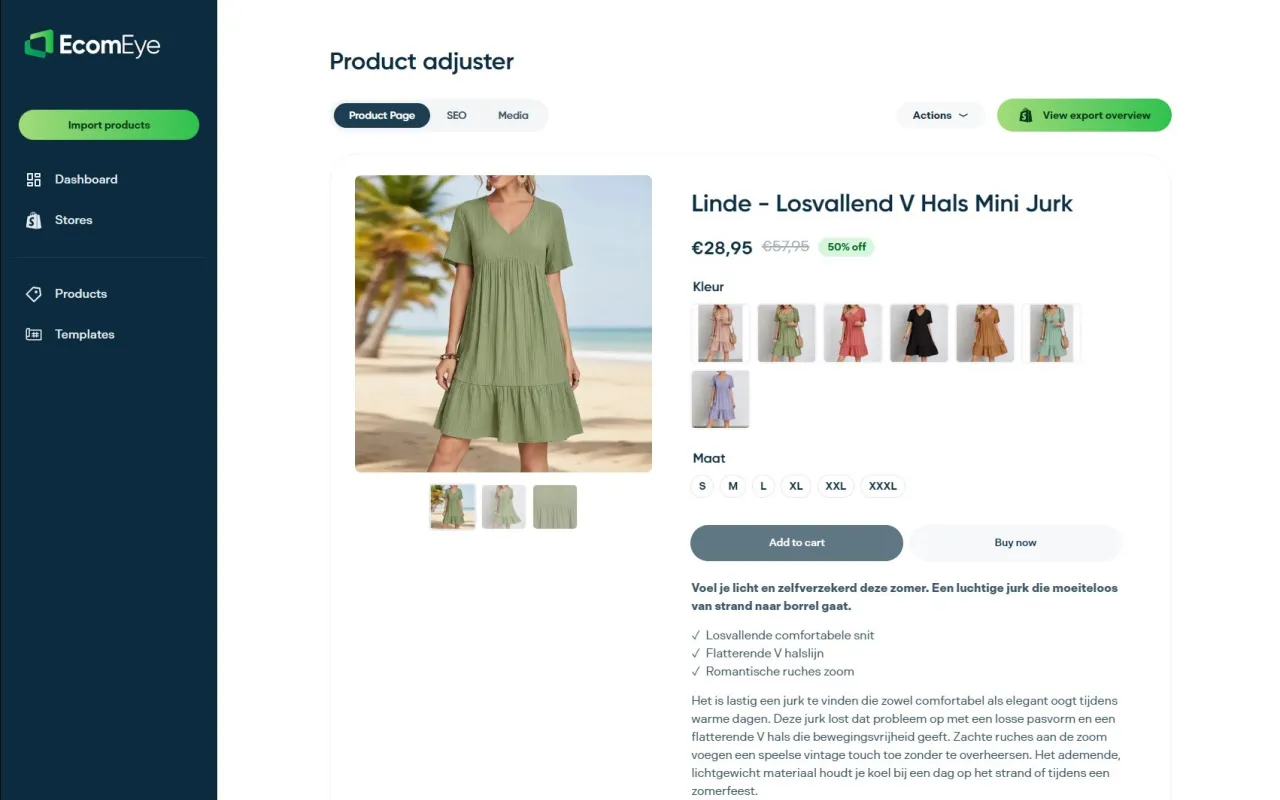
Start with a pilot of your top 100 SKUs and measure the SEO lift over 60–90 days. The SEO product descriptions feature handles the copy; the AI image generator handles the visuals. Both are available on a pay-as-you-go basis with no long-term commitment.
Useful sources
- Catalog Design and Printing: The Complete 2025 Guide — Gobook Printing — start here for print spec decisions (paper stock, binding, size).
- Maximise Product Catalog Management: Tips & Strategies — Scandiweb — best reference for PIM planning, attribute standardisation, and the 80/20 enrichment rule.
- Product Catalog Design Tips — Flipsnack — practical layout guidance including the Bento Box pattern.
- Innovative Catalog Design Ideas — Executive Printing Corp — magalog editorial integration and engagement tactics.
- Catalog Printing Design Guide — Aura Print — print production specs, gutter margins, and binding guidance.
- Make a Catalog — Pagination — automation vs. desktop publishing decision logic.
- Examples of AI in Ecommerce: 2026 Practical Guide — Solaya — AI image generation and automation examples across e-commerce workflows.
FAQ
What makes a product catalogue unique for SEO?
Unique titles, original descriptions above 50 words, and Product schema markup on every page. Copied manufacturer copy is the primary cause of duplicate-content penalties and Google Merchant disapprovals.
How many SKUs should you enrich manually?
Focus manual or high-quality AI enrichment on the highest priority SKUs first. These typically represent the majority of conversions, so the SEO and conversion gains appear within 60–90 days.
Can Ecom-eye generate catalogue pages in bulk?
Yes. Ecom-eye imports product data from AliExpress, Amazon, Temu, or competitor Shopify links and generates unique SEO titles, descriptions, and AI product images, then exports directly to Shopify in one click.
What causes Google Merchant Centre disapprovals?
The most common causes are missing GTINs, mismatched prices between the feed and the product page, non-crawlable images, and descriptions below the minimum length. Run a feed test before bulk publishing.
How long does it take to build a catalogue with automation?
A pilot batch of 100 SKUs typically takes one to two weeks end to end, including template setup and QA. Subsequent batches run faster once the pipeline is established.
Ready to boost your product pages?
Generate high-converting, SEO-optimized product pages in bulk using AI automation used by e-commerce experts.
No credit card required