Shopify hreflang for devs: Liquid patterns and a ten minute check
For Shopify developers: confirm Markets injects hreflang, use exact Liquid snippets to emit alternates, and run a ten minute checklist.

Shopify hreflang for devs: Liquid patterns and a ten minute check

Shopify Markets injects hreflang tags automatically for subfolder-based markets on Online Store 2.0 themes, provided translations are published and content_for_header sits untouched in your theme layout. It falls short the moment you run separate stores, country-code domains or subdomains, older themes, or translation apps that publish outside Markets. This guide covers verification, exact Liquid patterns and the fixes for when tags go missing or conflict.
TL;DR:
- Shopify automatically generates hreflang tags for local subfolder markets on Online Store 2.0 themes if the
content_for_headertag remains in the theme layout and translations are published.- Custom stores, country code domains, subdomains, and translation apps outside Shopify Markets require manual Liquid coding or dedicated apps to implement hreflang tags correctly.
- Verification using page source, Google Search Console, and URL checks is essential to ensure hreflang tags are accurate and properly reciprocal across your site.
- Common errors include missing reciprocity, canonical mismatches, invalid language codes, broken alternates, and duplicate tags from multiple sources.
- Bulk translation workflows and automated URL generation help maintain hreflang consistency across large catalogs, reducing errors and simplifying international scaling.
Table of Contents
- How Shopify’s automatic hreflang generation actually works
- When you’ll need manual hreflang or an app
- How do you verify hreflang tags are rendering correctly?
- Manual implementation patterns and Liquid you can adapt
- Validation tools and how often to check them
- Common hreflang errors and how to fix them
- EcomEye’s view: automating bulk multilingual pages without the drift
- What matters most in the first week after launching a new market
- Scale multilingual pages without the manual cleanup
- Sources
- FAQ
How Shopify’s automatic hreflang generation actually works
content_for_header is the theme object where Shopify quietly drops hreflang markup into your page <head>. It only works if that Liquid tag remains in layout/theme.liquid, untouched by a theme customisation gone wrong.
Once it’s in place, Markets does the rest. Publish a locale, and Shopify generates alternate links for that market automatically, setting x-default and including matching entries in your sitemap. That sitemap coverage matters because Google cross-checks the sitemap against the HTML head, and any mismatch between the two undermines both.
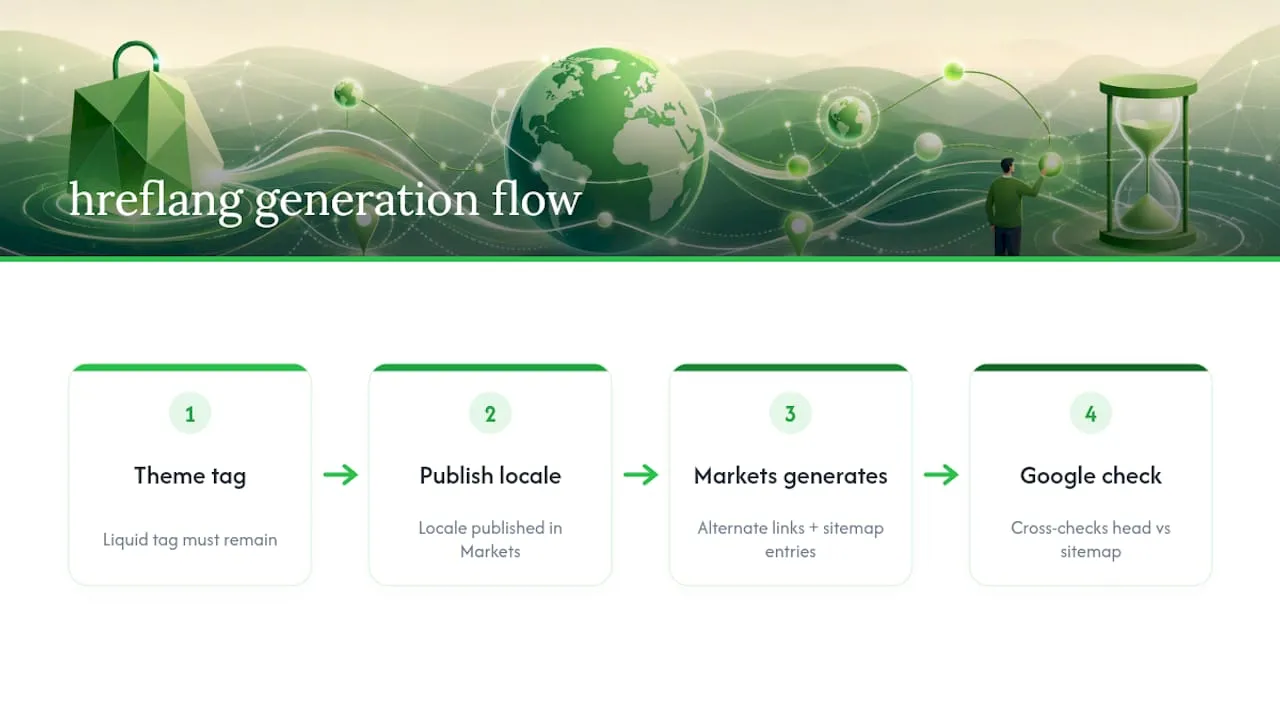
Coverage extends across homepages, product pages, collection pages, blog posts and standalone pages, but only for locales you’ve actually published. A translated product that’s still sitting in draft won’t get an hreflang entry, no matter how complete the translation looks in your admin. Markets reads published state, not translation progress.
When you’ll need manual hreflang or an app
Markets was built to link locales within a single Shopify store. It wasn’t built to link stores to each other, and that’s where most manual work starts.
- Multi-store setups need manual mapping or a dedicated app, because Shopify doesn’t natively link separate stores even when they’re run by the same merchant for different regions.
- Country-code domains and subdomains (think
.deorde.yourstore.comrunning independently) fall outside Markets’ automatic reach entirely. - Translation apps sometimes inject their own hreflang tags alongside Shopify’s, and running two sources at once produces duplicate or contradictory markup.
Before writing a single line of Liquid, check your rendered page source for existing tags. If they’re already there and correct, you don’t need to touch anything. If they’re missing, wrong, or duplicated, identify which system is (or isn’t) injecting them before you add more code on top.
How do you verify hreflang tags are rendering correctly?
Verification takes ten minutes and saves you from shipping broken international SEO. Run through this before assuming Markets has done its job:
- View page source (not just the rendered DOM) on a localised URL and search for
hreflang. - Confirm an
x-defaultentry exists and that the page links to itself as one of the alternates. - Open every alternate
hrefin a new tab and confirm it returns a 200 status, isn’t redirecting, and carries nonoindextag. - Check that
canonical_urlon each localised page points to itself, not back to your default language version. - Cross-reference with Google Search Console: register each market as a property where relevant, then use URL Inspection to see which canonical and alternates Google has actually indexed.
Search Console is the authoritative check here. Page source tells you what you shipped; Search Console tells you what Google believed.
Pro Tip: Run the URL Inspection check on a page you changed at least 48 hours ago, not one you just published. Google needs time to recrawl, and checking too early makes a working setup look broken.
Manual implementation patterns and Liquid you can adapt
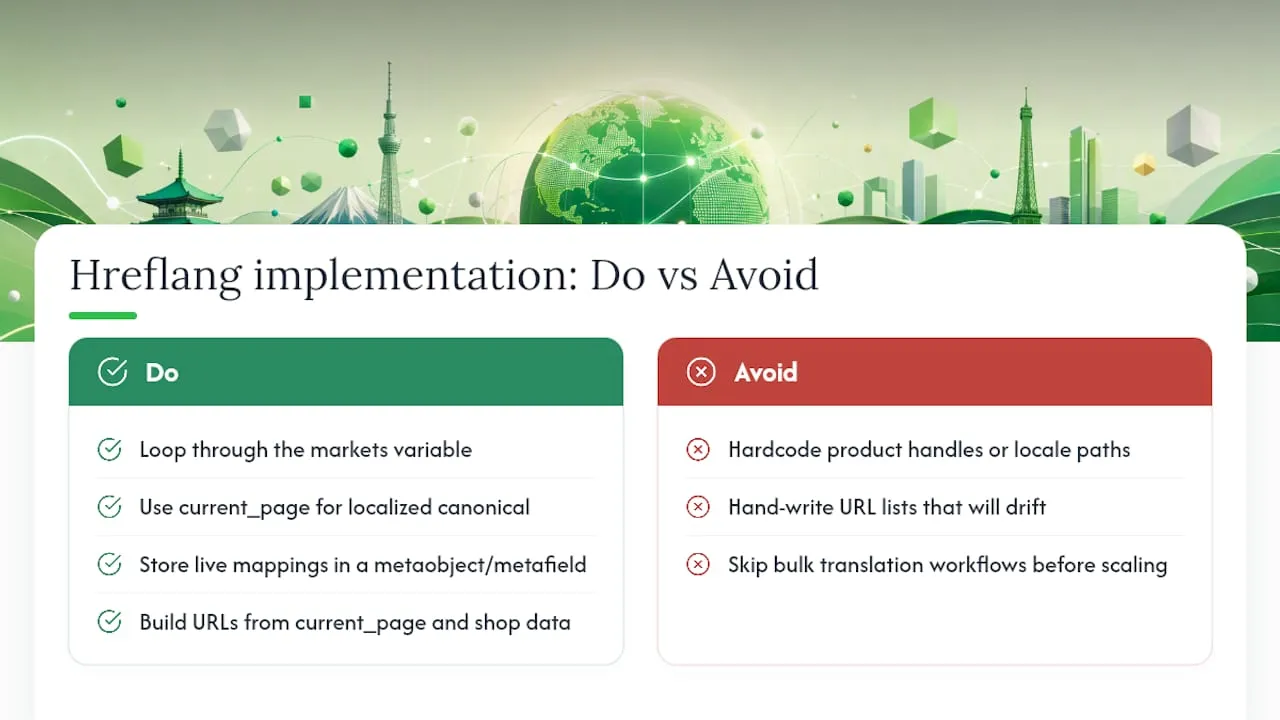
For Markets subfolders, the safest approach is looping through localization.alternate_versions rather than hand-writing URLs for each locale. This keeps tags in sync automatically as you add or remove markets:
{% for alternate in localization.alternate_versions %}
  <link rel="alternate" hreflang="{{ alternate.iso_code }}" href="{{ alternate.url }}" />
{% endfor %}
<link rel="alternate" hreflang="x-default" href="{{ shop.url }}{{ canonical_url }}" />
<link rel="canonical" href="{{ canonical_url }}" />
That canonical_url variable is doing quiet but critical work. It resolves to the current page in its current locale, so the canonical always self-references correctly rather than pointing back to a default-language URL by accident.
The real risk with multi-store setups isn’t writing the Liquid, it’s letting the URLs drift out of sync with reality. A metaobject or metafield acting as a central manifest, storing the live mapping between a product on Store A and its equivalent on Store B, lets you emit alternate URLs from actual current data instead of a list someone wrote six months ago and forgot to update.
Never hardcode a product handle or a locale path into your hreflang markup. Handles change when titles change, markets get added, and a hardcoded string doesn’t know either has happened. Build from canonical_url and shop data, and the tags stay honest even when your catalogue doesn’t.
For deeper detail on keeping translated handles consistent at scale, bulk translation workflows are worth reviewing before you scale past a handful of markets.
Validation tools and how often to check them
Manual page-source checks work for one URL at a time. Auditing hundreds of localised pages needs proper tooling.
- Screaming Frog’s hreflang report, run with JavaScript rendering enabled, flags missing reciprocal links, invalid language codes and orphaned alternates across your whole site in one crawl.
- Google Search Console remains the only source that shows which canonical Google actually selected, via International Targeting and URL Inspection.
- Standalone hreflang validators are useful for quick spot checks on individual pages without running a full crawl.
Audit intensively for the first week or two after launching a new market, then drop to a monthly check, or an immediate check after any bulk product update. Bulk edits are where drift creeps in fastest, since hundreds of URLs can shift at once without anyone noticing until rankings drop.
Common hreflang errors and how to fix them
Roughly 75% of sites using hreflang carry at least one implementation error and Shopify stores are no exception. The failure modes repeat often enough that most are quick to diagnose once you know what to look for.
- Missing reciprocity. If Page A links to Page B but Page B doesn’t link back, Google may disregard the whole cluster. Emit the full alternate set on every variant, not just the primary one.
- Canonical mismatch. This is the single most invisible failure: a localised page’s canonical still points to the default-language URL, so Google trusts the canonical and ignores hreflang entirely. Set each localised page’s canonical to itself.
- Malformed codes.
en-UKis not valid; it’sen-GB. Validate every code against the BCP 47 standard rather than guessing. - Broken alternates. Any
hrefthat redirects, 404s, or carries anoindextag breaks the pair. Every alternate must return 200 and be indexable. - Tag bloat from apps. When a translation app and your theme both inject hreflang, pick one source of truth and disable the other.
EcomEye’s view: automating bulk multilingual pages without the drift
Hand-managing hreflang across dozens of translated products is where most stores lose control, not on day one but three months in in. Some platforms generate unique, SEO-ready product pages in bulk across languages, which sidesteps the duplicate-content risk that trips up manual translation work.
Because slugs and published translations are created and published together through one workflow, the URLs your hreflang tags reference stay live rather than quietly rotting into 404s. That consistency is the difference between an international launch that holds up under a Screaming Frog audit six months later and one that needs constant firefighting.
What matters most in the first week after launching a new market
Reciprocity, self-referencing canonicals, and a correctly targeted x-default come before anything else. Get those three right and most other issues are cosmetic.
Favour dynamic Liquid emission from localization.alternate_versions or a live manifest over anything hardcoded. Then run a Screaming Frog crawl, resubmit your sitemap to Search Console, and check back in a week rather than assuming silence means success.
— Koen
Scale multilingual pages without the manual cleanup
EcomEye is the alternative to hand-translating and re-publishing every product page when you open a new market: instead of exporting, translating, checking slugs and re-uploading one by one, you import from AliExpress, Amazon, Temu or a competitor link and generate unique, SEO-ready copy and images in bulk, in multiple languages, ready to export to Shopify.
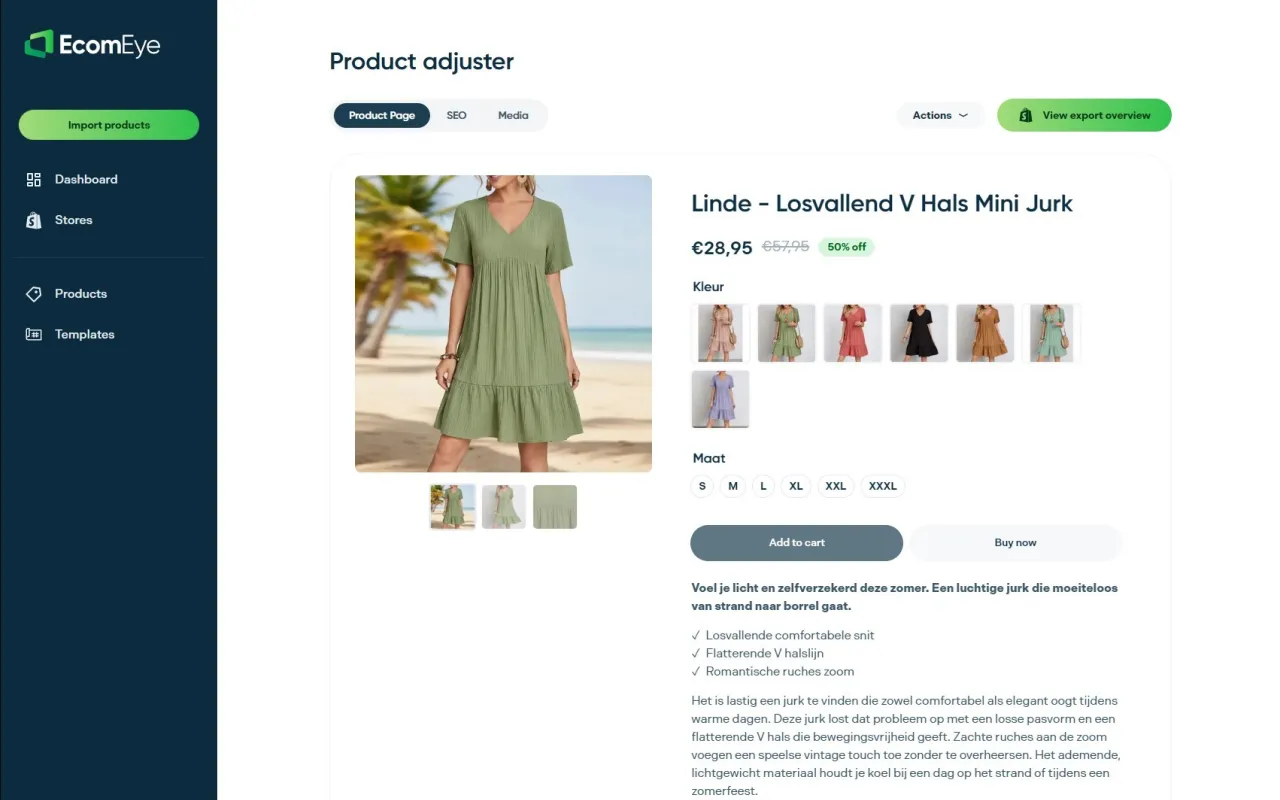
That matters for hreflang specifically because broken alternates almost always trace back to a translated page that got abandoned mid-publish or a slug that changed without anyone updating the reference. Bulk generation keeps titles, descriptions and images tied to the same product record across every locale, so what your hreflang tags point to is what’s actually live. The AI product description generator and AI product image generator handle the content side, so you’re not manually rewriting copy per market and risking duplicate-content flags on top of hreflang errors.
Try the Try-out plan at €39 per month or Scaler at €99 per month to see how bulk generation holds up against your own product catalogue before your next market launch.
Sources
- How to Correctly Implement Hreflang with Shopify Markets (with Code Examples) — 1Digital® Agency
- Hreflang Shopify setup guide — Sentinu Solutions
FAQ
Does Shopify automatically add hreflang tags?
Yes, for stores using Shopify Markets with subfolder locales on an Online Store 2.0 theme, provided content_for_header remains in your theme layout. Country domains, subdomains and separate multi-store setups still need manual Liquid or an app.
Why are my hreflang tags missing after publishing a translation?
The most common cause is an unpublished translation still sitting in draft, since Markets only emits tags for published locales. Check next whether a translation app is overwriting content_for_header, or whether the theme layout was edited and the tag removed.
What’s the difference between hreflang for subdirectories and country domains?
Subdirectory markets under Shopify Markets get automatic hreflang generation built in. Country-code domains and subdomains sit outside that automation entirely, so reciprocal links must be added manually via Liquid or maintained through a cross-store app.
How do I fix a canonical and hreflang mismatch?
Set each localised page’s canonical_url to reference itself rather than the default-language version. This single fix resolves the most common invisible cause of Google ignoring an entire hreflang cluster.
Can EcomEye help manage hreflang consistency across markets?
EcomEye doesn’t write hreflang tags directly, but its bulk translation workflow keeps published product pages and slugs consistent across locales, which reduces the broken or orphaned alternates that cause hreflang failures. Current pricing for the Try-out and Scaler plans is available on the EcomEye site.
Ready to boost your product pages?
Generate high-converting, SEO-optimized product pages in bulk using AI automation used by e-commerce experts.
No credit card required