Scale Shopify Product Translation to 20 Locales for Merchants & Devs
Scale Shopify product translation safely. Practical steps for merchants and developers to use Translate & Adapt, bulk CSV, or the GraphQL API, plus SEO...

Scale Shopify Product Translation to 20 Locales for Merchants & Devs

Translate Shopify product content using one of three routes: the native Translate & Adapt app, a third-party translation app, or a bulk CSV/API workflow. Small catalogues do best with Translate & Adapt. Large, frequently updated catalogues need a managed CSV pipeline or a developer‑built API workflow so translations stay inside Shopify rather than bolted on through a proxy. Below: the exact steps, the limits nobody mentions upfront, and the SEO checks that stop translated pages disappearing from search.
TL;DR:
- Shopify’s native Translate & Adapt is best for small catalogues with infrequent updates, supporting up to two languages with machine auto-translate needing human review.
- Large or frequently updated stores should consider bulk CSV workflows or API automation to maintain control and avoid recurring app fees, but must watch for column misalignment risks.
- Translating URL handles manually is crucial because changing them post-publish can break SEO and search rankings without proper redirects.
- Shopify supports up to 20 languages, but auto-translation in Translate & Adapt caps at two, requiring external tools for broader language coverage.
- Dropshippers often fail at translation by copying supplier descriptions directly, risking duplicate content and SEO penalties, which effective glossary management can prevent.
Table of Contents
- Three ways to approach Shopify product translation
- How do you use Shopify Translate & Adapt?
- Running a bulk CSV translation workflow for large catalogues
- Automating translation with the GraphQL Admin API
- What happens to SEO and URLs after you publish a language?
- Where Shopify translation hits its limits
- Building a localisation process that actually converts
- Why dropshippers get localisation wrong
- Automate bulk translation without the CSV headaches
- Sources
- FAQ
Three ways to approach Shopify product translation
Every merchant translating a Shopify store ends up choosing between three routes, and the right one depends on catalogue size, budget, and how much control you need over the final text.
Shopify Translate & Adapt is free, built into the admin, and stores translations natively inside Shopify. It suits stores with a few dozen to a few hundred products where a human can realistically review every line.
Third-party translation apps connect via proxy and often translate faster across many languages at once. The trade-off is that translations can live outside Shopify’s own data structure and usually carry recurring fees tied to word count or pageviews, which adds up fast on a catalogue that changes weekly.
Bulk CSV or API workflows give you the most control and keep everything native to Shopify, but they demand a disciplined process. Get the column mapping wrong and you risk corrupting SKUs, prices, or product handles.
A two-minute decision checklist:
- For stores with a relatively small number of products and infrequent updates, Translate & Adapt is recommended.
- Hundreds or thousands of SKUs, updated often? Use bulk CSV with a locked glossary.
- Have a developer on staff and need automation across markets? Build against the GraphQL Admin API.
- Need five languages live by Friday with no internal review capacity? A third-party app buys speed at the cost of long-term data ownership.
How do you use Shopify Translate & Adapt?
Translate & Adapt is Shopify’s own translation editor, and it is the right starting point for most stores testing a second language for the first time.
- Enable a language first. Go to Settings > Languages, or set it up through Shopify Markets if you are targeting a specific region, then install Translate & Adapt from the app section.
- Open the side-by-side editor. Every product, collection, and page appears with source text on the left and an editable field on the right, so you can see the original while you write the translation.
- Run auto-translate if you want a starting draft. The feature is capped at two languages, and Shopify is explicit that machine output needs human review before it goes live, not blind publishing.
- Check which fields are editable. Titles and body HTML translate cleanly. SEO title and meta description only appear as separate fields if you have customised them; otherwise Shopify falls back to the source language version.
- Translate URL handles manually. This is the step most merchants skip, and it is also the one most likely to break something later.
Pro Tip: Never touch a product handle after publishing a translated URL. Shopify does not automatically redirect the old handle to the new one, and that single change can quietly kill weeks of accumulated search rankings on that page.
Checkout and order notification translations only display automatically once the buyer’s browser language matches a language you have published, according to Shopify’s own localisation documentation. Test this by switching your own browser language before assuming it works.
Running a bulk CSV translation workflow for large catalogues
CSV is the unglamorous route, and it is also the one that scales without ongoing app fees eating into margin. Large stores commonly keep translated data inside Shopify through CSV rather than a proxy app precisely because it avoids recurring per-word charges as the catalogue grows.
- Export the full product CSV from Shopify admin, then isolate only the columns you actually need to translate: title, body (HTML), and the SEO title and description fields.
- Leave structural columns untouched. Handle, SKU, price, and image src must stay exactly as exported, or you risk re-importing duplicate products instead of updating existing ones.
- Translate the isolated columns, either through a human translator or a controlled AI pass, and enforce a glossary so brand names, product model numbers, and fixed phrases never get mangled by machine translation.
- Reimport the file and immediately spot-check a sample of live product pages, not just the CSV itself.
- Flag anything that looks outdated. If the source product description changes after translation, that translated row becomes stale, and stale translations are worse for trust than no translation at all.
Pro Tip: Keep a locked glossary spreadsheet alongside every CSV export. One mistranslated brand term across 3,000 products is far more damaging than one typo on a single page.
The most common failure mode is column drift: a translator opens the file in a spreadsheet tool that reorders columns, then the reimport maps text into the wrong field. Run a small batch of ten products first, verify every field lands correctly, then scale to the full catalogue.
Automating translation with the GraphQL Admin API
Developers building translation automation should work directly with the GraphQL Admin API rather than fighting CSV exports for every update cycle. Two calls matter most: translatableResources to pull existing content, and translationsRegister to write translations back against a specific resource and locale.
- Every write to
translationsRegisterrequires atranslatableContentDigest, a checksum confirming you are translating against the current version of the source content, not an outdated one. - Shopify caps stores at 20 published locales, which is generous for most merchants but worth checking before you plan a market expansion.
- Some fields, tags among them, simply do not support translation at all, and no API call will change that.
- On the storefront side, use the
@inContextdirective with the Storefront API so queries return language-specific fields automatically, and carts get created in the customer’s own language rather than defaulting to the store’s primary locale.
Build the sync as a scheduled job rather than a one-off script. Every time source content changes, set an outdated flag on the corresponding translation so nothing goes stale silently. Retry logic matters here too: a failed digest check should trigger a re-fetch and re-attempt, not a skipped translation that quietly leaves a product page half-translated.
What happens to SEO and URLs after you publish a language?
Shopify handles most of the technical SEO plumbing automatically once you publish a language, but it is worth verifying rather than assuming.
- Shopify generates language subfolders (such as
/fr/or/de/) and automatically inserts hreflang tags across published languages, telling search engines which version to show which audience. - Translating URL slugs helps local relevance and click-through in search results, but it demands careful canonical and redirect management. An untranslated fallback slug is safer than a translated one nobody remembers to redirect.
- Check your sitemap.xml a day or two after publishing a new language to confirm the translated URLs appear, then check Google Search Console for indexing status on a handful of pages.
- If you have customised SEO title and meta description fields, verify they translated. Fields left at default silently inherit the source language text.
Pro Tip: Search Console will show translated pages as “duplicate without user-selected canonical” if hreflang isn’t configured correctly. Catch this in week one, not month three.
A partner guide on fashion brand SEO makes a similar point about regional content adaptation: translation that ignores local search behaviour and phrasing conventions rarely performs as well as content genuinely rewritten for that market’s search intent, even when the grammar is flawless.

Where Shopify translation hits its limits
A handful of gaps trip up almost every merchant at some point.
- Collection filters and some third-party app content often sit outside Shopify’s native translation system entirely, meaning they stay in the source language regardless of what you translate elsewhere.
- Tags cannot be translated, full stop, regardless of which method you use.
- Auto-translate in Translate & Adapt caps out at two languages, so a five-market rollout means manual work or an external process for languages three through five.
- Changing a handle after publishing breaks language-specific redirects, one of the most common and most avoidable SEO mistakes on multilingual stores.
- Metafields have patchy translation support, and app proxy translations frequently sit outside Shopify’s own data model, complicating any future migration away from that app.
Building a localisation process that actually converts
Treat every translation as localisation, not word substitution. Units of measurement, spelling conventions, and even tone need adjusting per market, not just vocabulary. Shopify’s own app listing for Translate & Adapt makes this point directly: a side-by-side editor exists precisely because literal machine output rarely reads naturally to a native speaker.
- Build a glossary before you translate a single product, covering brand names, size systems, and any phrase that must never vary between markets.
- Sample-check live storefront and checkout pages after every batch, not just the CSV file or admin editor.
- Track which translations carry an “outdated” flag and clear that backlog on a schedule, weekly for high-turnover catalogues.
- Run a quarterly audit comparing source content against translated content to catch drift that accumulates from small edits nobody logged.
Pro Tip: Assign one person ownership of the glossary. The moment two people edit translation rules independently, brand consistency starts slipping within weeks.
Why dropshippers get localisation wrong
Most dropshippers who fail at translation made the same mistake earlier in their process: they copied supplier or competitor descriptions verbatim, creating duplicate content long before translation entered the picture. Translating a duplicated description into five languages just multiplies the Google Merchant risk fivefold. The merchants who scale cleanly preserve their CSV structure religiously, automate the boring parts, and enforce a glossary from day one rather than retrofitting one after brand terms have already been mistranslated across a thousand products.
— Koen
Automate bulk translation without the CSV headaches
If the CSV workflow above sounds solid but the manual translation, glossary enforcement, and column checking sound like a full-time job, that is the exact gap Ecom-eye is built to close. A platform generates unique, SEO-ready product titles and descriptions in bulk, in multiple languages, directly from AliExpress, Amazon, Temu, or competitor Shopify links, then exports the finished pages straight to your store in one click.
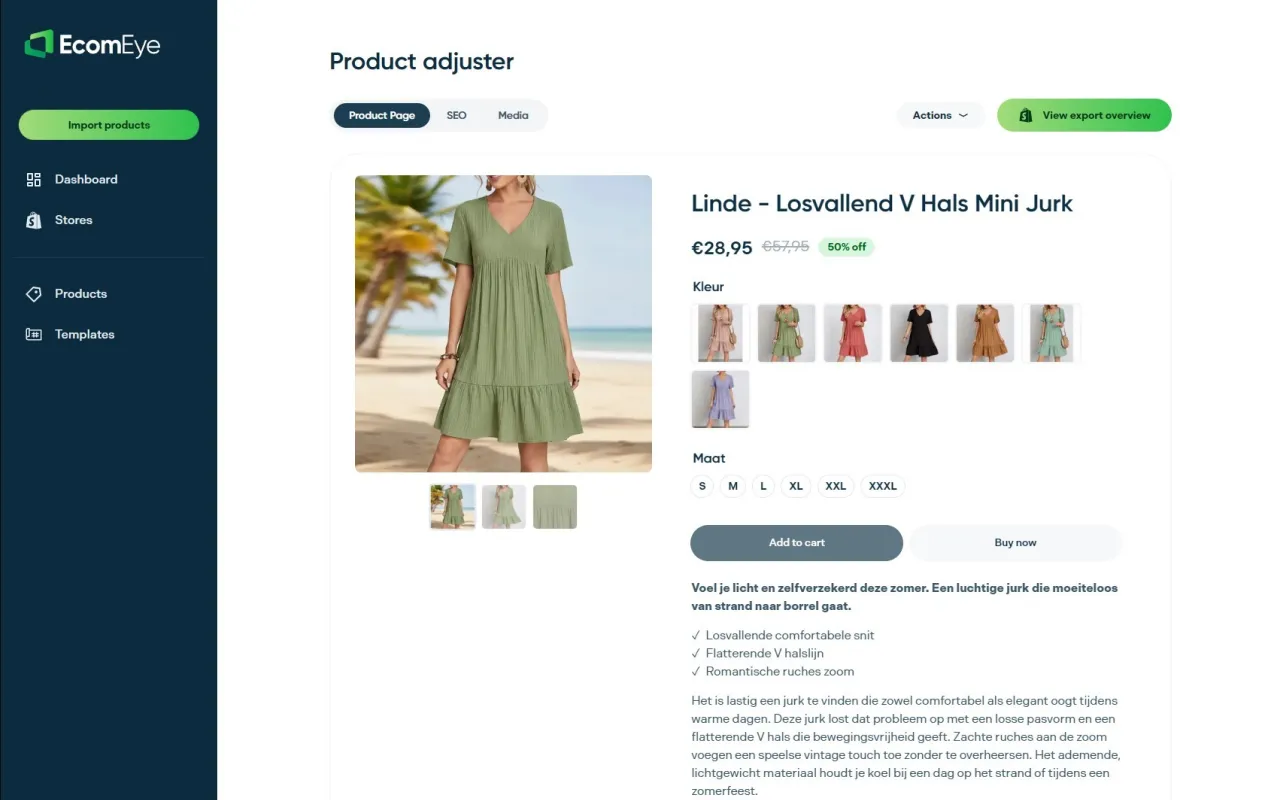
That matters most for dropshippers and merchants running large catalogues that update constantly, exactly the scenario where manual CSV translation becomes unsustainable and third-party proxy apps get expensive fast. Instead of translating a copied supplier description, the tool writes an original, copyright-safe version in each target language from the start, avoiding the duplicate-content problem before it ever reaches your storefront. Pair it with the AI product image generator for visuals that match your translated copy market by market. Start with a small batch of your slowest-moving SKUs, run them through the AI product description generator, and compare the output against your current CSV process before committing your full catalogue.
Sources
- Localization and translation — Shopify Help Center
- Add language translations using the Translate & Adapt app — Shopify Help Center
- Manage translations of merchant‑provided content — Shopify developer docs
- How to make a Shopify store multilingual (And the CSV gap nobody talks about) — AI‑Glot blog
FAQ
Does Shopify have a translation app?
Yes. Shopify’s own Translate & Adapt app is free, built into the admin, and lets you manually translate products, collections, and pages or auto-translate up to two languages before review.
How do I edit the language on Shopify?
Go to Settings > Languages in your Shopify admin, or configure it through Shopify Markets if you are targeting a specific region, then use Translate & Adapt’s side-by-side editor to write or review each translation.
Can I translate product handles and URLs?
Yes, but Shopify requires you to edit handles manually, and doing so after a page is already indexed can break existing redirects unless you manage the canonical and redirect setup carefully.
What is the fastest way to translate a large Shopify catalogue?
A managed bulk CSV workflow, or a developer-built GraphQL Admin API integration, scales far better than manual editing once you are past a few hundred products, and tools like Ecom-eye can generate the translated descriptions in bulk before export.
Are there limits on how many languages Shopify supports?
Yes, Shopify allows up to 20 published locales per store, though auto-translate within Translate & Adapt is limited to two languages at a time.
Ready to boost your product pages?
Generate high-converting, SEO-optimized product pages in bulk using AI automation used by e-commerce experts.
No credit card required