Amazon Dropshippers: Get an LOA First to Remove Supplier Branding
Protect your Amazon listings by prioritizing paperwork: secure an LOA or manufacturer invoice, enforce packing slip rules, and replace supplier images...
Amazon Dropshippers: Get an LOA First to Remove Supplier Branding
Yes, but only under specific conditions: you need written rebranding rights from the manufacturer, or the product must be genuinely unbranded to start with. Simply stripping a logo from packaging or watermark from a photo does not make the product yours to rebrand. Before changing anything, confirm your rights in writing and check what your marketplace expects to see on packing slips, invoices and images.
TL;DR:
- Sellers must have written rebranding rights, such as a manufacturing agreement or LOA, before removing logos or watermarks from products or images.
- Documentation like invoices, LOAs, and contract clauses are essential to prove the right to rebrand and to pass Amazon reviews.
- Properly setting up shipping and packaging with no supplier branding requires explicit instructions for neutral packaging, unbranded slips, and accurate seller information.
- Removing watermarks from images does not transfer copyright or eliminate legal risks unless supported by a license or permission.
- Using supplier photos, packaging, or branding elements without proper rights can lead to listing suspensions or legal issues, emphasizing the importance of solid paperwork and compliant media.
Table of Contents
- Step-by-step checklist to remove supplier branding
- Marketplace and legal compliance: Amazon rules, invoices and rebranding risk
- Packaging and shipping: removing supplier branding from the customer experience
- Image and media remediation: cleaning supplier photos and avoiding IP problems
- Manufacturer agreements, invoices and the paperwork you must collect
- How EcomEye helps replace supplier images and generate compliant product pages
- Common mistakes sellers make and simple safeguards
- How EcomEye helps with the content side of unbranding
- Sources
- FAQ
Step-by-step checklist to remove supplier branding
Removing supplier branding is a paperwork job first and a design job second. Skip the paperwork and you risk a suspended listing even if the new packaging looks perfect.
Work through these steps in order:
- Check the product’s status. Is it genuinely unbranded stock, or does it carry a manufacturer’s name, logo or trademark somewhere on the item or packaging?
- Secure written rebranding rights. If the product carries any branding, you need a manufacturing agreement or a Letter of Authorisation (LOA) that explicitly permits you to rebrand and resell it.
- Send a supplier request. Ask in writing for neutral packaging, no promotional inserts, and the exact removal of named branded elements, down to the logo on the box flap or the sticker on the item itself.
- Set packing-slip and shipping rules. Your supplier’s shipment must show your business as the seller of record, not theirs.
- Replace the imagery. Swap supplier photos for licensed or newly generated images rather than editing out a watermark.
- File the evidence. Save every email, LOA and invoice somewhere a marketplace reviewer could find quickly if asked.
When writing to a supplier, be specific rather than polite-but-vague. A workable request reads something like: “Please ship this order with no company logo on the outer box, no promotional inserts or business cards, and a packing slip listing [your business name] as the sender.” Vague requests (“please keep it generic”) get inconsistent results across shipments.
Your packing slip and shipping paperwork need to show your business as the seller of record, with your name and return address.
- An order number that matches your own system, not the supplier’s internal reference
- No supplier contact details, website or promotional text anywhere on the slip
For images, you have three realistic options: request the supplier’s original photos under a written licence, commission new photography, or generate new images from the product’s specifications using a tool built for that purpose. Watermark removal is not one of these options, for reasons covered below.
Quality control is the step sellers skip most often. Keep a single folder, physical or cloud-based, with every LOA, manufacturing agreement, invoice and supplier email relevant to each product line. If a marketplace asks for proof during a review, the seller who can produce a document bundle in minutes looks nothing like the seller who has to search old email threads under pressure.
Pro Tip: Name your document files by ASIN or SKU, not by supplier, so you can pull the right paperwork the moment a listing gets flagged.
Marketplace and legal compliance: Amazon rules, invoices and rebranding risk
Amazon’s rules on supplier branding are specific and enforced automatically in places. Main product images must sit on a pure white background and carry no text, logo or graphic unrelated to the product itself, and automated screening flags or suppresses listings that show supplier-stamped or watermarked photos.
Amazon’s screening does not distinguish between a careless mistake and a deliberate attempt to hide supplier branding. Both get caught.
Dropshipping itself is permitted, but only when the seller sending the goods is clearly acting as the seller of record on the paperwork that accompanies the order. Forum guidance on packing slips and dropshipping compliance states that order-specific packing slips and matching invoices are something Amazon may request during an audit, not an optional extra.
Private label listings carry a separate requirement. If you want to sell a generic item under your own brand, you generally need a manufacturing agreement that grants rebranding rights, and your invoices need to reflect your brand name, sometimes alongside a unique UPC.
This is where many sellers come unstuck:
- Distributor invoices alone frequently fail marketplace review because they show the wrong chain of custody
- A manufacturer-issued invoice or an LOA is the document that usually closes the gap
- Highlighted, ASIN-specific evidence speeds up any review because the reviewer does not have to hunt for the relevant line
If Amazon requests proof of your right to sell a rebranded product, respond with the manufacturing agreement or LOA first, the matching invoice second, and a short note explaining the supply chain only if asked. Reviewers work through volume, and a tidy submission gets resolved faster than a scattered one.
Packaging and shipping: removing supplier branding from the customer experience
Supplier branding shows up in two separate places, and sellers often fix one while missing the other. Product-level branding is what is printed, moulded or stickered onto the item itself. Logistics branding is everything the customer sees around the product: the outer box, the tape, the packing slip, any inserts.
Fixing the product without fixing the box solves half the problem.
When instructing a supplier or fulfilment partner to ship neutrally, be explicit about:
- The packing slip must show your business name and address, never the supplier’s
- The return address on the parcel must route back to you, not the original warehouse
- Tracking metadata and carrier labels should carry your account details, not a third-party reseller code
- No branded tape, stickers or printed boxes unless they are yours
Insist on order-specific packing slips rather than a generic template the supplier reuses for every customer. A generic slip is far more likely to contain a stray logo, a promotional QR code or a “powered by” line that gives away the real source of the goods. Store a copy of each one you receive, particularly for products you are actively scaling, since these are the first documents a marketplace reviewer asks for.
Watch for a few recurring red flags: promotional leaflets tucked inside the box, supplier business cards, and parcel photography (used in disputes or returns) that shows a visible supplier logo on the outer packaging. Any one of these can undo weeks of careful listing work.
Pro Tip: Ask a supplier for a photo of a sample package before your first live order ships. It is far easier to catch a stray logo on a test parcel than to explain it to a customer later.
Image and media remediation: cleaning supplier photos and avoiding IP problems
Running a supplier photo through an editing tool to erase a watermark feels like a quick fix, but it does not change who owns the image. A practitioner explanation of watermark removal and IP risk is blunt about this: cleaning an image does not transfer copyright, and sellers remain exposed to DMCA takedowns unless they hold or can document an actual licence to use it.
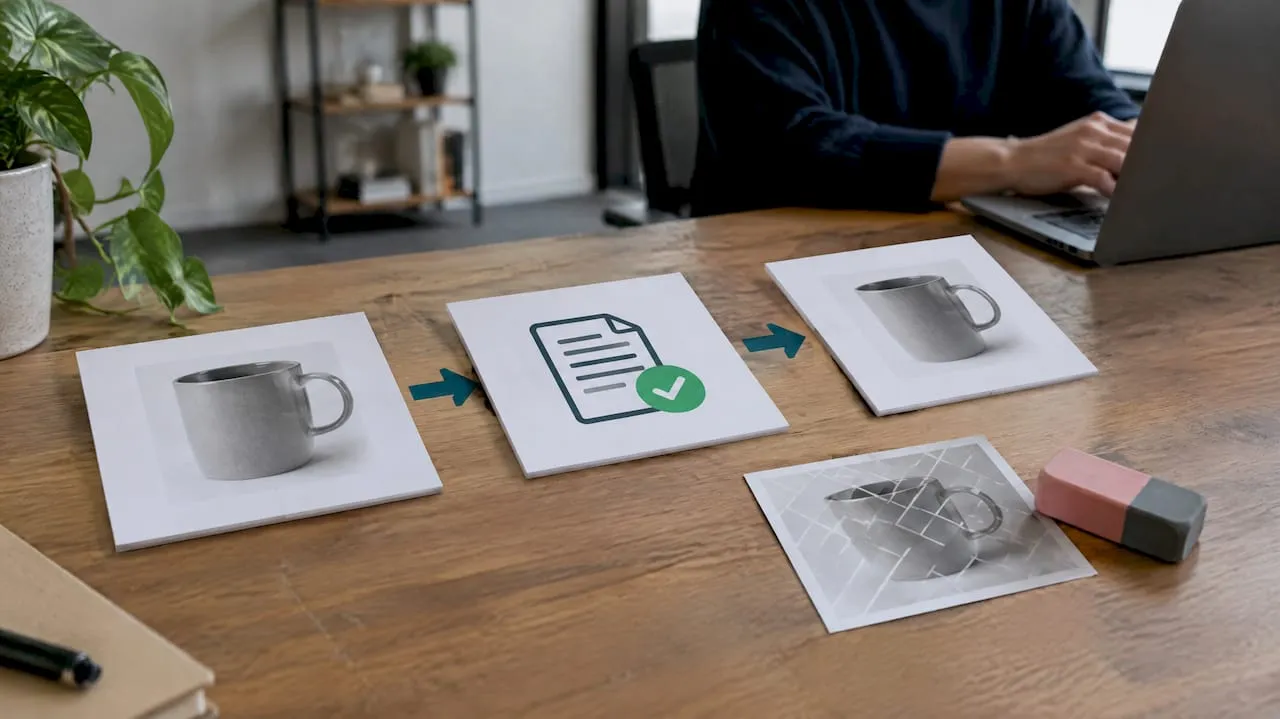
Removing a watermark changes how an image looks, not who owns it. Without a documented licence, the legal exposure is identical to using the original, watermarked file.
You have three realistic paths to a compliant image:
- Request the supplier’s original photos together with a written licence to use them commercially
- Commission new photography of the physical product
- Generate new images from the product’s specifications, with the generation process and rights documented
Amazon’s own technical rules reinforce why this matters beyond copyright. Main images need a pure white background with no text or graphics unrelated to the product, and automated screening checks for exactly these violations before a human ever sees the listing. A partner checklist on Amazon image requirements covers the pixel dimensions and framing rules in more detail, which is worth reviewing alongside EcomEye’s own notes on product image best practices for Shopify stores.
Keep a record for every image you use: the licence or permission it rests on, the source file, and the date you swapped it in. That log is what turns a rights dispute from a scramble into a five-minute lookup.
Manufacturer agreements, invoices and the paperwork you must collect
The single document that protects a rebranded listing is rarely the one sellers reach for first. Here is what actually needs to be in your file:
- A manufacturing agreement or rebranding clause, stating in plain terms that you hold the right to rebrand the product, with your contact details and invoice formatting matched to what the manufacturer will issue.
- A manufacturer invoice or Letter of Authorisation, because distributor invoices alone often fail Amazon review when the chain of custody is not clear from the paper trail.
- A document bundle prepared for review, with the relevant ASIN, dates and supplier contact highlighted so a marketplace reviewer does not have to search for them.
- A trademark check, before you touch any packaging, to confirm the product is not protected under a brand you have no agreement with. Rebranding a trademarked product without permission is not a grey area: it is the fastest way to a suspended account and a possible legal claim.
Experienced sellers on marketplace forums repeatedly point to the same lesson: the paperwork is the real protection, and the media fix is necessary but secondary. A pristine white-background image sitting on top of an undocumented supply chain still fails review.
How EcomEye helps replace supplier images and generate compliant product pages
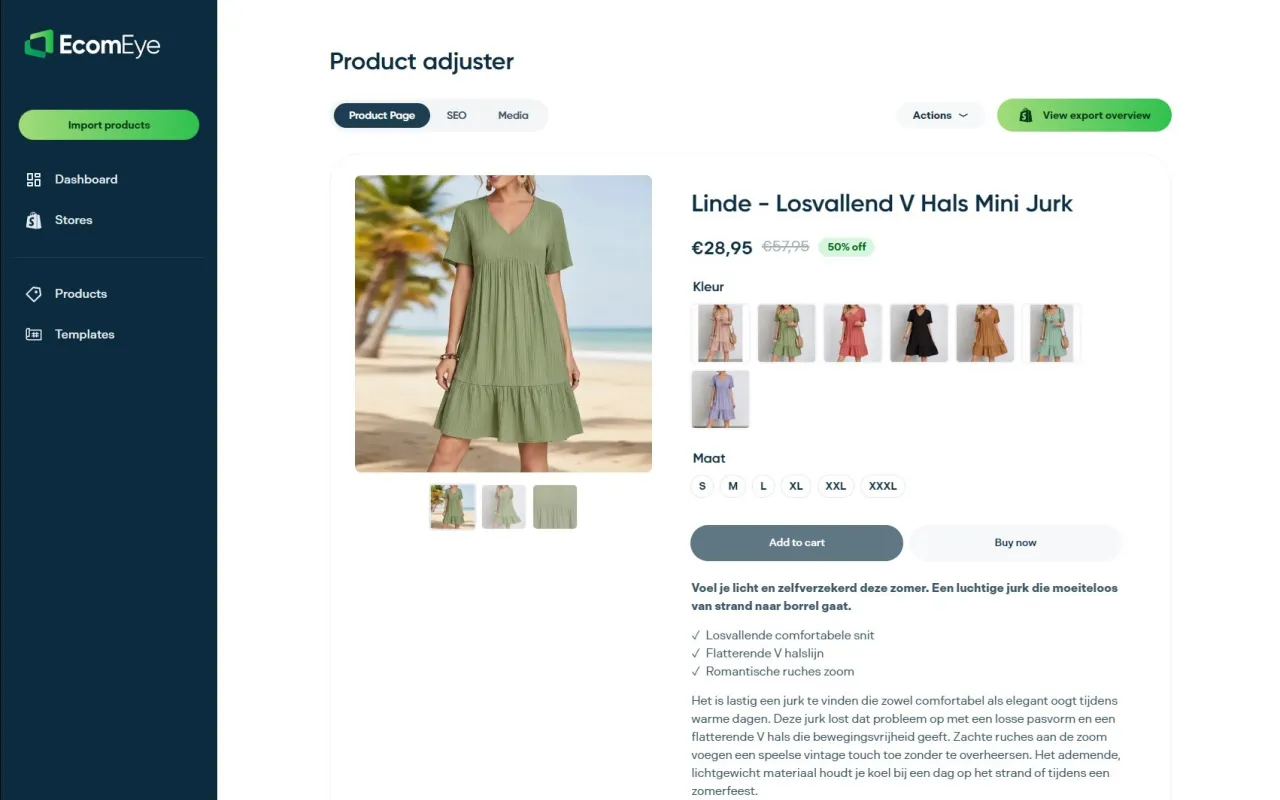
Once your paperwork is in order, the practical bottleneck is usually media and copy, especially if you are listing dozens of products at once. The platform can import a product link and generate a unique title, description, and set of AI product images designed to avoid duplicate-content and copyright issues that arise from reusing supplier photography or listing text.
A typical workflow looks like this:
- Import the supplier or competitor URL into EcomEye
- Generate compliant images and copy for the listing, then review for accuracy
- Export the finished page to Shopify in one click
- Pair the published listing with your separately held rebranding paperwork before listing on a marketplace
Pro Tip: Generate your images and copy only after your rebranding rights are confirmed. Unique content solves the duplication problem, not the ownership one.
This service handles the content and media side of the job: unique, SEO-ready pages without using watermark-removal shortcuts. It does not grant you rebranding rights over any product, and that paperwork still has to come from the supplier or manufacturer directly.
Common mistakes sellers make and simple safeguards
The sellers who get into trouble almost always made one of three mistakes: trusting a supplier’s verbal promise instead of getting it in writing, using a cleaned-up image without checking who owns it, or keeping no central record of any of it.
The fix is not complicated. Insist on documented rebranding rights before you list anything, store every invoice and LOA in one place tied to the ASIN, and replace media through a proper workflow rather than a quick edit.
— Koen
How EcomEye helps with the content side of unbranding
Once your rebranding rights are sorted, EcomEye takes the slow part off your plate:
- Bulk import product links from AliExpress, Amazon, Temu or competitor Shopify stores
- Generate unique, SEO-ready titles and descriptions through the AI product description generator
- Produce fresh product photography with the AI product image generator, with no watermark editing involved
- Export finished pages to Shopify in one click
Paperwork stays your responsibility. If you want to see how the content side works, check the pricing page for the Try-out plan at €39 per month or the Scaler plan at €99 per month, and start with a product line you already have rights to.
Sources
For details and appeals, check Amazon’s own seller-forum threads on image and branding rules and private label invoicing, alongside partner guidance on custom packaging options.
- Amazon seller forum discussion on image and branding rules
- Practitioner article explaining watermark removal and IP risk
FAQ
Can I legally remove a supplier’s logo from a product?
Only if you hold written rebranding rights from the manufacturer, such as a manufacturing agreement or Letter of Authorisation, or the item is genuinely unbranded. Removing a trademarked logo without that permission risks a listing suspension and possible legal claim.
Does removing a watermark from a photo remove copyright risk?
No. Editing out a watermark does not transfer ownership of the image, so you remain exposed to a DMCA takedown unless you hold a documented licence or permission from the rights holder.
What invoices does Amazon accept as proof of rebranding rights?
Amazon reviewers generally want a manufacturer-issued invoice or a Letter of Authorisation, because distributor invoices alone often lack a clear chain of custody back to the brand.
Is blind shipping the same as removing supplier branding?
No. Blind shipping only hides the supplier at the logistics level, such as the return address on a parcel, while the product itself may still carry the original branding. Private labelling, by contrast, changes ownership of the product’s branding and requires its own paperwork.
What should a main product image avoid to pass marketplace review?
A compliant main image needs a pure white background with no logos, text or graphics unrelated to the product, since automated screening checks for exactly these issues before a human reviewer sees the listing.
Ready to boost your product pages?
Generate high-converting, SEO-optimized product pages in bulk using AI automation used by e-commerce experts.
No credit card required