Launch 1–3 Languages First: Shopify Multilingual SEO via Markets
Get Shopify multilingual SEO right: enable Markets, translate titles and metadata, launch 1–3 languages, submit sitemaps, and run a 90 day validation plan.

Launch 1–3 Languages First: Shopify Multilingual SEO via Markets

Use Shopify Markets with subfolder URLs, and translate your titles, meta descriptions and highest-traffic product pages before touching anything else. That order matters more than most merchants realise. Get one to three language variants live, submit the sitemaps to Google Search Console, and only then think about scaling to five or ten languages. Everything else in a proper Shopify multilingual SEO strategy builds on that foundation.
TL;DR:
- Subfolder URLs are the best default structure for Shopify multilingual stores because they inherit domain authority and are easier to maintain.
- Shopify’s built-in Translate & Adapt tool automatically generates hreflang tags and subfolder URLs, but these should still be verified for correct implementation.
- Prioritize translating page titles, meta descriptions, alt text, and structured data, as search engines index these elements separately from visible content.
- Conduct local keyword research and avoid direct translation of search terms to improve visibility and ranking in target markets.
- Launch with one to three languages, focus on optimizing metadata and indexing first, before scaling to additional languages based on engagement metrics.
Table of Contents
- What is Shopify multilingual SEO, and how does it differ from international SEO?
- Choosing a URL structure on Shopify: why subfolders win
- How does Shopify Markets handle translation and hreflang?
- Translating pages and metadata: what actually needs your attention (multilingual SEO content helps ensure accurate translation and localization of metadata in multiple languages).
- How do you find the right keywords in each language?
- Hreflang, sitemaps and Search Console: validating what Shopify does automatically
- Which technical checks protect speed and conversion on translated pages?
- What should your first 90 days after launch look like?
- What most merchants get wrong about scaling this
- How Ecom-eye speeds up multilingual product listings
- Sources
- FAQ
What is Shopify multilingual SEO, and how does it differ from international SEO?
Multilingual SEO is the work of making translated versions of your store discoverable and rankable in search engines, language by language. International SEO is broader. It covers currency, shipping, legal compliance and market-specific product ranges across entire countries, not just the words on the page.
The distinction matters because store owners often conflate the two and end up solving the wrong problem. A German language page and a Germany-targeted market are related but not identical, since you might sell in German to Austrian and Swiss customers too, without needing separate country strategies for each.
Multilingual SEO solves three concrete problems for Shopify merchants:
- Language discovery: search engines can only rank a page in French results if the page is actually written in French, with French metadata, not just a translated product description sitting under English titles.
- Reduced friction: customers bounce fast from pages in a language they don’t read fluently, even when the layout and images are identical to the English version.
- Improved conversion: Shopify’s own guidance notes that shoppers convert more often when checkout and product content appear in their native language.
Track these per language, not just in aggregate: indexed pages in Search Console, impressions and clicks by market, and conversion rate against the English baseline. A language rollout that gets indexed but converts at half the rate of your primary store needs a translation quality audit, not more content.
Choosing a URL structure on Shopify: why subfolders win
Subfolders (yourstore.com/fr/) are the default recommendation for almost every Shopify store expanding into new languages. Shopify’s Markets feature builds them automatically once you add a language, and they consolidate your domain’s existing authority instead of splitting it across separate properties.
Subdomains (fr.yourstore.com) and country-code top-level domains (yourstore.fr) both fragment the SEO equity you’ve already built. A ccTLD in particular means starting from zero authority in Google’s eyes for that domain, plus separate hosting, separate backlink campaigns and separate technical maintenance. One detailed comparison of Shopify international SEO setups concludes that subfolders remain the standard default unless there’s a strong, revenue-backed reason to invest in a ccTLD.
That reason does exist in some cases. Here’s the honest breakdown:
- Subfolders: best default. Minimal extra technical overhead, inherits domain authority, easiest to maintain with a small team.
- Subdomains: occasionally useful if you’re running a genuinely separate storefront experience per region, but you lose some authority-sharing benefit.
- ccTLDs: only worth the cost if local trust signals are critical to conversion (some markets distrust foreign-registered domains) and you have the budget for a dedicated local SEO and backlink programme.
Run this checklist before deciding: what’s your SEO team’s bandwidth to manage multiple domains, does your target market show measurable distrust of non-local domains, and can you justify separate hosting and analytics costs against expected revenue from that market? For most stores launching their second or third language, the answer points straight back to subfolders.
How does Shopify Markets handle translation and hreflang?
Shopify Markets and its built-in Translate & Adapt tool are, as of mid-2026, available on every plan except Shopify Lite, and they let stores publish content in multiple languages under unique, locale-specific URLs without any custom development work. This is the single biggest reason Shopify has become a genuinely practical platform for multilingual e-commerce rather than something that needs a bolt-on translation app.
Once you add a language through Markets, Shopify handles two technical jobs automatically that used to require developer intervention: it generates the subfolder URL structure, and it adds hreflang tags to those pages so search engines know which language variant to serve which searcher.
Here’s the practical enablement sequence:
- Enable Markets from your Shopify admin and define your target regions or language groups.
- Add a language under Markets settings, which triggers Translate & Adapt to surface all translatable content, including theme strings, product fields and metadata.
- Check theme compatibility before translating anything, because older or heavily customised themes sometimes hardcode English strings that Translate & Adapt cannot reach.
- Translate priority content first, starting with your highest-traffic collections and product pages rather than working alphabetically through your catalogue.
- Publish the language and confirm the new subfolder is live and crawlable before moving to the next one.
One constraint worth flagging early: Translate & Adapt covers standard theme and product content well, but custom app blocks or third-party checkout extensions may not be picked up automatically. Test a translated page end-to-end, including checkout, before announcing the new language to customers.
Translating pages and metadata: what actually needs your attention (multilingual SEO content helps ensure accurate translation and localization of metadata in multiple languages).
Visible product copy is only half the job. Google reads titles, meta descriptions, image alt text and structured data separately from the body content, and a page with beautifully translated copy sitting under an English <title> tag rarely ranks well in that language’s search results.
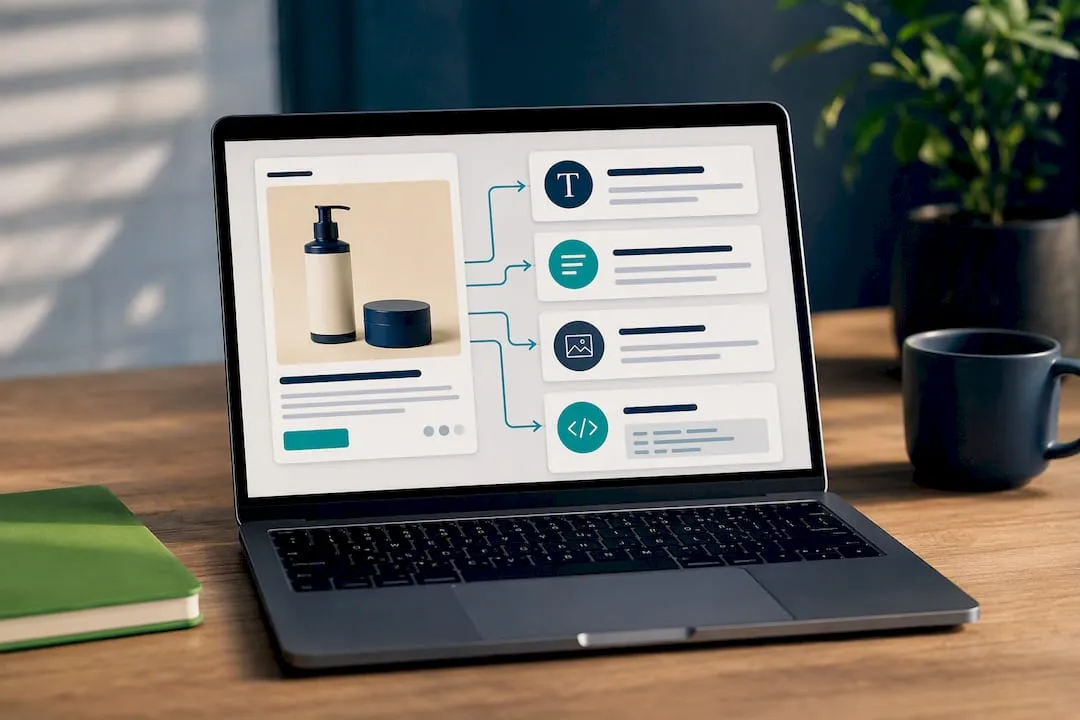
Untranslated metadata is one of the most common reasons translated pages underperform. Merchants translate the parts customers see and forget the parts search engines index first, according to a detailed guide on multi-language Shopify implementation.
Your translation checklist should cover:
- Page titles and meta descriptions, rewritten for the language, not machine-translated word for word.
- Alt text on product images, since alt text carries real search weight and is frequently skipped entirely.
- Structured data fields (product schema, review markup) where Shopify or your app supports localised output.
- URL slugs, which Shopify allows you to translate but which come with a trade-off: translated slugs can help local relevance, but changing them after a page has built history risks temporary ranking dips if redirects aren’t handled cleanly.
On workflow, three models tend to work in practice. Native human translators produce the highest-quality output but cost the most and take longest to scale across a full catalogue. Machine translation with native-speaker review is the middle ground, fast enough for large catalogues while catching the errors automated tools miss. Fully automated bulk generation with no review at all is fastest but risky, since even minor grammatical errors in metadata can undermine trust in markets where shoppers are already cautious about buying from a foreign-feeling store.
For a large catalogue, a staged approach usually beats trying to translate everything at once. Ecom-eye’s product page translation workflow is one example of a bulk approach designed to keep metadata and visible copy consistent across dozens of SKUs at once, rather than translating the two separately and letting them drift out of sync.
Pro Tip: Run a five-page pilot batch through your chosen workflow before committing your whole catalogue. Check the translated <title> tags in your page source, not just the rendered page, since that’s the one thing merchants forget to verify before publishing.
How do you find the right keywords in each language?
Literal translation of your English keywords is the single most common mistake in multilingual SEO, and it’s usually invisible until you check search volume. A phrase that ranks well in English often has zero search volume in its direct French or Spanish translation, because native speakers phrase the same intent differently.
Shopify’s own multilingual SEO guidance is explicit on this point: multilingual SEO requires linguistic, cultural and technical adaptation that goes well beyond swapping words, and that starts with researching how people in that market actually search. Antonio Santarsiero, writing for Shopify, frames this as adapting content to match local search behaviour rather than simply translating what already exists.
Practical tools and techniques for this stage:
- Google Keyword Planner, set to the target language and location, rather than left on your home market’s default settings.
- Native-language autocomplete, typing partial queries directly into Google in the target language to see what real searchers type next.
- Local keyword research tools built for specific markets, which often surface regional slang or product terms that direct translation misses entirely.
- Competitor analysis of locally established stores already ranking in that language, to see which terms they lead with in titles and headers.
A concrete example: an English store selling “running shoes” might find that the direct Spanish translation, “zapatos para correr”, has thin search volume compared with “zapatillas de running” or “zapatillas deportivas”, which is how Spanish speakers in several markets actually search. Layering the right term into your H1 and title tag, not just burying it in body copy, is what actually moves rankings.
Once a language variant is live, track keyword rankings separately per market using whichever rank-tracking tool you already use for your primary store, and compare click-through rate on translated titles against your English baseline. A big gap usually means the title still reads awkwardly to native speakers, even if the translation is technically correct.
Hreflang, sitemaps and Search Console: validating what Shopify does automatically
Shopify handles two technical pieces without any manual work: it generates hreflang tags across your language-specific URLs, and it includes every published language in your sitemap. Both matter enormously, because incorrect or missing hreflang is one of the fastest ways to trigger duplicate-content problems between language variants that are, technically, near-identical pages with different words on them.
That said, “automatic” doesn’t mean “unmonitored.” Run this validation sequence after every new language launch:
- Check hreflang return links. Every language variant should point back to every other variant, including itself, in a closed loop. A missing return link is the most common hreflang error and it silently breaks the whole cluster.
- Verify ISO language codes. Hreflang values must use correct ISO 639 codes, and mixing up regional variants (like using a generic code when a country-specific one is needed) confuses search engines about which audience a page targets.
- Confirm x-default is set if you’re serving a fallback page to unmatched languages, since without it search engines may guess incorrectly which version to show ambiguous searchers.
- Submit each language’s sitemap in Google Search Console as a separate property or path, so you can monitor indexing coverage per language rather than as one blended number.
- Watch the Coverage report weekly for the first month after launch, checking specifically for “duplicate without user-selected canonical” errors, which usually signal a hreflang misconfiguration rather than genuinely duplicate content.
Google Search Console remains the primary tool for tracking per-market index status, and it’s worth checking language-by-language rather than trusting the aggregate property view, which can hide a poorly indexed language behind a well-performing one.
Which technical checks protect speed and conversion on translated pages?
Every translated page adds weight if you’re not careful, and speed problems tend to compound across languages rather than staying isolated to one. A translation app that injects extra scripts on every page load, multiplied across five languages, can quietly push your Core Web Vitals into the red without any single change looking dramatic on its own.
Run through this before considering a language launch finished:
- Test the language switcher on mobile specifically, since poorly built selectors are a common source of accidental duplicate indexing when they generate crawlable links to every language from every page.
- Confirm checkout translation coverage. Shopify provides default translations for some checkout languages, but custom checkout extensions or apps often need separate configuration, per Shopify’s localisation documentation.
- Audit page speed per language variant individually, not just on your primary store, since translated pages sometimes load additional font files or scripts the English version doesn’t need.
- Flag any third-party app that doesn’t support translated fields. If a review app or upsell widget only displays English text, either find a multilingual alternative or hide that element on translated pages rather than shipping a half-translated experience.
Pro Tip: Run a PageSpeed Insights test on your English homepage and your busiest translated language homepage side by side. If the translated version scores noticeably worse, the culprit is almost always an app or font loading twice, once for each locale.
Shopify’s developer documentation is the right reference point when a theme or app genuinely doesn’t support the localisation features you need, since it lays out exactly what’s configurable at the theme level versus what requires custom development.
What should your first 90 days after launch look like?
Launch day itself should be short and mechanical. Confirm the sitemap includes the new language, verify hreflang return links are complete, and submit an indexing request for your top handful of pages directly in Search Console rather than waiting for Google to discover them organically.
From there, run a weekly rhythm for the first three months:
- Week 1: check Search Console Coverage daily for the new language path, watching specifically for pages stuck in “Discovered, currently not indexed.”
- Weeks 2 to 4: track impressions and clicks per language separately, and flag any page with zero impressions after two weeks for a metadata review.
- Month 2: compare conversion rate on translated pages against your English baseline; a large gap points to translation quality or checkout friction rather than an SEO problem.
- Month 2 to 3: begin building local backlinks and translated category content for the languages showing healthy indexing and engagement, and pause further translation investment in any language showing persistently low impressions.
- Month 3: review whether it’s time to expand to a fourth or fifth language, based on whether your first batch is converting well enough to justify the workload.
If a page sits unindexed after three weeks despite a clean sitemap submission, the fault is usually thin or duplicate-feeling content rather than a technical bug. Beefing up a translated category page with genuinely local content, not just a translated version of the English copy, tends to fix it faster than repeated re-submission requests. Ecom-eye’s multi-language workflow guide covers this staged rollout approach in more depth if you’re planning beyond your first three languages.
What most merchants get wrong about scaling this
The mistake I see most often is treating multilingual SEO as a translation project rather than a metadata project. Store owners will happily pay a translator for beautiful French product descriptions and then leave the title tag, meta description and alt text in English, because nobody told them those fields needed separate attention.
Start small: pick your two or three best-selling products, translate everything including the invisible fields, and watch how they perform for a month before touching the rest of the catalogue. Automated bulk generation earns its place once you’ve proven the metadata pattern works and you’re translating volume, not your flagship pages. Native review still matters most on the pages carrying the most traffic. Get those right first.
— Koen
How Ecom-eye speeds up multilingual product listings
The bottleneck in most multilingual rollouts isn’t strategy, it’s volume: translating and optimising metadata across hundreds of SKUs by hand simply doesn’t scale. Ecom-eye is built for exactly that gap. It imports products in bulk from AliExpress, Amazon, Temu or a competitor’s Shopify link, then generates unique titles, clean descriptions, SEO-ready copy and AI product images per listing, including multi-language versions, before exporting straight to Shopify in one click.
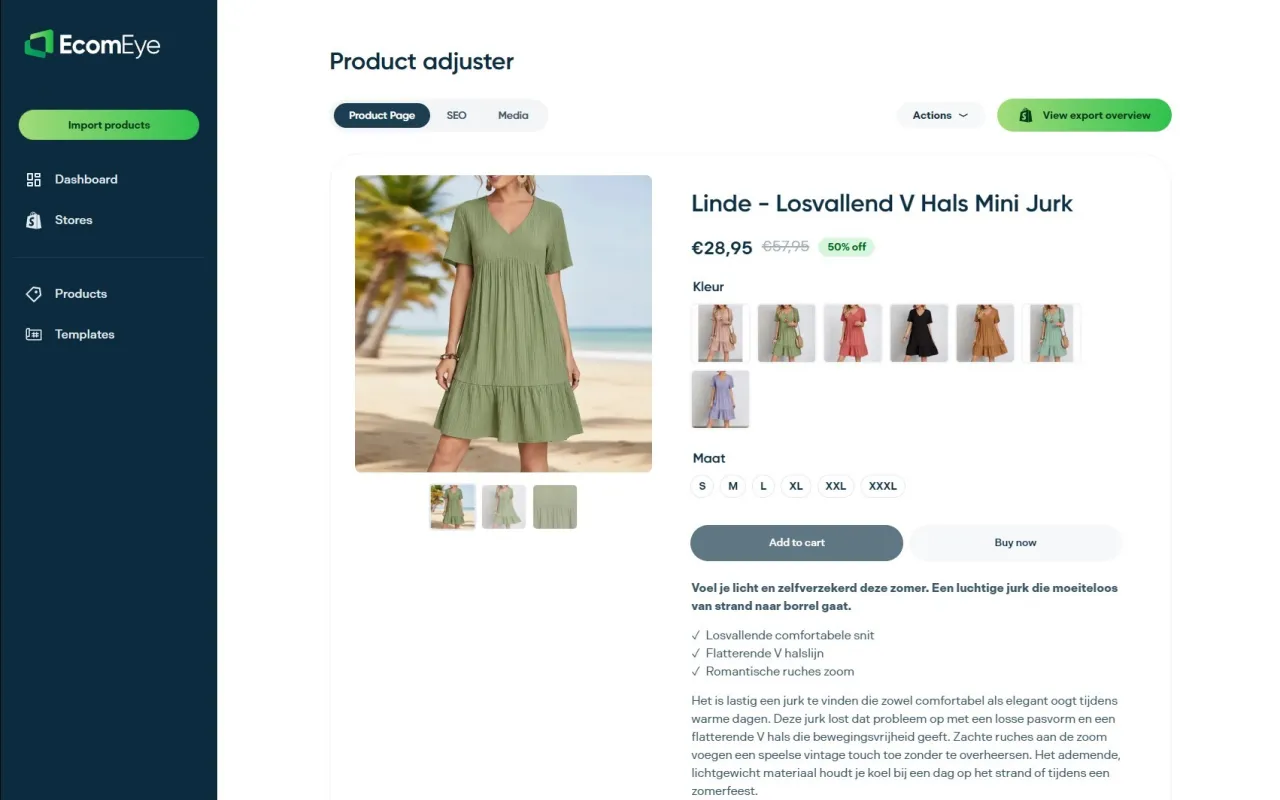
That matters most for stores worried about duplicate-content penalties from copied competitor listings translated across markets, since every generated page is uniquely written even when the source product is identical. The AI Product Description Generator handles the SEO copy side directly, while bulk export removes the manual re-entry that usually slows a multi-language catalogue launch to a crawl.
Ecom-eye runs on two plans: Try-out at €39 per month and Scaler at €99 per month, both detailed on the pricing page. If you’re staring down a catalogue that needs translated, unique, metadata-complete pages faster than your current workflow allows, that’s the place to start.
FAQ
Does Shopify support hreflang automatically?
Yes. Shopify automatically generates hreflang tags for language-specific URLs created through Markets, though you should still verify return links and ISO codes manually.
Should I translate my URL slugs?
You can, and it often helps local relevance, but changing slugs on pages with existing search history risks a temporary ranking dip unless redirects are set up cleanly.
Are subfolders always better than ccTLDs for Shopify stores?
Subfolders are the default recommendation because they consolidate domain authority and require far less maintenance; ccTLDs only make sense when local trust signals are critical and you have budget for a dedicated local SEO programme.
How many languages should I launch with?
Start with one to three languages tied to your biggest existing markets, get the metadata and indexing right, then scale once those pages show healthy impressions and conversions.
Can automated tools handle multilingual product translation at scale?
Automated generation, like the bulk workflow Ecom-eye offers, works well once you’ve validated your metadata pattern on a small pilot batch; native review still matters most for your highest-traffic pages.
Ready to boost your product pages?
Generate high-converting, SEO-optimized product pages in bulk using AI automation used by e-commerce experts.
No credit card required