Shopify dropshippers: Preserve IPTC and use unique AI images per SKU
Compliance first workflow for Shopify dropshippers: create unique AI images per SKU, keep IPTC metadata and stable URLs, and monitor feeds to avoid...
Shopify dropshippers: Preserve IPTC and use unique AI images per SKU
Generate a unique, copyright-safe AI image for every product listing, keep the image’s IPTC metadata intact, and host it on a stable URL that only changes when the image does. Pair each image with unique alt text and product copy. Do this consistently and you cut duplicate-content risk and reduce the odds of a Google Merchant disapproval landing in your feed.
TL;DR:
- Generating a unique AI image per SKU with preserved metadata and hosting it on a stable URL reduces disapproval risk and ensures compliance with Google Merchant Center requirements.
- Avoid reusing the same image URL across different product revisions and always update the image link field when replacing images to prompt faster recrawling.
- Ensure all images are at least 500x500 pixels, maintain accurate IPTC metadata, and do not strip or alter embedded tags to meet platform specifications.
- Match AI-generated images to actual product facts, disclose material differences clearly, and avoid staging that exaggerates size, color, or accessories to prevent FTC violations.
- Using automation tools like EcomEye simplifies bulk image creation, metadata preservation, and seamless export to Shopify, saving time and reducing manual errors.
Table of Contents
- Quick actionable checklist: what to do now
- Operational workflow: generate, tag and publish unique AI images at scale
- Google Merchant Centre and platform compliance: image requirements and metadata
- FTC and truthful advertising risks for AI images
- Copyright, authorship and documentation: protecting your images
- Verification and monitoring: detect duplicates and respond to issues
- A note on the mistakes I see most often
- How EcomEye handles this for you
- Sources
- FAQ
Quick actionable checklist: what to do now
Before touching automation tools, fix the habits that cause most duplicate-image problems in the first place.
- Generate a unique AI image per listing and keep its embedded IPTC metadata untouched.
- Give every image a descriptive, stable file name and host it on durable object storage or a CDN.
- Update the
image_linkfield in Merchant Center whenever you swap an image, and never reuse a URL for changed content. - Write unique alt text and product copy per SKU rather than copying manufacturer descriptions verbatim.
- Set up reverse-image monitoring and feed alerts so Merchant Center flags surface quickly.
Pro Tip: Treat every image URL as a version number. If the picture changes, the address should too.
Operational workflow: generate, tag and publish unique AI images at scale
A repeatable process beats one-off fixes, especially once you are publishing dozens of listings a week.
Start with the product facts, not the picture. Pull dimensions, materials, colourways and pack contents from your supplier data before writing a single prompt. Inventing details the product does not have is how images end up misleading, which creates both a Merchant problem and an FTC one.
From there:
- Build a controlled variation plan: different angles, backgrounds or staged scenes for each SKU so images are genuinely distinct, not palette swaps of the same render.
- Use reproducible prompt templates, and fixed seeds where your tool supports them, then apply human selection and retouching. That editorial step is what turns a raw output into something with a real claim to authorship.
- Export with deterministic file names, such as
sku_image_v1.jpg, and host them on stable storage rather than a temporary generation link. - When you replace an image, change the URL rather than overwriting the old one. A new address prompts Merchant Center to recrawl faster.
- Automate the handoff so new image URLs map cleanly to your
image_linkandadditional_image_linkattributes in both Shopify and Merchant Center.
Our own operational guide to AI product image creation walks through prompt structuring and retouch workflows in more depth, and our image best practices post covers composition choices that hold up across large catalogues.
Pro Tip: Log your prompt, seed and edit history alongside the exported file. It costs seconds and becomes useful the moment anyone questions authorship.
Google Merchant Centre and platform compliance: image requirements and metadata
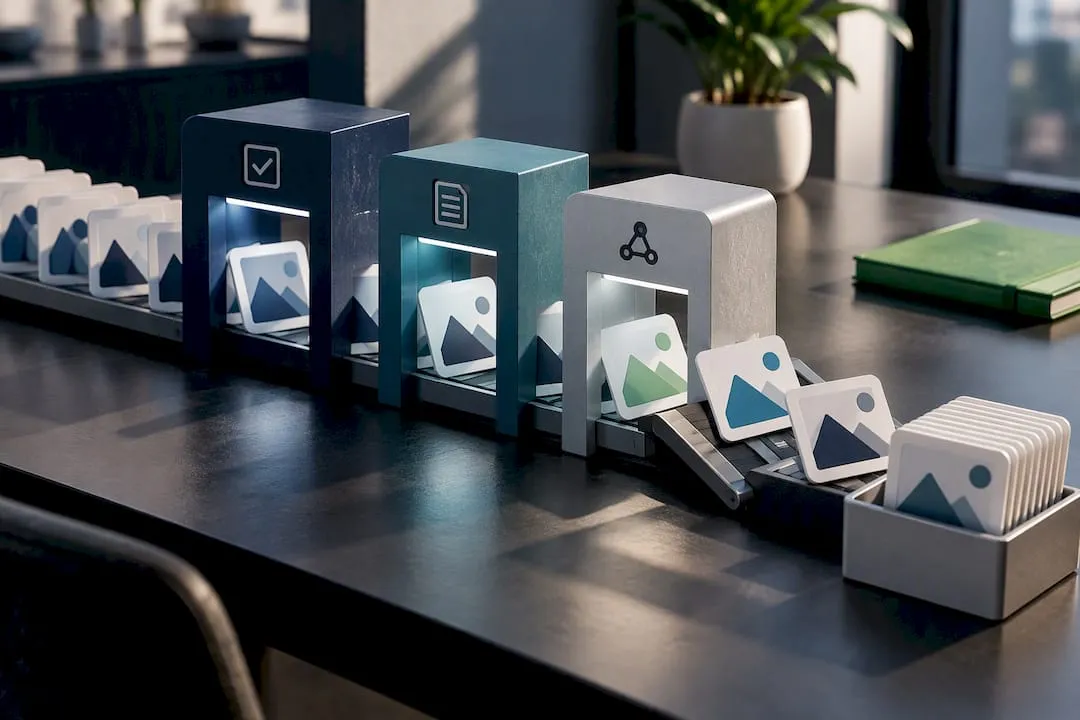
Merchant Centre’s product data specification sets the baseline: correct file formats, no watermarks or promotional overlays, and metadata that accurately describes the image, including IPTC DigitalSourceType tags for AI-generated content. Stripping that embedded metadata to “clean up” a file removes information Google now expects to see.
Google requires product images to be at least 500x500 pixels, with enforcement starting 31 January 2027; images below that threshold will eventually trigger disapprovals rather than warnings.
- Keep AI image metadata intact rather than exporting a stripped copy.
- Use distinct images for different variants, colours or sizes rather than one shared image across a variant group.
- When replacing a disapproved or outdated image, publish it at a new stable URL rather than overwriting the old file in place, since Merchant guidance notes that keeping the same URL can delay detection of the change for up to six weeks, whereas a new URL typically recrawls within 24 to 72 hours.
FTC and truthful advertising risks for AI images
The FTC judges advertising by its “net impression”: the overall message a reasonable shopper takes away, not just the literal words attached to it. Labelling an image “AI-generated” does not excuse a picture that implies the wrong colour, an included accessory that is not actually in the box, or a scale that misrepresents the real product.
Common pitfalls worth checking before you publish:
- An image showing accessories, cables or packaging that are not part of what ships.
- A render in a colour variant you do not actually stock.
- Staging that exaggerates size, capacity or finish compared with the real item.
Mitigate this by matching every generated image back to your canonical product facts, adding a clear disclosure near the image when a material difference exists, and avoiding ad formats styled to look like independent editorial content. Any disclosure needs to sit where a shopper will actually see it, not buried in your terms and conditions.
Copyright, authorship and documentation: protecting your images
The U.S. Copyright Office’s guidance on AI and copyrightability is clear that human authorship is required for registration, but human selection, arrangement or modification of an AI output can make the result protectable. A fully autonomous output with no human input may not qualify at all.
Build a habit of documentation:
- Keep timestamped prompt logs alongside the images they produced.
- Save progressive edit versions, not just the final export.
- Record the compositional choices you made: cropping, background swaps, retouching decisions.
- Retain original source files rather than only the published version.
Reserve formal registration for core brand assets and your highest-value creative sets, and keep internal records as your baseline evidence for everything else.
Verification and monitoring: detect duplicates and respond to issues
Catching a problem early is cheaper than fixing a disapproved feed.
- Run automated reverse-image checks and perceptual-hash comparisons against known seller and marketplace listings on a regular schedule.
- Watch the “Needs attention” panel in Merchant Center and set up alerts specifically for image-related disapprovals.
- When a duplicate turns up, pull your hosting evidence (timestamps, original files, prompt logs) and decide between replacing the image, filing an authorisation claim, or pursuing a takedown.
- Swap to a new stable image URL as part of the fix, since that is what speeds up Merchant Centre’s recrawl.
Pro Tip: Run the reverse-image check before you publish, not after Merchant Center flags it for you.
A note on the mistakes I see most often
Most disapprovals I look into trace back to the same three habits: pulling manufacturer images straight off AliExpress, generating AI images but stripping the metadata before upload, and reusing one image URL across several product revisions. Each is an easy fix once you see it named. If you want the fuller operational detail, our Shopify product page guide and the detect AI content checklist are good next reads. Start with a small batch, twenty SKUs is plenty, before rolling a new image process across a full catalogue.
— Koen
How EcomEye handles this for you
Running the workflow above by hand across a growing catalogue eats hours you probably do not have. The platform generates a unique AI image per SKU, preserves the metadata Merchant Centre expects, hosts it on a stable URL, and pairs it with an SEO-ready title and description, then exports the finished page to Shopify in one click.
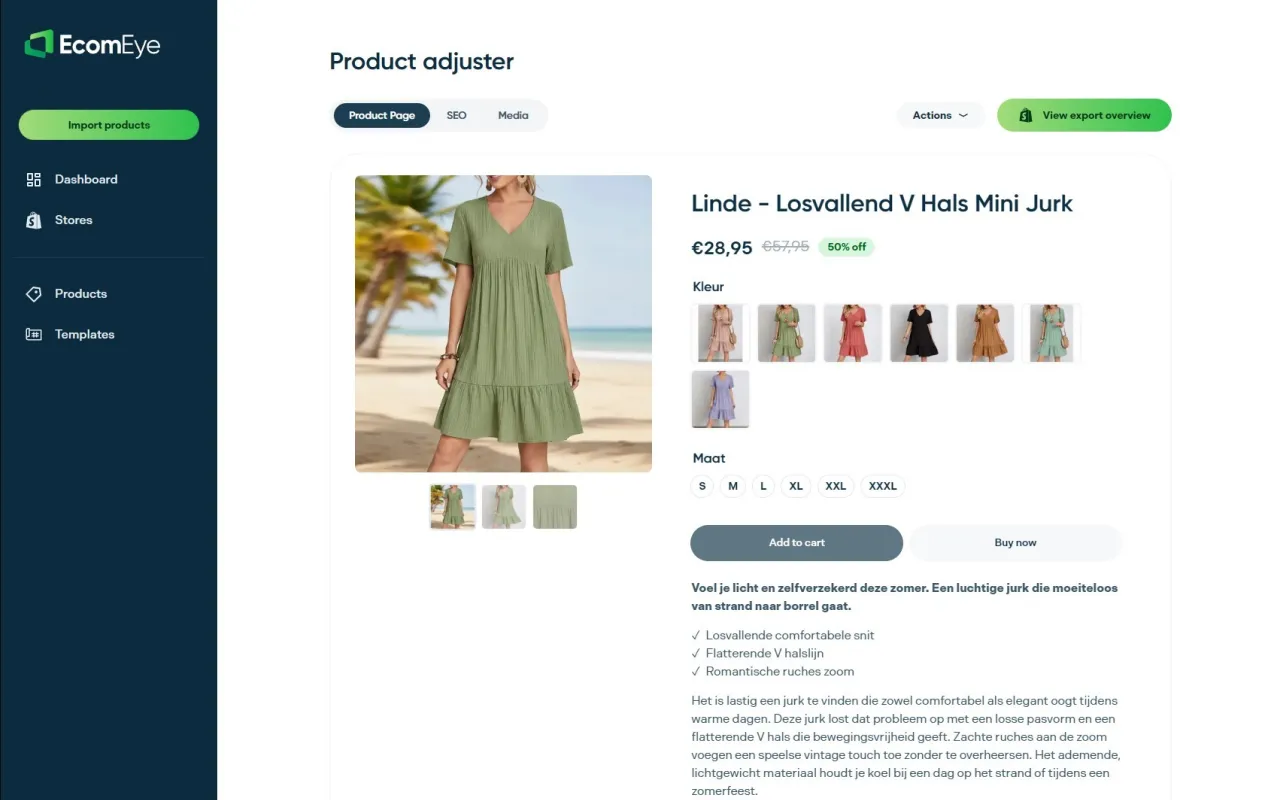
In practice that means:
- Unique AI-generated images per listing, not one template reused across variants.
- Metadata handling that keeps IPTC tagging intact rather than stripped on export.
- Stable hosting and URL management so replaced images recrawl properly.
- SEO-optimised titles and descriptions generated alongside each image.
- One-click export directly into your Shopify catalogue.
A sensible way to test it: run 20 SKUs through the platform, then watch Merchant Center alerts and organic impressions over the following weeks. If you want to see the image generator on its own first, the AI Product Image Generator page has the detail, or go straight to pricing and the Try-out plan to run your own test batch.
Sources
- Federal Trade Commission — official site
- Copyright and Artificial Intelligence, Part 2 Copyrightability Report
- How to fix: Image too small - Google Merchant Center Help
FAQ
Why does Google Merchant Center disapprove duplicate product images?
Google and Shopify both treat duplicate or templated imagery as a signal of low-quality or inaccurate listings, which can trigger disapprovals or removals. Unique images tied to accurate product facts avoid this flag entirely.
What image size does Google Merchant Center require in 2026?
Merchant Center’s current specification covers format and quality rules, and Google has confirmed a minimum of 500x500 pixels with enforcement beginning 31 January 2027. Building to that standard now avoids a scramble later.
Does labelling an image as AI-generated protect me from FTC issues?
No. The FTC evaluates the “net impression” an image creates, so a label alone does not excuse a picture that misrepresents colour, included accessories or scale.
Can I copyright an AI-generated product image?
The U.S. Copyright Office requires human authorship for registration, but meaningful human selection, arrangement or editing of an AI output can make it protectable. A fully autonomous, unedited output generally will not qualify.
How can I generate unique product images for bulk Shopify listings quickly?
Tools built for this, including EcomEye, generate a distinct AI image per SKU while preserving the metadata Merchant Center expects and exporting straight to Shopify. Manual alternatives work too, but scale poorly once you are publishing dozens of listings a week.
Ready to boost your product pages?
Generate high-converting, SEO-optimized product pages in bulk using AI automation used by e-commerce experts.
No credit card required