What does Shopify really cost once fees and apps are added?
Discover the true costs of Shopify beyond the basic plan. Learn about fees, apps, and how to optimize your budget effectively.

What does Shopify really cost once fees and apps are added?

A working Shopify store typically costs $75 to $400+ a month once you move past the headline plan price. The Basic plan starts at $39 a month (or $29 on annual billing), but that figure only covers the software licence. Real budgets get shaped by four levers:
- Plan tier — Basic, Grow, Advanced or Plus, each with different card rates and feature ceilings.
- Card processing — Shopify Payments rates drop as you move up plans, cutting your per-order cost at scale.
- Apps — the single biggest hidden cost, often $80–$150 a month once a store is six months old.
- Third-party gateways — skip Shopify Payments and you pay an extra surcharge on top of your processor’s own fee.
Stick with Shopify Payments and pay annually where you can commit for a year, and you’ll usually shave 20 to 25% off the subscription line alone. Everything below shows the actual arithmetic behind that verdict.
Key Takeaways
Shopify’s advertised plan price is rarely what you actually pay, because card processing and apps typically outweigh the subscription fee itself.
| Point | Details |
|---|---|
| Base plan isn’t the real cost | The $39/mo Basic plan is the floor; apps and card fees usually push real spend to $75–$400+ a month. |
| Card rates drop as you upgrade | Shopify Payments rates fall from 2.9% + $0.30 on Basic to 2.4% + $0.30 on Advanced. |
| Apps are the biggest surprise | Most stores spend $80–$150/month on apps by month six, often more than the plan fee itself. |
| Annual billing saves around 25% | Basic, Grow and Advanced all drop roughly a quarter in effective monthly cost when paid yearly. |
| Content production scales cost fast | Manual product-page writing gets expensive past a hundred SKUs; Ecom-eye automates bulk, copyright-safe page generation to cut that labour. |
Table of Contents
- How much does Shopify cost per plan, monthly vs annual?
- Shopify Payments rates and third-party gateway fees explained
- What hidden costs push your Shopify bill higher?
- Is Shopify Plus worth the jump for larger stores?
- How does Shopify billing actually work month to month?
- How do apps and content production affect your total Shopify bill?
- Cutting the content costs that inflate your Shopify bill
- Sources
- FAQ
How much does Shopify cost per plan, monthly vs annual?
Shopify’s plan structure has five tiers, and the gap between the cheapest and the most expensive is far wider than most first-time sellers expect. Shopify’s own pricing page lists Basic, Grow, Advanced and Plus, plus a Starter tier for social-only selling.
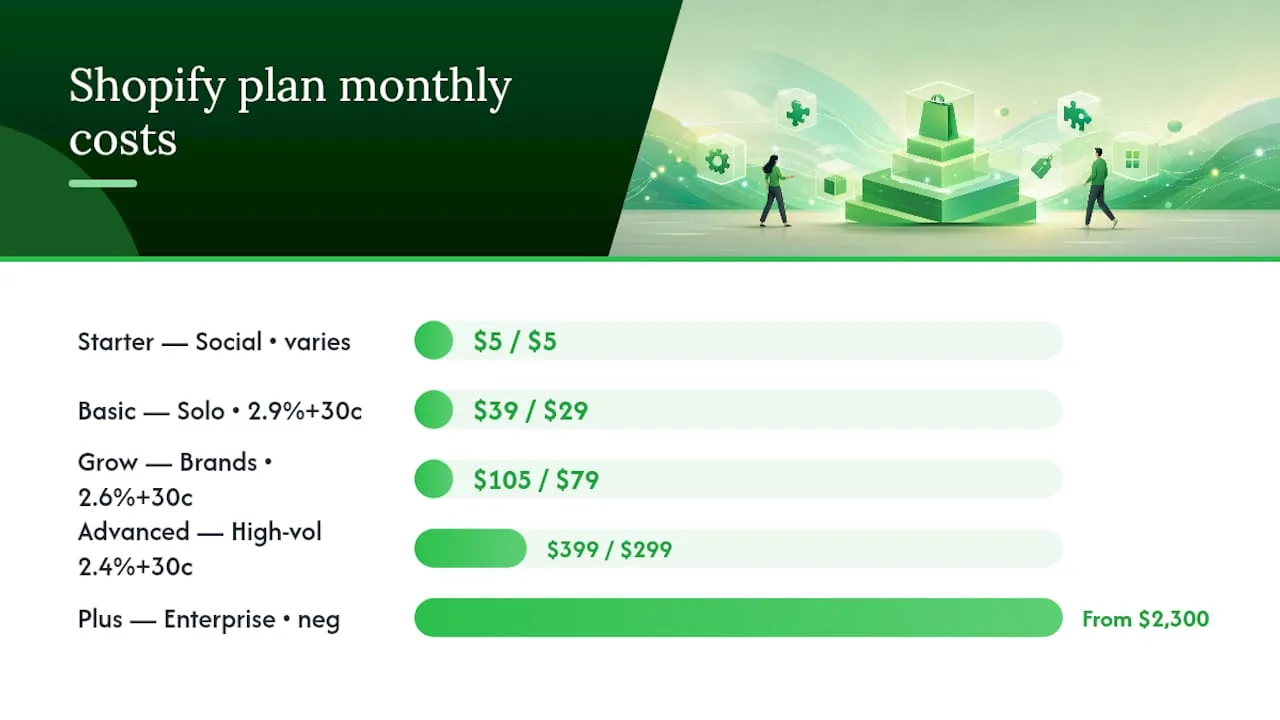
New accounts get 3 days free, then $1 a month for the first 3 months before standard billing kicks in. After that, Basic runs $39 a month paid monthly or $29 a month paid annually. Grow (Shopify’s mid-tier plan) is $105 a month monthly or $79 a month annually. Advanced jumps to $399 a month monthly or $299 a month annually. Shopify Plus starts at roughly $2,300 a month on negotiated enterprise terms.
| Plan | Monthly billing | Annual billing (effective) | Best for | Card rate (online) |
|---|---|---|---|---|
| Starter | $5/mo | $5/mo | Selling via social/link-in-bio, no full storefront | Varies by checkout |
| Basic | $39/mo | $29/mo | Solo sellers, first-year stores | 2.9% + $0.30 |
| Grow | $105/mo | $79/mo | Growing brands with staff and multiple sales channels | 2.6% + $0.30 |
| Advanced | $399/mo | $299/mo | High-volume stores needing advanced reporting | 2.4% + $0.30 |
| Plus | From $2,300/mo | Negotiated | Enterprise and high-GMV merchants | Negotiated |
Each tier up unlocks more than a lower card rate. Grow adds better shipping discounts and more staff accounts; Advanced adds custom reporting and higher API limits. If you’re running a physical till alongside the online store, Shopify POS Pro costs an additional $89 a month per location, on top of whichever online plan you’re on. For an in-person checkout, that per-location fee is separate from card processing, and it’s worth checking basic point-of-sale security practices if you’re handling card-present transactions for the first time.
Free themes exist on every plan and are perfectly workable for launch. Paid themes run up to around $400 as a one-off, not a recurring cost, so they belong in your setup budget rather than your monthly one.
Pro Tip: Work out your break-even before upgrading. If Grow’s card rate saves you 0.3% per order compared with Basic, you need roughly $22,000 in monthly card sales just to cover the $66 jump in subscription cost. Below that revenue, staying on Basic is the cheaper choice even though Grow looks like the “better” plan.
Shopify Payments rates and third-party gateway fees explained
Card processing is where the real money moves, not the subscription line. On Shopify Payments, online rates run 2.9% + $0.30 on Basic, 2.6% + $0.30 on Grow, and 2.4% + $0.30 on Advanced. In-person rates through POS are typically lower per transaction but still scale with plan tier.
If you use a third-party processor instead of Shopify Payments, Shopify adds its own transaction surcharge on top of whatever your gateway charges. That surcharge also varies by plan: roughly 2% on Basic, 1% on Grow, 0.6% on Advanced, and as low as 0.15% on Plus. Switch to Shopify Payments and that surcharge disappears entirely, which is why most merchants use it by default.
Here’s what that looks like on real orders:
- A $50 order on Basic with Shopify Payments costs 2.9% + $0.30 = $1.75 in processing. The same order routed through a third-party gateway at, say, 2.5% plus Shopify’s 2% surcharge, adds up to roughly $2.25, before the gateway’s own fixed fee.
- A $30,000 monthly revenue store on Basic pays around $870 in Shopify Payments processing at 2.9%. Move to Grow and the same volume costs closer to $780, a saving that starts covering the plan’s higher subscription fee once you clear the break-even point mentioned above.
Settlement typically lands in your bank account within a few business days, though this varies by region and by whether you’re on a payout schedule change. If you sell internationally, some card types and currencies carry slightly different rates, so check your dashboard rather than assuming a flat number across every market.
What hidden costs push your Shopify bill higher?
The plan fee is often only 10–30% of a store’s real monthly cost. Everything else comes from a stack of smaller, recurring line items that rarely get mentioned on the pricing page.
Apps are the biggest culprit. A functional store needs at minimum a review app, an email or SMS marketing tool, and often a subscriptions or upsell app. Most stores land at $80–$150 a month on apps by month six, and merchants running loyalty programmes or heavy automation can spend several hundred dollars more. Domains cost $10–$30 a year, themes are a one-off $0–$400, and email marketing platforms typically start free but scale with your subscriber list.
Here’s how that stacks up across three realistic stages:
- Solopreneur, first six months: Basic plan ($39), a lean two-app stack ($40), domain amortised monthly (~$2). Total around $80–$100/month, dominated by the plan fee and card processing.
- Growing brand, 12–18 months in: Grow plan ($79 annual), a fuller app stack, covering reviews, email, and subscriptions ($150), plus modest paid ad spend. Total closer to $250–$350/month, with apps now the largest line item.
- Established merchant, high volume: Advanced plan ($299 annual), an extensive app stack including loyalty and returns management ($300+), plus card processing that can run into thousands depending on revenue. Apps and processing dominate; the plan fee becomes almost incidental.
Setup costs sit outside these monthly figures. A DIY launch using free themes and your own product photography can cost next to nothing beyond the subscription. Hiring an agency or freelance developer for a custom build typically runs from a few hundred dollars for light customisation to several thousand for a bespoke storefront. Learn more about regional pricing specifics if you want a fuller breakdown of what a UK-based build tends to cost.
Is Shopify Plus worth the jump for larger stores?
Shopify Plus starts at roughly $2,300 a month on negotiated enterprise contracts, and pricing scales further for very high-volume merchants, sometimes shifting to a revenue-based structure. This isn’t a self-serve tier you click into. You negotiate it directly with Shopify.
What you get for that price:
- Fully customisable checkout, unavailable on any lower plan.
- Multiple expansion stores under one login, useful for multi-region or multi-brand operations.
- Native B2B functionality for wholesale alongside direct-to-consumer sales.
- Dedicated account support rather than standard ticket queues.
Plus tends to make financial sense once a merchant is processing enough volume that Advanced’s card rate and feature ceiling start limiting growth, or once checkout customisation becomes a genuine revenue lever rather than a nice-to-have. If you’re still testing product-market fit, Plus is premature. If you’re running multiple storefronts or a serious wholesale channel, the maths usually works in its favour.
How does Shopify billing actually work month to month?
Annual billing is the single easiest saving on the table. Paying yearly cuts the effective monthly rate by around 25% across Basic, Grow and Advanced. The trade-off is cashflow: you commit a full year’s fee upfront rather than spreading it monthly.
New merchants commonly see a 3 day free trial followed by discounted introductory pricing, such as $1 a month for the first 3 months, before standard rates apply. Charges appear on your billing date each cycle, and switching plans mid-cycle usually prorates the difference rather than charging you twice. Cancelling stops future billing but doesn’t typically refund the current cycle.
Pro Tip: If you’re not certain you’ll stay a full year, start monthly. The annual discount is only a genuine saving if you’re confident the store survives long enough to use it.
How do apps and content production affect your total Shopify bill?
Beyond the app subscription costs already covered, the labour behind running those apps is its own budget line, and it’s the one most sellers underestimate. Writing unique product descriptions, sourcing compliant images, and keeping listings duplicate-free across dozens or hundreds of SKUs takes real hours, whether you do it yourself or pay someone else to.
Manual product-page creation for a catalogue of even 200 items can take days of writer or VA time, and agencies charge accordingly per listing. That cost rarely shows up in a “Shopify pricing” breakdown, but it’s often larger than the app stack itself once a store scales past a hundred products. Bulk, automated page generation collapses that labour into minutes rather than days, which matters most for dropshipping stores importing large catalogues from suppliers.

The trade-off worth knowing: manual writing gives you full control over voice and detail; automated generation trades some of that control for speed and consistency across hundreds of SKUs, which is usually the better trade once you’re publishing weekly.
A practical way to plan your budget
Choose your plan based on what you realistically expect to sell in the first six to twelve months, not what you hope to sell eventually. Whatever number you land on for apps and marketing, budget more.
Cutting the content costs that inflate your Shopify bill
Card fees and app subscriptions get most of the attention, but the line item that quietly balloons for growing stores is content. Every product needs a unique title, a description that won’t trip Google’s duplicate-content filters, and images that don’t scream “copied from AliExpress.” Do that manually across a few hundred SKUs and you’re either burning your own hours or paying a writer per listing.
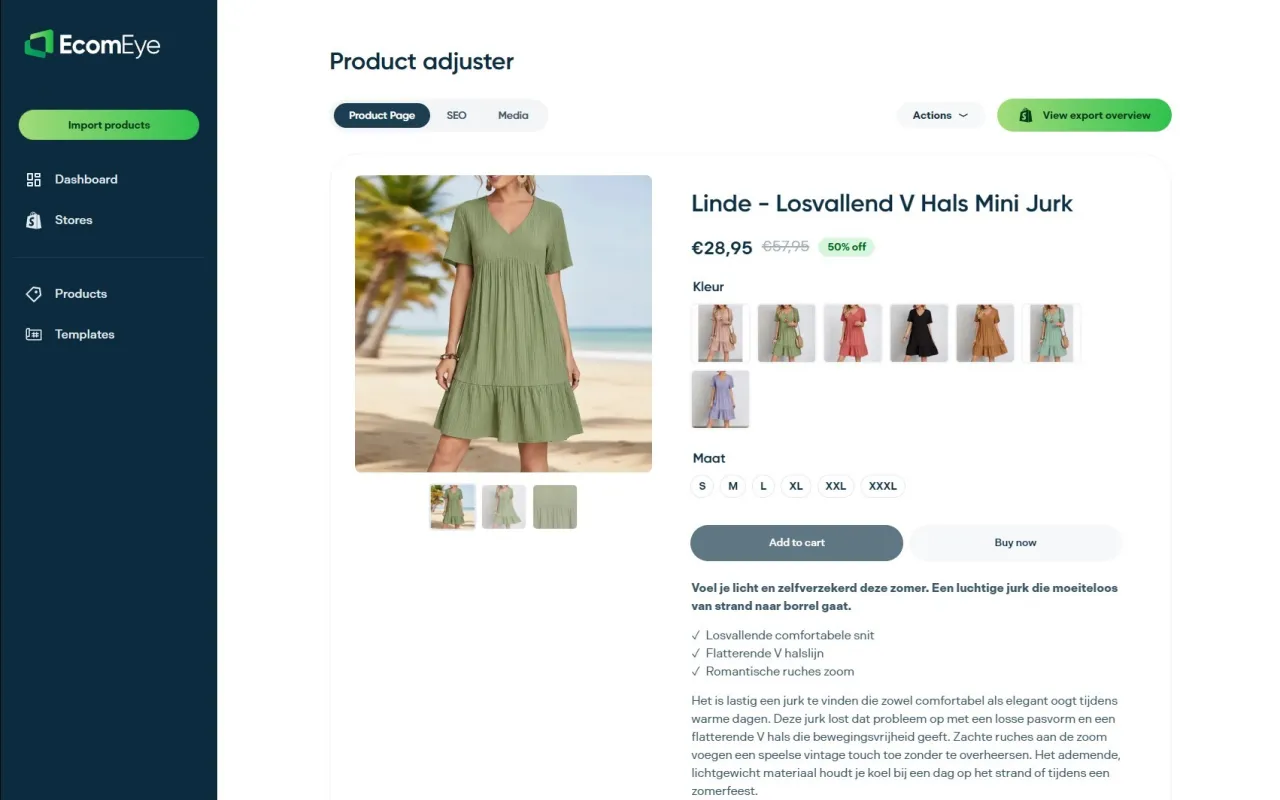
Ecom-eye exists for exactly this gap. It imports product data in bulk from AliExpress, Amazon, Temu, or a competitor’s Shopify store, then generates copyright-safe titles, descriptions, and AI product images automatically, ready for one-click export to Shopify. Instead of budgeting agency day-rates for product-page writing, you’re paying for generation credits that scale with your catalogue, not your headcount. If duplicate-content flags or Google Merchant disapprovals have hit your store before, start with the AI product description generator or the AI product image generator and see how quickly a full catalogue can be republished clean.
Sources
- Shopify Pricing: Find the Right Plan for Your Business
- How Much Does Shopify Really Cost Per Month? 2026 Breakdown | Shopify Agency Directory
- How Much Does Shopify Cost in 2026? Agency Breakdown | Echovyn Labs
These links carry the current, localised prices; figures shift over time, so verify against them directly.
FAQ
Is Shopify cheaper than Etsy overall?
Etsy charges no monthly fee but takes a per-listing fee plus a transaction percentage on every sale, which can cost more than Shopify’s subscription once you’re selling steadily. Shopify tends to work out cheaper at volume; Etsy can be cheaper for occasional, low-volume sellers testing an idea.
Is Amazon or Shopify better for costs?
Amazon charges referral fees per category, often 8–15%, plus optional fulfilment fees, with no separate platform subscription for individual sellers. Shopify’s subscription plus payment processing usually comes out cheaper per sale for merchants who can drive their own traffic, while Amazon can win for pure marketplace reach.
Why did Shopify charge me $39?
That’s the standard monthly rate for the Basic plan once a trial or discounted introductory period ends. Check your billing date and plan tier in your admin dashboard to confirm which cycle triggered the charge.
Is Shopify still worth it in 2026?
For merchants who want a reliable storefront with predictable pricing tiers and strong payment infrastructure, yes. The real question isn’t whether Shopify is worth it. It’s whether your app stack and content workflow are lean enough to keep the total bill under control.
Ready to boost your product pages?
Generate high-converting, SEO-optimized product pages in bulk using AI automation used by e-commerce experts.
No credit card required