Why optimise for Google Shopping: a 2026 guide
Discover why optimize for Google Shopping in 2026. Enhance your product visibility and boost sales in today's AI-driven retail landscape.

Why optimise for Google Shopping: a 2026 guide

TL;DR:
- Optimizing Google Shopping feeds improves ad visibility and sales by enhancing product data attributes. Continuous feed refinement boosts performance, especially with AI tools that automate title and image improvements at scale. Proper feed management is essential before adjusting bids to ensure maximum return on investment.
Google Shopping optimisation is the process of enhancing product feed data to maximise ad visibility and sales performance on Google’s Shopping platform. For e-commerce retailers and digital marketers, the question of why optimise for Google Shopping has a direct answer: feed quality determines whether your products appear, how often they appear, and whether shoppers click. Google’s Shopping Graph now indexes over 45 billion product listings globally, and standing out in that catalogue requires more than a compliant feed. It requires a continuously refined one.
Why optimise for Google Shopping in 2026’s AI-driven retail environment?
Google Shopping no longer runs on simple keyword matching. Its AI-powered Shopping Graph evaluates dozens of feed signals simultaneously, including title relevance, image quality, landing page speed, and return policy data. Feed quality signals now sit alongside bids and budgets as core ranking factors. Two products with identical bids perform differently based on feed quality alone.
The scale of the platform makes this consequential. Google Shopping drives an estimated $180 billion in annual retail influence in the US market alone. That figure reflects how central the channel has become to product discovery, not just paid advertising.
The AI-driven auction has raised the bar for what “good enough” looks like. A feed that passes basic compliance checks in Google Merchant Center will still lose impression share to a competitor whose titles, identifiers, and images are fully enriched. The Shopping Graph rewards specificity and completeness. Vague titles and missing GTINs are not just suboptimal. They are disqualifying.
Key signals the Shopping Graph now weighs include:
- Title keyword relevance aligned to actual search queries
- Visual quality of product images, including lifestyle versus white-background variants
- Landing page speed and mobile usability scores
- Return policy quality as a trust and ranking signal
- Pricing competitiveness relative to similar listings in the auction
Each of these signals compounds. Improving one lifts your overall feed quality score, which improves eligibility and ranking across your entire catalogue.
Which feed elements are most critical for visibility and performance?
Product titles are the single most important feed attribute. Google uses the title as the primary matching signal between a search query and your product listing. A title structured as Brand + Product Type + Key Attribute (for example, “Nike Air Max 270 Men’s Running Shoe Size 10”) consistently outperforms a generic title like “Running Shoe.” The importance of product title structure cannot be overstated for both organic Shopping rankings and paid ad eligibility.

GTINs (Global Trade Item Numbers) are the second most critical element. Google uses GTINs to match your product against its Shopping Graph catalogue. Without a valid GTIN, your listing may be excluded from competitive auctions entirely. Retailers selling branded goods must supply GTINs; those selling custom or private-label products should use MPN (Manufacturer Part Number) and brand attributes instead.
Detailed product categories also drive performance. Deep categorisation up to five levels improves relevance and reduces wasted clicks, which directly lowers cost per click. Mapping a product to “Apparel & Accessories > Clothing > Activewear > Running Jackets” rather than just “Clothing” tells the algorithm exactly where your product belongs.
Images are often the deciding factor for clicks. High-resolution images at 800x800 pixels or higher are a confirmed best practice, and Google’s own data treats visual relevance as a critical ranking signal. Blurry, watermarked, or incorrectly sized images reduce CTR and can trigger disapprovals.
| Feed attribute | Why it matters | Best practice |
|---|---|---|
| Product title | Primary search matching signal | Brand + type + key attributes, 70–150 characters |
| GTIN / MPN | Catalogue matching and auction eligibility | Always include for branded products |
| Product category | Relevance scoring and CPC reduction | Map to the deepest applicable Google taxonomy level |
| Images | Visual ranking signal and CTR driver | 800x800 px minimum, white background for main image |
| Price and availability | Real-time accuracy required | Sync with live inventory; mismatches cause disapprovals |
Pro Tip: Use Google Merchant Center’s feed diagnostics tab weekly. It surfaces attribute errors before they become disapprovals, and fixing them early prevents impression share loss that compounds over time.
How does continuous feed optimisation improve ROAS and reduce wasted spend?
The financial case for feed optimisation is direct. Shifting from a compliant-only feed to a proactively optimised one produces measurable gains in impression share, click-through rate, and return on ad spend without requiring additional budget. That makes feed work the highest-leverage, lowest-cost improvement available to most Google Shopping advertisers.
Retailers frequently misdiagnose their campaign problems. They increase bids when performance drops, assuming the issue is budget. The real cause is often feed quality. Lost impression share attributed to rank is a feed quality problem, not a bidding problem. Distinguishing between the two is the first step to spending your budget where it actually works.
Custom labels are one of the most under-used tools for improving ROAS. By tagging products with labels such as “high-margin,” “seasonal,” or “clearance,” retailers can segment their catalogue and apply different bidding strategies to each group. Custom labels enable business-aligned spend targeting, so your highest-margin products receive the most aggressive bids and your slow-moving inventory does not drain budget.
A practical approach to improving ROAS through feed work follows this sequence:
- Audit disapprovals first. Resolve all Google Merchant Center errors before optimising anything else. Disapproved products generate zero impressions.
- Fix price and availability mismatches. These are the most common cause of sudden impression drops and are often caused by feed update delays.
- Restructure titles for search intent. Move brand and product type to the front of the title. Add attributes shoppers actually search for, such as colour, size, and material.
- Add or verify GTINs. Products without valid identifiers are excluded from many competitive auctions.
- Apply custom labels. Segment by margin, seasonality, and performance tier before adjusting bids.
- Monitor Google Ads impression share metrics. Track “impression share lost to rank” separately from “impression share lost to budget” to identify whether feed or spend is the constraint.
Pro Tip: Feed improvements compound over time. A title restructure made today continues to drive better matching for every future auction. Bid changes, by contrast, stop working the moment you reduce spend.
What practical steps should retailers take to optimise their Shopping feed?
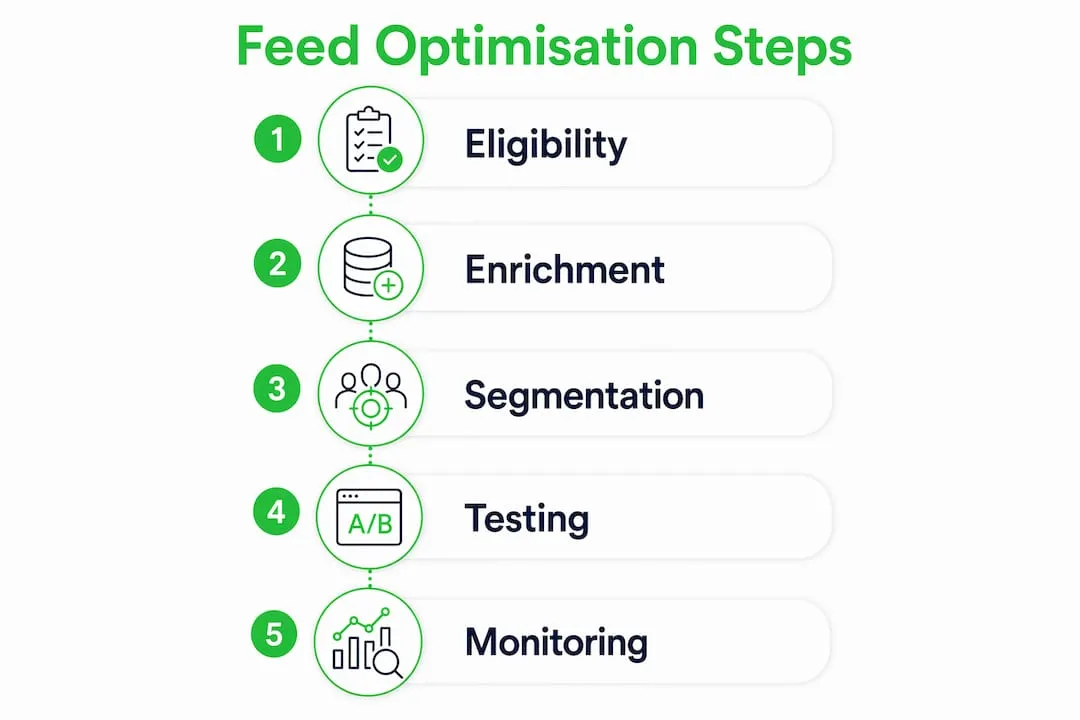
Effective feed optimisation follows a clear workflow. Start with eligibility, then move to enrichment, then to segmentation. Skipping eligibility fixes and going straight to advanced tactics wastes effort on products that are already disapproved or mismatched.
Resolving disapprovals is the foundation. Google Merchant Center flags issues by severity: errors prevent products from serving, warnings reduce performance, and notifications are advisory. Errors must be fixed first. Common errors include missing required attributes, price mismatches between the feed and the landing page, and prohibited content.
Title restructuring is the highest-impact enrichment task. Optimising product page titles for both SEO and Shopping ads follows the same principle: place the most search-relevant terms at the front. Google truncates titles in the ad unit, so the first 70 characters carry the most weight.
Supplemental feeds and feed rules allow ongoing updates without disrupting your primary feed. Use supplemental feeds to add custom labels, update promotional pricing, or enrich descriptions for specific product groups. Feed rules within Google Merchant Center let you transform existing attributes automatically, for example, appending colour or size to titles at scale without manual editing.
For image quality, product image best practices recommend a white background for the primary image and lifestyle images as additional images. Lifestyle images boost click-through rates by 17–22% in some categories. That is a meaningful CTR gain available to any retailer willing to invest in image quality.
Performance Max campaigns require a well-structured feed to function effectively. Google’s automation relies on feed attributes to determine where and how to show your ads. A weak feed produces poor automated targeting. A strong feed lets Performance Max find high-intent audiences across Search, Display, YouTube, and Gmail simultaneously.
How do AI tools support advanced feed optimisation in 2026?
AI-powered feed management has moved from a niche capability to a practical necessity for high-SKU retailers. Manual feed updates across thousands of products are unfeasible at scale. Automated tools handle title testing, attribute enrichment, and image enhancement in bulk, making continuous feed improvements achievable without proportional increases in workload.
Google’s own Product Studio tool generates lifestyle images and background replacements from existing product photos. For retailers without a photography budget, this removes a significant barrier to image quality improvement. The tool integrates directly with Google Merchant Center, so enhanced images can be pushed to live feeds without a separate upload process.
AI-assisted supplemental feed management also handles return policy attributes automatically. Since return policy quality is now a Shopping Graph ranking factor, keeping this data accurate and complete is no longer optional. Automated tools flag policy gaps and update attributes in line with changes to your store’s terms.
Key benefits of AI-powered feed tools for different retailer types:
- High-SKU merchants (1,000+ products): bulk title generation, automated GTIN lookup, and image enhancement at scale
- Mid-size retailers (100–999 products): supplemental feed automation and custom label management
- Smaller operators (under 100 products): AI-generated descriptions and image background removal to meet visual quality standards
Integration with Google Search Console data adds another layer of precision. Keyword performance data from Search Console reveals which search terms are driving impressions and clicks. Feeding those terms back into product titles closes the loop between organic search intent and paid Shopping performance.
Key takeaways
Feed quality is the primary determinant of Google Shopping performance, outweighing bid levels and budgets when the underlying product data is weak.
| Point | Details |
|---|---|
| Feed quality beats bidding | Two products with identical bids perform differently based on feed quality alone. |
| Titles are the top signal | Restructure titles with brand, product type, and key attributes in the first 70 characters. |
| Custom labels improve ROAS | Segment by margin and seasonality to align ad spend with business priorities. |
| Disapprovals kill impressions | Fix all Merchant Center errors before any other optimisation work. |
| AI tools scale feed work | Bulk title generation and image enhancement make continuous optimisation feasible for large catalogues. |
The feed-first mindset most retailers still ignore
Most retailers I encounter treat their Google Shopping feed as a one-time export. They set it up, connect it to Google Merchant Center, and move on to bidding strategy. That is the wrong order of operations. Bidding on a weak feed is like turning up the volume on a distorted speaker. More spend amplifies the problem rather than solving it.
The retailers who consistently outperform on Google Shopping share one habit: they treat the feed as a living asset. They review Merchant Center diagnostics weekly, not monthly. They test title variants the same way they test ad copy. They use custom labels not just for segmentation but as a real-time record of which products are in season, on promotion, or approaching end of life.
The AI-driven Shopping Graph has made this discipline more rewarding and more punishing simultaneously. Rewarding, because a well-maintained feed compounds in performance over time. Punishing, because a neglected feed loses ground faster than it used to when algorithms were simpler. The feed-first approach is not a trend. It is the structural reality of how Google Shopping now works.
My honest advice: before you touch your bids, open Merchant Center diagnostics and fix every error. Then restructure your top 20% of products by revenue. The performance lift from that work will outpace anything you can achieve by adjusting bids on a mediocre feed.
— Koen
How Ecom-eye helps retailers build better Shopping feeds faster
Generating optimised product titles and high-quality images at scale is the hardest part of feed work for most Shopify retailers. Ecom-eye’s AI product description generator creates SEO-ready titles and clean descriptions in bulk, directly from AliExpress or competitor product links. No rewriting, no copyright risk, and no manual work per product.
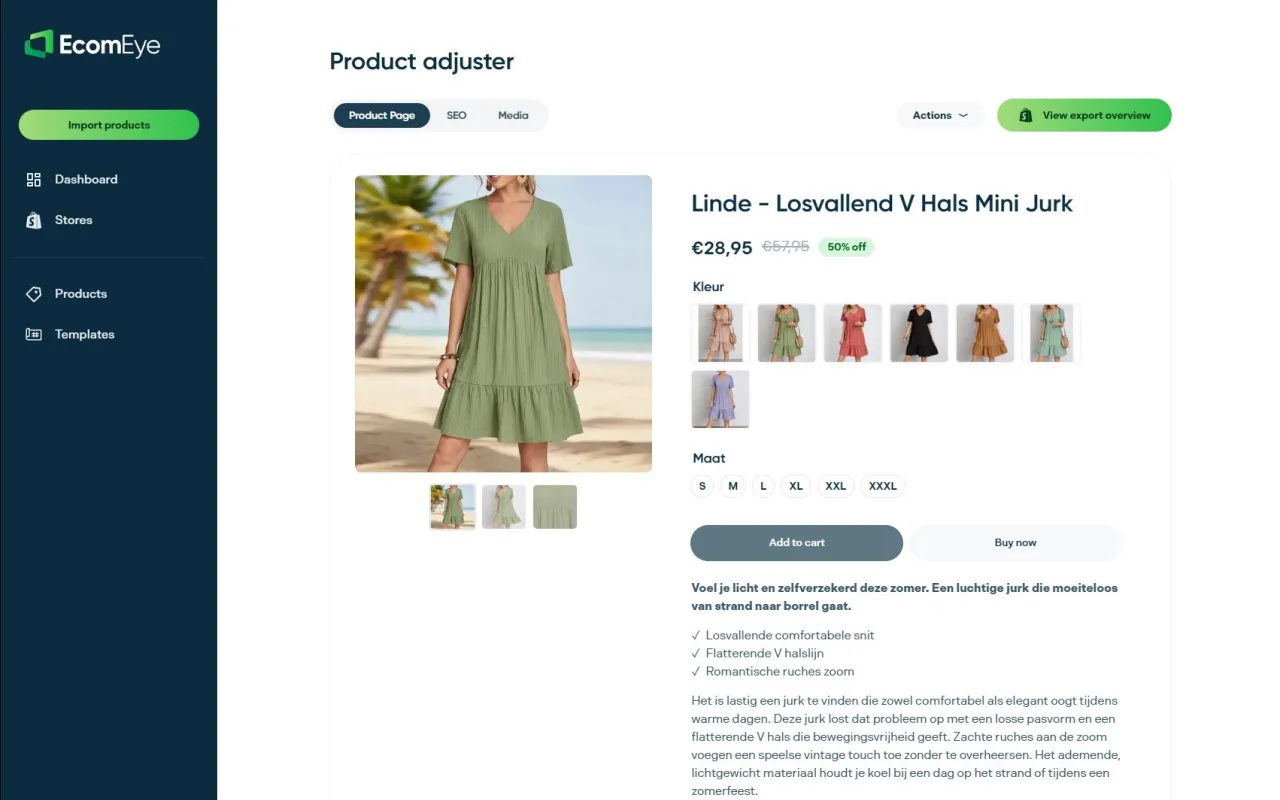
For image quality, Ecom-eye’s AI product image generator produces high-resolution, Google-compliant product images that meet the 800x800 pixel standard. Both tools export directly to Shopify in one click. For dropshipping retailers managing hundreds of SKUs, that removes the two biggest barriers to a fully optimised Google Shopping feed. You can also find broader ecommerce visibility strategies on the Ecom-eye blog to complement your feed work.
FAQ
What is Google Shopping feed optimisation?
Google Shopping feed optimisation is the process of improving product data attributes, including titles, images, GTINs, and categories, to increase ad visibility and performance in Google’s Shopping auction.
Why does feed quality matter more than bids?
Google’s algorithm weighs feed quality alongside bids; two products with identical bids perform differently based on feed data quality alone, making feed work the higher-leverage improvement for most retailers.
How often should I update my Google Shopping feed?
Daily updates are best practice for price and availability data. Title and attribute enrichment should be reviewed monthly, with Merchant Center diagnostics checked at least weekly to catch errors early.
What are custom labels in Google Shopping?
Custom labels are feed attributes you define yourself to segment products by criteria such as margin, seasonality, or performance tier, enabling targeted bidding strategies aligned to business goals.
How do AI tools improve Google Shopping performance?
AI tools automate bulk title generation, image enhancement, and supplemental feed management, making continuous feed optimisation feasible for high-SKU catalogues where manual updates are not practical.
Ready to boost your product pages?
Generate high-converting, SEO-optimized product pages in bulk using AI automation used by e-commerce experts.
No credit card required