Shopify Language Limits: 3,400 Theme Keys and Bulk Translation
Learn Shopify's language caps, what Translate & Adapt cannot translate, how the 3,400 key theme ceiling works, and when bulk translation can help.

Shopify Language Limits: 3,400 Theme Keys and Bulk Translation

Shopify lets you sell in many languages, but documented limits shape every rollout: 20 languages on standard plans and 30 on Plus or Enterprise, two automatic-translation languages in Translate & Adapt, and 3,400 keys per theme locale file. Product images, tags and vendor values stay untranslated. Check theme compatibility first, then consider bulk generation.
TL;DR:
- Translate & Adapt automatically handles only two languages, so use manual entry, CSV imports, or a compatible app for additional languages.
- Each theme locale file holds 3,400 keys; remove abandoned app or section entries and check file growth after enabling each language.
- Product images, tags, vendor values, and some app content remain untranslated; build navigation around collections and translated metafields for key shopping paths.
- Before publishing a language, confirm theme compatibility, assign it to the right Market, and configure domains and hreflang tags for indexing.
- Product handles stay in their original language, and market subfolders may need separate redirects for each locale; Shopify supports up to 100,000 redirects.
Table of Contents
- What are the Shopify translation limits at a glance?
- Which content can Translate & Adapt not handle?
- How does the 3,400-key theme limit work?
- How do filters, tags, vendors and URLs behave in other languages?
- What do you need before adding a language?
- When should developers use the Storefront API for languages?
- Why should you start with fewer languages?
- How can we help you scale multilingual product pages?
- FAQ
- Sources
What are the Shopify translation limits at a glance?
Start with this checklist, then read the sections that match your store’s size.
- Plan caps: Shopify’s help centre says you can sell in up to 20 languages on Basic and higher plans, and up to 30 on Shopify Plus and Enterprise. A “supported language” here means a language you publish on the storefront, not one that is fully translated by default.
- Automatic translation: the Translate & Adapt app translates a maximum of two languages automatically, and some languages are incompatible with it. Further languages need manual entry, CSV import or a third-party app.
- Theme ceiling: each locale JSON file holds 3,400 translation keys. Stores with many custom strings, sections and app-inserted text reach it faster than you might expect.
- Locked content: product images, tags and vendor values are not translatable.
Treat these as planning constraints, not obstacles. Each has a workaround, and the sections below cover them in turn.
Which content can Translate & Adapt not handle?
Shopify’s documentation is clear that some content cannot be translated regardless of the app you use. Plan around these gaps before you promise customers a fully localised store:
- Product images, including any text baked into them.
- Collection filters.
- Product tags and vendor names, which stay in the store’s default language.
- Content created by third-party apps that is not hosted as a Shopify translatable resource.
- Some metafields and email templates, depending on how they are set up.
The two-language automatic cap matters most for larger rollouts. For languages beyond the app’s automatic-translation limit, you need another route. That route is usually a CSV import, or a translation app that writes into Shopify’s translation resources and is compatible with your theme.
Also remember to assign each language to the right Market, or shoppers in that region will never see it.
Pro Tip: Translate your best-selling collections first, publish, then spot-check the storefront in each language before you add the next one.
How does the 3,400-key theme limit work?
Every theme stores its text in locale JSON files, and each file is capped at 3,400 translation keys. Go over it and Shopify shows a “Too many translation keys” error. Keys come from theme strings, keys inserted by apps and strings you have edited. They stay in the file until someone removes them, which is why old apps and abandoned sections quietly eat your allowance.
Product catalogue text lives in Shopify’s translation resources rather than the locale file. Heavy customisation is what pushes a theme towards the ceiling, especially when you run several languages.
Here is how to clear space:
- Duplicate your live theme so you can edit safely.
- Open the code editor and audit each locale file for obsolete keys.
- Delete keys left behind by uninstalled apps or removed sections.
- Consolidate repeated strings so one key serves several places.
- If you still hit the limit, split markets across setups or consider a headless build.
Pro Tip: Check locale file size right after you enable each new language, not once you hit the error.
How do filters, tags, vendors and URLs behave in other languages?
Discovery is where multilingual stores often feel uneven. Shopify states that tags and product URLs cannot be translated, and that tag and vendor filter values are locked to the default language. The community discussion on this problem suggests collection-based navigation as a practical alternative.
- Tags and vendors: filter values built on them display in the default language only, so a French shopper may see English labels.
- URLs: product handles stay in their original language, and redirects do not automatically apply to market subfolders, so you may need one per locale. Stores can hold up to 100,000 URL redirects, or 20,000,000 on Plus.
- Filter limits: tags allow up to 5,000 unique values and product options up to 1,000, and filters can disappear when collections or searches exceed set thresholds.
- Labels: filter labels and groups can be translated, so do that.
If you use tags heavily, rebuild key navigation around collections and translated metafields.
What do you need before adding a language?
Run through this readiness list before you switch anything on:
- A Basic plan or higher.
- A theme that supports multiple languages. If your theme lacks a language, you can create the translations manually.
- Translations ready, or a translation app chosen.
- Markets and domains configured, because domain setup decides which languages and currencies you can activate per market.
- A domain structure decision: international domains, subdomains and subfolders are available on Basic Shopify or higher, and hreflang tags and sitemaps are generated for configured domains.
Do not assume translation alone fixes search visibility. Shopify’s multilingual SEO guidance says you still need the right domain or subfolder set-up and active hreflang tags so each version is indexed correctly. Our hreflang guide for developers includes a quick check.
Shopify also pretranslates some default content, but other default text needs Translate & Adapt. Note that changing your admin language, covered in Shopify’s account language help, does not change what shoppers see.
When should developers use the Storefront API for languages?
If your theme’s limits get in the way, or you run a headless build, the Storefront API supports multiple languages. It is a route for complex needs, not a default.
- The
@inContextdirective returns translated product titles, descriptions and options for the requested language. - It can create a cart that opens in the customer’s language through a locale-specific checkout URL.
- It helps with complex routing, dynamic content, or avoiding theme key pressure, since text is fetched rather than stored in locale files.
- It does not remove the need for tidy translation data. You still need one clear source of translations and a sync process that keeps it aligned with Shopify.
Automated localisation pipelines are a useful pattern here. For a non-store example of the same idea, see this multi-language subtitles workflow.
Why should you start with fewer languages?
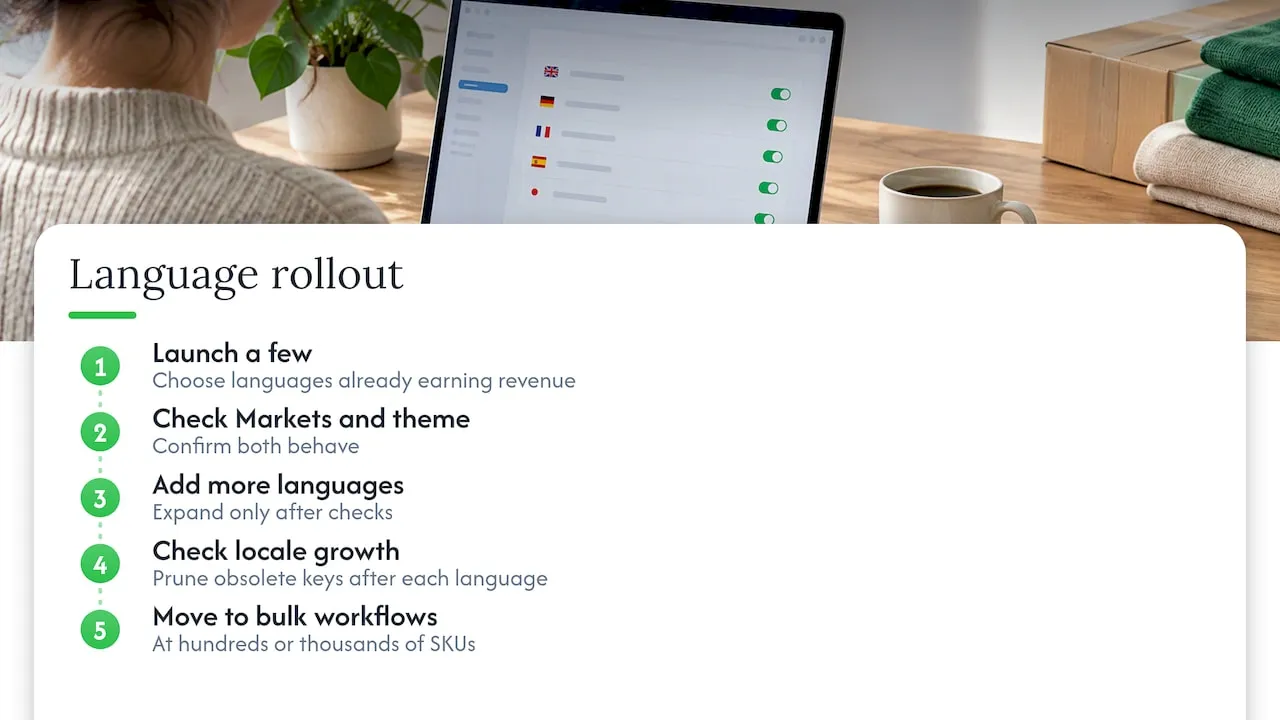
Plan caps rarely hurt first. Quality and maintenance do. My advice is to launch a few languages that already earn revenue, confirm your Markets and theme behave, and only then add more. Our guide on launching a few languages first covers this rollout.
After each new language, check locale file growth and prune obsolete keys on a routine. Once you have hundreds or thousands of SKUs, manual translation becomes a bottleneck, so move to bulk CSV, API or SaaS workflows. Developers scaling widely can also read our piece on scaling product translation to 20 locales. Twenty languages with thin, untouched pages will serve you worse than three done well.
— Koen
How can we help you scale multilingual product pages?
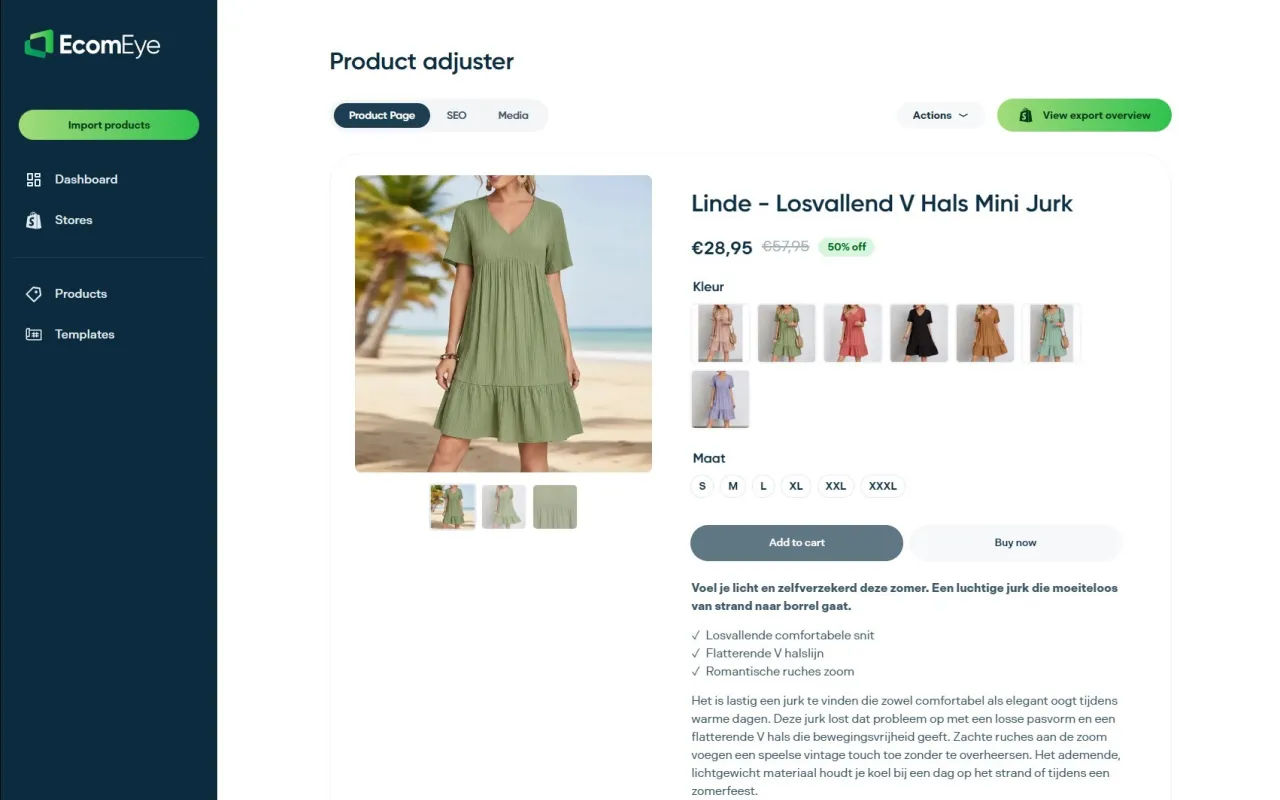
Translation limits bite hardest when your catalogue is large. We built EcomEye to generate unique, copyright-safe, SEO-optimised product pages in bulk, including multi-language pages, so you spend your time on strategy rather than copy-pasting.
- Bulk-generate titles and descriptions with our AI product description generator.
- Import products from AliExpress, Amazon, Temu or competitor Shopify links.
- Export to Shopify in one click.
- Add AI product images to match.
Our Try-out plan is 39 EUR per month and Scaler is 99 EUR per month, both listed on our pricing page. Start with Try-out on one product line and judge the output yourself.
FAQ
How many languages can a Shopify store have?
Shopify’s help centre says you can sell in up to 20 languages on Basic and higher plans, and up to 30 on Shopify Plus and Enterprise. A compatible theme and a translation app or Translate & Adapt are required.
Can Translate & Adapt translate every language automatically?
No. The app automatically translates a maximum of two languages, and some languages are incompatible with it. For the rest you can use manual entry, CSV import or a compatible third-party app.
What causes the “Too many translation keys” error?
Your theme’s locale file has reached its cap of 3,400 translations. Remove obsolete keys in the code editor, ideally on a duplicated theme, to make room.
Can I translate product tags and vendor names?
Not at present. Shopify says product tags and vendor names stay in the store’s default language, which also affects filters. Use collections and translated metafields for navigation instead.
Do product URLs change per language?
Handles stay in their original language, though URL handles have partial translation support and the word “products” cannot be translated. Create redirects per locale subfolder where needed.
Sources
Ready to boost your product pages?
Generate high-converting, SEO-optimized product pages in bulk using AI automation used by e-commerce experts.
No credit card required