Multi-country product listing steps: your 2026 guide
Master the multi-country product listing steps to boost your international sales. Follow our 2026 guide for seamless marketplace integration!

Multi-country product listing steps: your 2026 guide

TL;DR:
- Successful international product listing requires thorough data audits, localized content, and compliance before publishing. Building separate ISO-coded feeds and verifying marketplace accounts ensures accurate, market-specific listings. Treating listings as a system with checks and automation helps retailers scale globally without errors or rejection.
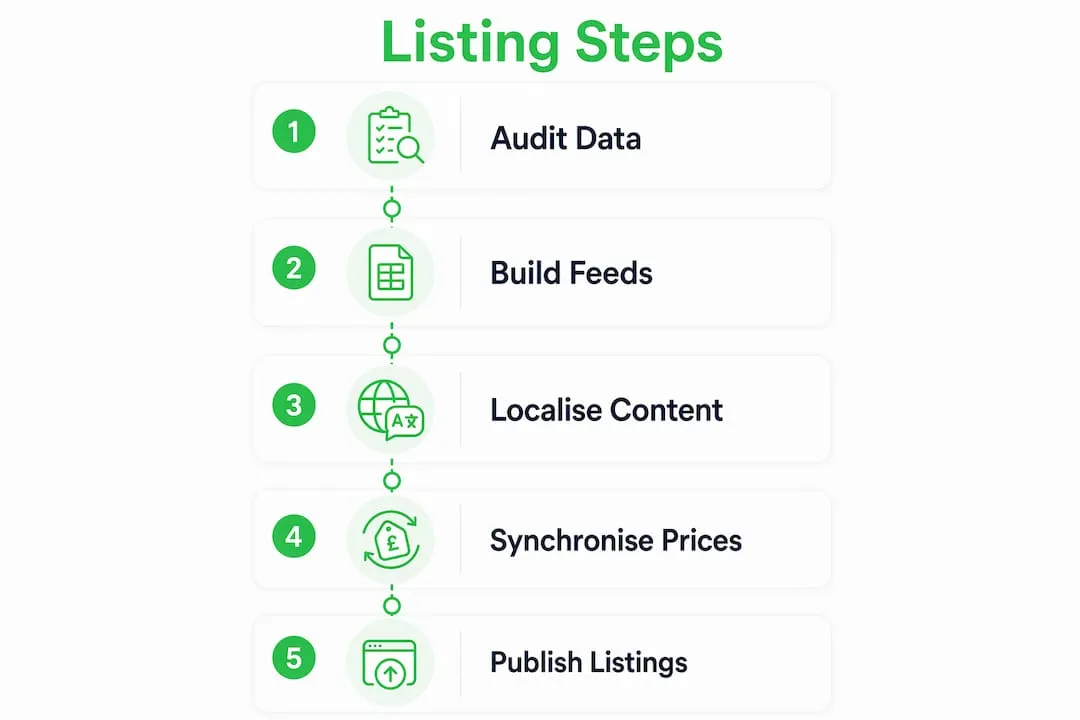
Multi-country product listing is defined as the process of setting up, localising, and publishing product data across separate national marketplaces using regulated feeds, market-specific content, and compliance management. Getting this right is the difference between consistent international sales and a catalogue full of rejected listings. The multi-country product listing steps covered here follow a systematic sequence: audit your data, build country-specific feeds using ISO country codes, localise content beyond simple translation, meet regulatory requirements such as CE certification and FDA compliance, and publish through validated bulk upload workflows. Each step builds on the last, and skipping any one of them is the fastest route to listing rejection or poor visibility.
What do you need before starting multi-country product listings?
Every successful international product listing guide starts with preparation, not publishing. Three accounts form the foundation: Google Merchant Center for Shopping feeds, Amazon Seller Central for marketplace listings, and any regional platform accounts relevant to your target markets. Without these in place and verified, no feed or bulk upload will go live.

Your product data quality matters as much as your account setup. Auditing existing product data quality and consistency before distributing internationally is the prerequisite for scaling across multiple marketplaces. That means checking every SKU for complete titles, accurate descriptions, correct GTINs, and up-to-date pricing before you touch a single feed file.
Feed management tools sit between your product catalogue and each marketplace. These tools read your data, format it to each platform’s specification, and push updates automatically. Entry-level feed tools handle basic CSV exports, while enterprise-grade platforms manage dynamic pricing, multi-language fields, and real-time syncing across dozens of markets simultaneously. The right choice depends on your catalogue size and how many markets you are entering at once.
Pro Tip: Name every data source and feed label using the relevant ISO 3166-1 alpha-2 country code from the start. Using “GB” for the United Kingdom, “DE” for Germany, and “US” for the United States in both your feed tool and your merchant account prevents mismatches before they happen.
| Tool category | Primary function | Best suited for |
|---|---|---|
| Feed management platforms | Format and distribute product feeds to multiple channels | Retailers with large catalogues |
| Merchant account dashboards | Validate feeds and manage listing status | All sellers |
| Bulk upload templates | Upload large inventories via structured spreadsheets | Sellers entering new markets quickly |
| Dynamic pricing tools | Sync prices with exchange rate fluctuations | Cross-border sellers with currency exposure |
What are the step-by-step actions to list products across multiple countries?
These steps form the core execution sequence for any multi-region product setup. Follow them in order to avoid the most common causes of listing failure.
-
Audit your product data. Check every product record for completeness: title, description, images, GTIN, price, and availability. Optimise descriptions to be keyword-rich and benefit-focused for each channel before you create a single feed.
-
Create a separate feed for each target country. For Google Shopping, a dedicated feed per country is required. Label each feed with the correct ISO country code and set the matching identifier in Google Merchant Center to the same code.
-
Set up marketplace accounts for each region. Verify your seller accounts on each platform. For Amazon, this means confirming your selling region within Seller Central and enabling the relevant marketplace under your global account.
-
Conduct market-specific keyword research. Search behaviour differs by country. A product that ranks for “trainers” in the United Kingdom ranks for “sneakers” in the United States. Use native-language keyword tools for each market rather than translating your existing keyword list.
-
Localise product titles, descriptions, and units. Adjust measurement units (kilograms versus pounds, centimetres versus inches), currency symbols, and language to match each market. This is localisation, not translation. The distinction matters and is covered in detail in the next section.
-
Add regulatory and compliance information. Amazon global expansion requires evaluating CE certification for the EU, FDA compliance for the US, and local labelling requirements before listing. Missing this information risks listing suspension.
-
Upload feeds and validate. Use bulk upload tools where supported. Amazon’s bulk upload tools allow managing large inventories efficiently, but they require careful preparation of data templates. Validate every feed in the merchant dashboard before setting listings live.
-
Monitor and iterate. Check listing status within 48 hours of publishing. Rejected listings generate error codes that tell you exactly what to fix. Build a weekly review into your workflow from day one.
Pro Tip: Synchronising product prices with exchange rate fluctuations automatically prevents price mismatches across markets. Use a feed management tool or marketplace pricing rule that updates prices dynamically rather than manually re-entering figures each time a currency moves.
| Step | Key action | Common error to avoid |
|---|---|---|
| Data audit | Check all fields for completeness | Missing GTINs cause immediate rejection |
| Feed creation | Label with ISO country code | Wrong or missing code breaks feed linking |
| Keyword research | Use native-language tools per market | Translating keywords misses local search intent |
| Localisation | Adapt units, language, and cultural cues | Direct translation reduces conversion rates |
| Compliance | Add CE, FDA, or local labels as required | Non-compliance triggers listing suspension |
| Upload and validate | Use bulk tools and check error reports | Unvalidated feeds go live with hidden errors |
How do you localise product listings for different international markets?
Translation is not localisation. Translation converts words from one language to another. Localisation adapts the entire product experience to match how buyers in a specific market think, search, and buy. A German buyer searching for a kitchen appliance uses different search terms, expects metric measurements, and responds to different trust signals than a buyer in the United States or Japan.
Effective localisation for international product pages covers five areas:
- Native-language keyword research. Run keyword research in the target language using local search data, not translated terms. Search volume and competition differ significantly by market.
- Cultural buying triggers. Adjust your benefit statements to match local priorities. Safety certifications carry more weight in Germany. Price-to-value framing performs better in price-sensitive markets.
- Unit and currency conversion. Display measurements and prices in the format buyers expect. Showing inches to a French buyer or pounds sterling to a Japanese buyer creates friction and reduces trust.
- Regulatory terminology. Include the correct certification labels for each market. CE marking is mandatory for many product categories sold in the EU. FDA compliance language is required for health and wellness products in the US.
- Competitor analysis within the target marketplace. Review the top-ranking listings in each country to understand title structures, image styles, and description formats that already perform well locally.
The role of language in global ecommerce extends beyond vocabulary. Tone, formality, and sentence structure all affect whether a listing feels native or foreign to a buyer. A listing that reads as a direct translation signals low effort and reduces conversion rates.
Pro Tip: When creating product listings for different markets, build a localisation checklist for each country that covers language, units, certifications, and cultural notes. Run every new product through this checklist before publishing rather than retrofitting corrections after rejection.
What are the most common challenges in multi-country listings?
Most listing failures trace back to a small set of repeatable errors. Knowing them in advance lets you build checks into your workflow rather than diagnosing problems after the fact.
Mismatch of ISO country codes in feed tools and Google Merchant Center data sources is the leading cause of feed rejection. The feed label and the item ID must match exactly. A single character difference breaks the link between your feed and the target market.
The five most common issues in steps for global product listings, and their fixes, are:
- Feed label and item ID mismatch. Fix by auditing every feed file against your Merchant Center data source settings before upload.
- Incorrect currency or language settings. Fix by setting the currency and language at the feed level, not just at the product level, and confirming these match the target country’s marketplace requirements.
- Non-compliant titles. Each marketplace has its own title formula. Amazon titles follow a specific structure (brand, product type, key feature, size or variant). Google Shopping titles prioritise the most searchable terms first. Marketplace-specific title formulas greatly influence listing visibility and conversion rates internationally.
- Feed syncing errors. These occur when your feed management tool loses connection to the merchant account or when a scheduled update fails silently. Fix by setting up error alerts and checking sync logs weekly.
- Incomplete product data. Missing fields such as GTINs, brand names, or condition attributes trigger automatic rejection on most platforms. Fix by running a completeness audit before every bulk upload.
For a deeper look at diagnosing and fixing these errors, the common listing challenges guide covers platform-specific error codes and resolution workflows in detail.
Key takeaways
Successful multi-country product listings require a structured sequence: audit data first, build ISO-coded feeds per country, localise beyond translation, meet market-specific compliance requirements, and validate before publishing.
| Point | Details |
|---|---|
| Audit data before listing | Check every product record for completeness before creating any feed or upload file. |
| Use ISO country codes correctly | Feed labels and item IDs must match exactly in both your feed tool and merchant account. |
| Localise, do not just translate | Adapt keywords, units, certifications, and cultural cues for each target market. |
| Meet compliance requirements | Add CE, FDA, or local labelling information before publishing in each market. |
| Validate feeds before going live | Use merchant dashboard error reports to catch and fix issues before listings go live. |
Why most retailers get multi-country listings wrong the first time
The honest answer is that most retailers treat international listing as a copy-and-paste job. They take their domestic product feed, run it through a translation tool, and push it to five new markets. Then they wonder why their listings get rejected or sit at the bottom of search results.
I have seen this pattern repeatedly. The problem is not effort. It is sequence. Retailers skip the data audit because it feels slow, and they skip localisation because translation feels close enough. Neither shortcut holds up. A feed with missing GTINs will fail in Germany the same way it fails in the United Kingdom. A title written for British search intent will not rank in France, regardless of how accurate the translation is.
The audit-first approach feels counterintuitive when you are eager to enter new markets. But a clean, complete data set is the only foundation that scales. Every hour spent fixing data before listing saves three hours of troubleshooting rejected feeds after the fact.
Cultural nuance is the part that surprises most retailers. The same product can require a completely different benefit statement in Japan versus the United States. Japanese buyers respond to precision and craftsmanship. American buyers respond to convenience and value. Neither is wrong. Both require a different listing.
Compliance is the area where I see the most avoidable penalties. CE marking and FDA compliance are not optional extras. They are entry requirements. Build a compliance checklist for every new market before you create a single listing, and review it every time regulations change.
The retailers who scale internationally without drama are the ones who treat listing as a system, not a task. They build checklists, automate price syncing, and review feed health weekly. The workflow for global product listings is not glamorous, but it is what separates consistent international revenue from a catalogue of rejected feeds.
— Koen
How Ecom-eye handles bulk multi-country listing at scale
Building and maintaining separate, localised product feeds for every target market is time-consuming work. Ecom-eye was built specifically to remove that manual overhead for Shopify dropshippers.
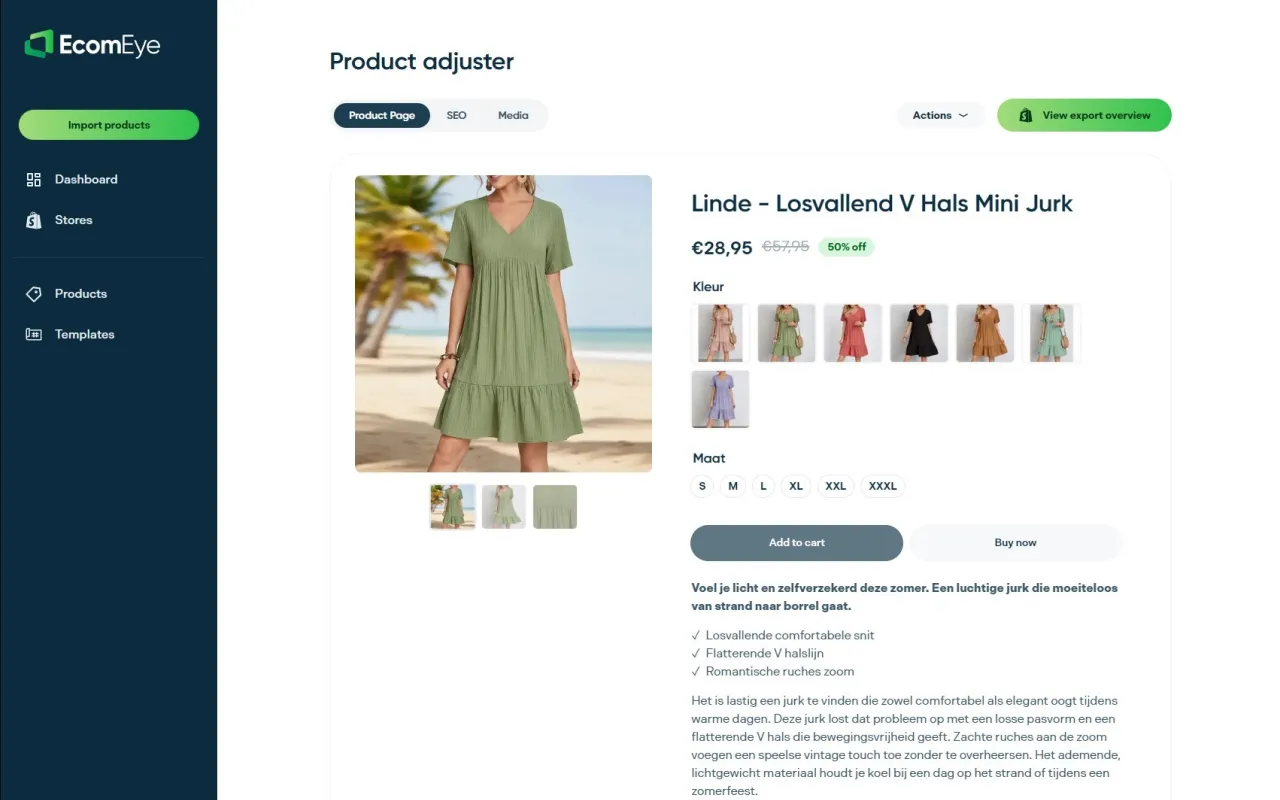
With Ecom-eye, you import products in bulk from AliExpress or competitor links, and the platform automatically generates SEO-ready titles, clean descriptions, and multi-language product pages. Every page is copyright-safe and built to pass Google Merchant Center validation. AI-generated product images replace supplier photos, removing duplicate content risk at the source. You export directly to Shopify in one click, with no rewriting and no manual feed formatting. For retailers entering multiple markets at once, Ecom-eye’s bulk AI product lister cuts the time from product import to live listing from hours to minutes.
FAQ
What is a multi-country product feed?
A multi-country product feed is a structured data file that contains your product information formatted and labelled for a specific national marketplace. Each target country requires its own feed, labelled with the correct ISO country code.
Why do my Google Shopping listings keep getting rejected?
The most common cause is a mismatch between the feed label and the item ID in Google Merchant Center. Both must use the identical ISO country code to link correctly. Check your data source settings and feed labels for exact character matches.
Is translation enough for international product listings?
Translation is not sufficient. Effective localisation requires native-language keyword research, cultural adaptation of benefit statements, unit and currency conversion, and the inclusion of market-specific regulatory certifications.
What compliance certifications do I need for EU and US listings?
CE certification is required for many product categories sold in the EU. FDA compliance language is required for health and wellness products in the US. Non-compliance risks listing suspension or regulatory penalties on both platforms.
How do I keep prices accurate across multiple markets?
Use a feed management tool or marketplace pricing rule that supports dynamic pricing updates tied to exchange rate fluctuations. Manual price updates create mismatches and reduce your competitiveness in fast-moving markets.
Ready to boost your product pages?
Generate high-converting, SEO-optimized product pages in bulk using AI automation used by e-commerce experts.
No credit card required