Fix Thin Shopify Product Pages With a Five Section 250 Word Template
Run a six check Shopify audit, noindex worthless pages, then rewrite priority listings using the five section, 250 word template that recovers product...

Fix Thin Shopify Product Pages With a Five Section 250 Word Template

Thin content on Shopify means product or collection pages with copied manufacturer text, missing specs, default meta tags, or empty grids with very few products. Fix the worst offenders first: run an audit against Google Search Console and analytics data, noindex or redirect the pages worth nothing, then rewrite priority listings using a five-section, 250-word content pattern. That single sequence recovers more ranking ground than any amount of new content elsewhere on the store.
TL;DR:
- Prioritize fixing pages with the highest impressions and lowest content quality, especially those under 100 words or with duplicate meta tags.
- Rewrite thin product pages with a five-section pattern that clearly answers buyer questions, aiming for 200-250 words of unique, useful information.
- Avoid collection pages with fewer than four products or minimal copy by including an introductory paragraph and detailed buyer questions below the grid.
- Ensure all technical SEO elements are correct, including canonical tags, schema markup, and optimized images, to prevent duplicate content and ranking issues.
- Use automated tools to generate bulk descriptions, but always review and add genuine first-hand details to avoid thin content penalties.
Table of Contents
- What counts as thin content on Shopify products?
- How do you fix thin Shopify product pages?
- How should collection pages be structured to avoid thin content?
- Which technical fixes stop thin content from hurting rankings?
- What templates make scaling unique product content practical?
- How do you prioritise fixes and measure whether they worked?
- Why bulk-safe, unique content is the only way forward for dropshippers
- How Ecom-eye fixes thin content at catalogue scale
- Sources
- FAQ
What counts as thin content on Shopify products?
A product page qualifies as thin when it offers nothing a shopper couldn’t get from the manufacturer’s own listing or a competitor’s store. Pasted-in vendor copy, a title with no descriptive detail, and a meta description Shopify auto-generated from the first sentence of the body text are the three most common culprits. Collection pages fail the same test when they show a grid of products with zero surrounding copy, or when they contain so few items that the page reads as a placeholder rather than a destination.
Shopify’s own guidance is blunt about this: duplicate or thin product pages are a leading cause of poor rankings, and stores that keep manufacturer copy verbatim tend to underperform stores that rewrite it. The pattern shows up constantly in dropshipping catalogues, where dozens of SKUs share near-identical AliExpress or Amazon descriptions with only a colour or size swapped.
Quick audit checklist to find and prioritise thin pages
Finding the worst pages before you touch a single word of copy saves weeks of wasted effort.
- Connect Google Search Console and GA4 to your Shopify admin, then export impressions, clicks, and average engagement time by URL.
- Run a full-site crawl with Screaming Frog or a similar crawler and flag pages under 100 words of unique body text.
- Pull any page with duplicate title tags or duplicate meta descriptions, a strong signal of copied vendor text or accidental multi-URL products.
- Flag collection pages showing fewer than four live products, since these usually read as thin regardless of copy quality.
- Cross-reference low dwell time with high impressions; that combination means Google is showing the page but shoppers are bouncing straight off it.
- Build a single prioritised list sorted by impressions first and content quality second. High-impression, low-content pages go to the top.
Technical audits of Shopify stores routinely turn up duplicate collection-path URLs for the same product, often created when a theme change or app installation quietly altered how collections generate their paths. Catch these during the crawl stage rather than after you’ve rewritten the wrong page.
How do you fix thin Shopify product pages?
Structure beats padding. A product page doesn’t need to be long to rank; it needs to answer five questions a buyer actually asks before checkout. Shopify’s product-description guidance recommends covering specifications, suggested uses, and benefits rather than repeating a features list twice in different words.
The pattern that works consistently follows five sections:
- Benefit opener: one or two sentences on the problem the product solves, not a spec dump.
- Specs as bullets: materials, dimensions, weight, compatibility, listed so they’re scannable and extractable by search engines.
- In-catalogue comparison: a line placing the product against similar items in your own range, helping shoppers self-select.
- Sizing, materials, and care: the practical detail that reduces returns and pre-empts support tickets.
- Use-case close: a short scenario showing the product in actual use, closing with a clear call to action.
Aim for about 200 to 250 words on simple SKUs; complex products (electronics, furniture, anything with configuration options) can justify a longer description when there is genuinely more to explain, not merely for length itself. Alongside the copy, check that Product schema is present, title tags describe the specific variant rather than a generic category, alt text names the product instead of reading “image1.jpg”, and images are compressed before upload.
Trust signals close the gap between a page that reads well and a page that converts, and adding AR Quick Look to Shopify product pages can enhance customer trust with immersive visuals. A review snippet, a one-line shipping and returns summary, and even an honest limitation (“runs slightly narrow, check the sizing chart”) do more for conversion than another paragraph of marketing language. Our guide to product page trust signals covers implementation in more depth.
Pro Tip: Write the use-case close first. It forces you to picture a real buyer and stops the rest of the description drifting into generic manufacturer language.
How should collection pages be structured to avoid thin content?
Collection pages fail differently to product pages. The grid itself is rarely the problem; the absence of any surrounding copy is. Search Engine Land’s Shopify SEO playbook recommends splitting collection copy into two blocks: a short introduction above the grid, and a longer, H2-structured section underneath it that answers the questions a buyer would type into Google before landing on the page.
- Place the short intro above the grid so it’s visible without scrolling, and target one commercial keyword per collection rather than trying to rank for five.
- Link to bestsellers and subcategories directly from the intro text, giving both shoppers and crawlers an obvious next click.
- Add the longer content block below the grid using H2 subheads for buyer questions (“How do I choose the right size?”, “What’s the difference between X and Y?”).
- Merge or redirect any collection carrying fewer than four products into a broader category rather than leaving a near-empty page live.
- Curate a handful of indexable spec-combination pages (say, “waterproof hiking boots, men’s, size 10”) instead of letting infinite filter combinations generate thousands of thin near-duplicates.
That last point matters more than it sounds. Faceted navigation on a large catalogue can generate URLs for every colour, size, and price-band permutation, and most of them carry no unique value at all.
Which technical fixes stop thin content from hurting rankings?
Content fixes only hold if the technical layer behind them is sound. Get these four right before you invest more time in rewrites.
- Verify canonical tags on every product and collection template, and check that no installed app has silently overwritten Shopify’s default canonicalisation, a common cause of the duplicate-URL problem technical audits keep finding.
- Apply noindex,follow to filter permutations and tag pages instead of blocking them in robots.txt. Blocking via robots.txt hides the canonical tag from Google entirely, which stops link equity flowing back to the page you actually want ranked.
- Add Product, Offer, and AggregateRating schema across your templates. A Custom Liquid block at the theme level is the most reliable way to apply it consistently across collections rather than editing each page by hand.
- Compress oversized images and check Core Web Vitals on your highest-priority pages first; a slow-loading hero image undoes the benefit of a rewritten description before a shopper reads a word of it.
Shopify’s own SEO guidance backs the schema and image steps directly, noting that structured data and sitemap-listed images help Google surface product detail and pick up image search traffic that a plain product photo would otherwise miss entirely.
What templates make scaling unique product content practical?
Writing genuinely unique copy for 40 SKUs is manageable by hand. Writing it for 4,000 is not, which is why a repeatable template matters more on Shopify than almost any other platform. Feed each of the five PDP sections its own prompt field rather than asking for “a product description” in one go: benefit (what problem does this solve, in plain terms), specs (materials, dimensions, compatibility as a bulleted list), comparison (how does this sit against similar items in the catalogue), sizing and care (practical detail that reduces returns), and close (a use-case scenario ending on a call to action).
Collection pages take a simpler two-part template: the above-grid intro answers “what will I find here”, and the below-grid H2 blocks answer whatever three or four questions buyers most commonly ask about that category, each with an internal link to a relevant subcategory or bestseller.
- Vary the prompt wording between similar products, even slightly, so outputs don’t drift back toward near-duplicate phrasing.
- Have a human reviewer check every generated batch for accuracy and tone before publishing, not just for typos.
- Insert first-hand signals wherever genuine: a fit note, a known limitation, a real use case, rather than only benefit language.
Shopify Magic works on the same logic: Shopify’s own guidance tells merchants to feed it detailed product features and a desired tone, then review the output before it goes live. Google’s Helpful Content systems generally tolerate AI-assisted drafting; what they penalise is the absence of human review and first-hand detail, not the assistance itself.
Pro Tip: Batch-generate by product category, not alphabetically. Descriptions for the same category share enough structure that reviewing them back-to-back catches repeated phrasing far faster.
How do you prioritise fixes and measure whether they worked?
Rank pages by a simple formula: impressions multiplied by conversion potential, divided by the effort the fix requires. A page pulling 2,000 impressions a month with a five-minute rewrite beats a page pulling 200 impressions that needs a full photoshoot, every time.
- Track impressions, clicks, click-through rate, organic sessions, and add-to-cart rate weekly for the pages you’ve touched.
- Set guardrail metrics too: bounce rate and return rate, since a rewrite that boosts clicks but tanks conversion has fixed the wrong problem.
- Expect measurable movement in impressions and rankings within four to twelve weeks; conversion lifts tend to follow once trust signals and structural fixes are in place.
- Agency case data on spec-exposure and structural rewrites points to conversion improvements in the range of 15 to 40% within 90 days for pages that get the full treatment.
Why bulk-safe, unique content is the only way forward for dropshippers
Most audits turn up the same rookie mistake: a store owner pastes AliExpress copy across fifty near-identical SKUs and wonders why none of them rank. The fix isn’t always writing everything by hand. Automated generation handles volume well, provided a human checks tone, accuracy, and adds a genuine first-hand detail somewhere in the mix. Treat automation as the first draft engine, not the final word, and the scale problem stops being a ranking liability.
— Koen
How Ecom-eye fixes thin content at catalogue scale
Rewriting fifty product pages by hand is manageable over a weekend. Rewriting five hundred, each with genuinely unique phrasing and no copyright risk, is not, which is exactly the gap Ecom-eye closes. It imports products directly from AliExpress, Amazon, Temu, or a competitor’s Shopify link, then generates unique titles, structured descriptions, and AI product images built to avoid the duplicate-content and Google Merchant disapproval problems that quietly cap so many dropshipping stores.
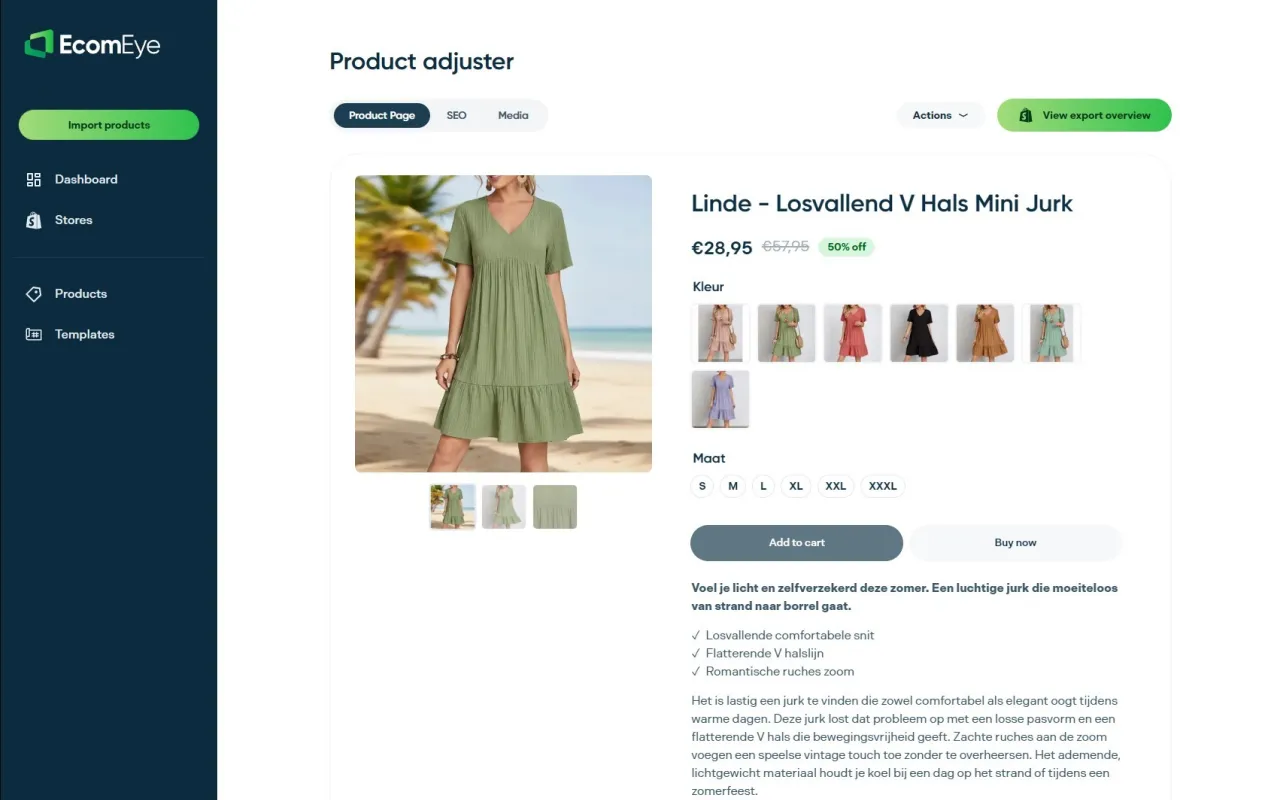
Bespoke writing still earns its place on your ten best-selling flagship products, the pages where every sentence deserves individual attention. For the long tail of a catalogue, the bulk description generator applies the same five-section structure covered above across hundreds of listings in one pass, with multi-language output if your store sells beyond one market. Pair it with the AI image generator where supplier photos are watermarked or simply too low quality to publish. Import a batch, review the output against the checklist in this guide, and export straight to Shopify with one click.
Sources
Shopify’s Help Center remains the definitive source on product description structure and Shopify Magic usage. Search Engine Land’s Shopify SEO and AI readiness playbook covers collection-page splits and schema implementation in practical depth. For catalogue-wide fixes, Ecom-eye’s guides on product schema and duplicate product pages walk through implementation step by step.
- 8 Common SEO Mistakes and How To Avoid Them in 2026
- Shopify SEO checklist: How to improve SEO on Shopify - scandiweb
- How to Improve Shopify SEO in 2026: Complete Guide
FAQ
What is considered thin content in the context of SEO?
Thin content is any page offering little unique value: copied manufacturer text, minimal detail, or auto-generated meta tags with no original substance behind them. On Shopify, this typically means product pages using vendor copy verbatim or collection pages with fewer than four products and no surrounding text.
Is Shopify still worth it for building a search-visible store?
Yes. Shopify’s infrastructure handles the technical side of SEO well; canonical tags, sitemaps, and schema support are all built in. The ranking problems most stores hit come from thin, duplicated content layered on top, not from the platform itself.
Does using AI to generate product descriptions count as thin content?
Not automatically. Google’s guidance treats AI-assisted content as acceptable when a human reviews it and adds first-hand detail; the risk comes from publishing unreviewed, generic output rather than from using a tool like Ecom-eye to draft it.
Ready to boost your product pages?
Generate high-converting, SEO-optimized product pages in bulk using AI automation used by e-commerce experts.
No credit card required