Stop Words in Product Titles: What to Cut and What to Keep
Should you remove stop words from Shopify product titles? A practical guide to which small words to keep, which filler to cut, and how to do it across a catalogue.
Stop Words in Product Titles: What to Cut and What to Keep
Do not strip stop words out of your product titles by rule. Words like “for”, “with” and “of” are not what hurts a title. Filler, repetition and keyword stuffing are. Cut those, keep the small words that make a title read like a product name, and put the details shoppers search for at the front. The real challenge for a dropshipper is doing that across hundreds of listings without rewriting each one by hand.
This guide shows what stop words are, what Google and Merchant Center actually ask of a title, which words to keep or cut, and how to run the job at catalogue scale.
TL;DR
- Stop words are common function words such as “a”, “the”, “for” and “with”. They carry little meaning alone, but removing them mechanically can make a title awkward or change what it means.
- Google advises concise, descriptive titles and warns against keyword stuffing and repetitive boilerplate. It does not ask you to delete small words.
- For Google Shopping, the title limit is 150 characters, but shoppers usually notice only the first 70 or fewer. Put brand, product type and the key differentiator first.
- Cut filler (“perfect for”, “gift”, “hot sale”, repeated keywords), not grammar.
- Across a large catalogue, generate unique, clean titles in bulk instead of editing supplier titles one by one.
Table of Contents
- What stop words are, in plain terms
- Does Google ignore stop words in product titles?
- Three situations, three decisions
- A quick review table for your titles
- What Google Merchant Center asks of a title
- A worked example
- Why this is a catalogue problem, not a word problem
- A routine for bulk titles
- Perspective
- Generate clean, unique titles in bulk
- Common mistakes to avoid
- FAQ
- Sources
What stop words are, in plain terms
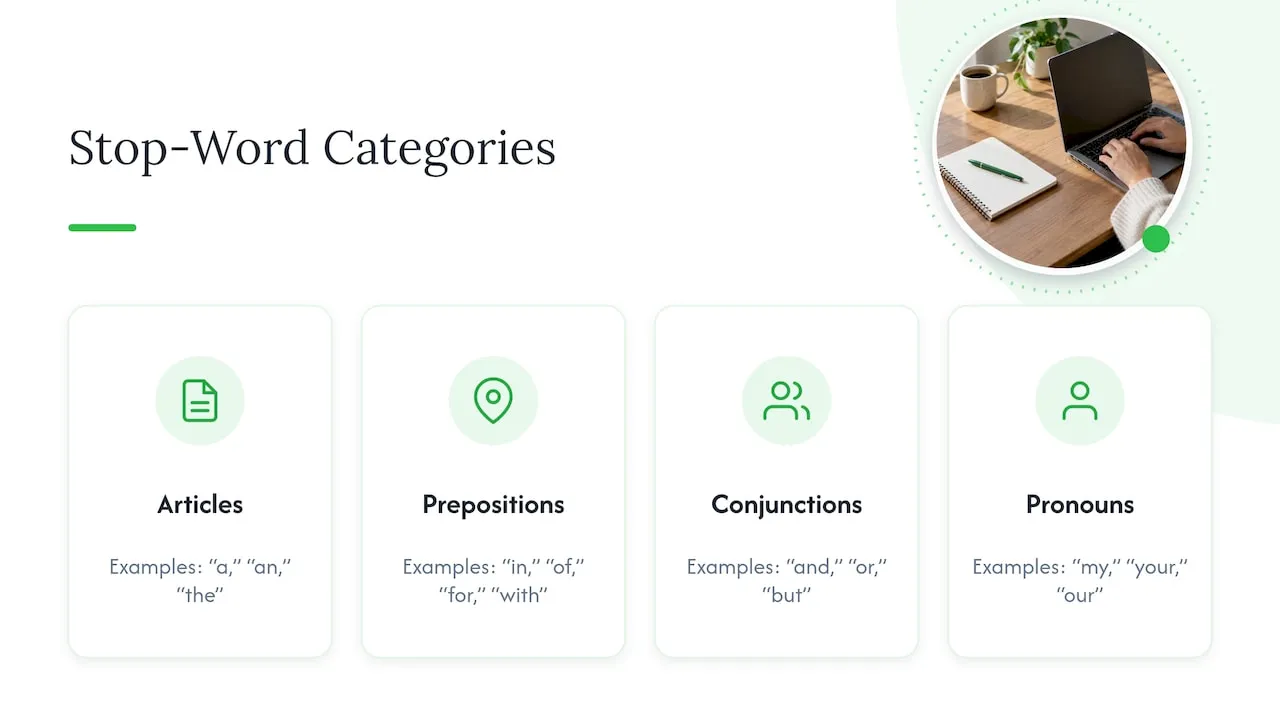
Stop words are very common words that carry little meaning by themselves: articles (“a”, “an”, “the”), prepositions (“in”, “of”, “for”, “with”), conjunctions (“and”, “or”, “but”) and some pronouns (“my”, “your”, “our”). Semrush describes them as common function words that search engines may ignore because they often add little to a query. SEOptimer’s guide gives examples such as “a”, “an”, “the”, “and”, “of”, “in”, “to” and “for”, and notes that there is no single universal list.
That last point matters. The idea comes from search indexing, where a system keeps a list of words it skips. Oracle’s documentation, for instance, defines a stoplist as words that are not indexed, and its default list depends on the database language. That describes one database product, not a rule that every search engine follows. Many of the pages that rank for this phrase come from natural language processing, where removing stop words is a data-cleaning step for text analysis. It is not an instruction for writing the title on a product page.
For a Shopify store, the useful question is different: when does a small word help the shopper and the search engine understand what you sell, and when is it just padding?
Does Google ignore stop words in product titles?
Not in a way you should plan around. SEOptimer says modern search engines such as Google do not automatically ignore stop words, and that dropping them can make a title sound unnatural. Its example: “Best CRM Software for Real Estate Agents” reads better than the same phrase with “for” removed.
Google’s own guidance on titles points the same way. Its title link documentation asks for concise, descriptive text and warns against unnecessary verbosity, keyword stuffing and repetitive boilerplate. It also says titles may be truncated to fit the device width, and it sets no fixed character limit for the page title element. Nothing in that page tells you to remove small words. It tells you to remove waste.
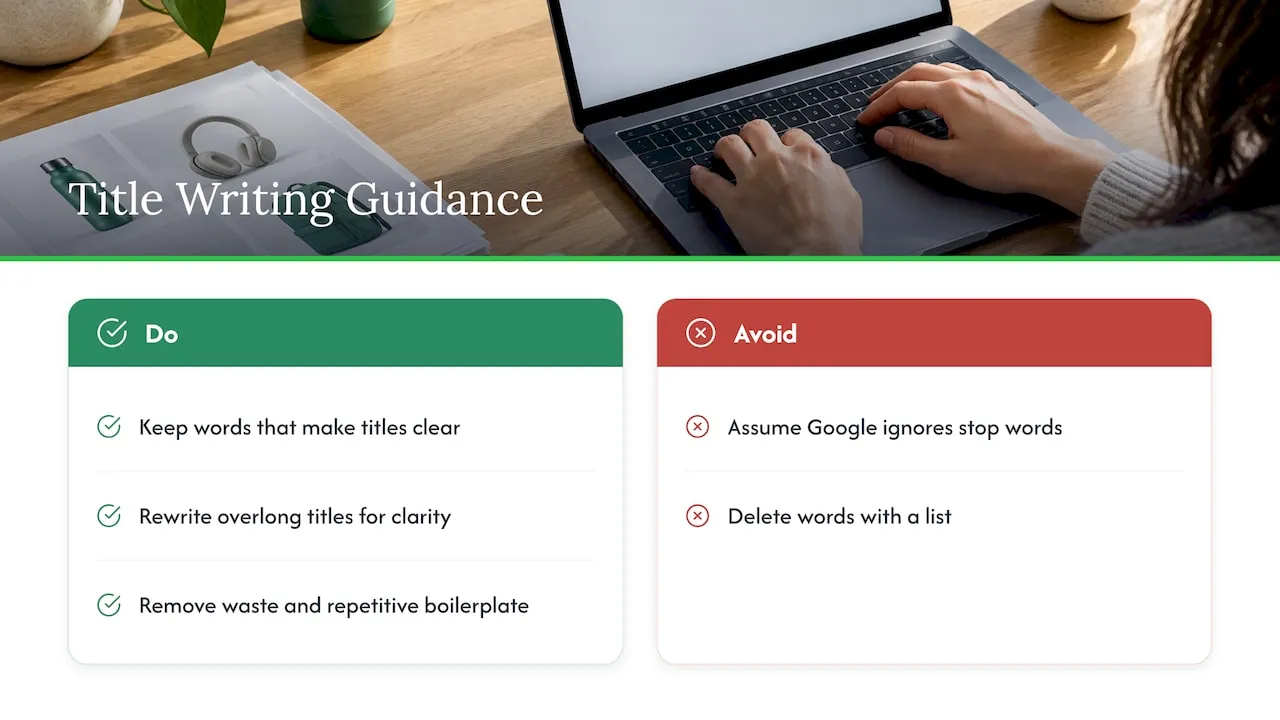
HubSpot’s guide to stop words recommends keeping them in titles and headings when removing them makes the text unclear. It also advises rewriting an overlong title for brevity and clarity rather than deleting words that make it understandable. So the working rule is simple: shorten by rewriting, not by running a delete-list across your catalogue.
Three situations, three decisions
When a stop word should stay
Keep it when it changes meaning or makes the name read naturally.
- It joins a product to its use or user. “Waterproof Hiking Boots for Women” tells a shopper and a search engine who the boot is for. “Waterproof Hiking Boots Women” reads like a keyword string.
- It distinguishes an entity. HubSpot points out that adding “The” to “Flamingos” can point to a band rather than birds. In retail the same applies to brand and product names where the small word is part of the name.
- It separates features. “Case with Stand” and “Case and Stand” are not always the same product.
When a stop word can go
Cut it when it only pads a phrase and the title still reads cleanly. UsePattern’s guide to stop words in titles argues for balance: trimming “The Best Ways to Cook a Delicious and Tasty Apple Pie” to “Best Ways to Cook a Delicious Apple Pie” helps, while removing every small word makes titles feel robotic. In product titles, the typical cases are doubled phrases (“for use in the home and for office use”) and decorative connectors that add length without information.
When the problem is not a stop word at all
Most weak dropshipping titles fail because of filler phrases and stacked keywords, not because of “the” or “and”. A Sortlist Data Hub analysis of 11,000 best-selling products in the United States found that titles should not exceed 135 characters, and that phrases such as “perfect for” (a 36.27% lower sales association), “gift” (44.68%) and “is ideal for” (49.16%) were linked to lower sales. Notice what those phrases have in common: they are sales language, not grammar. They are the words worth cutting.
A quick review table for your titles
| Word or pattern | Example | Usually | Why |
|---|---|---|---|
| “for” linking product and user | Yoga Mat for Beginners | Keep | Names the audience and mirrors how people search |
| “with” linking a feature | Water Bottle with Straw Lid | Keep | Defines the product variant |
| “and” between two separate items | Charger and Cable Set | Keep if it defines the bundle | Meaning changes without it |
| “the” at the start | The Original Brand Name | Keep if it is part of the name | Part of a proper name |
| “the” before a generic noun | The Best Dog Bed | Cut | Adds length, no meaning |
| Repeated phrases | Dog Bed Pet Bed Cat Bed Puppy Bed | Rewrite | Keyword stuffing, flagged by Google’s guidance |
| “perfect for”, “gift”, “hot sale” | Perfect for Gift Hot Sale | Cut | Promotional filler, linked to weaker sales in the Sortlist data |
| Emoji and symbols | 🔥 Dog Bed ✨ | Cut | Merchant Center asks you to avoid gimmicky symbols |
The common thread: decide per title, by meaning, not per word by list.
What Google Merchant Center asks of a title
If you run Google Shopping or free listings, the title is a feed attribute with its own rules. The Merchant Center title specification says to use a relevant title that clearly describes the product in professional, grammatically correct language. It asks you to avoid promotional text, all-caps emphasis, gimmicky symbols, HTML tags and extra white space.
The length figures are worth knowing precisely:
- The limit is 150 characters, confirmed in the product data specification, which also says the title must accurately describe the product and match the landing page.
- Users usually notice the first 70 characters or fewer, depending on screen size, so the most important details go first.
- Google’s product data optimisation tips recommend putting key details such as brand, age group, gender, size and colour at the front, and using a unique title for every product so variants can be told apart.
Grammatically correct language is a phrase worth reading twice. A feed title that drops “for” and “with” everywhere is less grammatical, not more efficient. The 150-character limit is a ceiling for the feed, not an instruction to delete small words. If you want the length discussion in more depth, our guide to Google Shopping title length covers the 50 to 100 character range.
One more detail for stores that use AI to write titles: Merchant Center states that titles created with generative AI must be submitted through the structured title attribute rather than the plain title attribute. Check how your feed is set up before you publish a large batch.
A worked example
Here is an illustrative supplier-style title, the kind that arrives with an imported product:
2026 New Hot Sale Pet Dog Bed Cat Bed Puppy Bed Warm Soft for Winter Perfect for Gift
There are 16 problems and only a couple are stop words. Work through it:
- Remove the year and “Hot Sale”. They are promotional and date the listing.
- Collapse the repeats. “Dog Bed Cat Bed Puppy Bed” becomes one clear product type, “Dog Bed”, with “Cat” or “Puppy” only if the product genuinely suits them.
- Cut “Perfect for Gift”. Filler of the kind the Sortlist data links to weaker sales.
- Keep “for” where it carries meaning. “for Small Dogs” is a real search phrase and states the audience.
- Move the differentiators forward. Brand, product type, size and material belong in the first 70 characters.
A clean result might read:
Brand Name Orthopaedic Dog Bed for Small Dogs, Washable, Grey, 24 in
That is 68 characters. It keeps “for”, drops the noise, and puts the identifying details where a shopper’s eye lands. Notice that the biggest gains came from removing sales filler and repetition. Deleting stop words would have saved only a handful of characters and made the title worse.
For the broader formula behind this, see the product title formula and our notes on writing SEO product titles for Shopify and Google.
Why this is a catalogue problem, not a word problem
One title is easy to fix. Two hundred imported titles are not. Supplier titles on AliExpress and similar marketplaces are often written for the marketplace’s own search, which rewards keyword strings. Copy those into Shopify and you carry the stuffing, the filler and the duplication with you. Duplicate titles across stores also make it harder for your pages to stand apart, and Merchant Center’s advice to use a unique title for every product means variants need real, distinguishing detail.
If you want a second perspective on the craft, this walkthrough on writing SEO titles covers readable, descriptive title patterns. The routine below is what we would apply to a Shopify catalogue.
A routine for bulk titles
Step 1: Set one title pattern per product type
Decide the order once: brand, product type, key differentiator, then size, colour or material. A pattern keeps the first 70 characters consistent across a category. Where it goes wrong: writing a different pattern per product, which makes the feed hard to audit. Where we help: EcomEye has built-in template and bulk editing, so a pattern is set once and applied across many products rather than retyped.
Step 2: Import the raw data
Pull in the supplier titles and specifications as the starting material, not as the final text. Where it goes wrong: publishing the supplier wording as it is, with its filler and with text other sellers also use. EcomEye imports product data in bulk from AliExpress, Amazon, Temu or competitor Shopify links, so the raw material arrives in one batch.
Step 3: Generate unique titles that read naturally
The goal is a title that is clear, descriptive and different from every other seller’s. Where it goes wrong: stripping words by list, or leaving each title identical to the one next to it. EcomEye generates optimised titles and clean descriptions, and every listing is unique even when it is based on the same product link.
Step 4: Review the first 70 characters
Read only the first 70 characters of each title. Can a shopper tell the brand, the product and the main difference? If not, move the detail forward. This check takes seconds per title and is worth keeping as a habit.
Step 5: Prepare the Merchant Center feed
Titles should accurately describe the product and match the landing page. EcomEye has built-in tools for Google Merchant Center and product variant management, which helps keep variant titles distinct. Remember the structured title attribute if your titles came from generative AI.
Step 6: Add languages and export
If you sell in more than one language, write each title for that language rather than translating word for word, since small words differ between languages. EcomEye creates multi-language pages and exports to Shopify in one click.
For handling uniqueness specifically, read unique product titles on Shopify at scale.
Perspective
Stop words are a search-engineering idea that dropshippers have borrowed, usually without checking whether it applies to a store. In a database, skipping “the” saves space. In a shop, a title is the first sentence a customer reads about your product.
We build EcomEye around the problem we see behind weak titles: copied supplier text. When many stores publish the same wording, the issue is duplication, not the word “for”. That is why every title and description EcomEye generates is unique to each user, even when two people start from the same product link, and why the output is aimed at copyright-safe, SEO-optimised pages that avoid Google Merchant disapprovals.
Our advice is to spend your attention on the first 70 characters, on real differentiators, and on removing filler. Let the tool carry the repetition across hundreds of listings, so you can spend your time on products and ads.
Koen
Generate clean, unique titles in bulk
If you are cleaning supplier titles one at a time, you are spending hours on the part a tool can repeat. EcomEye imports products in bulk, generates optimised titles, clean descriptions and AI product images, and exports to Shopify in one click. Plans are Try-out at €39 per month and Scaler at €99 per month, and you can see both on the pricing page. To start with copy, try the AI product description generator.
Common mistakes to avoid
- Running a find-and-replace on a stop-word list. It deletes “for”, “with” and “of” where they matter, and leaves real filler untouched.
- Treating 150 characters as a target. It is a ceiling. Shoppers see roughly the first 70 characters, so front-load.
- Repeating the main keyword. Google’s title guidance names keyword stuffing and repetitive boilerplate as things to avoid.
- Using the same title for every variant. Merchant Center advises unique titles so variants can be told apart.
- Leaving emoji in. The feed rules ask for no gimmicky symbols. See emojis in product titles for the Shopify side.
- Ignoring the page itself. The title must match the landing page. Our notes on optimising product page titles for Shopify SEO and conversions show how the title connects to the rest of the page.
FAQ
What are stop words in a product title?
They are very common function words such as “a”, “the”, “and”, “for”, “in” and “with”. Alone they say little, but in a title they often connect the product to its use or user. There is no single official list, so judge each by meaning.
Should I remove stop words from Shopify product titles?
Not by rule. Google’s guidance asks for concise, descriptive titles without stuffing or boilerplate, and several SEO guides advise keeping small words when removal makes a title unnatural. Cut filler such as “perfect for” and “hot sale” first, and only remove a small word if the title still reads clearly.
How long should a Google Shopping title be?
Merchant Center allows up to 150 characters, but shoppers usually notice only the first 70 or fewer. Put the brand, product type and main differentiator at the front. A title between 50 and 100 characters is a practical working range.
Is there a list of stop words I should review?
A practical review list is “a”, “an”, “and”, “as”, “at”, “by”, “for”, “from”, “in”, “into”, “of”, “on”, “or”, “the”, “to” and “with”. Use it as a prompt to check each title for meaning, not as a delete list.
Sources
- Influencing title links in Google Search, Google Search Central
- Title and structured title, Google Merchant Center Help
- Product data specification, Google Merchant Center Help
- Tips to optimise your product data, Google Merchant Center Help
- Supplied stoplists, Oracle Database documentation
- The words that sell the most: an analysis of 11,000 best-selling products, Sortlist Data Hub
- What are stop words in SEO, Semrush
- 75 stop words that are common in SEO, HubSpot
- What are SEO stop words, SEOptimer
- How stop words impact SEO in your title, UsePattern
- How to write SEO titles