How to Scale Product Content on Shopify Without Copying
Scale Shopify product content without duplicate pages or Merchant Center disapprovals: prepare data, generate unique pages in bulk, check them and measure results.

How to Scale Product Content on Shopify Without Copying

Scaling product content on Shopify means publishing hundreds of accurate, unique product pages without writing each one by hand and without pasting supplier or competitor copy. The workable route is a clean product data file, unique titles, descriptions and images generated in bulk, and a check before anything goes live. That is what EcomEye is built for: import products from AliExpress or competitor links, generate unique pages, and export to Shopify in one click.
TL;DR
- Scaling content needs two things: a standard for what every product page must contain, and a workflow that keeps it accurate as the catalogue grows.
- Copied supplier text is generic. Google Merchant Center expects product details to be accurate and unique for each product, and non-compliant products can be disapproved.
- Shopify’s native bulk editor and CSV import work, but they edit content you already have. They do not write it.
- Generate titles, descriptions and images in bulk, then spot-check and measure product pages in Search Console.
- Our Try-out plan is 39 EUR per month and Scaler is 99 EUR per month.
Table of Contents
- What scaling product content actually means
- Step 1: Prepare your product data
- Step 2: Generate unique titles and descriptions in bulk
- Step 3: Make images consistent
- Step 4: Publish and edit in bulk safely
- Step 5: Check before you scale further
- Step 6: Measure what the content does
- Promo
- Perspective
- FAQ
- Sources
What scaling product content actually means
Shopify’s own product content guide describes scaling as two connected systems: a content model that defines the fields, formats and standards for every product, and a workflow that keeps the information accurate as products and channels change. Writing speed is only part of it.
For a dropshipper this has a practical meaning. You may import 200 products in an afternoon. If each page has a different title pattern, missing attributes and a supplier’s blurb, you have 200 problems rather than 200 listings.
Why copied content hurts
Shopify explains that duplicate content confuses search engines about which page is authoritative, splits backlink signals across versions and wastes crawl budget, so fewer pages get indexed.
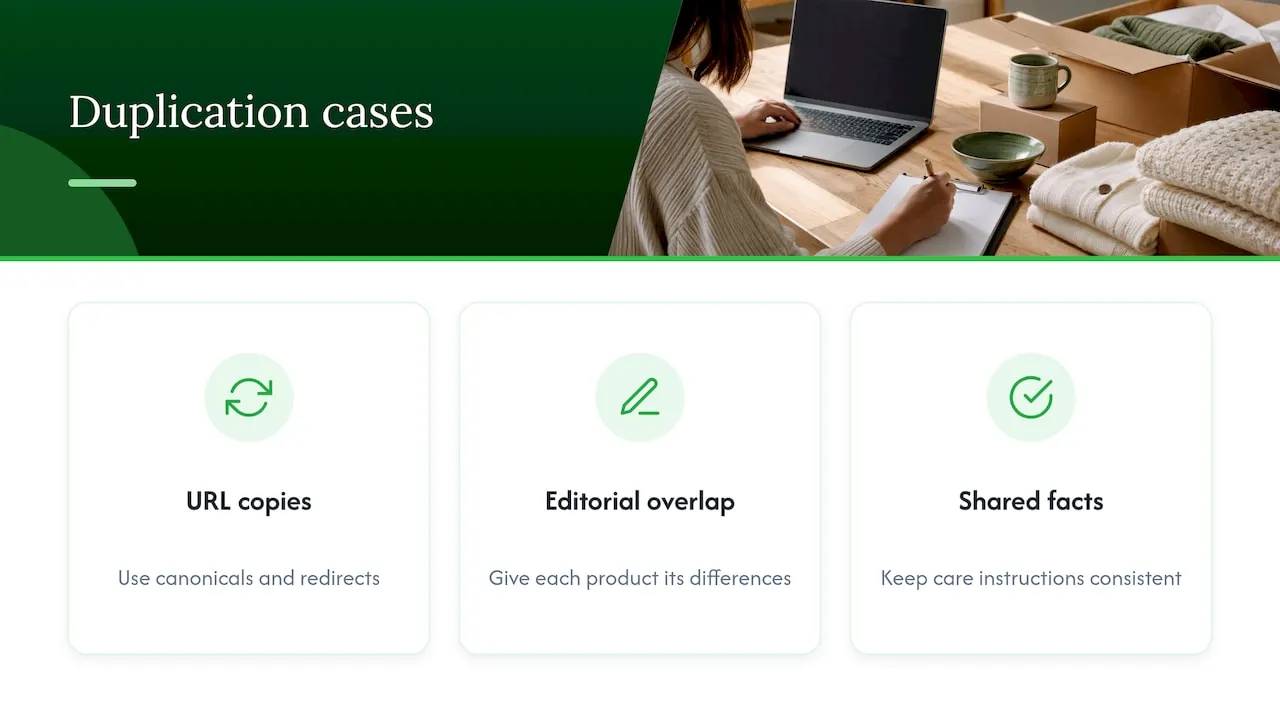
To be precise, ordinary duplication is not automatically a penalty. A guide citing Google’s SEO Starter Guide makes that point, noting that it still creates inefficient crawling and a confusing experience. The same guide separates three cases: URL duplication (fix with canonicals and redirects), editorial overlap (give each product its own differences) and legitimate shared facts such as care instructions (keep them consistent). Fix the right one.
For Google Shopping the stakes are higher. A Merchant Center editorial guide quotes the requirement that product details be accurate and unique for each product, and warns that a catalogue sharing one manufacturer blurb is generic and may be disapproved. If you run Google ads or free listings, copied text is a direct risk to revenue. For background on why identical pages cost you, see our guide on why to avoid duplicate product pages.
Step 1: Prepare your product data
Bulk work fails most often on the data, not the writing. Shopify’s CSV rules are strict:
- The file needs a header row and comma-separated columns.
- Updates require the URL handle and Title columns. Variant updates need Option1 name and Option1 value, or you risk deleting existing variants.
- Save as UTF-8 with LF linefeeds.
- CSVs hold text only, so every image must be a publicly accessible URL. Videos and 3D models are not supported.
Attribute consistency matters as much as format. Google’s product data rules, as summarised in Shopify’s guide, treat ‘Color: Navy’, ‘Color: Navy Blue’ and ‘navy’ as three different values. Pick one spelling per attribute before you import.
Shopify’s Holly Stanley suggests defining mandatory fields per product type: apparel needs fabric composition and care instructions, furniture needs dimensions. Write that list down for your niche. It becomes the brief for every generated page.
Two more traps. Changing a URL handle in a CSV creates a duplicate product instead of updating the original, so read our handle preflight checklist. And if your supplier sizes in different systems, convert them before publishing: EcomEye includes size system conversion so this is handled in the same run.
Step 2: Generate unique titles and descriptions in bulk
This is where hand-writing breaks. At 5 minutes a page, 300 products is 25 hours. Pasting supplier text saves the time but creates the duplicate problem.
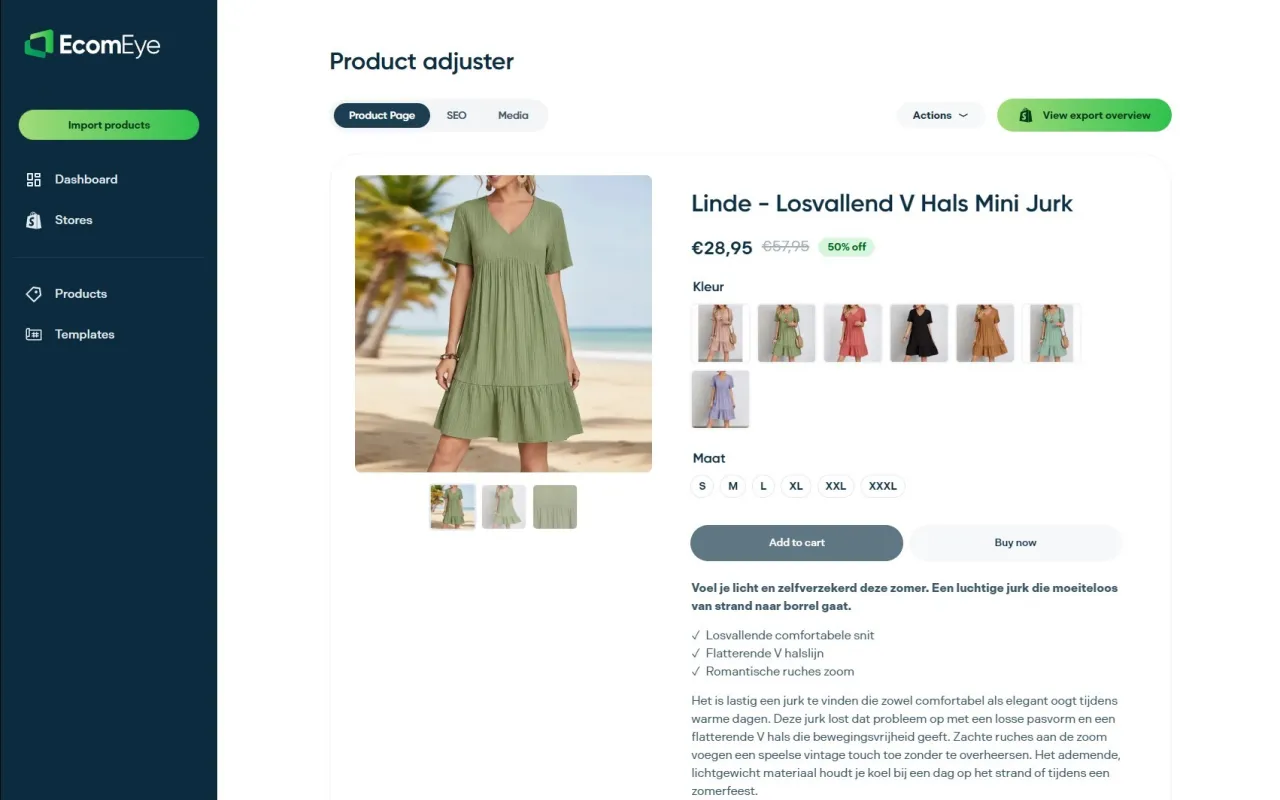
With EcomEye you import product data from AliExpress, Amazon, Temu or competitor Shopify links, and the platform generates optimised titles, clean descriptions and SEO-ready content. Our positioning is simple: every listing is uniquely generated for each user, even when two stores start from the same product link. Pages can be created in several languages, and built-in template and bulk editing let you adjust the output across the catalogue. If you are importing from competitor stores, our guide to safe bulk import of competitor products walks through the routine, and the AI product description generator page shows the output.
Write to the limits
Whatever generates the copy, hold it to the platform limits. One Merchant Center guide gives 150 characters for titles and 5,000 for descriptions, and notes that titles below Google’s minimum requirements are disapproved. Shopify’s SEO title field is limited to 70 characters, so keep the front of each title strong.
Shopify’s advice on keywords is to put the primary keyword in the title and long-tail phrases in the description, without stuffing, and to use titles that are descriptive and name real differentiators. A title such as “Waterproof Hiking Backpack 40L with Rain Cover” does more than “Best Amazing Backpack Hot Sale”.
Scale with value, not volume
Google’s March 2024 spam policy on scaled content abuse targets mass-produced pages made mainly to manipulate rankings without helping users. The safeguard is not volume itself but substance: each page should state real specifications, sizes, materials and use cases. That is why Step 1 comes first. Good input data gives generated copy something true to say.
Step 3: Make images consistent
Images are the other half of a product page, and the other half of copyright exposure. Supplier photos are often shared by dozens of stores.
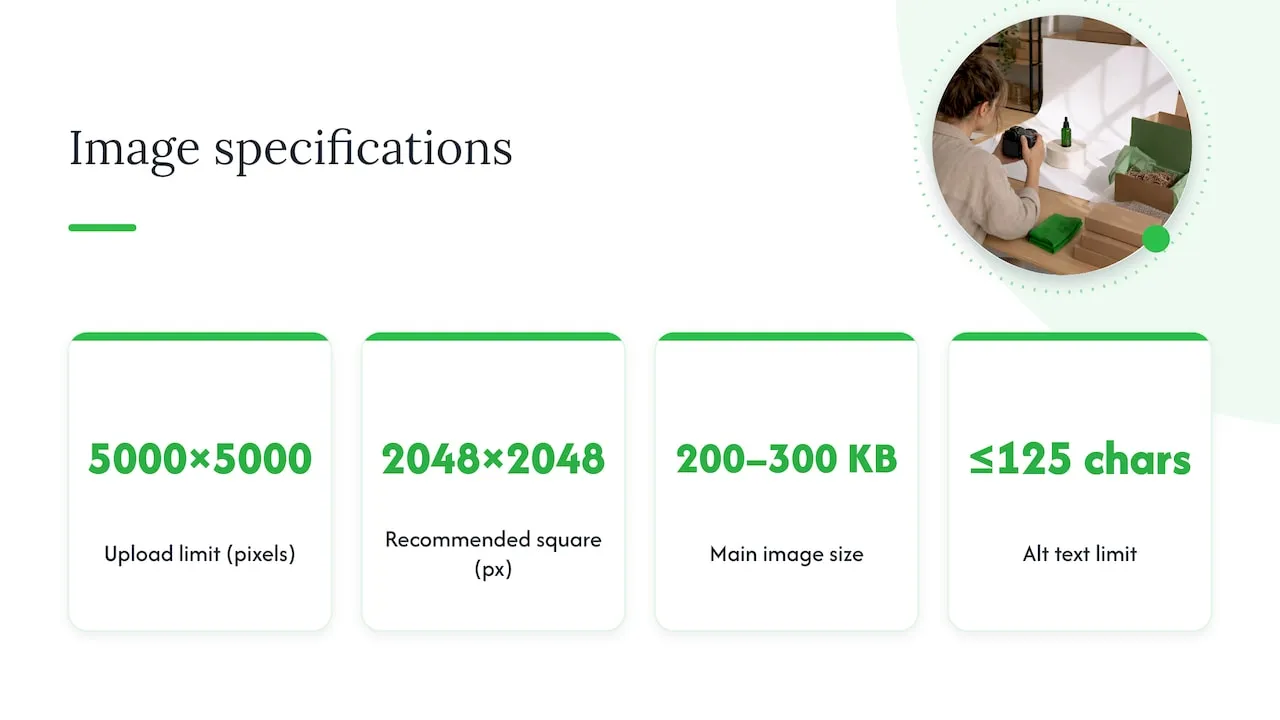
Shopify’s listing guide says you can upload photos up to 5000 by 5000 pixels, use JPEG for photography, and that Shopify compresses images and serves WebP or AVIF to supporting browsers. A separate image guide recommends 2048 by 2048 pixel squares, around 200 to 300 KB for a main image, descriptive hyphenated file names and alt text of 125 characters or fewer. Shopify does not write alt text for you.
EcomEye generates high-quality AI product images alongside the copy, so the catalogue does not rely on shared supplier photos. See the AI product image generator, plus our guides on bulk image generation from CSV, 2048 px product images and image compression.
Step 4: Publish and edit in bulk safely
Shopify’s native tools have clear boundaries. Its guide recommends the bulk editor for fewer than 50 products and CSV export and reupload for larger catalogues. The bulk editor covers product pages, not other page types or redirects, and CSV does not handle metaobjects.
Three habits from the same guide prevent most disasters:
- Save an unedited backup export before every upload.
- Fill every field. Empty fields revert to defaults and can harm SEO.
- Do not bulk-edit URLs. It needs redirects and brings no real SEO benefit.
Once pages are generated, EcomEye exports directly to Shopify in one click, which removes the CSV formatting step for new listings. For later changes, use our guides to bulk editing product pages and bulk find and replace. If you sell variants, our variant duplication guide covers the CSV pitfalls. Before scaling a theme, run the four template SEO checks.
A tip for Google sellers: EcomEye has built-in tools for Google Merchant Center and product variant management.
Step 5: Check before you scale further
Publish a batch of 20 to 30 first. Then check:
- The text reads properly, with no broken sentences or wrong units.
- Feed titles and descriptions match the landing page, a point the Merchant Center guide stresses.
- Specifications, sizes and materials are accurate for that exact product.
- Attribute values follow your standard spelling.
- Each product has one URL and one clear identity.
That last point echoes the Vow Design view: rewriting accurate care text while leaving conflicting URLs untouched sends you in the wrong direction. The aim is an understandable catalogue with reliable information, not a score from a uniqueness tool.
Step 6: Measure what the content does
A May 2026 Digital Heroes guide suggests a simple measurement setup:
- In Search Console’s Performance report, filter by the /products/ URL pattern to isolate product page impressions, clicks, CTR and average position.
- Group by query to find pages with high impressions but weak CTR, then rewrite those titles and meta descriptions.
- In GA4, build an exploration filtered to organic Google and /products/ paths, overlaying revenue and conversion rate.
Review weekly in Search Console, audit with a crawler monthly and rebuild dashboards quarterly. Give new pages time before judging them, and change one variable per batch so you know what worked.
Promo
If you are scaling a dropshipping store, EcomEye turns a product link into a unique, SEO-ready Shopify page with images, in bulk. The Try-out plan costs 39 EUR per month and Scaler costs 99 EUR per month, and new users can start with a free trial. See the plans on our pricing page.
Perspective
Most dropshipping stores do not stall because the owner cannot find products. They stall because every page says what a hundred other stores say. Google sees the same blurb, the same photos and the same title pattern, and has no reason to prefer yours.
We built EcomEye around one idea: each listing should be generated uniquely for the store that publishes it, even when two stores start from the same link. Speed matters, but speed with copied text only multiplies the problem.
Our advice is to fix the data first, generate in bulk second, and review a small batch before you push the whole catalogue. Done in that order, a week of listing work becomes a few minutes.
Koen
FAQ
Is duplicate content a Google penalty?
Ordinary duplicate content is not automatically a spam violation. It still wastes crawl budget and leaves search engines unsure which page to rank. For Merchant Center, generic copy shared across products can lead to disapprovals.
How many products can I update with Shopify’s bulk editor?
Shopify’s guidance suggests the native bulk editor for fewer than 50 products and CSV export and reupload for bigger catalogues. Always keep a backup export first.
Can I use the same description for product variants?
Variants of one product normally share a single page and description, with differences handled through options. Keep option names and values consistent so existing variants are not deleted on import.
How long should titles and descriptions be?
A Merchant Center guide lists 150 characters for titles and 5,000 for descriptions. Shopify’s SEO title limit is 70 characters, so put the key terms first.
Sources
- Shopify: Product Content Management in Ecommerce
- Shopify: Duplicate Content guide
- Vow Design: How to Avoid Duplicate Product Content in Shopify
- PassGMC: Google Merchant Center Editorial Requirements
- Shopify Help Center: Using CSV files to import and export products
- Shopify: SEO Bulk Editor
- Digital Vantage: Product Description SEO
- Shopify: Product Listing Optimization
- On Tap: Shopify Image Optimization Guide
- Digital Heroes: Optimizing Product Pages for Better SEO at Scale